10 Best AI Tools for Content Creators in 2026
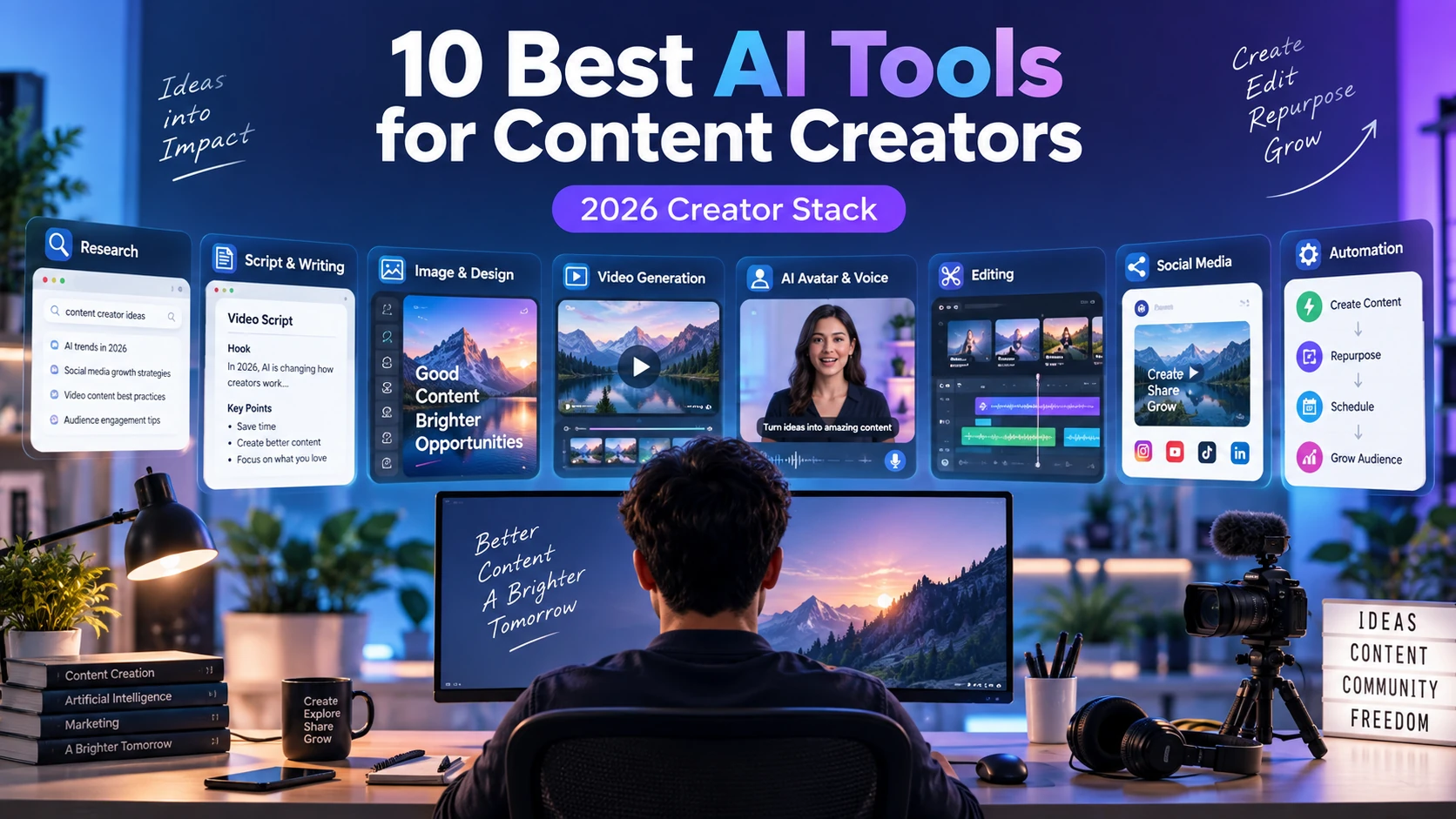
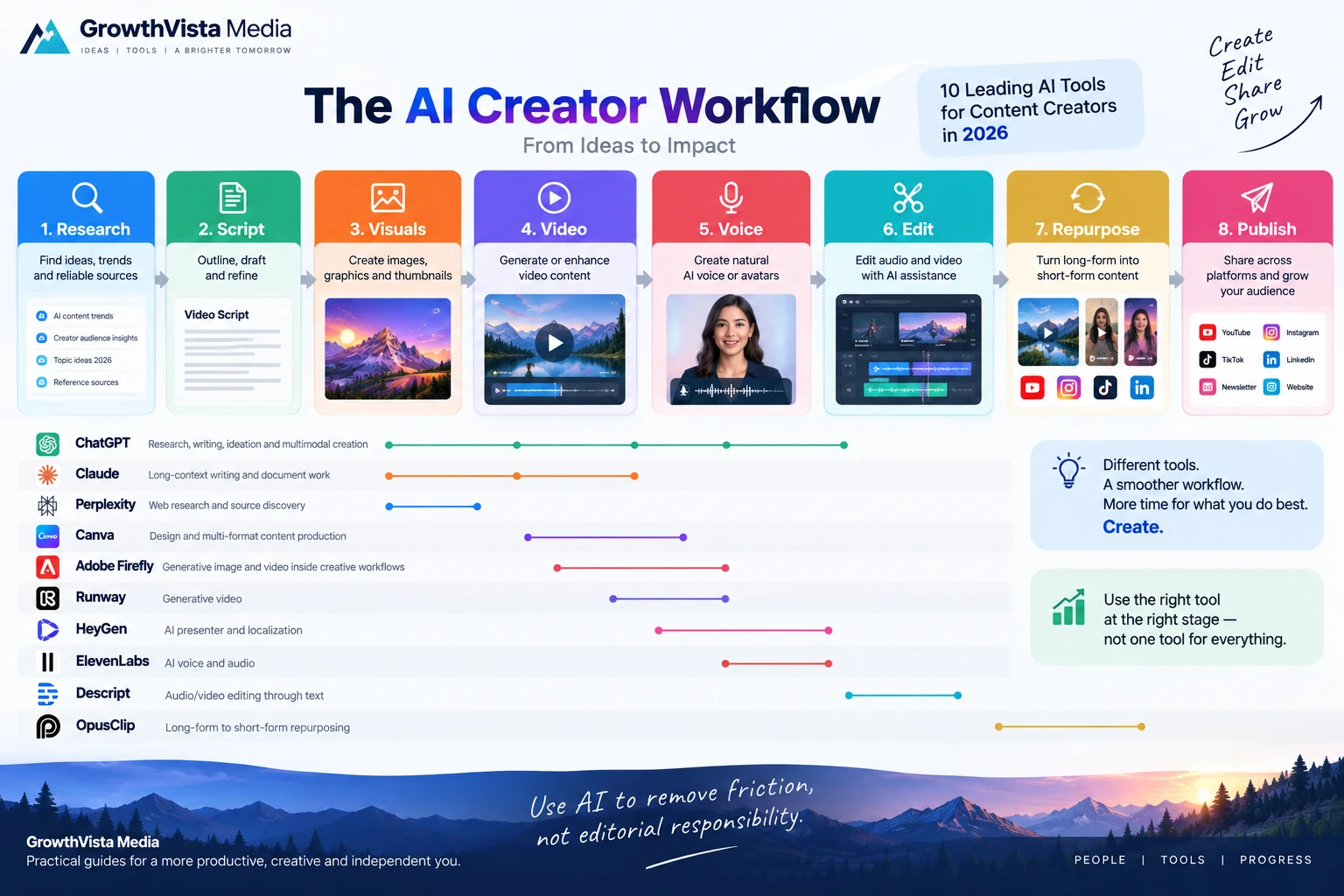
The best AI tools for content creators in 2026 cover different parts of the creator workflow rather than replacing every task with one app. A practical stack can combine research, writing, visuals, video, voice, editing and repurposing while keeping human judgment at the center.
Explore more in our AI Tools guides. Product capabilities and plans change frequently, so verify current details on each provider’s official website before subscribing.
How We Compared the Best Ai Tools For Content Creators
Choosing the best AI tools for content creators in 2026 is less about finding one AI app that does everything and more about building a small stack that removes repetitive work without flattening your creative identity.
A creator may use one tool to research a topic, another to draft or restructure a script, an image model for original visuals, a video generator for B-roll, an avatar tool for localization and a traditional editor to turn everything into a finished piece.
The best AI tools for content creators below cover different parts of that workflow. They are not ranked by a single universal score because a newsletter writer, YouTuber, designer and short-form creator have different production bottlenecks.
Editorial Disclosure: GrowthVista Media may receive compensation from qualifying SaaS referrals where an affiliate relationship is available. This does not change the selection criteria used in this guide.
How We Selected the Best Ai Tools For Content Creators
Useful role in a real creator workflow
Quality of current AI capabilities
Ability to move from idea to publishable asset
Editing and iteration rather than one-shot generation
Support for multiple content formats
Collaboration or repeatability where relevant
Current product availability in 2026
Potential to replace repetitive production work rather than creator judgment
Quick Comparison
| Tool | Creator Role | Useful For | Try the Tool |
|---|---|---|---|
| ChatGPT | Research, writing, ideation and multimodal creation | Scripts, outlines, analysis, images and workflow assistance | View Tool → |
| Claude | Long-context writing and document work | Drafting, editing, research synthesis and structured content | View Tool → |
| Canva | Design and multi-format content production | Social graphics, presentations, thumbnails, video and brand assets | View Tool → |
| Adobe Firefly | Generative image/video inside creative workflows | Original visuals, B-roll, image edits and design production | View Tool → |
| Runway | Generative video | Cinematic B-roll, image-to-video and creative sequences | View Tool → |
| HeyGen | AI presenter and localization | Explainers, faceless video, digital twins and multilingual content | View Tool → |
| Descript | Audio/video editing through text | Podcasts, talking-head video, captions and transcript editing | View Tool → |
| ElevenLabs | AI voice and audio | Narration, dubbing, voice design and multilingual audio | View Tool → |
| Perplexity | Web research and source discovery | Fast topic research with cited web sources | View Tool → |
| OpusClip | Long-form to short-form repurposing | Turning podcasts/interviews/videos into social clips | View Tool → |
1. ChatGPT — For Research, Writing and Multimodal Creator Work
ChatGPT is useful to creators because it spans more than one production stage. It can help turn an idea into an outline, restructure a script, analyze uploaded material, brainstorm hooks, summarize research and generate or edit images in supported workflows.
For creators, the strongest use is iterative collaboration: provide the audience, format, source material and constraints, then refine rather than accepting a generic first draft.
It is especially useful as the connective layer between specialized tools. A creator can use it to prepare a video brief for Runway, rewrite a narration for ElevenLabs, develop thumbnail concepts for Canva or convert research notes into a production checklist.
Important facts should still be verified against primary sources, particularly for news, health, finance, law and other changing or high-stakes subjects.
2. Claude — For Long-Form Writing and Document-Heavy Work
Claude is particularly relevant to creators working with long documents, large drafts and iterative writing. It can help analyze source material, reorganize articles, develop scripts, compare documents and refine tone across substantial pieces of content.
This makes it useful for newsletter writers, researchers, course creators, podcasters and YouTubers who begin with large amounts of text rather than a visual prompt.
As with any language model, a polished answer is not proof that every factual claim is correct. Use source material and verification where accuracy matters.
3. Canva — For Design, Thumbnails and Multi-Format Publishing
Canva is useful when a creator needs to turn one idea into many visual formats. Its current AI features sit inside the broader Canva editor, so generated images, video clips, layouts and copy can move directly into thumbnails, posts, presentations and vertical video.
For creators already using Canva for brand templates, the advantage is not just generation. It is the ability to keep typography, colors, layout and reusable brand assets consistent while adapting content for different channels.
Canva's expanding marketing and publishing workflows also make it practical for small creator businesses that do not want a separate design tool for every output.
4. Adobe Firefly — For Generative Visuals in a Professional Creative Workflow
Adobe Firefly combines generative image and video capabilities with Adobe's broader creative ecosystem. Current Firefly workflows can use Adobe models and selected partner models for tasks such as text-to-image, text-to-video, image-to-video, generative editing and creative variations.
This is relevant to creators who already finish work in Photoshop, Premiere Pro or other Adobe applications. Generated assets can become part of a professional editing pipeline instead of remaining isolated outputs.
Adobe states that content generated with its own Firefly models is designed to be safe for commercial use. Partner-model terms should be checked separately.
5. Runway — For AI-Generated B-Roll and Cinematic Sequences
Runway is a specialist choice for creators who need original video shots. Its current Gen-4.5 model supports text-to-video and image-to-video, detailed motion prompting and multiple aspect ratios.
YouTubers, filmmakers and social creators can use it for B-roll, concept shots, intros, visual transitions and scenes that would be difficult to film.
The best workflow is normally shot-based. Generate short clips, reject artifacts, assemble the strongest takes in an editor and add narration or sound as needed. Generation credits can be consumed quickly when a shot needs many attempts.
6. HeyGen — For AI Presenters and Multilingual Video
HeyGen is useful when the creator needs a repeatable on-screen presenter without recording every video. Its current platform combines stock avatars, custom digital twins, script-to-video workflows, AI B-roll, voices, captions and broad localization.
That makes it relevant to faceless educational channels, software tutorials, product explainers and creators expanding into multiple languages.
Synthetic presenters should be used transparently and with appropriate consent. A digital avatar can reduce production time, but the script, expertise and editorial point of view still determine whether the content is worth watching.
7. Descript — For Editing Video and Podcasts Through Text
Descript approaches editing from the transcript. Instead of treating audio and video only as a timeline, creators can edit spoken content by editing the text representation of the recording.
That can speed up podcasts, interviews, talking-head videos and screen-recorded tutorials. Descript's current product also includes transcription, captions, filler-word cleanup, audio enhancement and AI-assisted editing features.
For creators who dislike traditional waveform editing, transcript-first editing can substantially simplify the rough-cut stage.
8. ElevenLabs — For Narration, Dubbing and AI Audio
ElevenLabs is a specialist audio platform for creators who need synthetic speech, voice cloning, dubbing, sound or multilingual narration.
It can be useful for faceless YouTube channels, audiobooks, explainers, localized video and podcast production. Voice tools are especially valuable when a script changes frequently and re-recording a human narrator would slow production.
Creators should use cloned voices only with appropriate rights and consent. For commercial projects, verify the current plan's licensing terms and any restrictions attached to the selected voice.
9. Perplexity — For Fast Web Research and Source Discovery
Perplexity is useful at the beginning of the content workflow. Its search-oriented interface can answer research questions while surfacing citations and source links, making it easier to discover primary material for a script or article.
For a creator, this is different from simply asking a writing model to produce a finished post. The research output should become a source map: open the important sources, verify the claims, take notes and then write from the evidence.
It is particularly useful for topics that change frequently, where relying on static model knowledge would be risky.
10. OpusClip — For Turning Long Videos Into Short Social Clips
OpusClip is designed around repurposing. A creator can start with a longer video, podcast or interview and use AI to identify segments, reframe them for vertical platforms, add captions and produce multiple short-form candidates.
This can reduce the manual work involved in turning one long recording into Shorts, Reels and other social assets.
AI-selected clips still need human review. The most quotable 30 seconds are not always the segment that best represents the creator, avoids missing context or supports the current content strategy.
Which Tools Fit Different Creator Types?
| Creator Type | Useful Stack to Test | Why |
|---|---|---|
| YouTuber | ChatGPT/Claude + Runway + Descript + Canva | Research/script + B-roll + edit + thumbnail |
| Faceless channel | Research assistant + HeyGen/ElevenLabs + Runway + editor | Script + presenter/voice + visuals |
| Podcast creator | Claude/ChatGPT + Descript + OpusClip | Planning + edit/transcript + social repurposing |
| Newsletter/blogger | ChatGPT/Claude + Perplexity + Canva | Research + writing + source discovery + graphics |
| Short-form creator | Canva + Pika/Runway + OpusClip | Design + generated hooks + repurposing |
| Course creator | Claude/ChatGPT + HeyGen + Canva | Structure + presenter + educational graphics |
| Designer/creative | Adobe Firefly + Canva + Runway | Generative assets + layouts + video |
| Multilingual creator | HeyGen/ElevenLabs + writing assistant | Translation, voice/presenter and script adaptation |
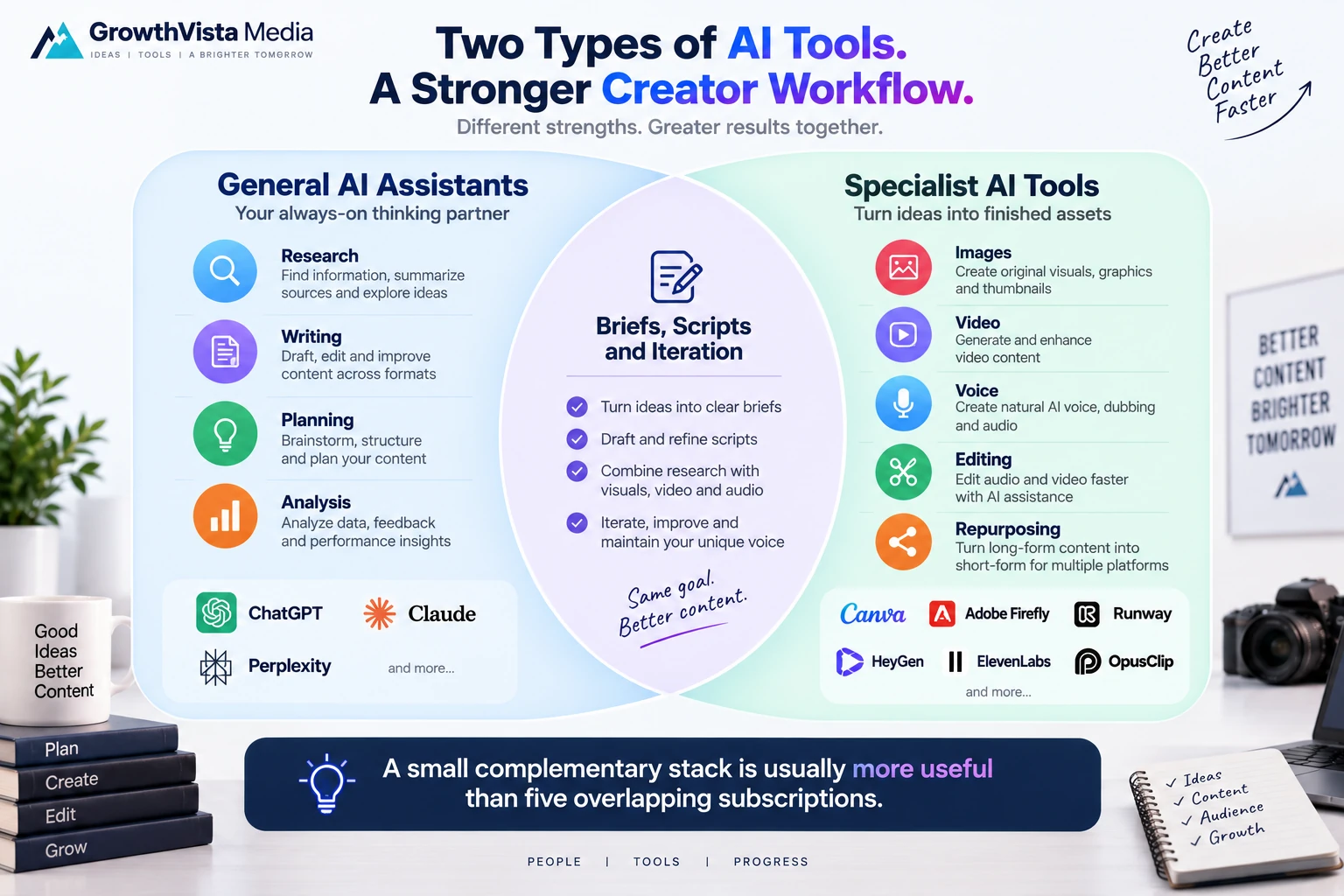
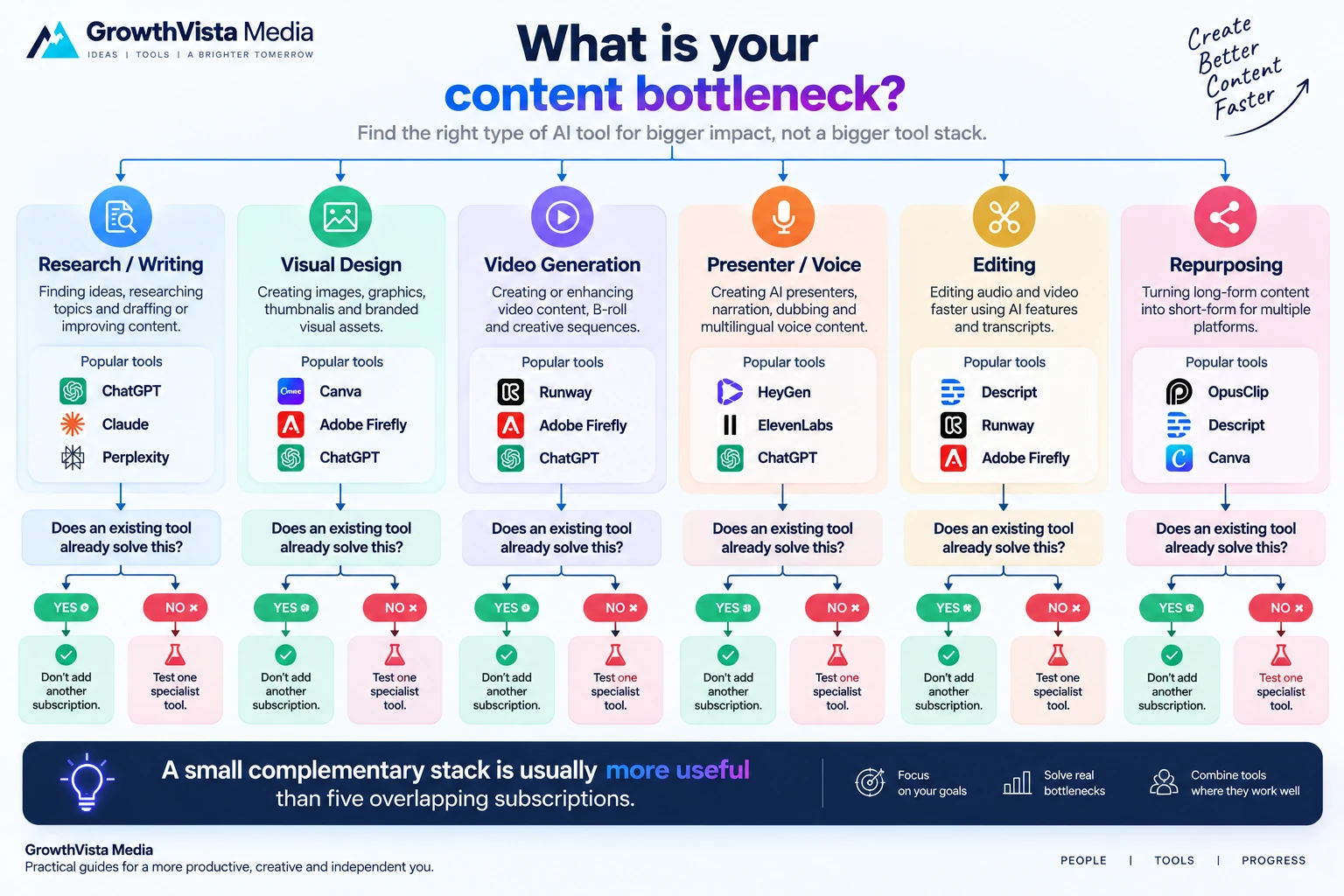
Don't Pay for Three Tools That Solve the Same Problem
AI subscriptions accumulate quickly. Before adding a new tool, identify the production bottleneck it replaces.
If ChatGPT or Claude already handles your writing workflow, a third general writing assistant may add little. If Canva already covers simple AI clips, you may only need Runway when a project requires more specialized video generation.
A good stack of the best AI tools for content creators has complementary tools, not the longest possible list of subscriptions.
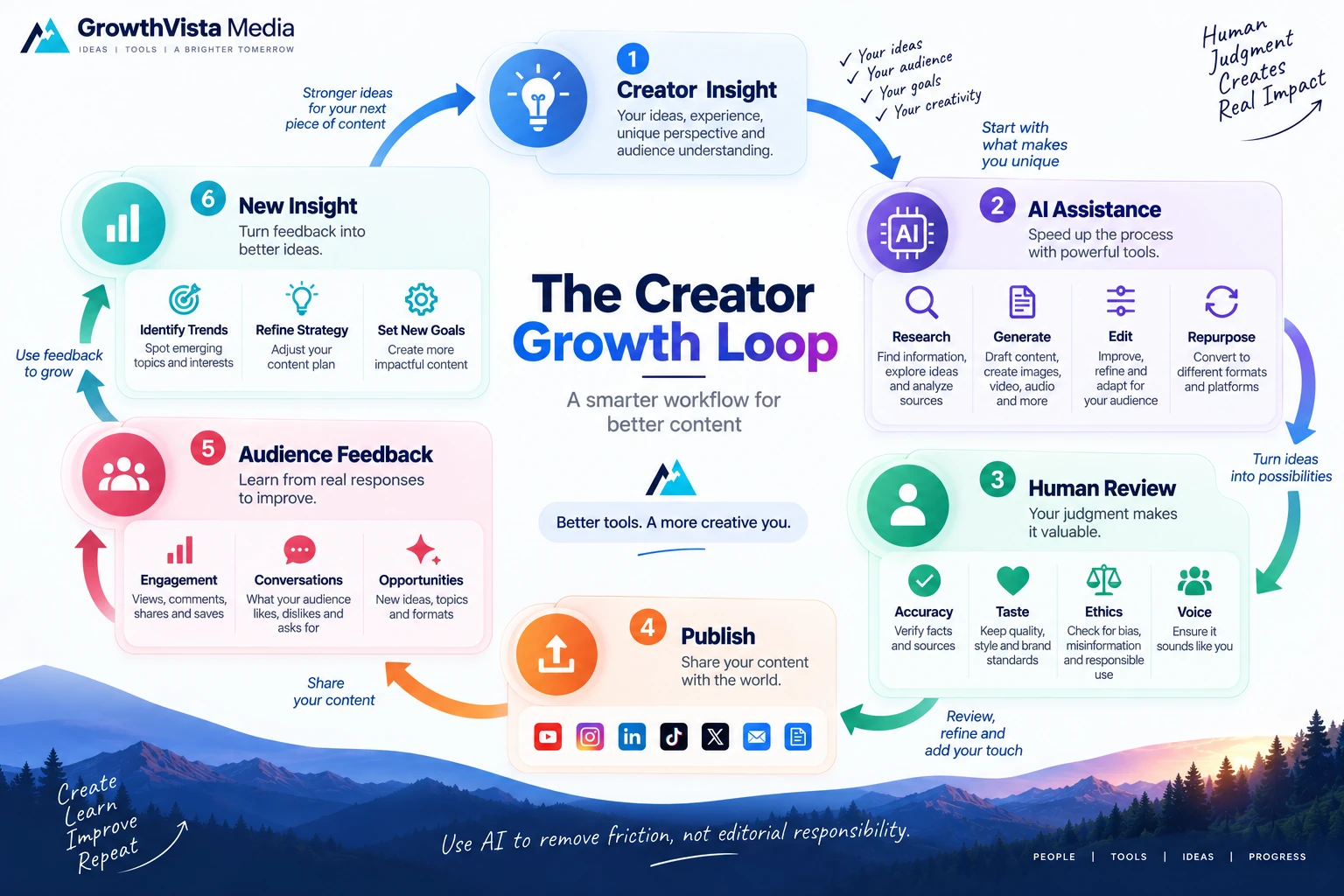
A Practical Creator Workflow
| Stage | AI Can Help With | Human Role |
|---|---|---|
| Idea | Brainstorming and research discovery | Choose angle worth publishing |
| Research | Source discovery and synthesis | Verify evidence and context |
| Script | Outline, draft and rewrite | Expertise, voice and factual review |
| Visuals | Images, graphics and B-roll | Art direction and rights review |
| Voice/presenter | Narration, avatar and localization | Consent, pronunciation and authenticity |
| Edit | Transcription, rough cut and cleanup | Pacing, story and final judgment |
| Repurpose | Clip extraction and resizing | Choose contextually useful segments |
| Publish | Descriptions and format adaptation | Packaging, disclosure and audience relationship |
AI Content Still Needs a Distinct Point of View
The easiest way to make AI-assisted content feel generic is to ask a model for an entire finished piece without giving it meaningful source material, examples or constraints.
Creators get better results when AI works on top of something specific: original research, personal expertise, a real interview, a product test, a unique dataset, a strong argument or a recognizable visual style.
AI can accelerate the production layer. It cannot manufacture genuine experience that never occurred.
Rights, Disclosure and Synthetic Media
Creators remain responsible for the assets they upload and publish. Confirm rights to photos, video, music, logos, voices and faces used as references.
Platforms such as YouTube also require disclosure for certain realistic altered or synthetic media. Social networks and advertising platforms may have their own rules.
If a synthetic person, voice or scene could reasonably be mistaken for a real event or real statement, review the publishing platform's current disclosure guidance before posting.
How to Evaluate a Tool Before Paying Annually
Use one real project rather than a demo prompt.
Measure how much editing the AI output still requires.
Check whether the tool supports your actual formats and export requirements.
Test your primary language, plus localization if relevant.
Calculate credits/minutes based on rejected generations as well as successful ones.
Review commercial-use and synthetic-media terms.
Check whether the tool duplicates a capability already included in another subscription.
Pay annually only after the workflow has proved useful repeatedly.
Frequently Asked Questions
What is the best AI tool for content creators?
There is no universal choice. General assistants such as ChatGPT or Claude can cover research and writing, while specialist tools are more useful for video, voice, design and editing.
What AI tools do YouTubers use?
Useful categories include research/writing assistants, video generators such as Runway, avatar tools such as HeyGen, transcript editors such as Descript and design tools such as Canva.
Which AI tool is useful for faceless videos?
HeyGen can provide an AI presenter, ElevenLabs can provide narration, and generative-video tools can create B-roll. The content still needs original scripting and editorial direction.
Which AI tool is useful for thumbnails?
Canva is a practical all-in-one design option. Image-generation tools can also create original visual concepts that are refined into a thumbnail.
Can AI edit podcasts?
Yes. Descript is designed around transcript-based audio/video editing, while repurposing tools such as OpusClip can help create short clips from longer recordings.
Can AI translate my content into other languages?
Yes. HeyGen and ElevenLabs provide multilingual voice/video workflows, among other platforms. Important translations should be reviewed by a fluent speaker.
Can I use AI content commercially?
Often yes, but commercial rights vary by provider, model, asset and subscription. Check the current terms for the exact workflow you use.
Will AI replace content creators?
AI can automate parts of production, but creators still make decisions about subject, evidence, taste, storytelling, audience and accountability.
How many AI subscriptions does a creator need?
Usually fewer than marketing lists suggest. Start with one general assistant and add specialist tools only for clear production bottlenecks.
Should I publish AI output without editing?
Generally no. Review factual accuracy, context, style, rights, artifacts and platform disclosure requirements before publishing.
Final Thoughts on the Best Ai Tools For Content Creators
The most useful stack of the best AI tools for content creators is usually small. One general assistant can handle research, planning and writing, while one or two specialist tools solve the production tasks that consume the most time.
ChatGPT and Claude are broad starting points for thinking and text. Canva and Adobe Firefly address visual production. Runway handles generative video, HeyGen handles presenter-led video, Descript simplifies transcript-based editing, ElevenLabs specializes in voice, Perplexity accelerates source discovery and OpusClip focuses on repurposing.
Do not choose tools because they appear on the most 'best AI' lists. Choose them because a repeated part of your real workflow becomes faster or better.
The creator's durable advantage remains the part that is hardest to automate: judgment about what is worth saying, what is true, what looks right and what the audience will care about.