AI Assistants: 7 Checks for Everyday Work
Editorial scope: Researched practical guide. Examples are illustrative, not hands-on product benchmarks. Reviewed October 2026.
How do you choose the right AI assistant for work?
Choose an AI assistant by testing it on three recurring tasks from your actual workflow. Compare output accuracy, source handling, privacy settings, integrations, export quality, correction time, and total cost. Run the same test across multiple assistants before deciding whether to adopt, continue testing, or stop.
Start with the work you repeat, the information you can safely share, and the output you actually need. This guide offers seven checks and a reusable trial method. It is a buying framework rather than a hands-on ranking of named products. Examples are illustrative; they are not measured performance claims about any provider.
7 things to check before choosing an AI assistant
| Factor | What to check |
|---|---|
| Tasks | Can it reliably complete your recurring work? |
| Accuracy | Does the output meet a written acceptance checklist? |
| Sources | Can you verify its factual claims? |
| Privacy | Are the account’s data settings appropriate for your information? |
| Integrations | Does it connect to and export into your workflow? |
| Cost | Does it save enough usable time to justify the expense? |
| Trial results | Does it perform consistently across repeated tests? |
1. What tasks should you test an AI assistant on?
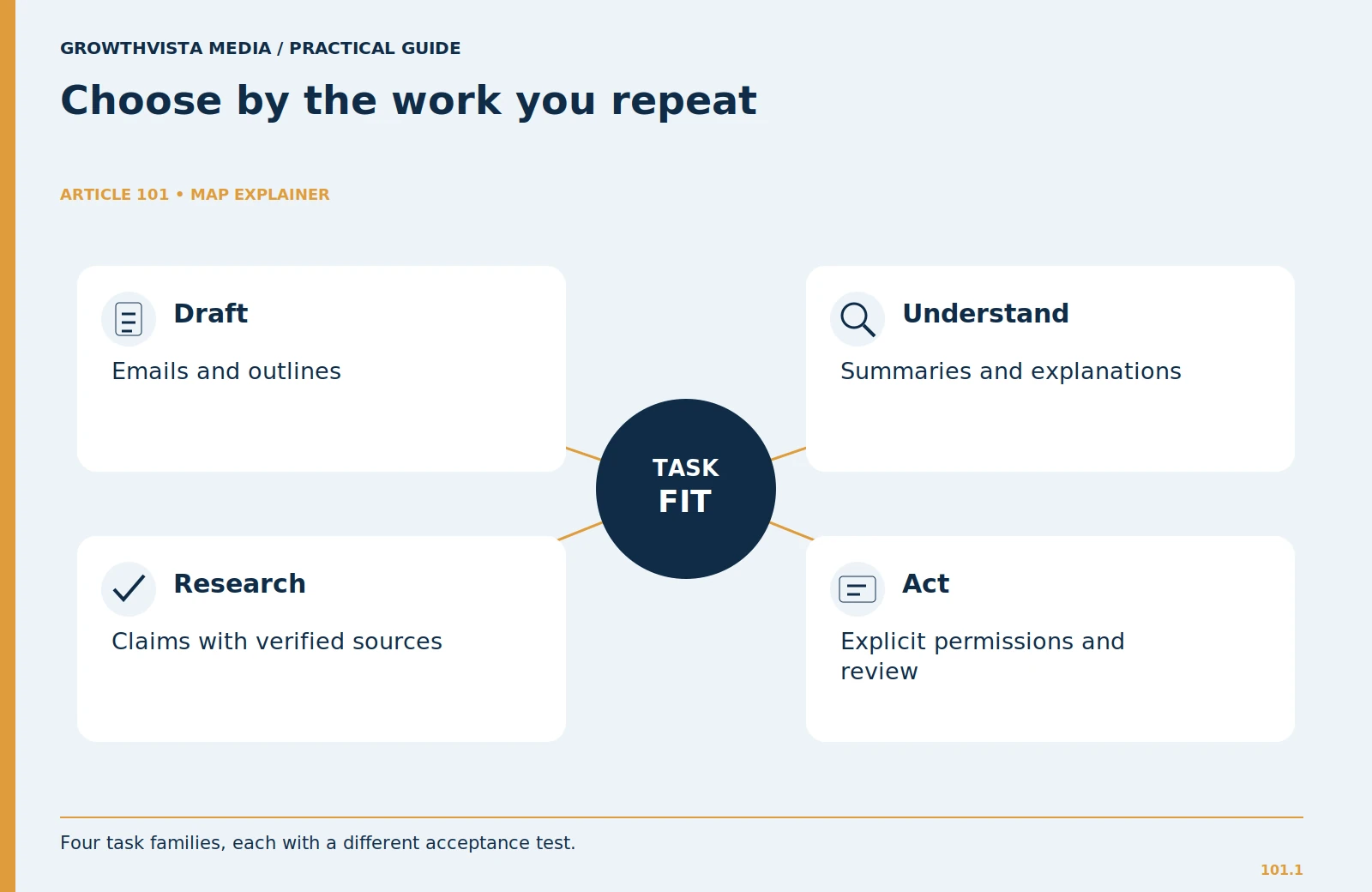
Write down three tasks from your last working week. Good candidates include turning meeting notes into an action list, restructuring a customer email, or extracting obligations from a public policy document. Describe the input, the desired output, and the person responsible for approving it. “Help me work faster” is too broad to evaluate.
Distinguish an assistant that answers questions from a tool that can take actions in connected systems. Drafting an email and sending it are different permissions. If you need only a draft, an integration with broad access can add complexity without improving the result. Keep the first trial narrow enough that you can tell whether the tool solves a real problem.
For a sales coordinator, the test might be: take a sanitized inquiry, create a reply with three clarifying questions, and format a follow-up checklist. The tool should preserve the customer’s stated requirements and leave missing information visibly unresolved. Inventing a budget or delivery date makes the draft worse, even if its tone sounds professional.
2. How should you compare AI assistant outputs?
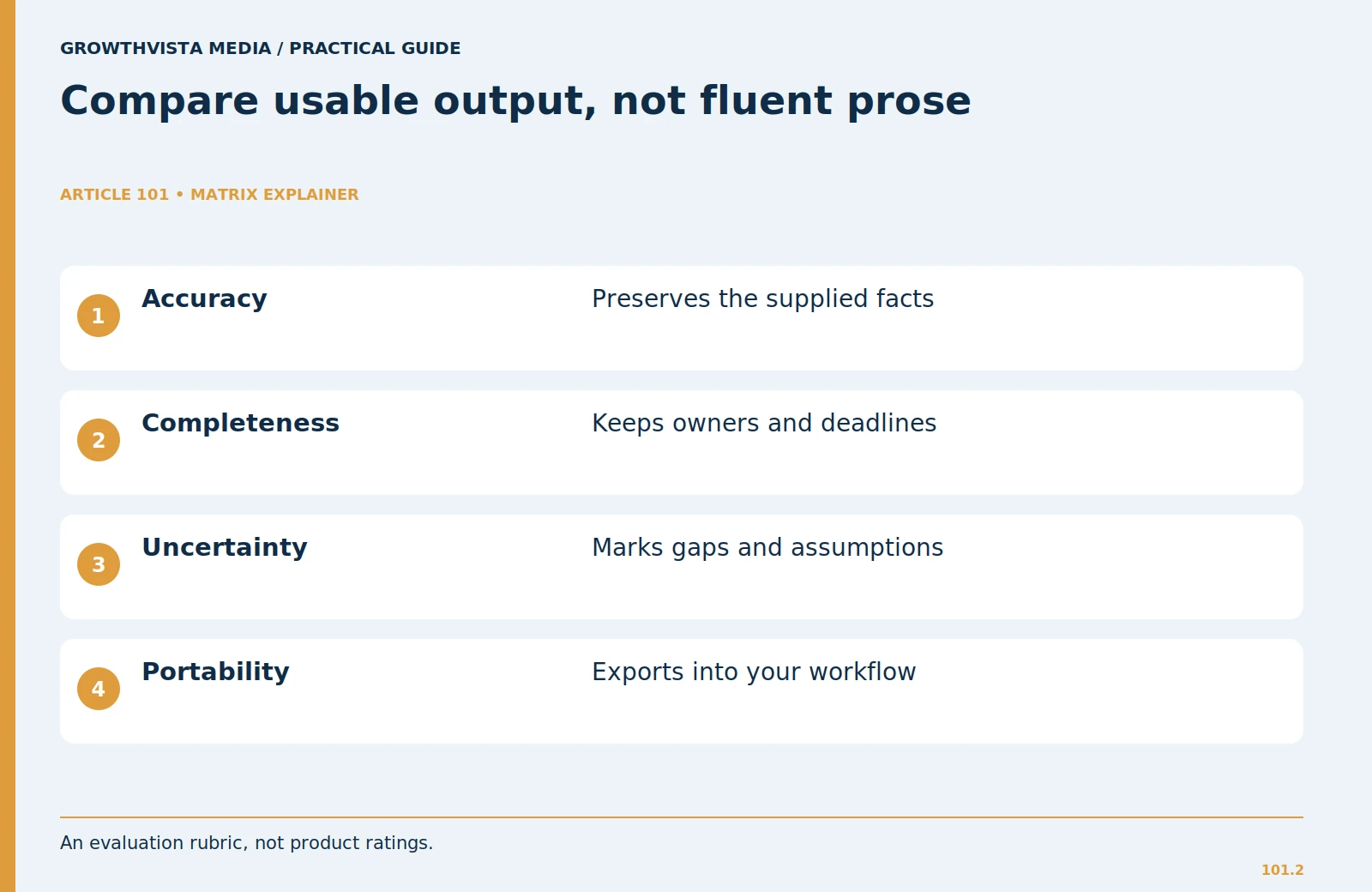
Define success before you see the answers. For a meeting summary, require decisions, owners, deadlines, and unresolved questions. For a customer reply, require factual consistency, clear next steps, and your preferred tone. Use identical inputs across candidates, then make one follow-up request to see whether each tool can correct a specific problem.
Record the defects rather than a vague impression. Did it drop a deadline? Confuse a proposal with a decision? Produce a tidy table that omits important qualifications? A brief list of concrete errors is more useful than declaring one model “smarter.” Repeat the task with a different input so that a lucky first answer does not decide the purchase.
Do not reward length by itself. A concise answer containing all required information can be more useful than a long explanation. If you cannot verify the answer with reasonable effort, mark it as unsuitable for that task even when the prose is convincing.
| Task | Acceptable output | Reject or correct |
|---|---|---|
| Meeting notes | Decisions, owners, deadlines | Invented decisions or missing owner |
| Customer reply | Approved facts and questions | Unapproved price or delivery promise |
| Public-document brief | Traceable claims and gaps | Reference does not support the claim |
3. How can you check an AI assistant’s accuracy and sources?
Check AI accuracy by verifying important factual claims against the original sources rather than trusting citations alone. Also test how the assistant handles missing information, uncertainty, dates, geography and exceptions.
Ask the assistant to separate material supplied by you from external information and its own interpretation. When it makes a factual claim, open the supporting source and inspect the actual passage. A clickable reference is an invitation to verify, not proof that the claim is supported. Note dates, versions, geography, and any exceptions that the answer leaves out.
Use a deliberately incomplete input during the trial. For example, omit the delivery deadline from a project brief and ask for a schedule. A useful response should ask for that date or clearly label an assumption. If it quietly invents a deadline, you have learned something important about the review burden.
For research-heavy work, judge the source-checking process separately from writing quality. You may choose one assistant for drafting and use a more constrained evidence workflow for research. There is no requirement to make a single subscription handle every kind of decision.
4. What AI privacy and data settings should you check?
Before entering work information, inspect the current privacy terms for your account type. Consumer accounts, business workspaces, and API services can have different arrangements. OpenAI’s documentation, for example, distinguishes individual services from business services and explains available model-improvement controls. Google’s Gemini privacy hub describes activity controls and handling of connected services. Those differences make account-level checks necessary.
Create a sanitized test packet that removes names, account numbers, private contract terms, and customer identifiers. Keep only the structure needed to evaluate the task. If your organization requires an approved service, use that service rather than treating a personal paid subscription as automatic permission to upload company records.
Review retention, training settings, deletion, administrator access, and third-party connections separately. Turning off one setting does not answer all five questions. Record the relevant policy link and review date in your trial notes so a future plan change can be checked against the original decision.
5. Which AI integrations and export features matter?
An assistant fits your workflow only if its output can move into the tools you use. Test copying a table into your spreadsheet, exporting a document, and continuing a conversation on another device. Watch for lost headings, broken lists, flattened tables, and missing source links. These small problems can consume the time saved during drafting.
If you connect an app, inspect what access is requested and what actions are possible. Start with the smallest useful scope. Have the assistant draft an action for review before allowing it to execute anything. A read-only summary of a folder is different from editing documents or messaging colleagues.
Ask how you would leave the service. Can you retrieve useful work in ordinary formats? Can you disable a connection and identify saved shared links? Portability matters even during a small trial because your prompts, decision notes, and templates can become valuable working material.
6. How do you calculate whether an AI assistant is worth the cost?
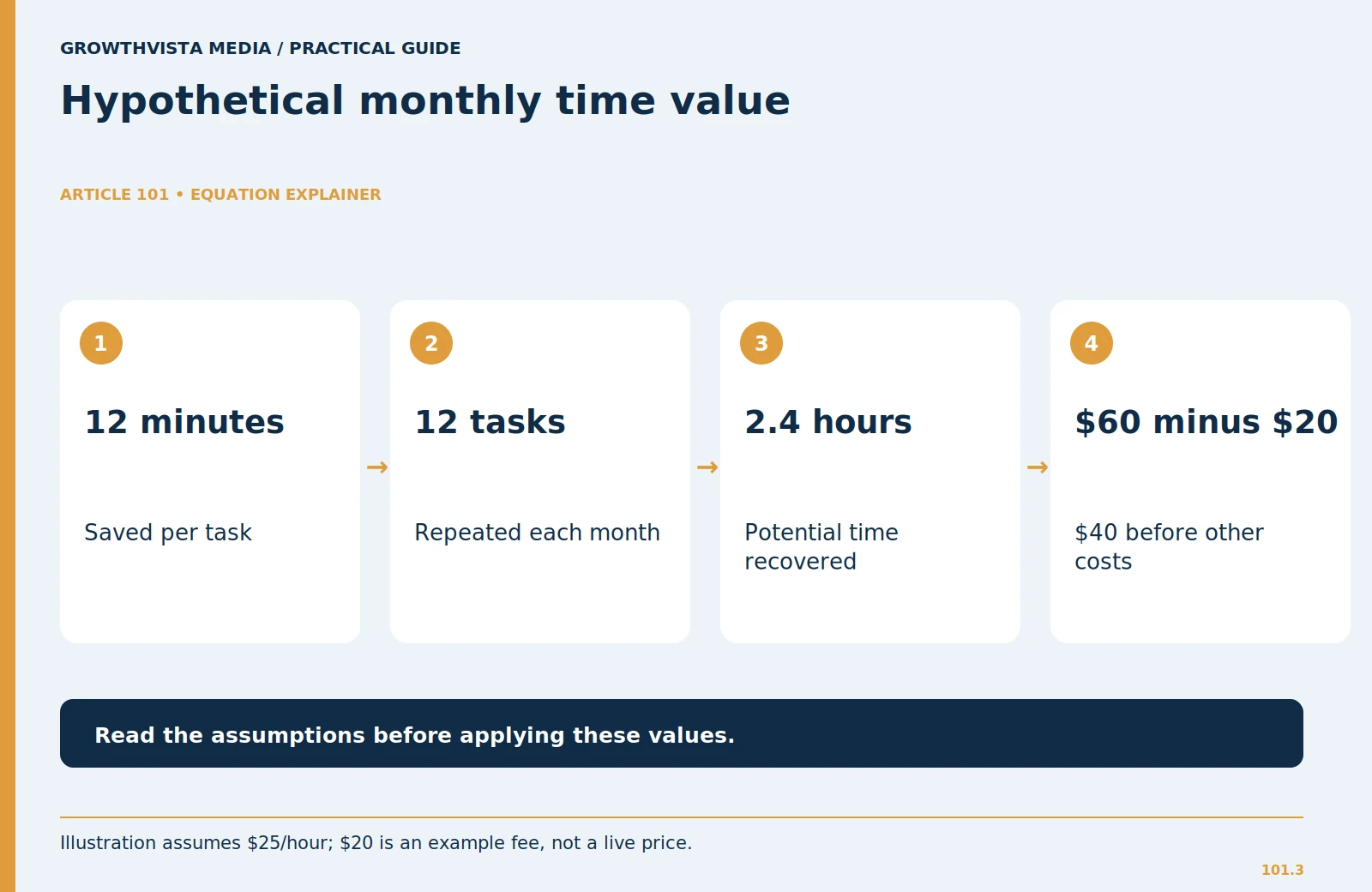
Treat subscription fees as one part of the cost. Include setup, correction, waiting, and final review. Use a simple worksheet: manual task time minus assisted task time, multiplied by the number of times the task occurs. Then subtract the subscription and any extra usage costs that apply to the plan.
Here is a hypothetical example. A task takes 30 minutes manually and 18 minutes with an assistant, including review. At 12 repetitions per month, the difference is 144 minutes, or 2.4 hours. Valuing that time at an illustrative $25 per hour gives $60 of potential monthly time value. A hypothetical $20 subscription leaves $40 before setup and other costs. This is a planning calculation, not a promised saving or a current product price.
Time value also depends on whether you can use the freed time productively. If the work is infrequent, your existing free tools may be enough. If errors are costly, a few saved minutes may not compensate for extra checking.
7. How long should you test an AI assistant before choosing it?
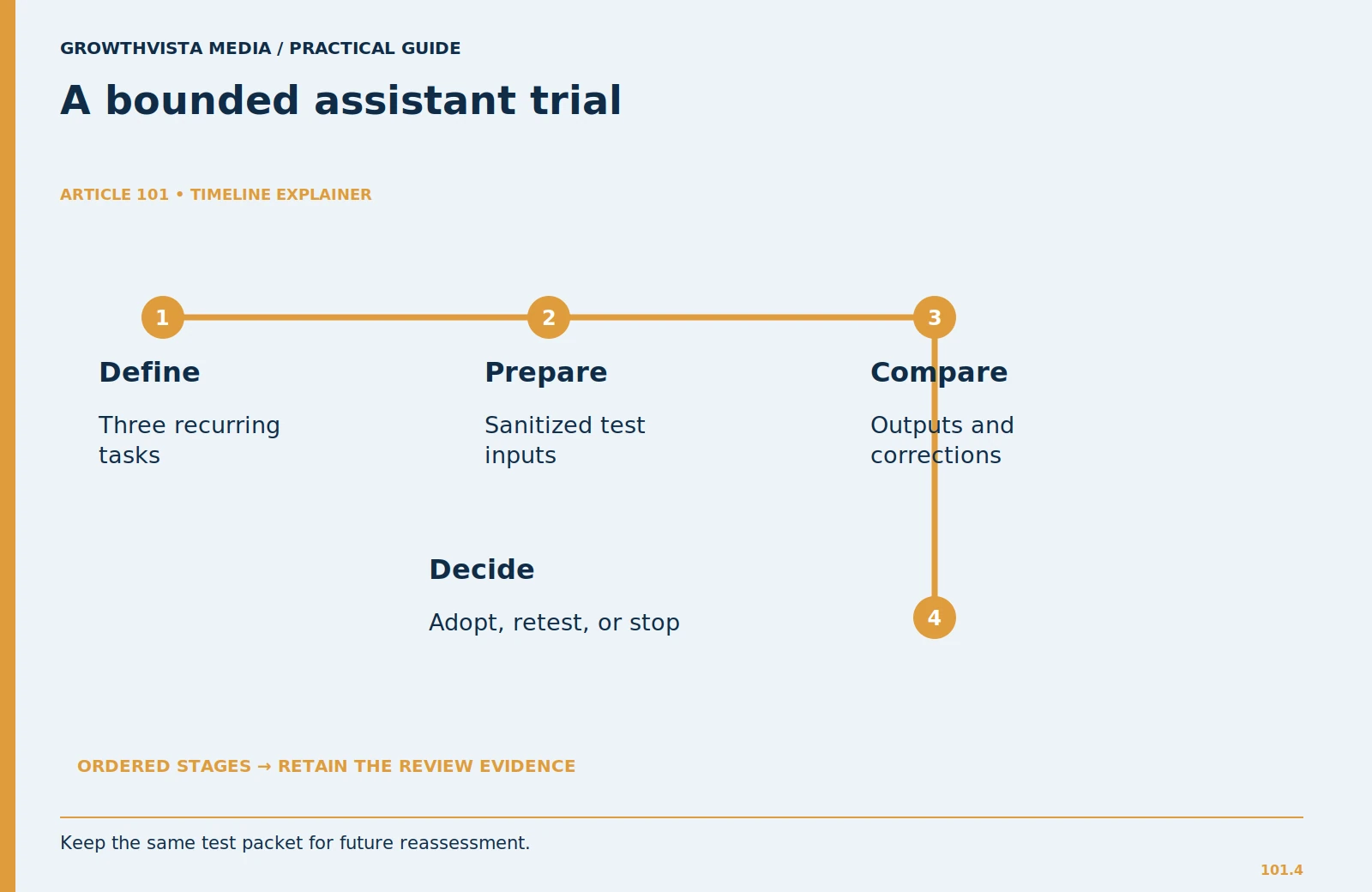
Use a short trial covering your three tasks. Keep the original input, generated output, correction notes, and total working time. Try the same task on more than one occasion. Include a messy example, such as incomplete meeting notes, because real work rarely resembles a perfectly prepared demonstration.
At the end, choose among three outcomes: adopt for specific tasks, continue testing one unresolved issue, or stop. Avoid accumulating several overlapping subscriptions because each performed well once. A useful adoption note might say, “Use for public-document summaries and email drafts; do not use for customer records or unverified market claims.”
Revisit the decision when your workload or the service changes. Keep your trial prompts so you can repeat the evaluation. The assistant should earn a place in a defined workflow, with a named reviewer and clear limits, rather than becoming the default destination for every piece of information.
A reusable trial worksheet
Create one row per task with these columns: input type, required output, missing facts, first-pass defects, correction time, export problems, total time, and final decision. For quality, use plain labels such as usable, usable after correction, and unsuitable. Avoid precise scores unless you can explain how they were assigned.
Keep the worksheet focused on decisions. If both tools create acceptable email drafts but only one preserves a source table during export, that difference may decide the purchase. If neither handles your main task reliably, changing the prompt indefinitely is not a useful trial. Narrow the task, improve the input, or use your existing workflow.
AI Assistant Evaluation Checklist
Before choosing an AI assistant for work, use this checklist to evaluate its accuracy, reliability, privacy, usability, and overall value.
- Task Performance: Does the assistant complete your three most common work tasks accurately?
- Output Accuracy: Does it preserve important facts without inventing information?
- Source Reliability: Are factual claims supported by relevant, verifiable sources?
- Handling Uncertainty: Does it identify missing information instead of making unsupported assumptions?
- Data Privacy: Are its data handling, retention, and training settings suitable for your work?
- Integrations: Does it support the applications and workflows you regularly use?
- Export Quality: Can you export or transfer content without losing formatting or important details?
- Correction Time: Can errors be identified and corrected with reasonable effort?
- Cost-Effectiveness: Does the time saved justify subscription fees and additional usage costs?
- Consistency: Does it deliver acceptable results across repeated tests?
Final Decision
After completing the checklist, choose one of three outcomes:
- Adopt: The assistant consistently meets your requirements for specific tasks.
- Continue Testing: Some concerns remain unresolved and require further evaluation.
- Do Not Adopt: The assistant fails essential accuracy, privacy, usability, or cost requirements.
Key Takeaway: The best AI assistant is not necessarily the one with the most features. It is the one that consistently delivers accurate, usable, and secure results for your specific workflow.
Frequently asked questions
Which AI assistant is best for everyone?
There is no universal choice. Compare assistants on your own inputs, required output, account permissions, and review capacity. This framework does not claim a benchmark winner.
Should I pay before testing?
Start with the access you already have when it supports the task. Upgrade only to test a specific restriction or capability that affects your regular work.
Can I trust a source link in an answer?
Open it and check the passage, date, and context. A source can exist without supporting the exact statement the assistant made.
What should a small team record?
Keep approved account types, allowed information, permitted integrations, review responsibilities, and a few repeatable trial tasks. This makes the purchase easier to reassess.
How do I compare two AI assistants?
Test both with identical inputs and evaluate factual accuracy, correction time, source quality, privacy, integrations and output usability.
What should I test before paying for an AI assistant?
Test three recurring tasks, including at least one incomplete or messy real-world example.
How long should I test an AI assistant?
Use a bounded trial long enough to repeat your main tasks more than once rather than judging the assistant from a single successful response.
Is a paid AI assistant worth it for work?
It may be worth paying for when the time saved on usable output exceeds the subscription, setup, correction and review costs.
Sources and further reading
Official documentation supports the provider-specific and publishing guidance above. Workflows, examples, and rubrics are editorial methods, not vendor performance findings.
Related guides
Continue with these related practical guides.