Free vs Paid AI Assistants: Is Upgrading Worth It?

Editorial scope: Researched practical guide. Examples are illustrative, not hands-on product benchmarks. Reviewed October 2026.
Is a paid AI assistant worth it?
Upgrading is worth considering when a free plan repeatedly limits important tasks and a paid feature demonstrably improves your workflow. Compare accuracy, usage limits, privacy, integrations, time saved, and total subscription costs before upgrading. A paid plan does not automatically guarantee better answers.
Choosing between free and paid AI assistants is a workflow decision before it is a pricing decision. Paying can be worthwhile when a specific restriction repeatedly interrupts useful work. It can also become another subscription that produces impressive drafts but little practical value.
This guide explains how to diagnose the reason for upgrading, compare the full working cost, and run a fair before-and-after trial. It does not list current plan prices or promise that a paid tier produces better answers. Plan details change; confirm limits, billing terms, and features on the provider’s official checkout page before subscribing.
Free vs Paid AI Assistants: Quick Comparison
Free and paid AI assistants can both support everyday work, but the value of upgrading depends on which additional capabilities are available and whether they solve a recurring problem.
| Evaluation factor | Free AI assistant | Paid AI assistant |
|---|---|---|
| Usage limits | May have lower allowances | May provide higher allowances |
| Model access | May offer a limited selection | May unlock additional models or capabilities |
| File handling | May restrict uploads or analysis | May offer expanded file capabilities |
| Accuracy | Requires factual verification | Still requires factual verification |
| Integrations | Availability varies by provider | May include additional integrations |
| Privacy | Depends on account and service terms | Depends on account and service terms |
| Cost | No subscription fee for free access | Recurring fee and possible extra usage costs |
| Best suited for | Occasional or less demanding tasks | Recurring workflows with demonstrated needs |
Key takeaway: A paid AI assistant is not automatically more accurate, private, or suitable for business use. Compare the actual features and terms of the specific plans rather than assuming all paid services offer the same benefits.
How Do You Know If You Need a Paid AI Assistant?
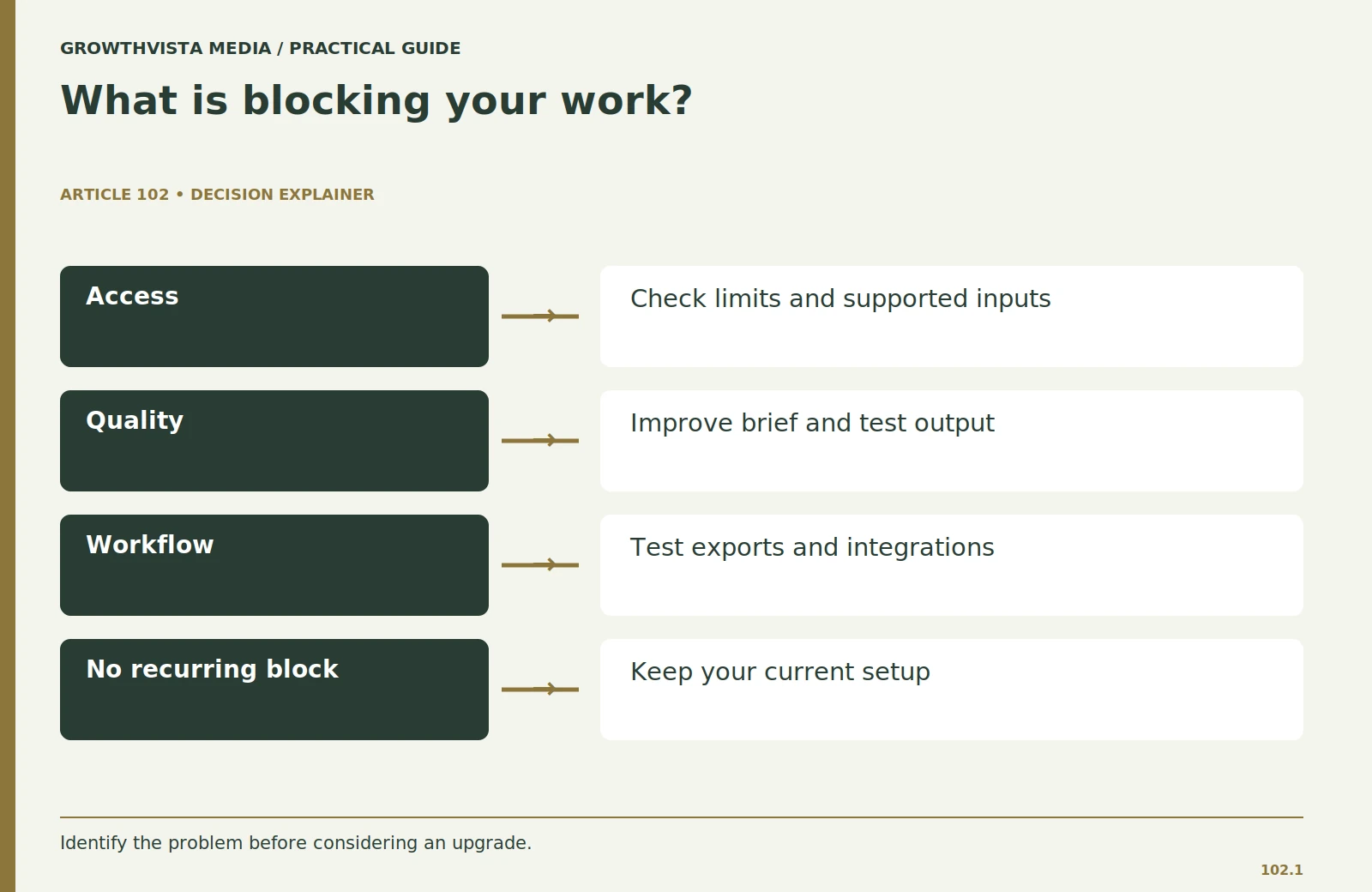
You may need a paid AI assistant if your current plan repeatedly prevents you from completing important tasks because of usage restrictions, unavailable features, or workflow limitations. Before upgrading, identify whether the problem involves access, output quality, or workflow compatibility.
For one working week, record what stops you. Is it a usage limit, an unsupported file, a missing integration, a slow response, or an answer that requires extensive rewriting? These are different problems.
A higher allowance may solve an interruption, but it does not automatically fix unclear instructions or weak source material.
Three problems to identify before upgrading
- Access problem: You cannot use a feature, upload a required file, or continue a task because of a restriction.
- Quality problem: The generated answer fails your acceptance test or requires extensive correction.
- Workflow problem: The output is difficult to review, export, share, or integrate with existing tools.
Write one sentence explaining which problem an upgrade would solve.
If you cannot name that problem, stay with your current plan while you test more carefully. Buying first and looking for a use afterward makes the trial harder to judge.
Does Paying for an AI Assistant Improve Answer Quality?
Paying for an AI assistant does not guarantee more accurate answers. A paid plan may provide access to additional models, tools, or processing capabilities, but output quality still depends on the task, instructions, source material, and verification process.
A plan can provide access to tools that matter for your task, but the presence of a feature is not evidence that it will work well on your material.
Prepare a representative input and define an acceptable result. If you need document analysis, test a real public document with footnotes, tables, and exceptions rather than a short clean paragraph.
Where possible, compare the same task before and after upgrading. Record whether the difference comes from the model, file handling, available context, or another feature.
Do not attribute every improvement to paid AI when you also changed the prompt, input, or review process.
What should you compare before upgrading?
| Problem | What to test | What upgrading does not guarantee |
|---|---|---|
| Usage interruption | Allowance and reset rules | Unlimited availability |
| File restriction | Same representative document | Correct interpretation of every table |
| Weak output | Accuracy and acceptance checklist | Automatic factual accuracy |
| Slow workflow | Total completion and review time | Faster completion for every task |
| Missing integration | Required app connections | Compatibility with every application |
Practical example: If a free assistant correctly summarizes a public document but requires splitting it into several uploads, a paid plan with expanded file support may reduce workflow interruptions. However, you must still check whether the summary accurately represents the document.
| Problem | What to test | What an upgrade does not establish |
|---|---|---|
| Usage interruption | Relevant allowance and reset rule | Unlimited availability |
| File restriction | The same representative file | Correct interpretation of every table |
| Weak output | Explicit acceptance checklist | Automatic factual accuracy |
What Usage Limits Should You Check Before Upgrading?
Before paying for an AI assistant, check the specific usage limits affecting your regular tasks. These may include message allowances, file uploads, image generation, advanced research requests, storage, or access windows.
An allowance for text chat may not explain how image generation or an advanced research tool is metered.
Record any reset rules and what happens when the allowance is exhausted.
During the trial, note both hard stops and workarounds.
If splitting a file takes two minutes once a month, paying to avoid it may have little value. If a restriction breaks a daily process and forces repeated manual reconstruction, the cost is more substantial.
Judge the frequency and consequence together.
Do not design a business commitment around an assumed unlimited allowance. Verify the current terms and leave a fallback for important work.
How Do You Calculate Whether a Paid AI Assistant Is Worth the Cost?
Calculate the value of a paid AI assistant by comparing the time saved on usable output with the full subscription and operating costs. Include drafting, correction, review, setup, and additional usage expenses rather than counting generated content alone.
AI subscription break-even formula
Monthly net value = (Manual task time − AI-assisted task time) × Monthly task frequency × Hourly time value − Monthly AI costs
Use consistent time units when calculating.
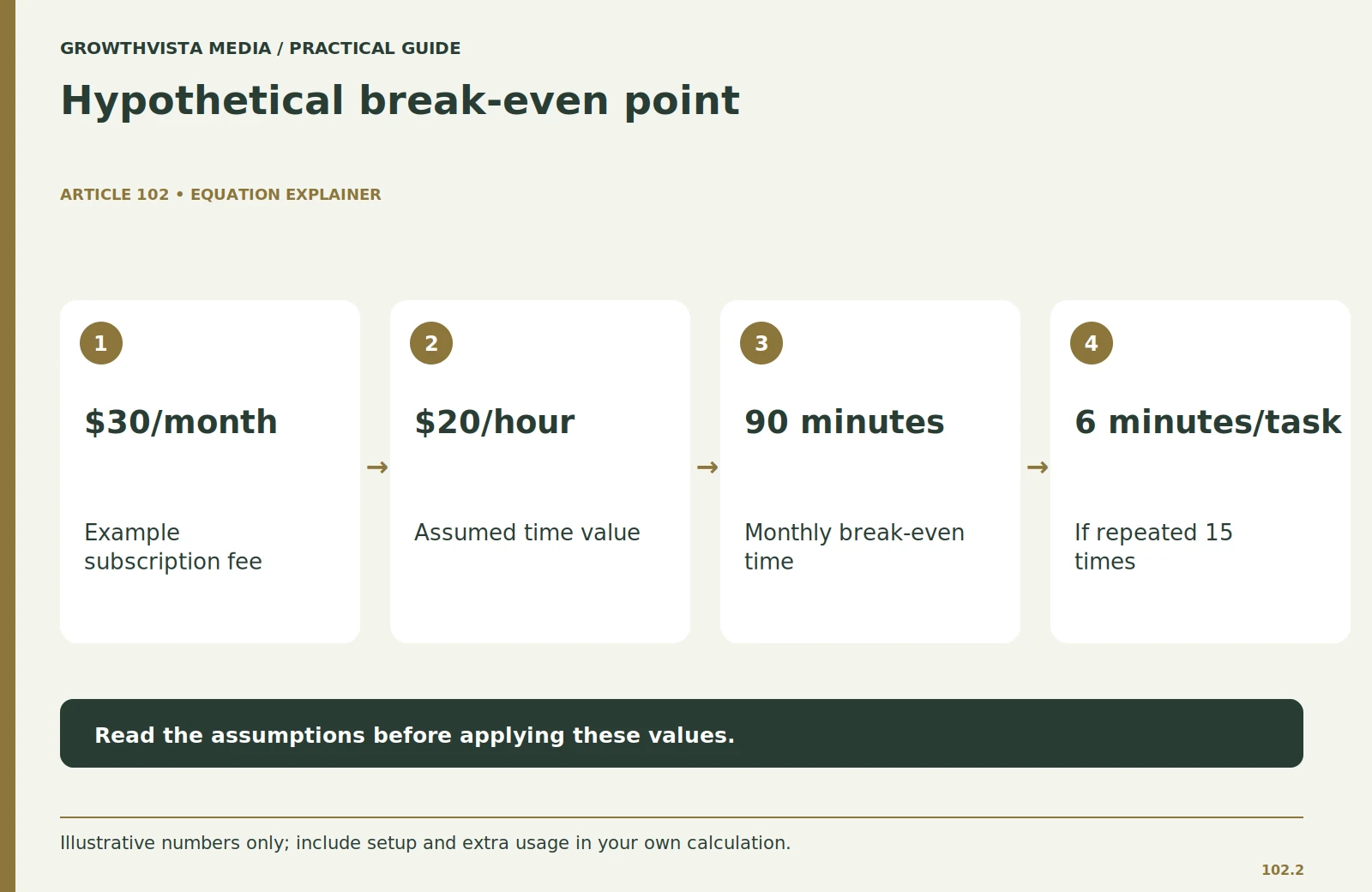
Example: Is a $30 AI subscription worth it?
Suppose:
- Monthly subscription: $30
- Assumed time value: $20 per hour
- Monthly recurring tasks: 15
- Time saved per task: 6 minutes
Calculation:
15 tasks × 6 minutes = 90 minutes saved monthly.
90 minutes = 1.5 hours.
1.5 hours × $20 = $30 in potential time value.
This reaches the basic subscription break-even point before setup and additional expenses.
Now add a hypothetical 60-minute onboarding effort spread across three months. This adds 20 minutes per month to the initial break-even requirement.
The example illustrates why a technically capable paid plan may still offer limited value to an occasional user.
Important: Time savings represent potential working value, not guaranteed revenue or actual financial returns. All prices and time values in this example are hypothetical.
What Billing and Cancellation Terms Should You Check?
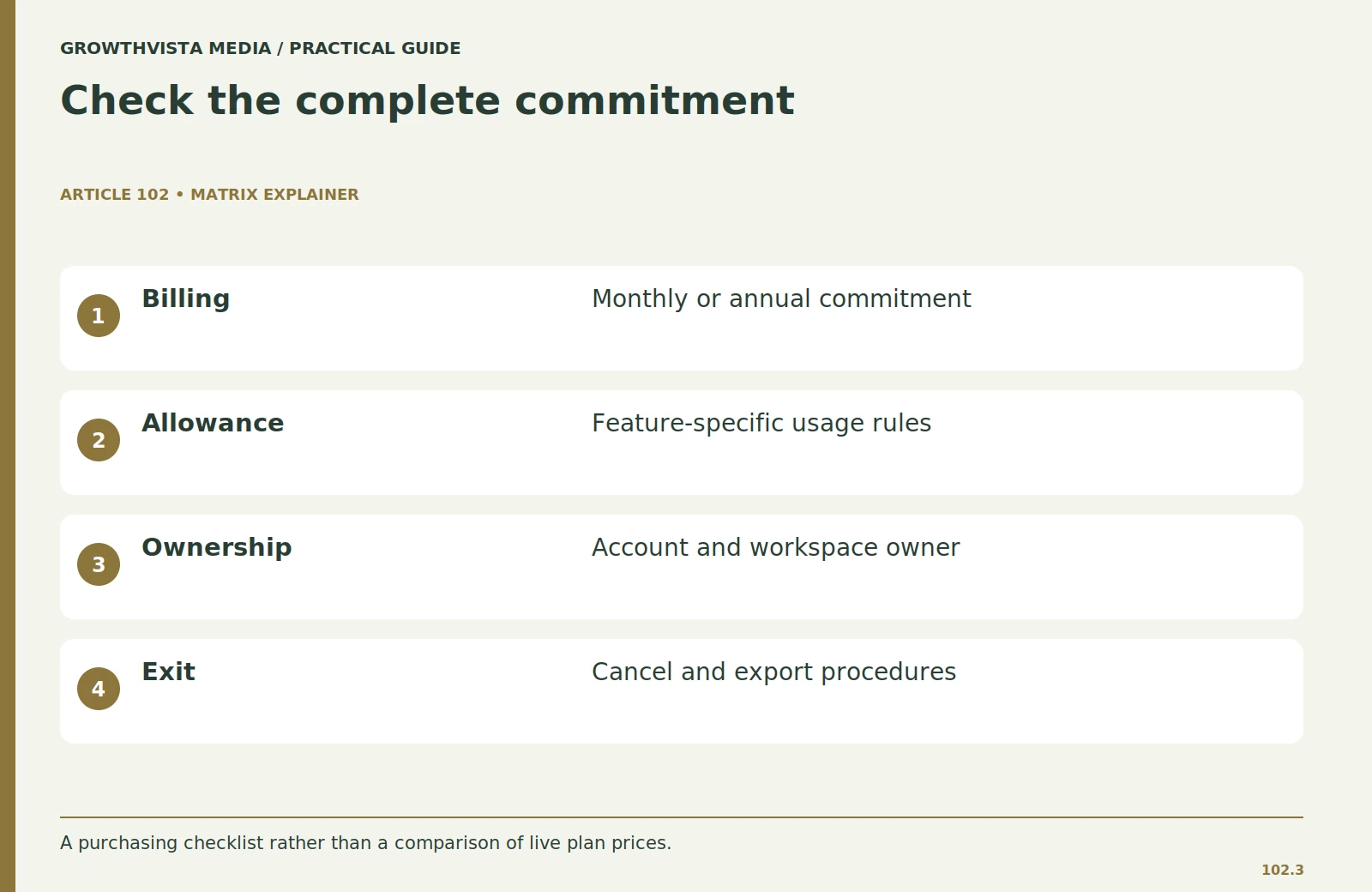
Before purchasing a paid AI subscription, verify its billing cycle, renewal conditions, cancellation process, additional usage fees, and data export options. A low advertised monthly equivalent may involve a longer financial commitment.
Check whether the displayed fee represents monthly billing or a monthly equivalent of an annual commitment.
Record:
- Billing currency and applicable taxes
- Monthly or annual commitment
- Renewal date
- Cancellation and refund conditions
- Additional usage charges
- Workspace and seat requirements
- Export and account ownership options
Before buying for a team, determine who owns the workspace and payment method.
Make sure a departing employee’s account will not strand shared templates or conversation records.
Test a basic export and identify which working materials should also be stored in your normal document system.
Use a reminder before renewal to evaluate the same three tasks.
Canceling an unused plan is a successful decision, not a failed experiment.
Are Paid AI Assistants More Private and Secure?
A paid AI subscription is not automatically more private or secure than a free account. Privacy protections depend on the provider, account type, service terms, administrator controls, and data handling settings.
Check the terms for the specific personal, business, or managed workspace you are considering.
For example, OpenAI documents distinctions between individual-service data controls and business-service arrangements. These differences demonstrate why privacy settings should be reviewed at the account level rather than inferred from a subscription’s price.
See OpenAI’s official documentation on data usage and model improvement.
AI privacy checklist
Before using an AI assistant for work, check:
- Whether submitted information may be used for model improvement
- Data retention and deletion options
- Administrator and team access
- Permissions requested by connected applications
- Organizational data-handling requirements
- Export and account removal procedures
For teamwork, test how drafts, templates, and permissions are shared.
Can reviewers see the material they need without receiving unnecessary account access? Can an administrator manage connections and remove a user?
Do not enter private customer records merely to test a feature. Use a sanitized example and confirm organizational approval for the real workflow.
How Should You Test a Paid AI Assistant Before Subscribing Long-Term?
Test a paid AI assistant by comparing the same three recurring tasks before and after upgrading. Measure accuracy, completion time, correction effort, usage interruptions, and workflow compatibility to determine whether the additional capabilities provide measurable value.
Choose a bounded trial period that fits the billing terms.
Step 1: Establish your baseline
Complete three representative tasks using your current AI access.
Record the original input, output quality, time required, and interruptions.
Step 2: Repeat the tasks with paid access
Use the same inputs and acceptance criteria wherever possible.
Identify which differences result from additional features or access.
Step 3: Measure usable results
Track:
- Total completion time
- First-pass factual errors
- Correction and review effort
- Usage-limit interruptions
- Export and integration problems
- Actual use of paid-only capabilities
Step 4: Make an upgrade decision
Set a decision rule in advance.
For example, keep the plan only if the weekly reporting task becomes easier to complete, corrections remain manageable, and the total cost fits the budget.
This is a personalized rule, not a universal threshold.
If the trial fails, identify whether the problem was the tool or the task design.
Preserve the evidence so the next purchase is based on experience rather than a promotional claim.
Choose the review date before the trial starts.

When Is a Free AI Assistant Enough?
A free AI assistant may be sufficient when your tasks are occasional, your current access supports the required features, and the outputs meet your quality standards without excessive correction.
Free plans can be practical for:
- Occasional outlines and brainstorming
- Simple rewriting of non-sensitive material
- Learning how to structure prompts
- Basic research preparation with independent fact-checking
- Low-frequency personal productivity tasks
A free plan may also be enough when your existing office software already provides the feature you need.
Count overlapping subscriptions before adding another one.
Consider upgrading when you can identify a recurring restriction, confirm that a paid feature addresses it, and demonstrate usable benefits through testing.
You do not need the most expensive tier to maintain a productive AI workflow.
Frequently asked questions
Is a paid AI assistant worth it for everyday work?
A paid AI assistant may be worthwhile when it resolves recurring usage or workflow restrictions and saves enough usable working time to justify the full cost. Occasional users may find free access sufficient.
What is the main difference between free and paid AI assistants?
The main differences often involve usage allowances, access to additional models or tools, file capabilities, and integrations. Exact features vary by provider and plan, so current official terms should be checked.
Does paying for an AI assistant guarantee accurate answers?
No. A paid subscription may provide additional capabilities, but generated information still requires factual verification and appropriate human review.
Can free AI assistants be used for professional work?
Yes, depending on the task and the provider’s terms. Free assistants can support drafting, planning, and other permitted workflows, but users must verify accuracy, privacy requirements, and organizational policies.
Should I choose annual billing immediately?
Compare the financial commitment with evidence from your trial. Check cancellation and refund terms before choosing a longer subscription period.
How do I value the time saved by AI?
Compare manual and AI-assisted completion times, including review and correction. Multiply the time saved by task frequency and an explicitly assumed hourly value, then subtract relevant costs.
Is a personal paid AI account suitable for a team?
Not automatically. Check workspace ownership, organizational policies, data handling terms, collaboration features, and administrator controls before using a personal subscription for team activities.
How long should I test a paid AI assistant?
Use a bounded trial period that fits the billing terms and allows you to repeat your most important tasks. Evaluate consistency rather than relying on a single successful result.
Can I switch back to a free AI plan?
This depends on the provider’s current subscription and cancellation terms. Before upgrading, check how cancellation affects access, stored work, connected applications, and exports.
Should beginners start with free or paid AI assistants?
Beginners can often start with free access to learn prompting, evaluate common tasks, and identify genuine limitations. Upgrading becomes more meaningful once a specific need has been established.
Sources and further reading
Official documentation supports the provider-specific and publishing guidance above. Workflows, examples, and rubrics are editorial methods, not vendor performance findings.
Related guides
Continue with these related practical guides.