Best AI Video Generators in 2026: 10 Tools Compared
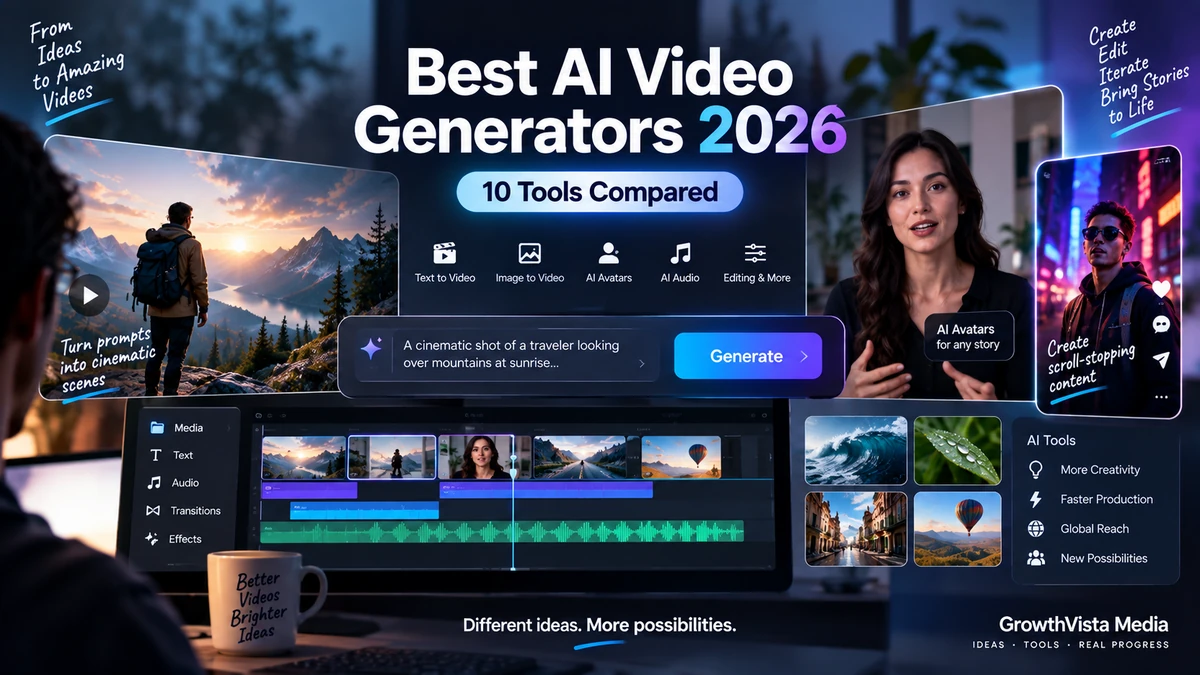
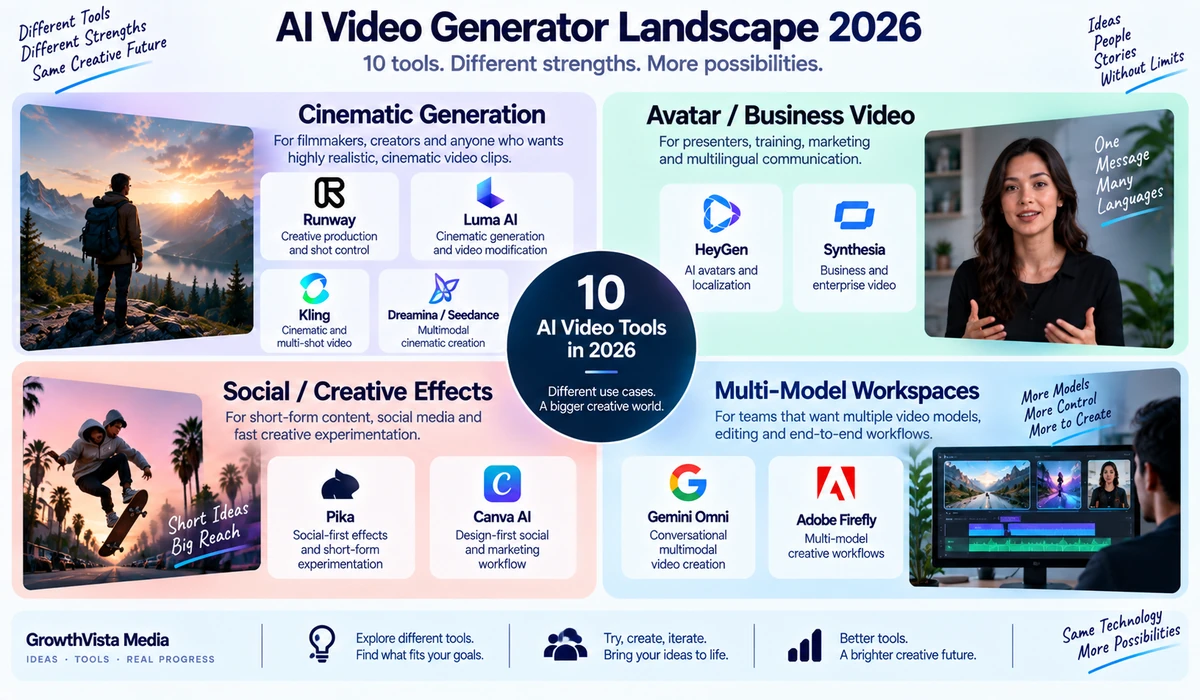
The best AI video generators in 2026 span cinematic generation, AI presenters, social effects and multi-model creative workspaces. This comparison focuses on production goals and workflow fit rather than declaring one universal winner.
Explore more in our AI Tools guides. Features and plans change, so verify current capabilities on each provider’s official website.
How We Compared the Best Ai Video Generators
AI video generation in 2026 is no longer one product category. Some tools specialize in cinematic text-to-video, others focus on AI presenters and localization, and a growing group combines multiple video models inside one creative workspace.
That makes “best AI video generator” a use-case question rather than a single universal answer. A filmmaker looking for shot control has different requirements from a marketing team producing presenter-led explainers, and both differ from a creator making short social clips.
This comparison looks at 10 notable platforms across generative video, editing, avatars, audio, workflow integration and business production. The goal is to help you identify which type of tool fits your work rather than force every platform into the same scoring system.
Editorial Disclosure: GrowthVista Media may receive compensation from qualifying SaaS referrals where an affiliate relationship is available. This does not change the comparison criteria used in this guide.
How We Compared These AI Video Tools
This article is based on current official product documentation reviewed in September 2026. GrowthVista has not independently benchmarked every model under identical laboratory conditions, so claims about model quality are presented as manufacturer capabilities rather than universal performance rankings.
Text-to-video and image-to-video capability
Video editing and iteration controls
Audio, dialogue and sound-generation support
Character or presenter consistency
Resolution, duration and aspect-ratio options where officially documented
Business and collaboration workflows
Commercial-use considerations
Ease of moving from generated clip to finished video
Quick Comparison: 10 AI Video Generators
| Platform | Strong Fit | Notable Current Capability |
|---|---|---|
| Runway | Creative production and shot control | Gen-4.5 text/image-to-video; multi-model creative workspace |
| Gemini Omni | Conversational multimodal video creation | Text, photos and video inputs; native audio; multi-turn editing |
| Adobe Firefly | Creative teams and multi-model workflows | Adobe + partner video models in one editor |
| Luma AI | Cinematic generation and video modification | Ray3-series generation, references and Modify workflows |
| Pika | Social-first effects and short-form experimentation | Text/image/video generation, effects and audio tools |
| Kling | Cinematic and multi-shot generative video | Available through major multi-model platforms including Firefly |
| HeyGen | Avatars, marketing and localization | Avatar V, Video Agent, multilingual presenter workflows |
| Synthesia | Business, training and enterprise video | 240+ avatars, 160+ languages, localization and collaboration |
| Canva AI | Design-first social and marketing workflow | Prompt-to-video integrated into Canva editing |
| Dreamina / Seedance | Multimodal cinematic creation | Seedance 2.x workflows using text, image, video and audio references |
1. Runway — For Generative Video Production and Creative Control
Runway remains a major creative-production platform rather than a single-model generator. Its current Gen-4.5 model supports text-to-video and image-to-video, with clips from 2 to 10 seconds and multiple aspect ratios. Runway documents Gen-4.5 at 12 credits per generated second.
The attraction is the broader workflow around generation. Runway combines its own models with third-party models and creative tools, allowing users to iterate, edit and move between generation approaches inside one environment.
Gen-4.5 is especially relevant when prompts need camera choreography, sequenced actions and detailed motion direction. For teams producing many variations, however, credit consumption deserves attention.
Text-to-video and image-to-video
Detailed camera and motion prompting
Multiple aspect ratios
Multi-model workspace
Higher-tier collaboration and production features
2. Gemini Omni — For Conversational Multimodal Video Creation
Google’s Gemini video experience changed significantly in 2026. Gemini Omni is replacing Veo inside the Gemini app, while Veo 3.1 remains available in some partner environments.
Gemini Omni 1.1 Flash can combine text, photos and video as inputs, generate 10-second video with native audio, animate up to five photos and support multi-turn editing. The conversational workflow is the differentiator: users can ask for changes such as a new background, different wardrobe, adjusted lighting or an extended scene.
For creators who prefer describing revisions rather than learning a traditional timeline, this is an important direction for AI video.
Multimodal input
Native audio
10-second generation
Conversational editing
Scene extension and reference-based creation
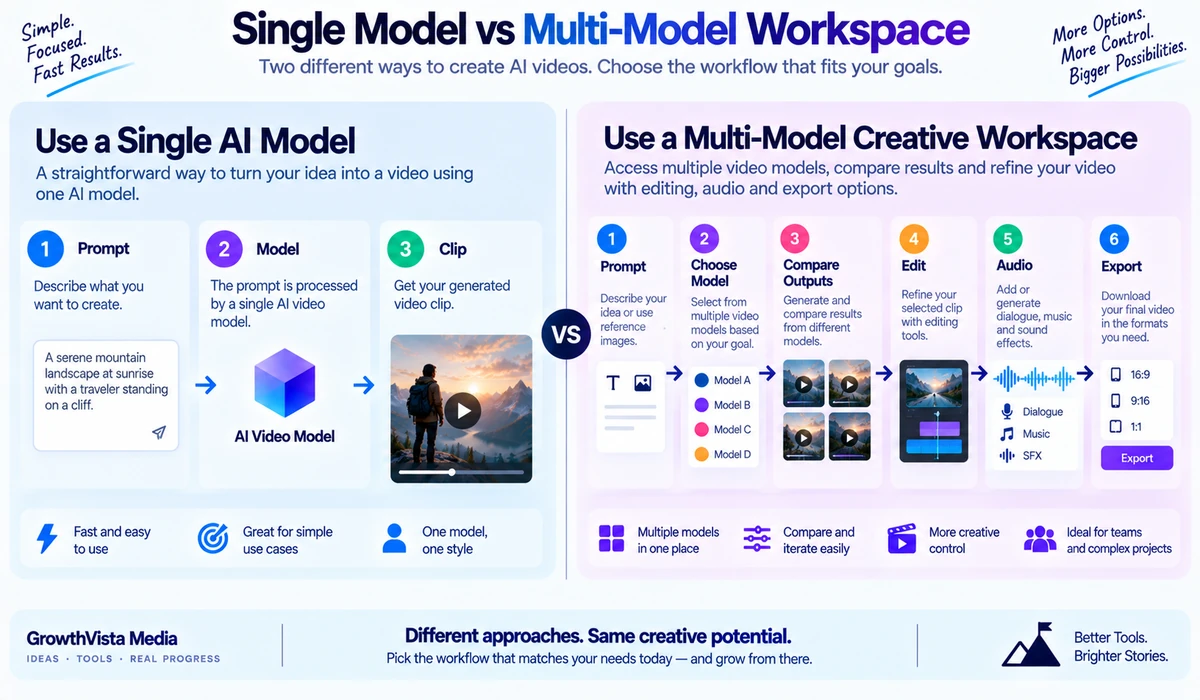
3. Adobe Firefly — For a Multi-Model Creative Workspace
Adobe Firefly has evolved into a multi-model creative environment. Its video generator can use Adobe’s own Firefly Video Model as well as partner models including Gemini Omni Flash, Kling, Luma Ray, Runway Gen-4.5 and Veo variants.
That approach can be useful for designers who do not want separate subscriptions and interfaces for every model. Firefly also combines generation with editing, clip extension, voiceovers, music and sound effects.
Adobe states that video created with its own Firefly Video Model is safe for commercial use. When using partner models, creators should review the terms that apply to the selected model and workflow.
Adobe and partner video models
Text-to-video and image-to-video
Video editing and extension
Audio and sound tools
Integration with a broader creative ecosystem
4. Luma AI — For Cinematic Generation and Video Modification
Luma’s Ray family emphasizes production-oriented generation and modification. Luma’s official 2026 information identifies Ray3.2 as its current video model, while Ray3.14 documentation highlights native 1080p generation, faster performance, improved prompt adherence and Modify Video workflows.
The broader Ray3 generation introduced reasoning-driven creation, keyframes, character-reference workflows and HDR capabilities. Luma’s Modify tools are particularly interesting for creators who already have footage and want to change environments, wardrobe, lighting or visual style while retaining the underlying performance.
Because Luma’s model versions have evolved quickly, verify the currently selectable model and its exact feature set before publishing a production specification.
Text-to-video
Video-to-video modification
Reference and keyframe workflows across Ray3 family
Production-oriented fidelity
Luma App and API access
5. Pika — For Social-First Effects and Fast Experimentation
Pika has a distinct personality compared with production-focused generators. Its platform emphasizes social-first creation, effects and transformations alongside conventional text-to-video and image-to-video.
Pika’s documentation includes Pikaframes, Pikascenes, Pikaffects, Pikaswaps, Pikadditions and Pikatwists. These tools can animate between frames, modify objects, add elements to existing footage or create deliberately exaggerated effects.
Pika has also expanded into audio. Its 2026 Soundtrack release can generate synchronized sound effects, voice, music and ambience from video, while the broader Pika Audio family adds speech, music and SFX tools.
Commercial-use rights depend on the subscription tier, so creators producing client or monetized content should check the current plan terms.
Text-to-video and image-to-video
Video transformation effects
Frame-based generation
Social-first workflows
Expanding AI audio suite
6. Kling — For Cinematic Multi-Shot Generation
Kling remains an important generative-video option in 2026, and one sign of its relevance is its inclusion inside major multi-model creative platforms. Adobe Firefly currently lists Kling 3.0 and Kling 3.0 Omni among its supported partner video models.
Adobe describes Kling 3.0 as supporting production-ready multi-shot video with native audio, while Kling 3.0 Omni is positioned for voice-driven scenes with native dialogue and character lip synchronization.
For users who want to evaluate Kling without building a separate workflow around every model provider, accessing it through a multi-model environment can be a practical way to compare the output against alternatives.
Because direct Kling product documentation was not reliably accessible during this editorial review, exact plan, duration and resolution claims should be verified on the current Kling interface before publication.
7. HeyGen — For AI Avatars, Marketing and Localization
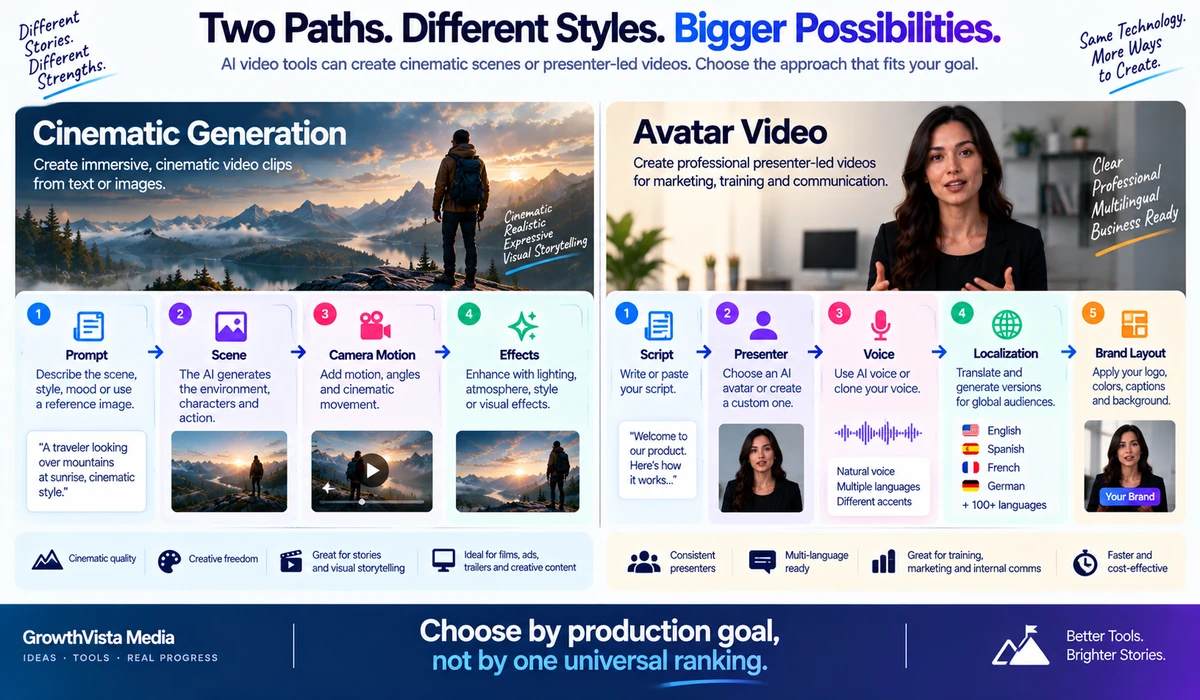
HeyGen is a different category from pure cinematic generators. Its strength is turning scripts, documents, URLs and ideas into finished presenter-led videos using avatars, voices, B-roll and editing tools.
HeyGen’s current Avatar V workflow focuses on consistent digital presenters, while Video Agent can assemble a finished video from a prompt. The platform supports extensive multilingual output and can create custom avatars from user-provided footage with consent.
This makes HeyGen particularly relevant for sales, social content, explainers, courses and localized marketing where a repeatable on-camera presenter matters more than generating a cinematic landscape.
AI avatars and digital twins
Script-to-video workflow
Video Agent
Voice cloning and multilingual localization
B-roll and generative-model integrations
8. Synthesia — For Training, Internal Communications and Enterprise Video
Synthesia is designed around scalable business communication. It combines presenter-led AI video with localization, brand controls, collaboration and generated media.
Its current platform advertises more than 240 pre-built avatars and translation or voiceover workflows across 160+ languages. Users can start from a prompt, script, PowerPoint, PDF, URL or other document and generate structured multi-scene videos.
Synthesia also provides an AI Playground for generative B-roll using leading models, so business teams can combine avatar-led explanation with cinematic supporting visuals without leaving the platform.
For training, onboarding, enablement and corporate communication, these management and localization features may matter more than maximum cinematic freedom.
240+ avatars
160+ languages
Document and PowerPoint to video
Brand Kit and collaboration
AI-generated B-roll and localization
9. Canva AI — For Marketing Teams Already Working in Canva
Canva’s AI video generator brings generative clips directly into a familiar design and editing environment. Its Create a Video Clip feature can turn a text prompt into video with synchronized audio, including dialogue and sound effects.
Canva documents the feature as producing 16:9 clips up to eight seconds in the workflow described on its current AI video page. Users can then continue with Canva’s templates, graphics, text, resizing and editing tools.
The key advantage is workflow consolidation. A social-media manager may value being able to generate a clip and immediately place it into a branded post, presentation or campaign asset more than having the deepest standalone model controls.
Prompt-to-video
Synchronized audio
Integrated design and editing
Templates and brand assets
Useful for social and marketing workflows
10. Dreamina / Seedance — For Multimodal Reference-Driven Video
Dreamina provides access to ByteDance’s Seedance video-generation family and positions the workflow around multimodal creative inputs.
Its current Seedance 2.0 materials describe video creation from combinations of text, images, video and audio references, with an emphasis on identity consistency, motion control and connected scenes.
This makes the platform relevant when a creator wants to direct a generated sequence using more than a text prompt. As with other rapidly evolving AI-video products, check the exact Seedance version available in your region and account before relying on a specific output specification.
Which AI Video Generator Fits Which Workflow?
| Workflow | Platforms to Investigate | Why |
|---|---|---|
| Cinematic text-to-video | Runway, Gemini Omni, Luma, Kling, Seedance | Designed around generated scenes, motion and visual direction |
| AI presenter / spokesperson | HeyGen, Synthesia | Avatar, voice and localization workflows |
| Marketing design workflow | Adobe Firefly, Canva | Generation sits inside broader creative/editing environments |
| Social effects / experimentation | Pika | Transformation tools and social-first effects |
| Video-to-video modification | Luma, Adobe Firefly, Pika | Existing footage can become the starting point |
| Multilingual business video | HeyGen, Synthesia | Presenter and localization systems |
| Compare several frontier models | Adobe Firefly, Runway | Multi-model access reduces workflow switching |
Text-to-Video vs Image-to-Video
Text-to-video is useful when you need the model to invent the entire shot. Image-to-video is usually more controlled because the starting frame already defines the subject, composition and visual style.
For brand work, product concepts and recurring characters, reference-driven or image-to-video workflows can reduce visual drift. For ideation and B-roll, text-to-video can be faster.
Native Audio Is Becoming a Major Differentiator
Earlier AI video workflows often required a separate tool for dialogue, ambience, music and sound effects. In 2026, native or integrated audio is increasingly common. Gemini Omni supports native audio, Canva describes synchronized audio in its video generator, Kling 3.0 is available with native audio in partner workflows, and Pika has expanded into a dedicated audio family.
Even when audio is generated automatically, creators should review dialogue accuracy, music licensing terms and sound synchronization before publishing commercial work.
What About Sora in 2026?
Older comparisons often include OpenAI’s Sora as a current standalone option. That would be misleading for a September 2026 article. OpenAI’s official Sora pages state that the Sora product was discontinued on April 26, 2026.
Sora therefore should not be presented as an active standalone recommendation in a current top-10 list. Some third-party platforms may reference historical Sora models or integrations, but availability should be verified in the exact platform being discussed.
How to Choose an AI Video Generator
| Question | Why It Matters |
|---|---|
| Do you need cinematic scenes or a presenter? | This separates generative-video tools from avatar-first platforms. |
| Do you need native dialogue/audio? | Not every model handles audio in the same generation. |
| Do you need consistent characters? | Reference, avatar and identity controls vary substantially. |
| Do you need to edit existing footage? | Video-to-video tools may matter more than text-to-video. |
| Do you need vertical, square or widescreen output? | Aspect-ratio support varies by model and workflow. |
| Will the video be used commercially? | Licensing and plan-level commercial rights can differ. |
| Do you need localization? | Avatar platforms can be more efficient for multilingual business video. |
| How many iterations will you generate? | Credit systems can make experimentation expensive. |
| Do you already use Adobe or Canva? | Workflow integration can be more valuable than switching tools. |
| Do you need an API? | Developer access, pricing and model availability differ from consumer apps. |
Pricing: Compare Cost Per Finished Video, Not Just Subscription Price
AI video pricing is unusually difficult to compare because platforms use different credit systems, generation lengths, model tiers and speed modes.
A low monthly subscription can become expensive if each usable shot requires many generations. A higher plan can be economical for a team if it includes more credits, collaboration or a workflow that reduces editing time.
Instead of comparing only monthly price, estimate how many seconds of usable video you need, how many iterations you typically require and whether audio, upscaling or premium models consume additional credits.
Commercial Use and Rights
Commercial-use terms vary by provider, plan and underlying model. Pika, for example, distinguishes commercial rights by subscription tier. Adobe specifically states that outputs from its own Firefly Video Model are safe for commercial use, while partner models can have different applicable terms.
For client work, advertising or monetized media, check the current terms for the exact plan and model. Also confirm that you have rights to uploaded faces, voices, logos, footage and reference images.
AI Video Quality: Why One Test Clip Is Not Enough
AI video models can be highly sensitive to prompt wording, reference material, scene complexity and random generation variation. A model that performs well on a landscape shot may struggle with hands, text, product geometry or multi-character interaction.
When evaluating a platform, test your real workflow: the type of people, products, camera movement, aspect ratio and audio you actually need. Compare several generations rather than judging a tool from one successful demo.
Frequently Asked Questions
What is the best AI video generator in 2026?
There is no universal choice. Runway, Gemini Omni, Luma, Kling and Seedance target generative scenes; HeyGen and Synthesia emphasize presenter-led video; Adobe Firefly and Canva focus strongly on integrated creative workflows.
Which AI video generator is good for cinematic clips?
Runway, Gemini Omni, Luma, Kling and Seedance are relevant platforms to compare for cinematic generation. The best fit depends on the shot and controls you need.
Which AI video tool is suitable for business training videos?
Synthesia and HeyGen are designed around presenter-led, repeatable and multilingual video workflows, making them relevant to training and business communication.
Which AI video generator works well for social content?
Pika emphasizes social-first effects, while Canva integrates AI video into a broader social-design workflow. Other generators also support vertical formats depending on model.
Can AI video generators create sound?
Some current tools support native or integrated audio, dialogue or sound effects. Capabilities vary by model, so verify the exact generation mode.
Can I use AI-generated video commercially?
Often yes on eligible plans, but rights vary by provider, subscription and model. Check current terms before client or monetized use.
Is Sora still available in 2026?
OpenAI’s official pages state that the standalone Sora product was discontinued on April 26, 2026.
What is the difference between AI avatars and text-to-video?
Avatar platforms animate a presenter around a script and voice. Generative text-to-video models synthesize the scene itself from prompts or references.
Do I need video-editing experience?
Not necessarily. HeyGen, Synthesia, Canva and conversational tools are designed to reduce traditional editing requirements, while production-focused platforms can offer deeper controls.
Should I choose a multi-model platform?
It can be useful if you want to compare several generation models without maintaining separate workflows. The trade-off is that model access and credit pricing may differ from using a provider directly.
Final Thoughts on the Best Ai Video Generators
The AI video market in 2026 is broad enough that a single ranked list can hide more than it reveals. The first decision is what kind of video you are actually producing.
For cinematic scene generation and visual experimentation, platforms such as Runway, Gemini Omni, Luma, Kling and Seedance deserve comparison. Pika brings a particularly social and effects-oriented approach.
For presenter-led business content, HeyGen and Synthesia solve a different problem: repeatable avatars, scripts, localization and scalable production. Adobe Firefly and Canva become especially relevant when video generation needs to live inside a broader design workflow.
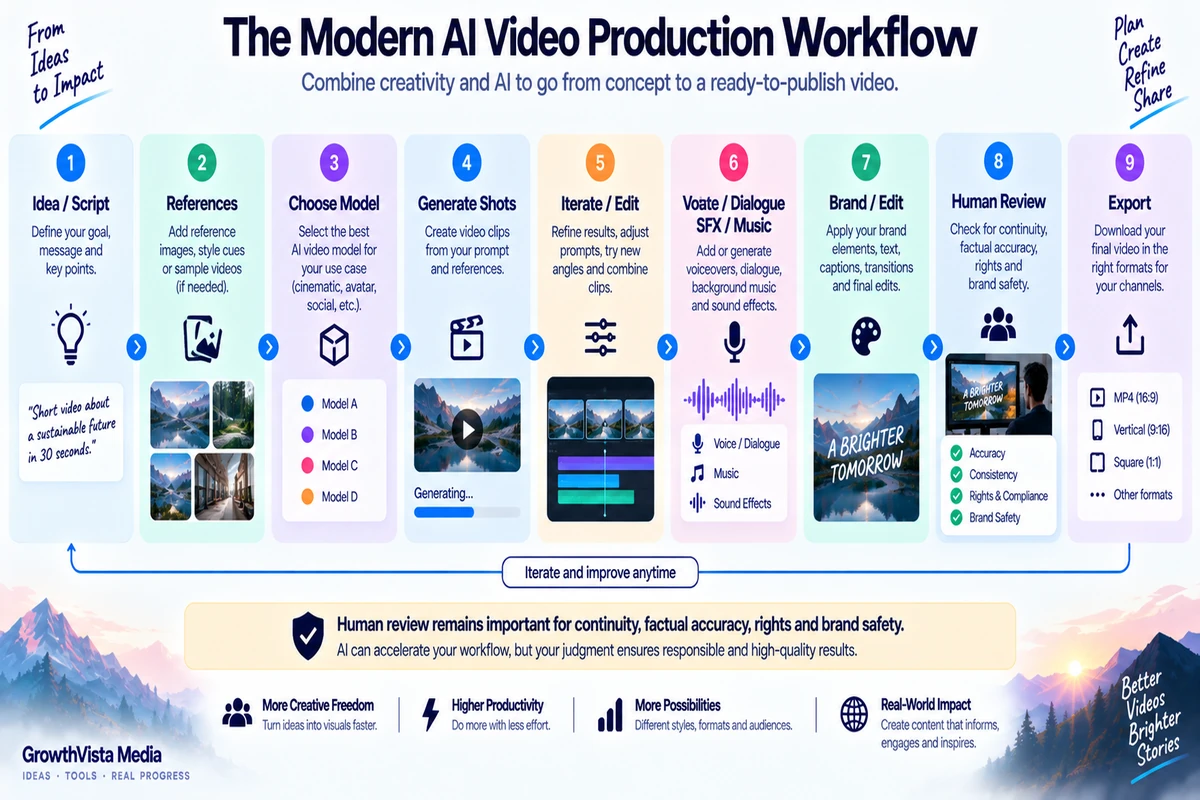
The most practical approach is to shortlist two or three tools for your specific use case, run the same real project through each, and compare usable output, iteration time, rights and total generation cost.