Gaming Laptop GPU Power: Look Beyond the Model Name

Gaming laptop GPU power should be read for the exact laptop configuration, not inferred from the graphics-chip name. A documented power range or configured limit is not a promise of constant consumption, and watts do not provide a linear frame-rate formula. Compare the system’s memory, cooling, mode, display path, and workload evidence together.
This guide explains what to ask a supplier and how to compare benchmark conditions without inventing scores. It does not equate similarly named laptop and desktop GPUs or claim original gaming tests. Start with the games or creative tasks that must work, then assess the complete laptop under relevant conditions.
Your decision checklist
- Confirm the exact laptop GPU and power definition.
- Separate limits from observed consumption.
- Compare memory, cooling, mode, and screen path.
- Keep benchmark rendering conditions visible.
How do you read gaming laptop GPU power for a model?
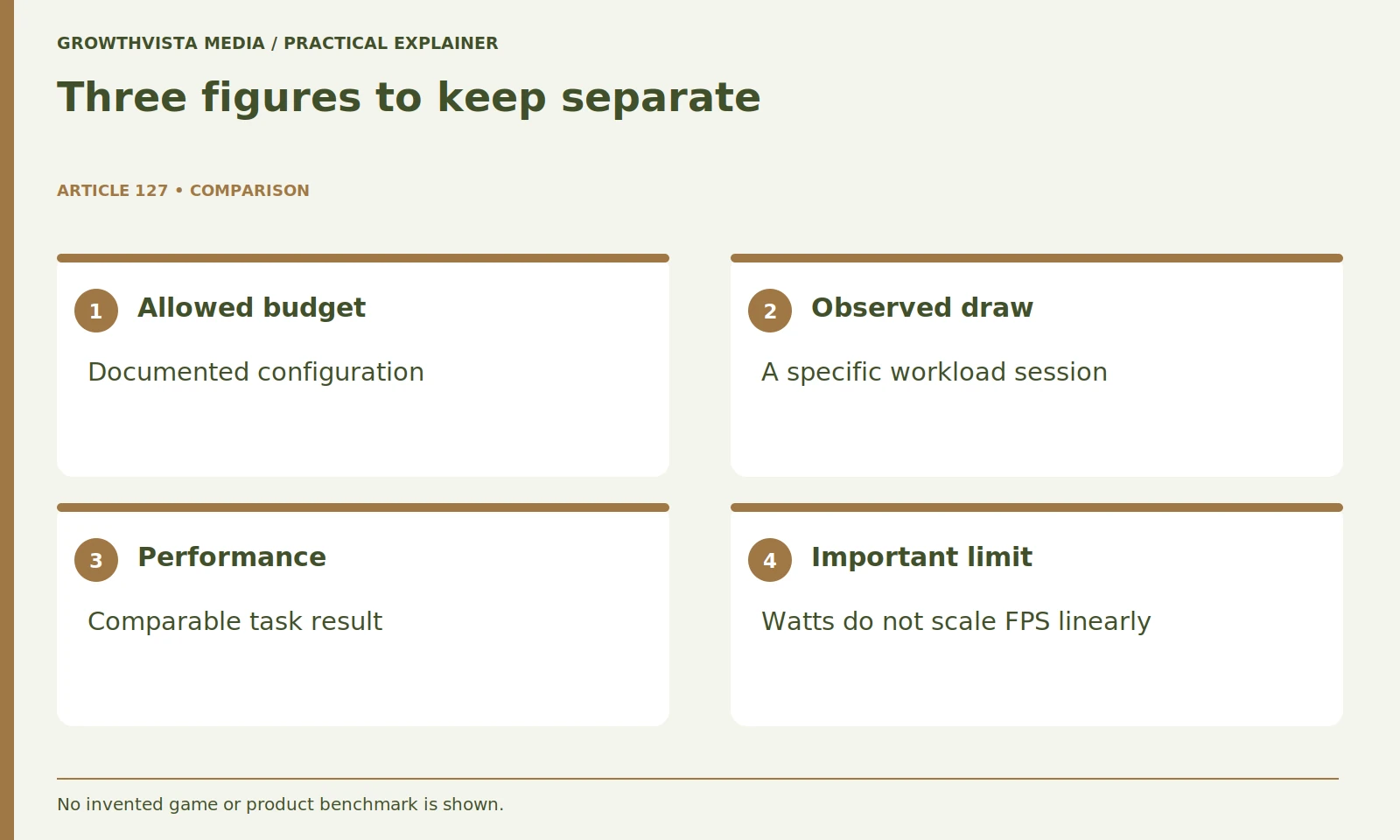
Identify the full laptop GPU designation and the manufacturer’s configuration for the exact machine. NVIDIA’s comparison tables list GPU subsystem power ranges, showing why the chip name alone is incomplete. Use the laptop maker’s documentation to resolve the actual implementation. NVIDIA: laptop GPU specifications
Then read the laptop maker's specification for the exact chassis and version. A family can contain several graphics or screen options. Keep the model identifier beside the GPU and do not attach a review of another configuration to the purchase silently.
If the power specification is missing, ask the maker or seller. Mark it unresolved rather than using the largest number found for that GPU elsewhere. A component's published range is not proof that every laptop using it adopts the upper end.
Is a configured GPU power limit constant consumption?
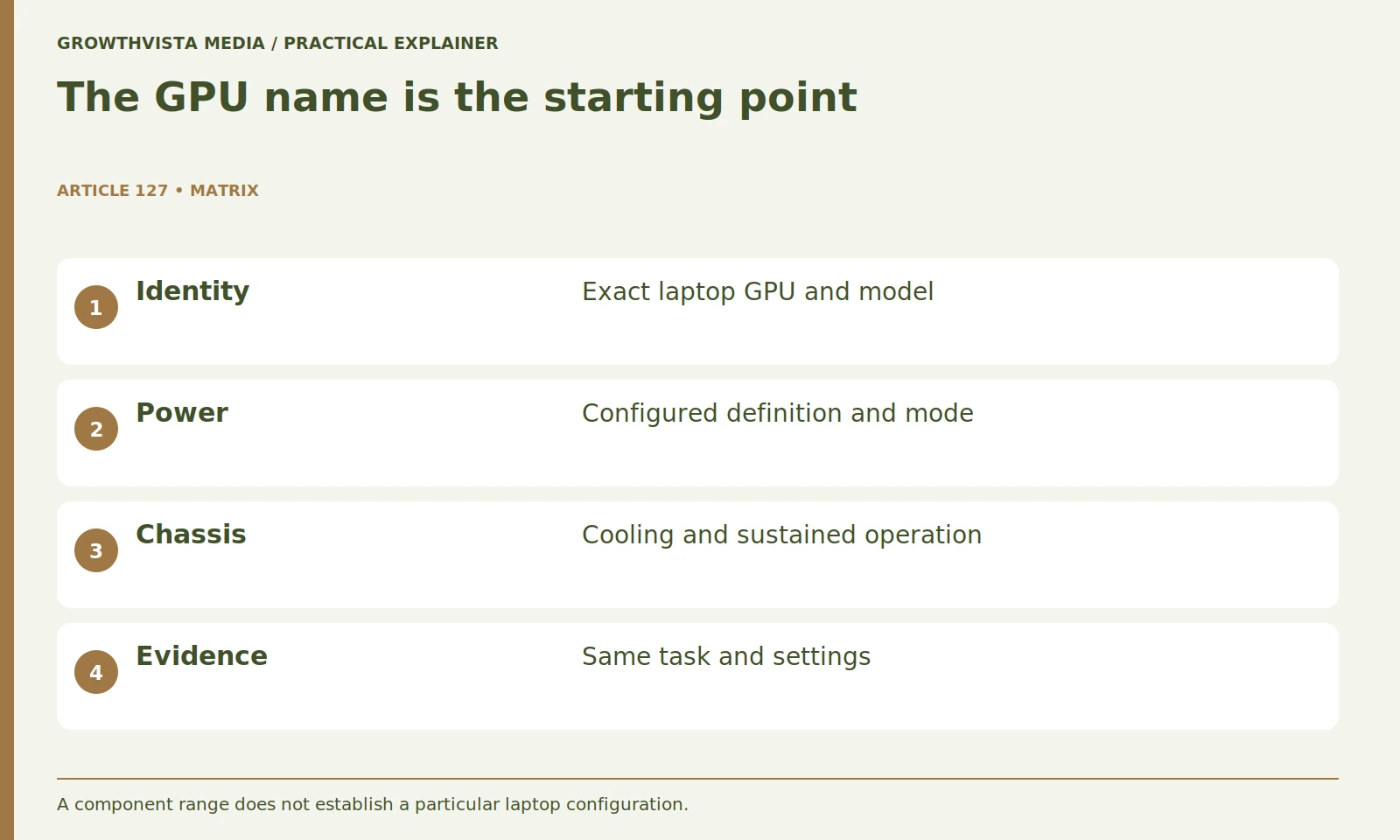
No. A limit or permitted budget describes a configuration under defined conditions, not continuous draw in every game. Keep the power definition, supported mode, and observed consumption separate rather than treating them as interchangeable numbers.
Read whether the figure includes any described dynamic behavior and what conditions apply. Do not combine differently defined vendor figures in a ranking without resolving those definitions. Keep the official wording in the worksheet.
If you inspect telemetry during an appropriate trial, record the game, settings, power mode, charger, and conditions. Treat it as an observation of that session. A single short peak or an idle reading cannot establish sustained performance or the complete configured capability.
| Field | What to record | Common comparison error |
|---|---|---|
| GPU identity | Full laptop designation | Treating desktop and laptop names as identical |
| Power | Definition and configured limit | Using the highest component-range figure |
| Test | Game, settings, mode, display | Comparing unmatched conditions |
| Result | Source and exact model | Inventing missing FPS values |
Can you calculate frame rates from the wattage ratio?
No reliable linear frame-rate formula follows from watts alone. Workload, design, CPU behavior, memory, cooling, and software affect the result. Use comparable task evidence instead of multiplying another system’s frame rate by a power ratio.
Avoid a hypothetical comparison that silently presents power as measured speed. The useful evidence is a comparable game or application test of the exact machines. Read the settings, resolution, operating mode, and whether upscaling or generated frames were used.
If two tests use different conditions, do not declare a winner from the headline number. Either find a more comparable source or keep the uncertainty in the shortlist. A clear evidence gap is better than a confident but unsupported ranking.
Is graphics memory the same as system RAM?
No. Record the dedicated graphics-memory configuration separately and check the intended games or applications at the required settings. Adding system RAM should not be assumed to change the fixed graphics-memory configuration or remove every workload limitation.
Inspect whether the relevant evidence includes the intended resolution and texture settings. A result at another setting may not answer the same question. Avoid assuming that adding system memory changes a fixed graphics-memory configuration.
For an illustrative buyer using games and occasional video work, maintain two task rows. The gaming workload and the application workflow may place different demands on the GPU. Verify both rather than letting a gaming label establish every creative-software requirement.
Why does the chassis matter to GPU evaluation?
The operating system includes cooling, power modes, and the experience of sustained use. Intel’s buying guidance treats several laptop components together. Compare longer relevant sessions and acceptable noise conditions rather than letting a brief peak result stand for the whole machine. Intel: choosing a gaming laptop
Use the supplied or explicitly approved power arrangement and the supported mode required for the test. A battery session is a different condition from plugged-in performance. Keep both in the notes if both matter to you.
Do not modify firmware, thermal controls, or hardware to make a candidate resemble another model. Judge the supported configuration you would actually own. A machine that requires an unacceptable fan mode for your task may be a poor fit even if its highest-mode benchmark is attractive.
Should internal and external screen results be compared directly?
Keep the screen, connection, supported mode, and graphics path visible. Verify the exact laptop’s documentation because different outputs or supported switching arrangements can affect the setup. A successful internal-screen test does not prove the desired external configuration.
If an external monitor is required, confirm the port, cable, supported mode, and relevant graphics settings. A good internal-screen result does not establish the complete external setup. The laptop-port guide provides a connection worksheet.
Record whether a review used the built-in panel or an external screen and whether it changed the display path. That context helps explain why numbers from apparently similar machines may not be directly comparable.
What must match when comparing gaming evidence?
Record game or benchmark version, output resolution, preset, power mode, and whether results use native rendering, upscaling, or frame generation. Those conditions describe different workflows. Avoid ranking apparently similar results when the important setup information is missing.
Look beyond one average where useful data is available. Examine consistency, relevant lows, and the reviewer's described conditions. Do not fabricate missing results to make a comparison table symmetrical.
Keep each data point attached to its source and exact configuration. A vendor demonstration can explain a feature, while an independently conducted test can answer a different question. Label those evidence types instead of presenting them as interchangeable proof.

How should GPU power affect the final purchase?
Use it as one documented input in a complete task decision. Include relevant performance evidence, cooling, display, charger, ports, service, and mobility. Ask about specific missing configuration details instead of treating the largest power number as a universal winner.
Choose the machine that meets your games and working conditions. A larger power number does not automatically justify a more expensive chassis, and a lower one does not automatically make a system unsuitable. The relevant result is task performance under conditions you can accept.
Confirm the exact laptop GPU and power definition. Separate limits from observed consumption. Compare memory, cooling, mode, and screen path. Keep benchmark rendering conditions visible. Keep verified facts, examples, and unanswered questions distinct when making the final decision.
Frequently asked questions
Does the same GPU name guarantee the same laptop result?
No. Confirm the exact system, configured power, memory, cooling, mode, and comparable workload evidence.
Can frame rate be scaled by a wattage ratio?
No reliable linear formula follows. Use relevant comparable evidence for the complete system.
Should native and generated frames be compared without context?
No. State whether rendering, upscaling, frame generation, or a combination produced the result.
Is a similarly named desktop GPU equivalent to the laptop GPU?
Do not assume equivalence. Read the laptop configuration and task evidence directly.
Does system RAM upgrade dedicated graphics memory?
Do not assume that. Record graphics memory and system memory separately and verify the actual configuration.
Is the highest power figure always the right purchase?
No. It is one input alongside task suitability, cooling, displays, accessories, service, and usable operating conditions.
Sources and further reading
Official documentation supports the technical guidance. Examples and worksheets are editorial methods, not hands-on product benchmarks. Reviewed October 2026.
- NVIDIA: laptop GPU specifications
- Intel: choosing a gaming laptop
- Dell: laptop temperature and fan troubleshooting