HeyGen vs Synthesia: Which AI Avatar Video Tool Fits Your Needs?
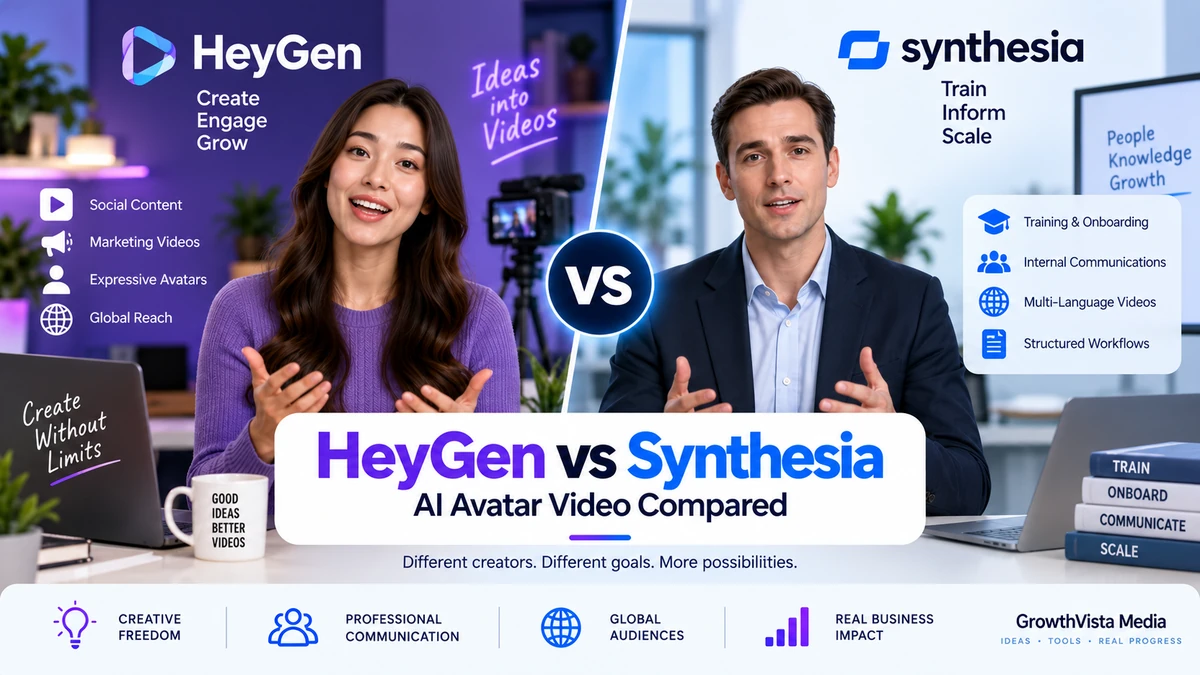
HeyGen vs Synthesia is a useful comparison for teams choosing between AI avatar video platforms for marketing, training, localization, custom presenters and structured business workflows.
Explore more in our AI Tools guides. For current capabilities and plans, review the official HeyGen and Synthesia websites.
How We Compared HeyGen vs Synthesia
HeyGen and Synthesia both let you create presenter-led videos without repeatedly filming a human presenter, but their current product directions are not identical.
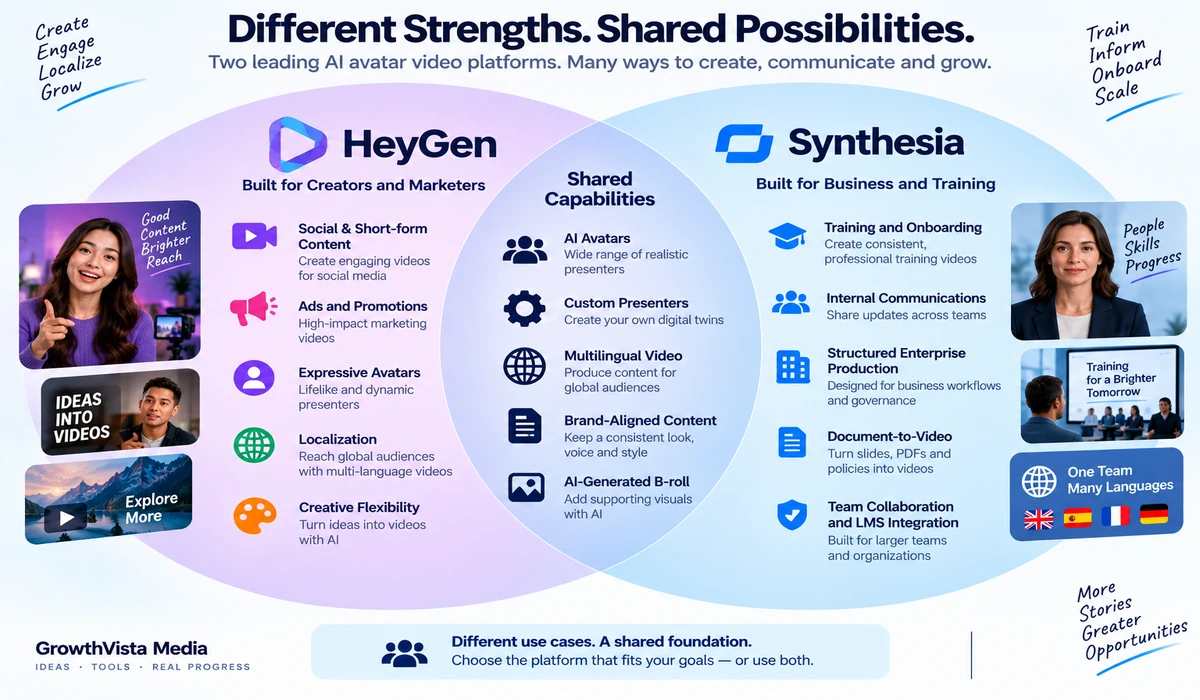
HeyGen increasingly blends expressive avatars, generative video, localization and creator/marketing workflows. Its Avatar IV engine can animate a single image with synchronized facial movement and gestures, while its paid plans extend into custom digital twins, 4K export and team collaboration.
Synthesia is strongly oriented toward repeatable business communication. Its current platform combines hundreds of AI presenters, 160+ language localization, document-to-video creation, Brand Kits, collaboration and AI-generated B-roll inside one production environment.
The useful comparison is therefore not which platform has the better logo or the longest feature list. It is whether you need an expressive creator-facing avatar workflow, a structured training and enterprise system, or a mix of both.
Editorial Disclosure: GrowthVista Media may receive compensation from qualifying SaaS referrals where an affiliate relationship is available. This does not change the comparison criteria used in this guide.
How This Comparison Was Prepared
This article uses current official HeyGen and Synthesia product, help-center and pricing documentation reviewed in September 2026. GrowthVista has not independently benchmarked avatar realism, translation accuracy or rendering speed under identical test conditions, so subjective quality claims are not presented as measured facts.
Avatar and digital-twin options
Languages and localization
Script/document-to-video workflow
Marketing and training use cases
Collaboration and business controls
Video export options
Pricing structure
API and automation direction
HeyGen vs Synthesia: Quick Comparison
| Area | HeyGen | Synthesia |
|---|---|---|
| Core direction | Expressive avatars + creator/marketing + localization | Business video + training + localization + enterprise workflows |
| Stock avatars | 700+ shown on current paid-plan comparison | 240+ pre-built avatars documented on current generator page |
| Languages | 175+ languages/dialects on current Creator plan | 160+ languages for translation/voiceover |
| Custom avatar | Digital Twin / custom video avatar | Personal Avatar / custom AI actor |
| Expressive photo avatar | Avatar IV from a single image | Avatar workflows emphasize business presenter production |
| Document-to-video | PowerPoint/PDF imports and AI workflows | Prompt, script, PDF, PowerPoint, URL and documents |
| Generative B-roll | Available through HeyGen generative-video workflows/models | AI Playground with leading video models |
| 1080p | Creator plan | Available in standard production workflows |
| 4K | Pro and higher current plans | Check exact current plan/export availability |
| Team/LMS features | Business includes SCORM, LMS integrations and collaboration | Enterprise-oriented workspaces, collaboration and SCORM export |
| Free entry | 3 videos/month, up to 1 minute on current Free plan | Basic free plan for exploring editor/avatars/voices |
1. Avatar Creation: HeyGen Emphasizes Expressiveness
HeyGen's current Avatar IV engine is designed to turn a single photo into a talking avatar with synchronized lip movement, facial expression and gestures. HeyGen says the model interprets voice tone, rhythm and emotion rather than performing simple mouth synchronization.
For creators, marketers and social teams, this makes the photo-avatar workflow particularly flexible: a presenter can be realistic, stylized or character-based without a conventional video shoot.
HeyGen also offers Digital Twins built from user footage. Its current help documentation describes these as preserving body language, expressions, delivery rhythm and full-body movement across generated videos.
The practical distinction is that HeyGen is not limited to a corporate talking-head aesthetic; its current avatar system is deliberately broad.
2. Synthesia Avatars: Built Around Repeatable Business Presentation
Synthesia currently documents more than 240 pre-built AI avatars and also allows users to create personal avatars from a short recording.
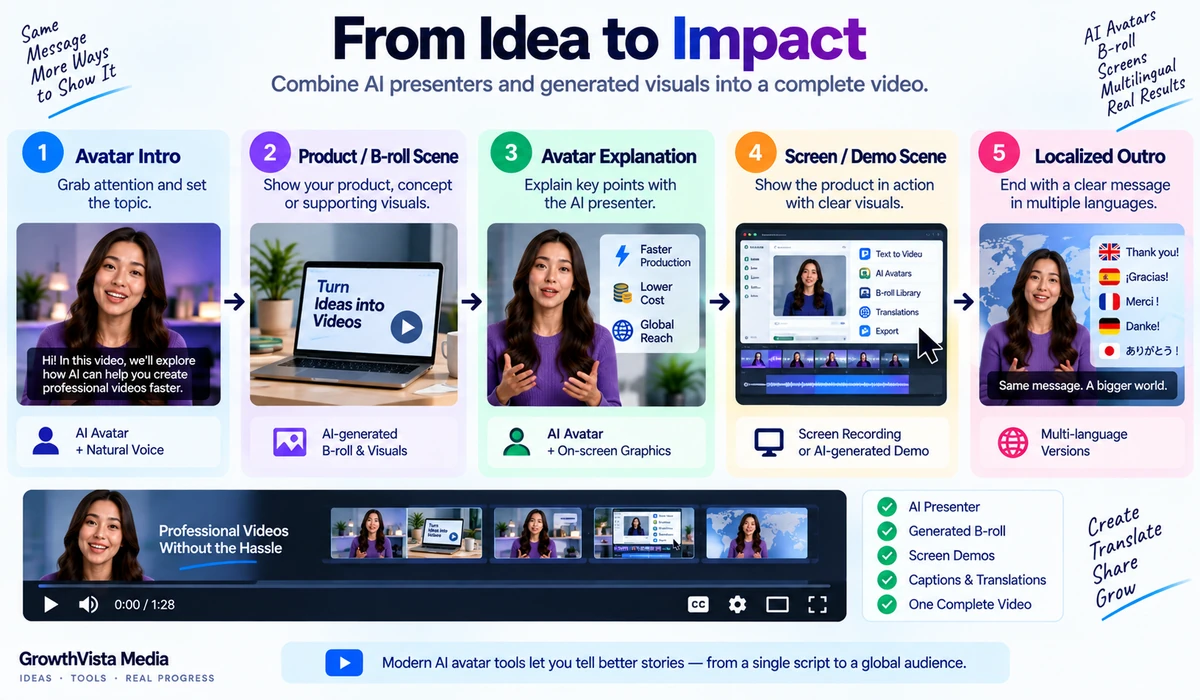
Its avatar system sits inside a structured scene-based editor. A user can start from a prompt, script, URL, PowerPoint or PDF, generate a multi-scene draft, choose a presenter, apply brand styling and then localize the finished video.
That makes Synthesia particularly easy to understand for organizations replacing slide decks, recorded training or internal presenter videos with a repeatable production system.
Synthesia has also expanded beyond static corporate presentation through AI-generated B-roll and more flexible AI actors, but the surrounding workflow remains strongly business-oriented.
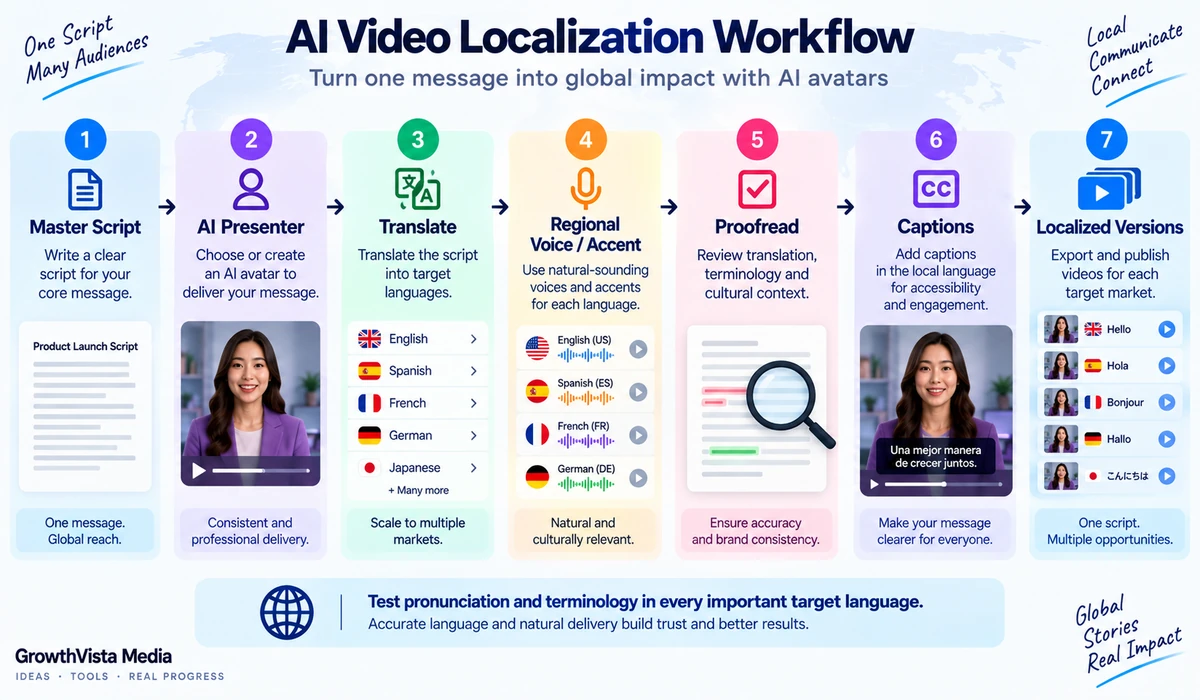
3. Languages and Localization
Both platforms are serious localization tools.
HeyGen's current Creator plan advertises 175+ languages and dialects, while its higher plans add translation-script review and team controls. Voice cloning is included in current paid individual plans.
Synthesia currently advertises translation and voiceover across 160+ languages, with one-click localization, captions and a large voice library. Its language tools are closely connected to enterprise video libraries and repeatable training content.
The raw language count should not be treated as a quality score. For an important market, test the exact language, accent, pronunciation and translation workflow you plan to use.
4. Script-to-Video and Document-to-Video
Synthesia provides a particularly explicit document-to-video workflow. Its current AI Video Generator can start from a prompt, script, PDF, PowerPoint, URL or other text, then build a structured multi-scene video draft.
HeyGen's platform also supports AI-assisted video creation and PowerPoint/PDF imports on its current plan comparison. Its Video Agent and AI Studio workflows are aimed at reducing the amount of manual scene construction required.
If your source material already exists as training documents or presentations, test how well each platform converts the structure rather than simply asking whether both accept the file format.
5. Marketing and Social Content
HeyGen's Avatar IV and creator-oriented tooling make it particularly relevant to spokesperson ads, product explainers, social clips and localized marketing variants.
A single photo can become an expressive presenter, while generative video and B-roll can be incorporated into the wider workflow. Current paid plans also include brand and voice features.
Synthesia can absolutely produce marketing content, but its strongest workflow advantages are often more visible when content must be structured, repeatable, localized and managed across a business.
6. Training, Onboarding and Internal Communications
Synthesia is explicitly designed for training, onboarding, sales enablement and internal communications. Its platform supports scene-based editing, Brand Kits, collaboration and enterprise controls, and Enterprise users can export SCORM packages for LMS delivery.
HeyGen's current Business plan has also moved strongly into this area: it includes interactive video, SCORM export, LMS integrations, workspace collaboration and integrations with tools such as HubSpot, Zapier, Make and n8n.
This means the older shorthand of 'HeyGen for creators, Synthesia for enterprise' is now too simplistic. HeyGen has added substantial business functionality, while Synthesia has added more generative media capability.
7. Generative B-Roll and Broader AI Video
Synthesia's AI Playground can generate custom B-roll using leading AI video models, allowing an avatar-led training or business video to include cinematic supporting visuals without leaving the platform.
HeyGen similarly integrates broader generative-video capabilities around its avatar workflow. Its current Pro plan advertises access to advanced AI models, while the platform's Video Agent can assemble multiple elements into a finished video.
If cinematic B-roll is central rather than supplementary, you may still want to compare dedicated generators such as Runway or Google's current video models. But for presenter-led videos, integrated B-roll can remove a significant workflow handoff.
8. Video Resolution and Export
HeyGen's current Creator plan lists 1080p export, while Pro, Business and Enterprise list 4K export. Current individual paid plans support videos up to 30 minutes; Business extends the published maximum to 60 minutes, while Enterprise removes the stated duration maximum.
Synthesia exports finished video as MP4 and also supports sharing and embedding. Enterprise users can export SCORM packages for supported LMS workflows.
Resolution matters for some client work, but a 4K export option should not automatically outweigh avatar quality, translation, editing efficiency or the ability to maintain content at scale.
9. Collaboration and Brand Management
HeyGen's current Business plan includes workspace collaboration, commenting and editing, centralized billing, team management, brand centralization, SAML/SSO and workflow integrations.
Synthesia's enterprise positioning includes shared workspaces, Brand Kits, SSO and permission controls, alongside live collaboration and organizational management.
For a company rollout, evaluate approval workflow, roles, brand governance and localization management rather than choosing from the solo-creator experience.
10. Pricing Structure
HeyGen currently publishes transparent self-serve pricing. Its Free plan allows 3 videos per month up to 1 minute. Creator is currently $29/month with 600 credits, up to 30-minute videos and 1080p export. Pro starts at $49/month with 1,000 credits and 4K export. Business is currently $149/month plus additional-seat pricing and includes 1,500 credits.
Synthesia's current plan structure includes Basic, Starter, Creator and Enterprise. Basic is free for exploration, while Enterprise is designed for larger organizations with unlimited minutes, the full avatar library, shared workspaces, Brand Kits, SSO and higher API rate limits. Exact self-serve pricing should be checked on the current pricing page immediately before publication.
Do not compare only the monthly subscription. Compare the number and duration of videos, localization volume, custom avatars, collaboration seats and any credit/minute constraints.
11. API and Automation
HeyGen provides an Avatar IV API for generating talking videos programmatically from a photo and script. Its Business plan also includes workflow integrations with n8n, Make, HubSpot and Zapier.
Synthesia provides API access with plan-dependent capabilities and higher rate limits at the enterprise level.
For automated personalization, large content libraries or application integration, evaluate API pricing, concurrency, rate limits, avatar availability and consent requirements before selecting the platform.
12. Consent and Responsible Avatar Use
Custom avatars and voice clones represent real people, so consent is not an optional detail. Use only faces, voices and footage you have the right to use and follow the provider's verification process.
Organizations should also define internal rules for disclosure, impersonation risk, customer-facing use and who is allowed to create or publish digital-twin content.
A technically realistic avatar is not automatically appropriate for every communication context.
HeyGen Strengths to Consider
Avatar IV focuses on expressive facial movement and gestures from a single image.
Digital Twin workflow can preserve a user's delivery style and body language.
175+ languages and dialects on the current Creator plan.
4K export available on current Pro and higher plans.
Strong creator, marketing and localization orientation.
Business plan now includes SCORM, LMS and automation integrations.
Published self-serve pricing makes individual and small-team budgeting relatively clear.
HeyGen Trade-Offs to Consider
Credit consumption varies by feature, model, duration and generation complexity.
More advanced creator workflows can require understanding several avatar and generation modes.
Business features sit on a substantially higher-priced plan than individual Creator/Pro tiers.
Language count does not guarantee equal translation or pronunciation quality in every market.
Synthesia Strengths to Consider
Structured business-video workflow from prompts, documents, PowerPoint, PDFs and URLs.
240+ pre-built avatars documented on the current AI Video Generator page.
160+ language localization and voiceover workflow.
Strong training, onboarding and internal-communications positioning.
Brand Kit, enterprise controls, workspaces and SCORM support.
AI Playground adds generative B-roll without leaving the presenter-video workflow.
Synthesia Trade-Offs to Consider
Organizations focused mainly on highly expressive social-avatar content may prefer to test HeyGen's Avatar IV workflow alongside it.
Enterprise capabilities and pricing require a different evaluation from the free/self-serve experience.
Large-scale localization still needs human review for terminology and pronunciation.
Generative B-roll is useful, but Synthesia remains primarily a business-video platform rather than a dedicated cinematic generator.
Which Platform Fits Which Use Case?
| Use Case | HeyGen Is Relevant When… | Synthesia Is Relevant When… |
|---|---|---|
| Social spokesperson videos | Expressive avatars and creator workflow matter | You need structured branded presenter content |
| Marketing localization | You want creator-style variants across many languages | You want repeatable localized business-video libraries |
| Training/onboarding | Business plan LMS/SCORM features fit your stack | Training is a central platform use case |
| Internal communications | You want expressive custom presenters plus collaboration | You want structured enterprise video governance |
| Digital twin | You want Avatar IV/Digital Twin expression and motion | You want a reusable Personal Avatar in a business workflow |
| Document-to-video | You use HeyGen AI workflows/imports | PDF/PowerPoint/URL-to-video is central |
| Cinematic B-roll | Generative models supplement avatar content | AI Playground supplements presenter scenes |
| Solo creator | Creator/Pro self-serve plans are straightforward | Starter/Creator should be compared by current minutes/features |
| Enterprise rollout | Business/Enterprise controls and integrations matter | Enterprise workspaces, SSO, Brand Kit and governance matter |
This is a workflow comparison rather than an overall winner. The same company may reasonably prefer different platforms for marketing and training teams.
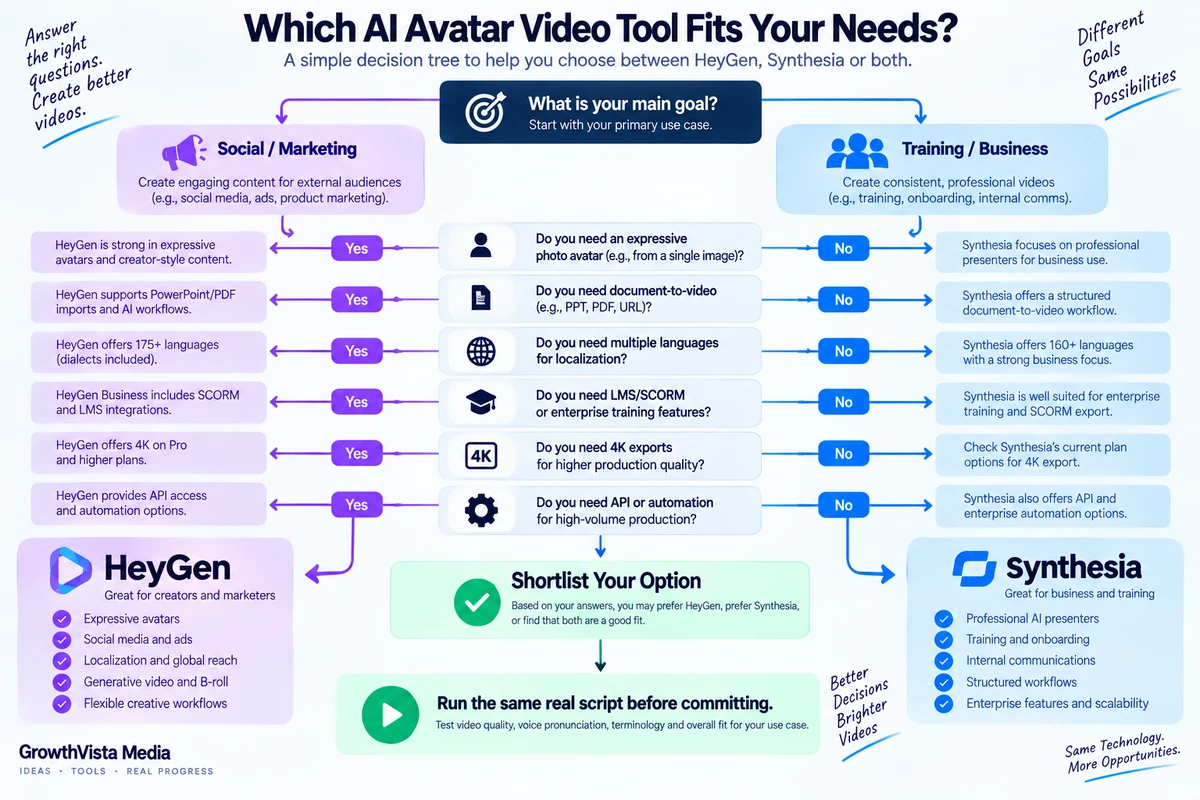
A Practical Test Before You Subscribe
Use the same 60–90 second script in both tools.
Choose presenters with similar framing and style.
Generate your primary language plus one important translated version.
Check names, product terminology and pronunciation manually.
Compare facial expression, lip sync and gesture suitability for your brand.
Import the same PowerPoint or document if document-to-video matters.
Test your required aspect ratio and export workflow.
Estimate the real monthly cost at your expected production volume.
If you are a team, test commenting, approvals, roles and brand controls—not just rendering.
Frequently Asked Questions
Is HeyGen better than Synthesia?
Neither is universally better. HeyGen emphasizes expressive avatars, creator/marketing workflows and localization, while Synthesia is strongly structured around business video, training and enterprise production.
Which has more languages?
HeyGen's current Creator plan advertises 175+ languages and dialects. Synthesia currently advertises localization and voiceover across 160+ languages. Counts alone do not measure translation quality.
Which has more avatars?
HeyGen's current paid-plan comparison lists 700+ stock video avatars on Creator and Pro, while Synthesia's current AI Video Generator page documents 240+ pre-built avatars. The libraries are organized differently, so test the presenters you would actually use.
Can I create an avatar of myself?
Yes. HeyGen offers custom video avatars/Digital Twins, while Synthesia offers Personal Avatars.
Which is better for training videos?
Synthesia is explicitly designed for training and enterprise communication. HeyGen Business also now includes interactive video, SCORM and LMS integrations, so teams should test both against their LMS workflow.
Which is better for social media?
HeyGen's Avatar IV and creator-focused workflow are particularly relevant to expressive social and marketing content. Synthesia can also create marketing videos but has a stronger business-production orientation.
Does HeyGen export 4K?
Yes. HeyGen's current Pro, Business and Enterprise plans list 4K export.
Can Synthesia translate videos?
Yes. Synthesia currently supports translation and voiceover across 160+ languages, with captions and localization workflows.
Do both have free plans?
Yes. HeyGen currently offers a Free plan with 3 videos per month up to 1 minute. Synthesia has a Basic free plan for exploring the editor, avatars and voices.
Can both be used through an API?
Both provide developer/API pathways, with capabilities and limits depending on plan and product. Verify current API pricing and rate limits before implementation.
Final Thoughts on HeyGen vs Synthesia
HeyGen and Synthesia have moved closer together in 2026. HeyGen now offers substantial business functionality, while Synthesia has expanded beyond traditional presenter video with generative B-roll and broader AI-video creation.
HeyGen's distinctive appeal is its expressive Avatar IV and Digital Twin direction, combined with creator, marketing and localization workflows. Its current self-serve plans also make 1080p and 4K production paths relatively easy to understand.
Synthesia remains particularly compelling when video is part of a structured organizational process: training, onboarding, internal communication, brand governance, localization and LMS delivery.
The most reliable choice comes from testing your actual script, presenter style, target languages and team workflow. A 60-second real project will tell you more than comparing avatar counts in isolation.