Anker vs UGREEN USB-C Hubs: Which Should You Buy in 2026?
Amazon Disclosure: As an Amazon Associate I earn from qualifying purchases. GrowthVista Media may receive a commission from qualifying purchases made through our links, at no additional cost to you.
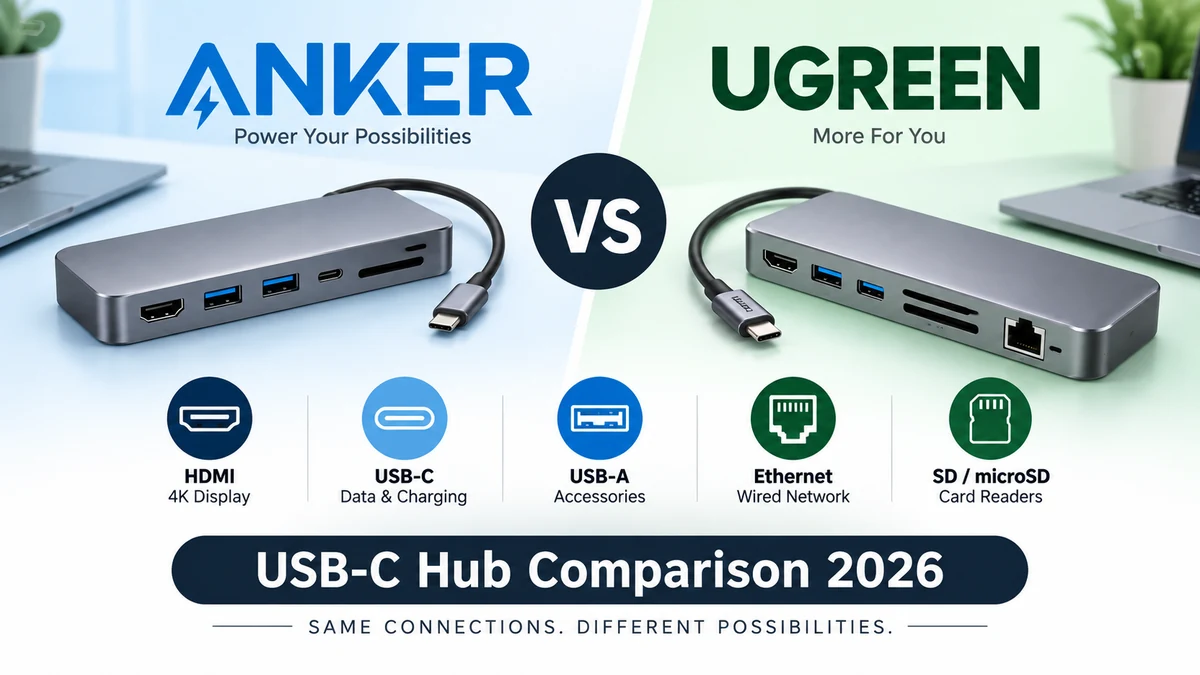
This Anker vs UGREEN USB-C hubs comparison focuses on the differences that matter in 2026: port selection, display support, data speed, Power Delivery, compatibility and portability.
Explore more in our Electronics guides. For primary product information, see the official Anker and UGREEN websites.
How We Compared Anker vs UGREEN USB-C Hubs
Anker and UGREEN both sell USB-C hubs ranging from compact travel adapters to larger multi-port models designed for external displays, Ethernet, card readers and laptop charging.
The brand name alone does not tell you which hub fits your laptop. The more useful comparison is between port layout, display support, data speed, Power Delivery behavior, operating-system limitations and the exact devices you intend to connect.
This guide compares the two brands through representative current product families such as Anker's 555 and 565 hubs and UGREEN's Revodok Pro range. Because both companies sell closely related variants, verify the exact SKU before purchase.
Anker vs UGREEN at a Glance
| Area | Anker | UGREEN | Check Price |
|---|---|---|---|
| Product range | Compact hubs through larger multi-port hubs/docks | Broad Revodok hub range plus larger docks | Anker → UGREEN → |
| Representative balanced hub | Anker 555 8-in-1 | Revodok Pro models in 8-10 port class | Anker → UGREEN → |
| Larger hub example | Anker 565 11-in-1 | Revodok Pro 210 10-in-1 | Anker → UGREEN → |
| Display focus | 4K HDMI and larger multi-display models | Strong selection of single/dual-display configurations | Anker → UGREEN → |
| Data connectivity | Model-dependent USB-C/USB-A high-speed ports | Model-dependent USB-C/USB-A high-speed ports | Anker → UGREEN → |
| Ethernet/card readers | Available on many mid/high-port models | Available on many Revodok models | Anker → UGREEN → |
| Charging | PD passthrough; actual laptop output may be below charger input | PD passthrough; exact delivered wattage varies by model | Anker → UGREEN → |
| Best comparison method | Choose exact SKU by required ports | Choose exact SKU by required ports | Anker → UGREEN → |
The Most Important Difference Is Usually the Exact Model
A comparison such as 'Anker vs UGREEN' can become misleading if it treats every hub from a brand as identical.
Anker's 555, for example, is an 8-in-1 hub designed around one 4K60 HDMI output, Ethernet, card readers and high-speed USB data. The Anker 565 moves into an 11-port class with additional display and peripheral connectivity.
UGREEN's Revodok family similarly includes many configurations. A Revodok Pro 210 is aimed at a broader dual-display setup, while smaller models reduce ports for portability.
Start with your required port list, then compare the closest Anker and UGREEN models.
Anker 555: A Useful Baseline for an 8-in-1 Hub
The Anker 555 is a useful reference point because its port mix covers many laptop users without becoming a large dock.
Current Anker documentation lists HDMI up to 4K at 60Hz, Gigabit Ethernet, SD and microSD, two USB-A data ports, one USB-C data port and USB-C Power Delivery input.
Anker states that a 100W PD charger can provide up to 85W to the laptop through this hub because power is reserved for the hub itself.
For a user with one external monitor, wired networking, removable storage and a few peripherals, this is a balanced configuration.
UGREEN Revodok Pro: More Variants to Compare Carefully
UGREEN's Revodok range gives buyers many port-count and display combinations. That flexibility is useful, but it also makes exact model identification important.
The Revodok Pro 210 10-in-1 class is aimed at users who need broader connectivity, including dual HDMI on current listings, Ethernet, USB data, card readers and Power Delivery.
If you need only one display, a smaller Revodok model may be more sensible. If you need two displays on Windows, a dual-HDMI configuration becomes more relevant.
Do not assume two HDMI ports guarantee two independent extended displays on every Mac.
Check UGREEN Revodok at Amazon →
Display Support: Read Resolution and Refresh Rate Together
Both brands sell hubs that advertise 4K output, but '4K' alone is incomplete.
For a primary desktop monitor, 4K at 60Hz generally feels smoother than 4K at 30Hz for scrolling, pointer movement and everyday work. Confirm the refresh rate listed for the exact HDMI or DisplayPort connection.
The laptop must also support video output through its USB-C port. A data-only USB-C port cannot gain display output simply by adding a hub.
Dual Monitors: Windows and macOS Can Behave Differently
This is one of the biggest traps in USB-C hub shopping.
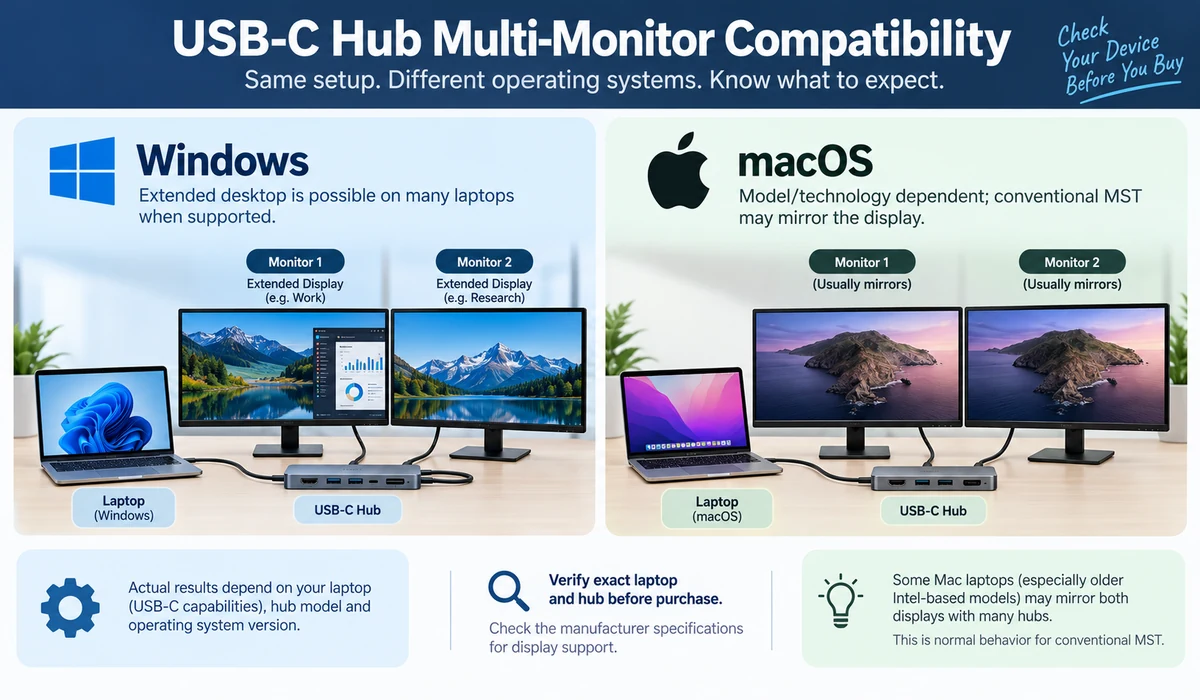
Many multi-display hubs rely on DisplayPort Multi-Stream Transport for extended desktop configurations. Windows laptops commonly support these configurations when the host hardware is compatible, while macOS can impose different behavior and may mirror displays with conventional MST hubs.
Anker explicitly documents macOS display limitations for some multi-monitor hubs. UGREEN buyers should likewise check the compatibility notes for the exact Revodok model.
If multiple independent displays are essential on a Mac, verify the Mac model, chip and hub technology before purchase.
Charging: Advertised PD Input vs Laptop Output
Anker and UGREEN hubs commonly include a USB-C Power Delivery input, allowing the laptop charger to connect through the hub.
However, the maximum PD input is not always the same as the power delivered to the laptop. The hub consumes some power, and the laptop accepts only the wattage it supports.
Anker publishes the distinction clearly on models such as the 555. For any UGREEN model, check the detailed specification for maximum PD input and actual host charging behavior.
Also check whether a charger is included; hubs frequently require you to reuse or purchase a separate USB-C PD charger.
USB Data Speed: Count Fast Ports, Not Just USB Ports
A hub can have several USB connectors while only some support the highest advertised speed.
For keyboards, mice and printers, basic USB speeds are enough. For external SSDs and large media transfers, look for 10Gbps-class ports where available.
Anker's 555 includes high-speed USB data ports in its current specification. UGREEN also offers high-speed ports on selected Revodok Pro models, but the exact port-by-port rate varies.
Read the small port labels in the specification rather than assuming every USB-C connector is equally fast.
Ethernet: Useful for Offices and Travel
Gigabit Ethernet is common on mid-range hubs from both brands and can be valuable for offices, hotels and locations where Wi-Fi is unreliable.
If your laptop already stays on stable Wi-Fi and portability is the priority, removing Ethernet can make the hub smaller. If you routinely transfer files over a local network or join important video calls, wired networking can justify the extra port.
SD and microSD: Creators Should Check Reader Speed
Photographers and video creators often choose a hub specifically to avoid carrying a separate card reader.
Both brands offer models with SD and microSD slots. The presence of a slot does not guarantee the fastest card performance, so creators working with large RAW or video files should check the reader specification rather than only the port list.
If card transfer speed is mission-critical, a dedicated high-speed reader may still outperform a general-purpose hub.
Build Quality and Cable Design
Both brands commonly use compact aluminum-style housings in their USB-C hub ranges. More important than appearance is how the hub fits your physical setup.
Check the attached cable length, port spacing and whether wide USB devices block adjacent connectors. A short fixed cable can be convenient beside a laptop but awkward with a raised laptop stand.
For travel, an attached cable means one less part to lose. For a permanent desk, a dock with a replaceable or longer host cable may be easier to position.
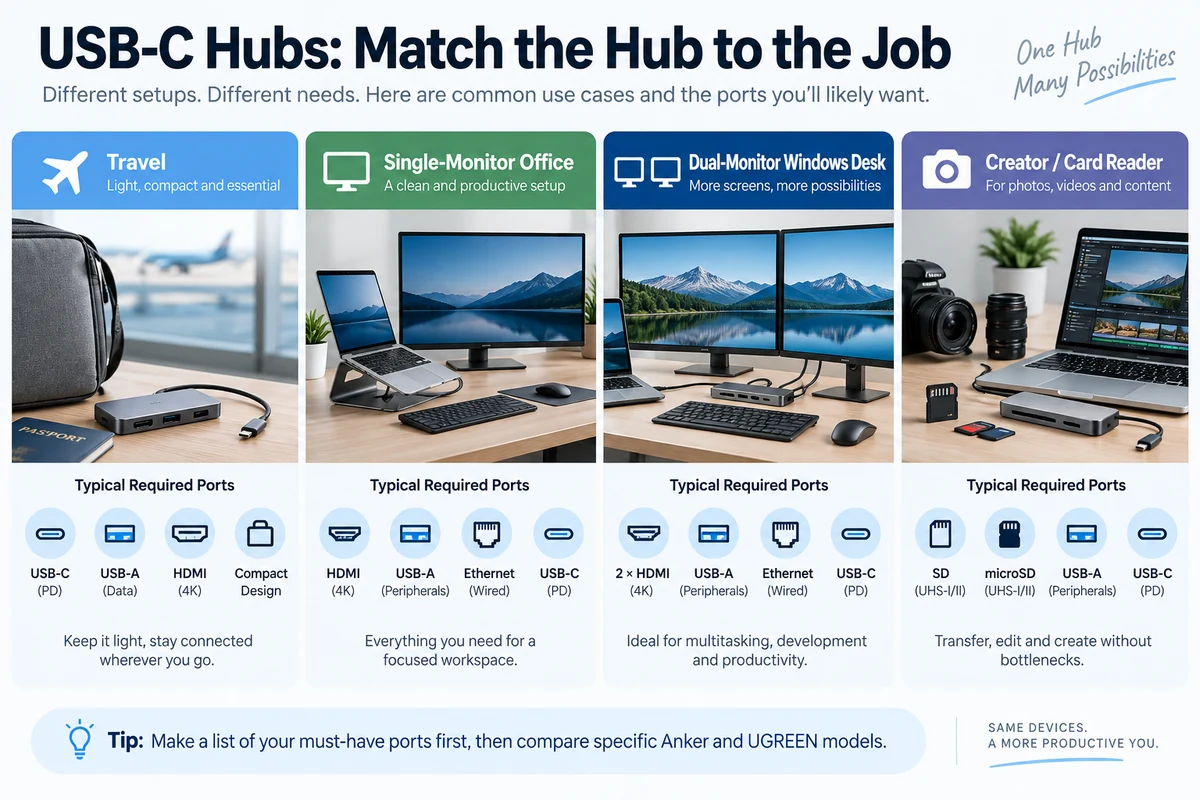
Travel: Fewer Ports Can Be Better
For travel, a compact hub with HDMI, one or two USB ports and Power Delivery may be more useful than an 11-port model.
Add Ethernet only if you regularly need wired networking. Add card readers only if your camera or workflow uses them.
Both Anker and UGREEN offer smaller models, so brand matters less than finding the smallest configuration that covers your recurring travel needs.
Desk Setup: When a Dock Makes More Sense
If your laptop remains connected to two monitors, Ethernet, external storage, keyboard, mouse, audio and other peripherals every day, a portable hub may be the wrong category.
A powered USB4 or Thunderbolt docking station can provide more bandwidth, cleaner cable management and more predictable high-end display support.
Both Anker and UGREEN sell products beyond basic hubs. Compare a true dock when your requirements exceed what a small USB-C hub can reliably handle.
Representative Model Matchups
| Need | Anker Model to Check | UGREEN Model to Check | Verify Before Buying | Check Price |
|---|---|---|---|---|
| Balanced single-display hub | Anker 555 8-in-1 | Comparable Revodok Pro 8-10 port model | 4K60, PD output, exact USB speeds | Anker → UGREEN → |
| More ports / desk use | Anker 565 11-in-1 | Revodok Pro 210 10-in-1 | Display outputs and host OS behavior | Anker → UGREEN → |
| Travel | Smaller Anker 5-8 port hub | Smaller Revodok model | Size, essential ports, cable length | Anker → UGREEN → |
| Dual displays on Windows | Anker multi-display model | Revodok dual-HDMI model | Laptop DP Alt Mode/MST support | Anker → UGREEN → |
| Mac multi-display | Model-specific research required | Model-specific research required | Mac chip + independent display support | Anker → UGREEN → |
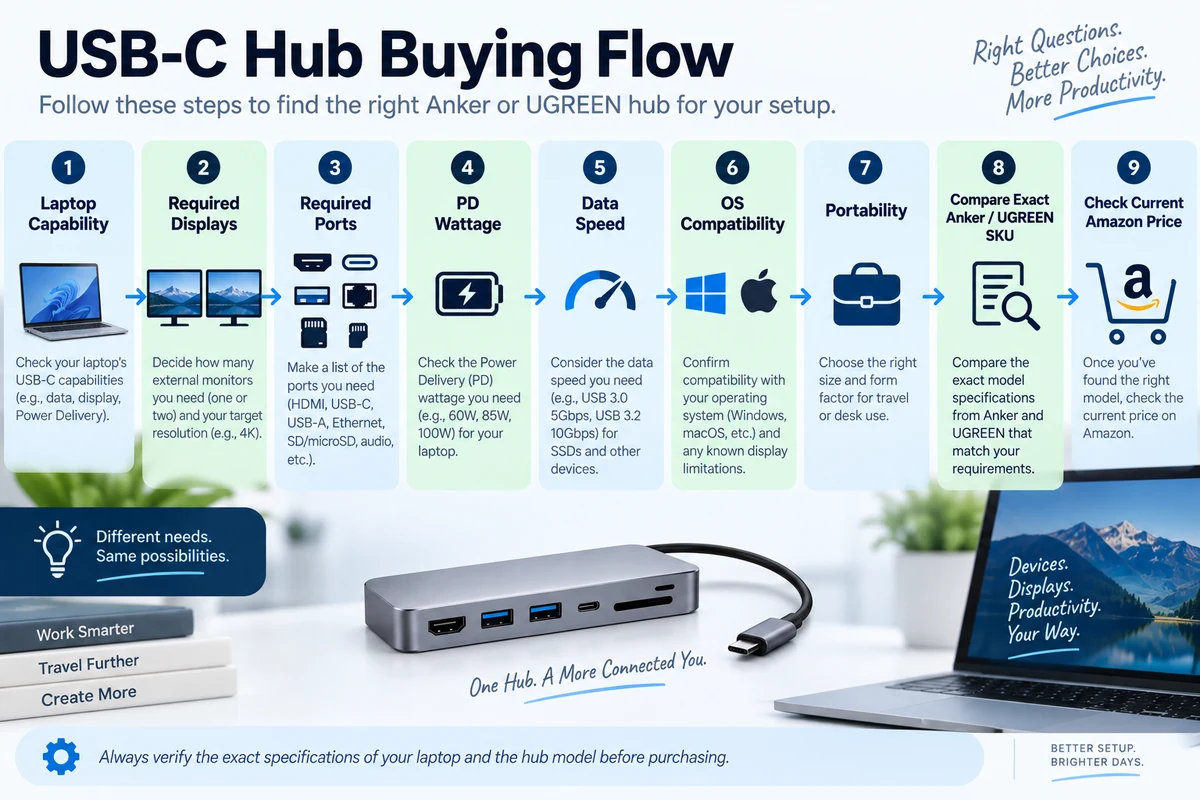
A Practical Buying Framework
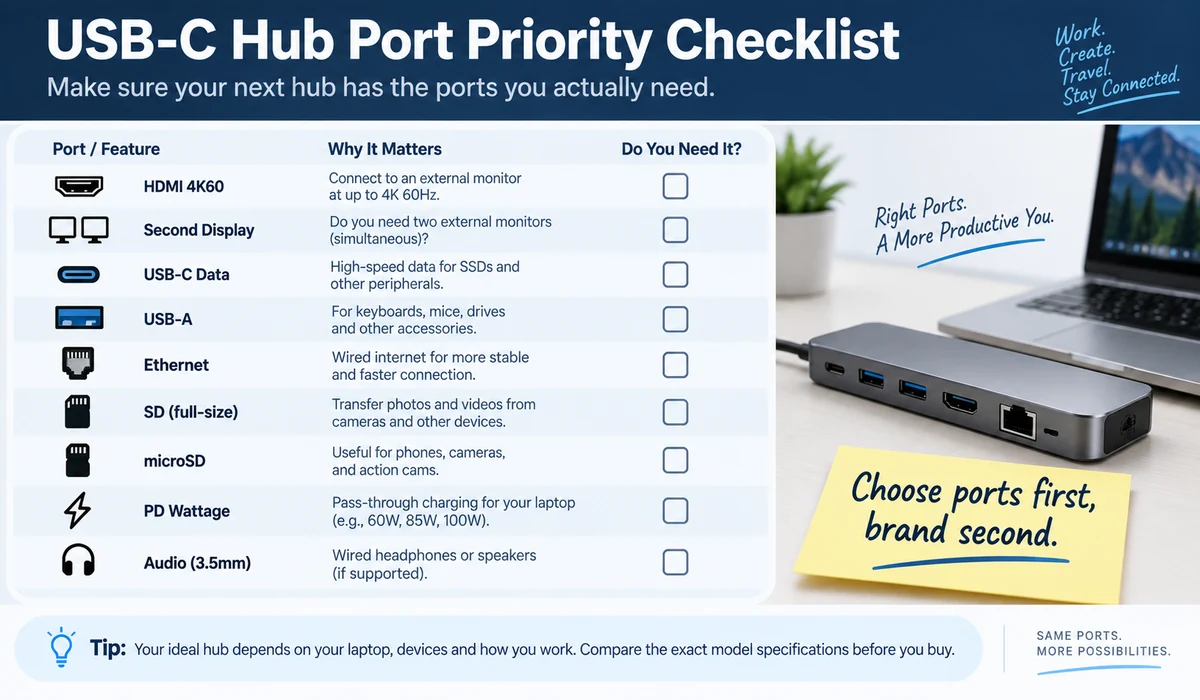
- Check the exact USB-C or Thunderbolt capabilities of your laptop.
- List the ports you actually use each week.
- Decide whether you need one or multiple external displays.
- Verify resolution and refresh rate for each display output.
- Check the laptop's charging requirement and hub PD output.
- Identify which USB ports support your required data speed.
- Check macOS or Windows display limitations for the exact model.
- Compare physical size and cable layout.
- Only then compare current price and warranty for the closest Anker and UGREEN configurations.
Common Buying Mistakes
| Mistake | Why It Causes Problems |
|---|---|
| Buying by port count | Extra low-value ports can hide missing high-speed or display capability |
| Assuming all USB-C ports output video | USB-C is only the connector shape; host capabilities differ |
| Reading 4K without checking Hz | 4K30 and 4K60 feel different for desktop use |
| Assuming 100W means 100W to laptop | Hub overhead can reduce delivered power |
| Assuming two HDMI ports mean two Mac desktops | macOS and MST limitations can change behavior |
| Ignoring cable placement | Short attached cables may not suit stands or desk routing |
| Buying a hub when a dock is needed | Heavy desk setups may need more bandwidth and power |
Frequently Asked Questions
Is Anker or UGREEN better for USB-C hubs?
Both brands offer capable hubs. The more reliable approach is to compare the exact models that match your port, display, charging and operating-system requirements.
Is the Anker 555 good for a 4K monitor?
Anker currently specifies HDMI output up to 4K at 60Hz on the 555. Your laptop, cable and monitor must also support the required mode.
Can UGREEN Revodok hubs run two monitors?
Selected Revodok models provide multiple display outputs. Independent extended-display support depends on the exact hub, laptop and operating system.
Which is better for MacBook: Anker or UGREEN?
Either can work for basic connectivity. For multiple displays, check the exact Mac model and the manufacturer's compatibility notes before buying.
Do Anker and UGREEN hubs charge laptops?
Many models support USB-C Power Delivery passthrough. Actual wattage to the laptop varies by hub, charger and laptop.
Do I need a 10Gbps USB hub?
It is useful for fast external SSDs and large transfers. Basic peripherals do not need that bandwidth.
Should I choose a hub with Ethernet?
Choose Ethernet if you value stable wired networking at work, hotels or home. Otherwise a smaller hub may be easier to travel with.
Are SD card readers on USB-C hubs fast?
Speed varies by model. Creators should verify the reader specification if large photo/video transfers are important.
Is an 11-in-1 hub better than an 8-in-1?
Not automatically. An 8-in-1 with the exact ports you use can be more practical than an 11-in-1 with unnecessary connections.
When should I buy a dock instead?
Consider a powered USB4 or Thunderbolt dock for a permanent workstation with multiple monitors, high-speed storage and many simultaneous peripherals.
Final Thoughts
When comparing the Anker vs UGREEN USB-C hubs, prioritize the workflow and specifications that match your actual use case rather than choosing on headline features alone.
Anker and UGREEN both cover the mainstream USB-C hub market well, so this comparison is best treated as a model-selection exercise rather than a brand contest.
Anker's 555 is a useful reference for a balanced single-monitor hub, while the 565 moves toward larger desk connectivity. UGREEN's Revodok family provides many comparable configurations, including dual-display models such as the Pro 210 class.
Choose the exact ports and display behavior you need first. Then compare the closest models on charging, data speed, size, warranty and current price.
For Amazon publishing, link only to verified exact models. If an ASIN has not been confirmed, use a tagged Amazon search link rather than guessing a product URL.