Best External SSDs for Fast Storage & Backup in 2026
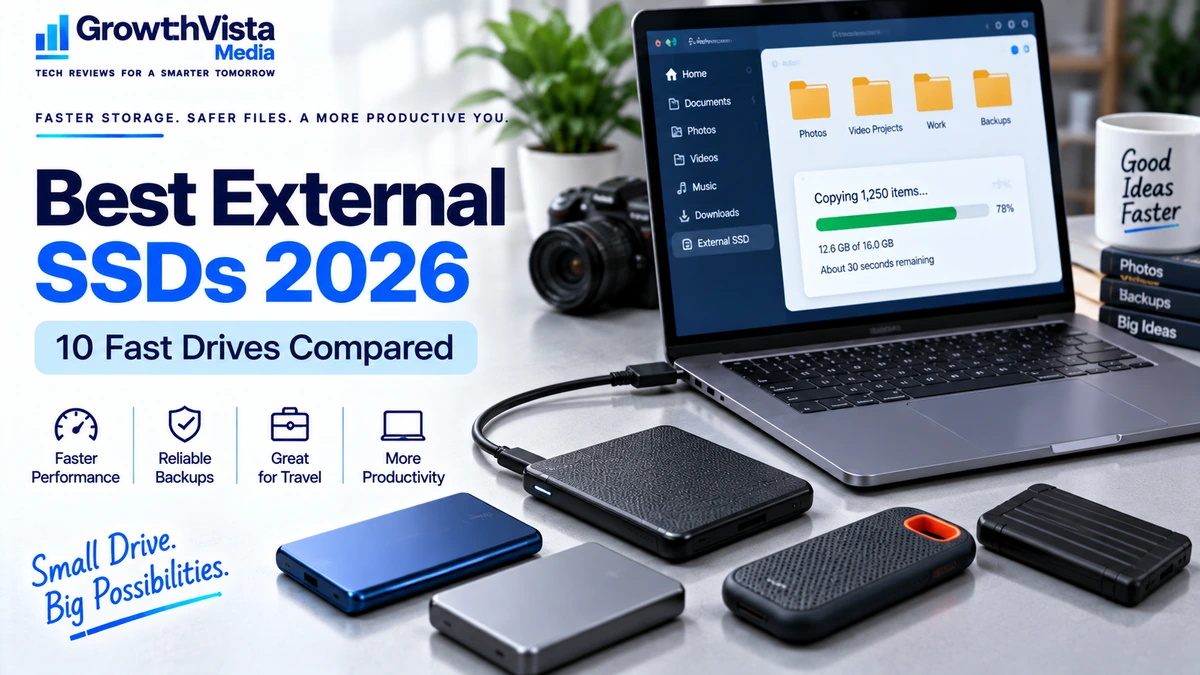
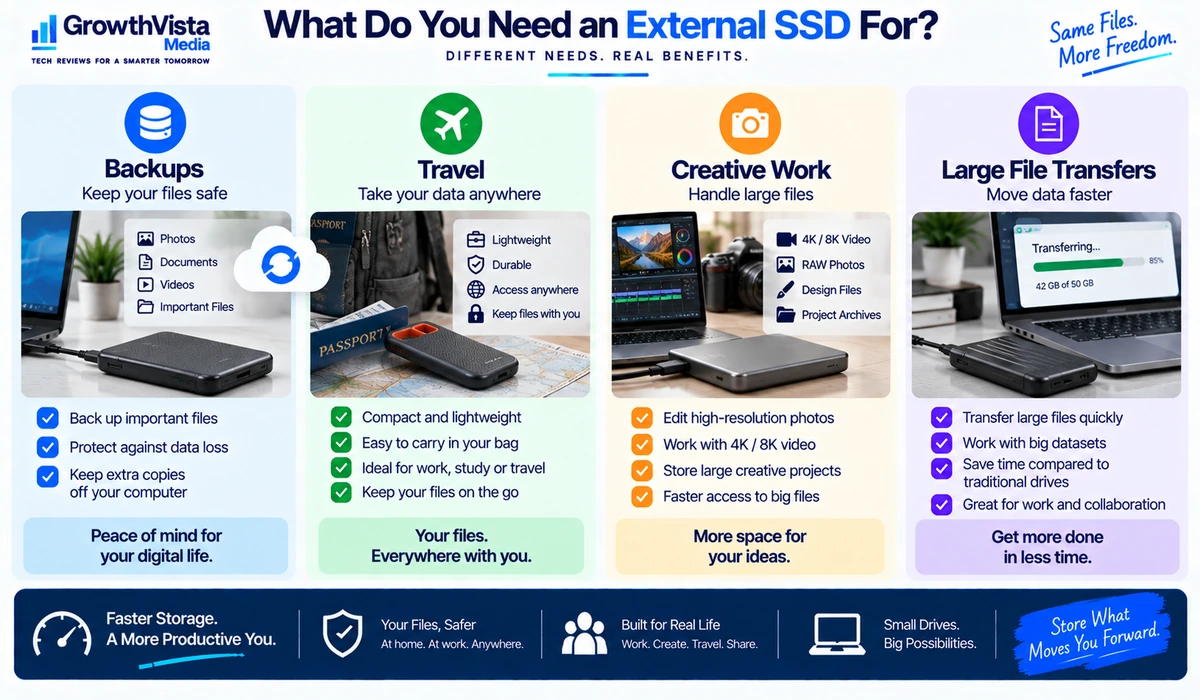
External storage is no longer only about keeping an emergency copy of your files. A modern portable SSD can also provide fast access to large photo libraries, video projects, business documents, game files and working datasets without filling the internal drive in your laptop.
The best external SSDs combine fast transfer performance with compact dimensions, reliable connectivity and enough capacity for the way you actually work. Some models prioritize value and everyday backup, while others are designed for rugged travel or higher-bandwidth creative workflows.
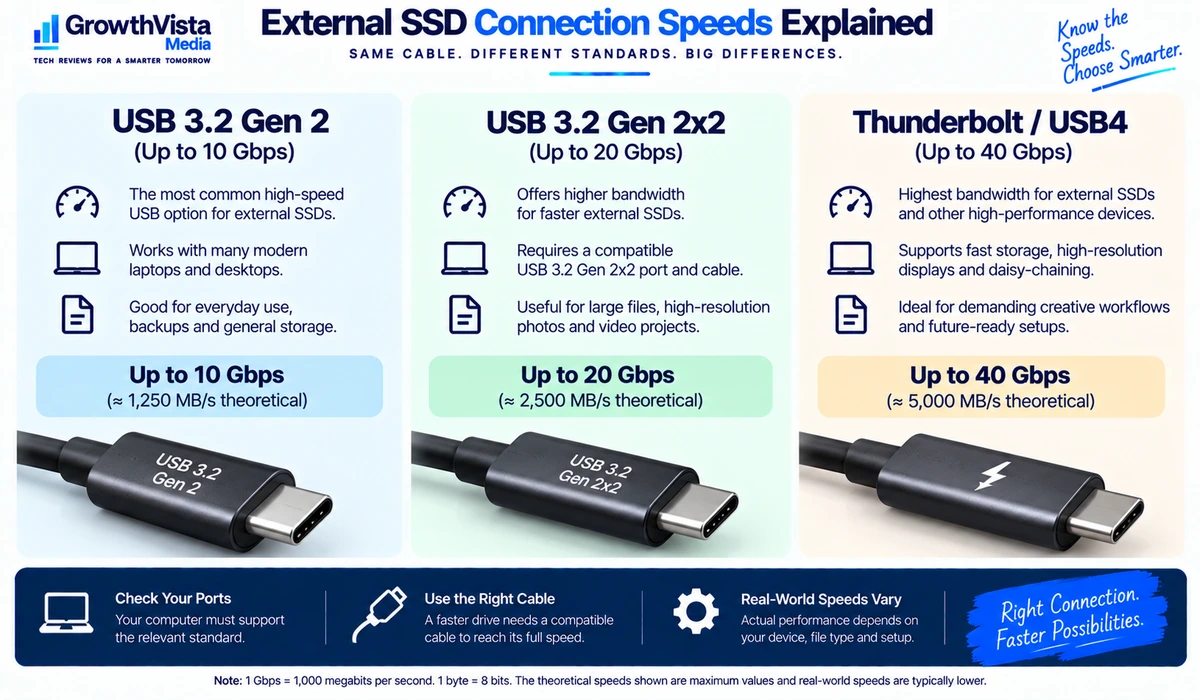
Interface labels can make the category confusing. USB 3.2 Gen 2, USB 3.2 Gen 2×2 and USB4 do not deliver the same potential throughput, and the computer must support the relevant interface before a faster drive can reach its advertised performance.
This guide compares 10 external SSD families worth considering in 2026 and explains the specifications that matter before you buy.
Quick Comparison: Best External SSDs
| External SSD | Best For | Interface Class | Design | Key Advantage | CTA |
|---|---|---|---|---|---|
| Samsung T9 | Overall performance | USB 3.2 Gen 2×2 | Portable | Fast mainstream premium option | Check Price → |
| Samsung T7 Shield | Travel / rugged use | USB 3.2 Gen 2 | Rugged portable | Durable everyday storage | Check Price → |
| Crucial X9 Pro | Everyday productivity | USB 3.2 Gen 2 | Compact | Small and practical | Check Price → |
| Crucial X10 Pro | High-speed workflows | USB 3.2 Gen 2×2 | Compact | Higher bandwidth | Check Price → |
| SanDisk Extreme Portable SSD | General portable storage | USB 3.2 class | Rugged portable | Popular travel format | Check Price → |
| Kingston XS1000 | Compact value | USB 3.2 Gen 2 | Ultra-compact | Pocket-friendly size | Check Price → |
| Kingston XS2000 | Fast compact storage | USB 3.2 Gen 2×2 | Ultra-compact | High speed in small body | Check Price → |
| WD My Passport SSD | Backup / general use | USB 3.2 class | Portable | Simple everyday backup | Check Price → |
| Lexar SL500 | Creators / mobile workflows | High-speed USB | Slim portable | Thin high-performance design | Check Price → |
| OWC Envoy Pro FX | Cross-platform premium use | Thunderbolt / USB compatible | Premium portable | Flexible high-speed connectivity | Check Price → |
Note: Interface support, capacities, claimed maximum speeds and bundled cables can vary by exact model. Verify the current product specification and your computer’s port capabilities before publication or purchase.
Samsung T9 — Best Overall External SSD
The Samsung T9 is aimed at users who want a premium portable SSD with more performance headroom than a basic USB 10Gbps drive.
It is particularly relevant to professionals moving large project folders, high-resolution media or other sizeable files between compatible computers. The important qualification is interface support: a faster drive only delivers its full benefit when the host system supports the required connection standard.
For a user who mostly stores documents and occasional backups, a less expensive SSD may feel just as responsive in everyday use.
Best for: Power users who regularly move large files and have compatible hardware.
Samsung T7 Shield — Best Rugged External SSD for Travel
Portable storage gets dropped, packed tightly into bags and used in less controlled environments than a desktop drive. A ruggedized enclosure can therefore matter more to a traveler than chasing the highest benchmark number.
The Samsung T7 Shield combines solid-state storage with a travel-oriented exterior, making it a practical option for photographers, field workers and users who frequently carry important files between locations.
Rugged does not mean indestructible, and no single storage device should be treated as the only copy of irreplaceable data.
Best for: Travel, field work and users who value a more protective portable design.
Crucial X9 Pro — Best Compact SSD for Everyday Productivity
The Crucial X9 Pro focuses on a compact form factor and practical performance for common laptop workflows.
For office files, photo libraries, project folders and routine backups, a well-designed USB 10Gbps-class SSD can provide a strong balance of speed, portability and cost.
The small size also makes this type of drive easy to keep in a laptop bag without adding meaningful bulk.
Best for: Everyday work, backup and portable laptop storage.
Crucial X10 Pro — Best for Higher-Speed USB Workflows
The X10 Pro moves into a higher-performance interface class than typical USB 10Gbps portable drives.
That additional bandwidth can be useful when transferring very large files or working with media on systems that support the necessary connection standard.
Before paying extra, confirm that your laptop or desktop actually supports the faster interface. Plugging a high-speed drive into a slower port will limit performance to the slower connection.
Best for: Creators and professionals with compatible high-bandwidth USB ports.
SanDisk Extreme Portable SSD — Best Familiar Travel Option
The SanDisk Extreme Portable SSD family has long targeted users who want compact solid-state storage in a travel-friendly enclosure.
It can be considered for general backup, photo storage and mobile work where size and portability matter alongside performance.
Because storage products can have model revisions and firmware histories, buyers should verify the exact current model, warranty information and manufacturer support rather than relying on an older review of a similarly named version.
Best for: General portable storage and travel-focused workflows.
Kingston XS1000 — Best Ultra-Compact Value SSD
The Kingston XS1000 is designed around portability. A very small external SSD can be useful for students, business travelers and laptop users who want additional storage without carrying a larger enclosure.
For routine file transfers and backups, extreme interface bandwidth is not always necessary. Compact size and sensible pricing may deliver more real-world value.
Best for: Users who want a small, easy-to-carry external SSD for everyday files.
Kingston XS2000 — Best Compact High-Speed SSD
The XS2000 combines a very compact design with a faster interface class than basic portable SSDs.
This makes it attractive to users who want high transfer potential without carrying a larger professional drive.
As always, the computer’s port is part of the performance equation. A high-speed SSD attached through a slower interface will operate below its maximum capability.
Best for: High-speed portable storage where small physical size matters.
WD My Passport SSD — Best for Straightforward Backup
Not every external SSD needs to be optimized for video production. Many buyers simply need a fast, compact destination for personal files, work folders and scheduled backups.
The WD My Passport SSD family fits that mainstream use case and can be considered by users who want a recognizable portable-storage format without specialized requirements.
For backup, capacity and a sensible backup routine are often more important than peak transfer speed.
Best for: General file storage and routine laptop backups.
Lexar SL500 — Best Slim SSD for Creators
Creative users often need storage that fits into a mobile kit alongside a laptop, camera equipment and other accessories.
The Lexar SL500 emphasizes a thin portable design while targeting higher-performance workflows. That can make it attractive for moving large photo or video projects between compatible systems.
Creators should check both sustained workflow needs and device compatibility rather than selecting a drive solely from its advertised maximum transfer figure.
Best for: Creators who want a slim high-performance portable drive.
OWC Envoy Pro FX — Best Premium Cross-Platform Option
The OWC Envoy Pro FX is positioned toward professional users who value high-speed connectivity and flexibility across compatible systems.
Thunderbolt-oriented storage can be particularly useful in professional creative environments, but it typically costs more than mainstream USB portable SSDs.
If your workload is ordinary backup or document storage, the premium may be difficult to justify. For demanding cross-platform workflows, the connectivity options can be more meaningful.
Best for: Professional users who need premium high-speed external storage across compatible computers.
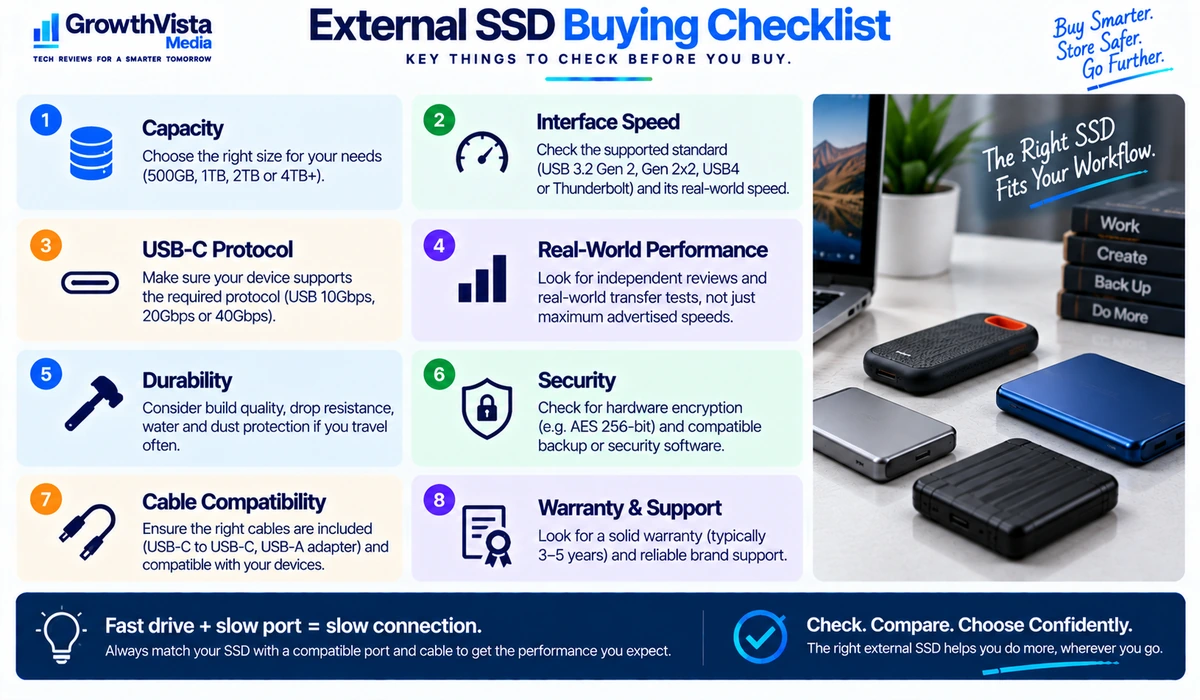
What to Look for When Buying an External SSD
1. Capacity
Choose capacity based on the files you expect to keep on the drive, not only what you store today. 1TB is a practical starting point for many users, while photo, video and large project libraries can justify 2TB or more.
2. Interface Speed
USB interface names can be confusing. The drive and the computer both need to support the same high-speed standard to reach the best transfer rates. Buying a faster SSD does not upgrade a slower laptop port.
3. Real-World Speed vs Advertised Speed
Maximum sequential speed is measured under specific conditions. File size, workload, cache behavior, temperature, cable quality and host hardware can all affect real-world performance.
4. USB-C Connector vs USB Protocol
USB-C describes the connector shape, not the speed by itself. Two USB-C ports can support very different data rates. Always check the underlying USB or Thunderbolt specification.
5. Durability
If the SSD will travel frequently, look at enclosure construction and any manufacturer-rated resistance to dust, water or drops. Treat rugged features as added protection, not a substitute for backup.
6. Hardware Encryption and Security
Some portable SSDs support hardware encryption or companion security software. If you store sensitive business data, also consider your operating system’s encryption tools and your organization’s security requirements.
7. Cable and Adapter Support
The included cable can affect convenience and performance. Check whether the drive includes USB-C to USB-C, USB-C to USB-A or an adapter that matches the computers you actually use.
8. Warranty and Support
External SSDs contain no moving mechanical parts, but they can still fail. Warranty length, manufacturer support and a reliable backup strategy matter for important data.
USB 10Gbps vs USB 20Gbps vs Thunderbolt / USB4
| Connection Class | Potential Benefit | Best For | Important Check |
|---|---|---|---|
| USB around 10Gbps | Fast mainstream portable storage | Backups, office work, photos | Computer must support matching USB speed |
| USB around 20Gbps | Higher transfer headroom | Large files, creator workflows | 20Gbps support is not universal |
| Thunderbolt / USB4 class | High-bandwidth professional use | Creative/pro workflows | Compatibility and implementation vary |
These categories describe interface capability rather than guaranteed file-transfer speed. Actual performance depends on the drive, host system, workload and cable.
External SSD vs External Hard Drive
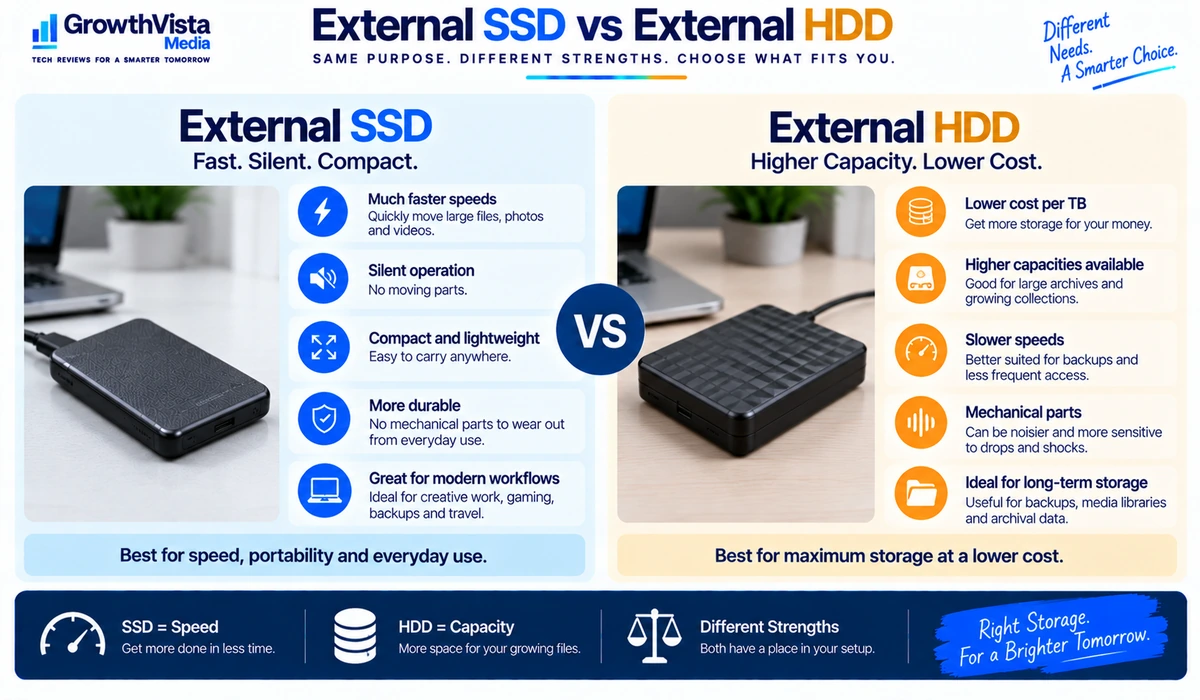
| Factor | External SSD | External HDD |
|---|---|---|
| Speed | Generally much faster | Slower |
| Moving parts | No | Yes |
| Shock resistance | Generally better | More vulnerable to impact |
| Noise | Silent | Can produce mechanical noise |
| Size | Usually compact | Often larger |
| Cost per TB | Usually higher | Usually lower |
| Best fit | Fast portable work and backup | Large low-cost archives |
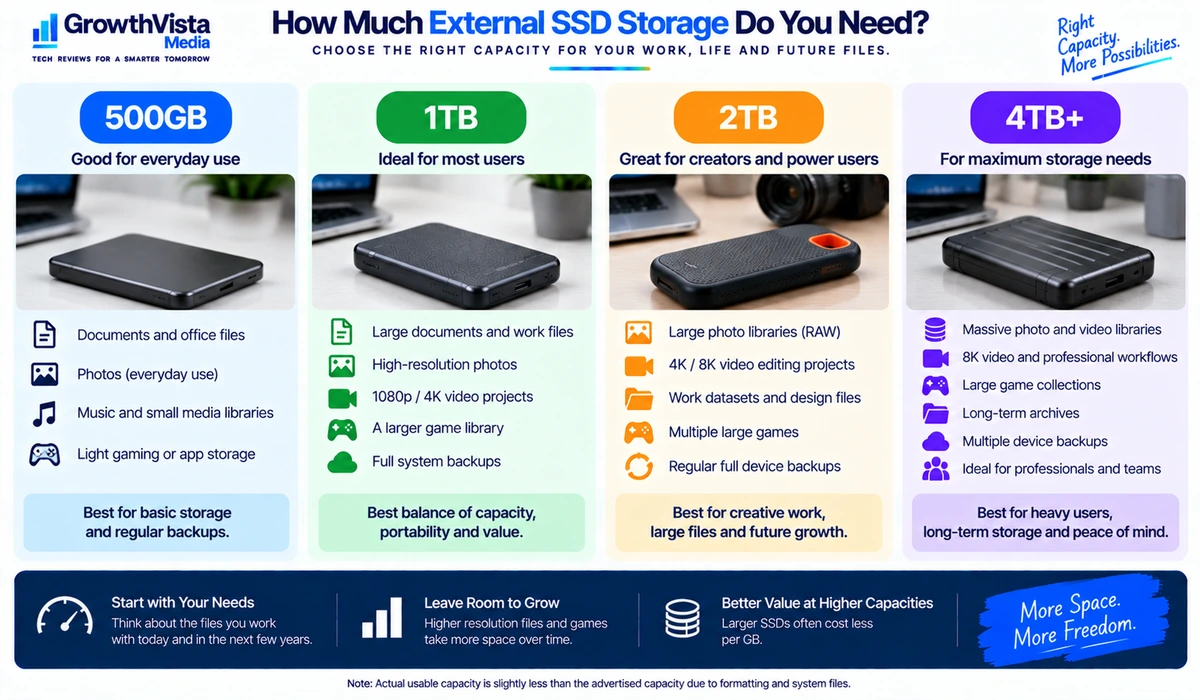
How Much External SSD Storage Do You Need?
- 500GB: suitable for lighter document storage, temporary transfers and smaller project libraries.
- 1TB: a strong general-purpose capacity for many laptop users, students and professionals.
- 2TB: useful for larger photo libraries, creative projects, games and users who want more backup headroom.
- 4TB and above: better suited to large media collections, professional workflows or users consolidating multiple smaller drives.
Capacity needs vary substantially. Keep free space available for normal operation and avoid treating a single external SSD as the only location for irreplaceable files.
External SSDs and Backup: One Drive Is Not a Backup Strategy
An external SSD can be an important part of a backup plan, but storing the only copy of a file on an external drive simply moves the risk from one device to another.
For important data, keep multiple copies in separate locations. A common approach is to retain the working copy on the computer, a local backup on external storage and another independent copy such as an appropriate cloud or off-site backup. The exact strategy should match the value and sensitivity of the data.
Frequently Asked Questions
What is the best external SSD capacity for most people?
1TB is a practical starting point for many users. Choose 2TB or more when you regularly work with large photo, video, game or project libraries.
Is an external SSD faster than an external hard drive?
Generally yes. SSDs use flash storage and typically provide much faster access and transfer performance than mechanical hard drives.
Does USB-C mean an SSD is fast?
No. USB-C is the connector shape. The actual speed depends on the USB or Thunderbolt protocol supported by the drive, cable and computer.
Can I run applications or edit video from an external SSD?
Often yes, depending on the application, operating system and drive performance. Demanding workflows benefit from a faster interface and compatible host hardware.
Is a rugged SSD waterproof?
Only if the exact model carries a relevant manufacturer rating, and even then the rating has specific test conditions. Check the current specification rather than assuming all rugged drives are waterproof.
Should I buy a 20Gbps SSD if my laptop supports only 10Gbps USB?
It will generally be limited by the slower host connection, so the extra performance may not provide much benefit unless you plan to use the drive with faster hardware later.
Can an external SSD fail?
Yes. SSDs have no moving mechanical parts, but electronics and flash storage can still fail. Keep additional backups of important files.
Final Thoughts
The best external SSDs balance speed, capacity, portability and price rather than chasing a single benchmark number.
For everyday laptop storage and backup, a compact USB 10Gbps-class SSD is often enough. Users moving very large files can benefit from higher-bandwidth models, but only when their computers support the necessary interface.
Travelers may prioritize a rugged enclosure, while creators may care more about sustained transfer performance and capacity.
Before buying, check the exact capacity, interface standard, cable, host compatibility and warranty. Most importantly, remember that even a premium external SSD should be one part of a broader backup plan rather than the only home for valuable files.