Best Mesh Wi-Fi Systems for Large Homes in 2026
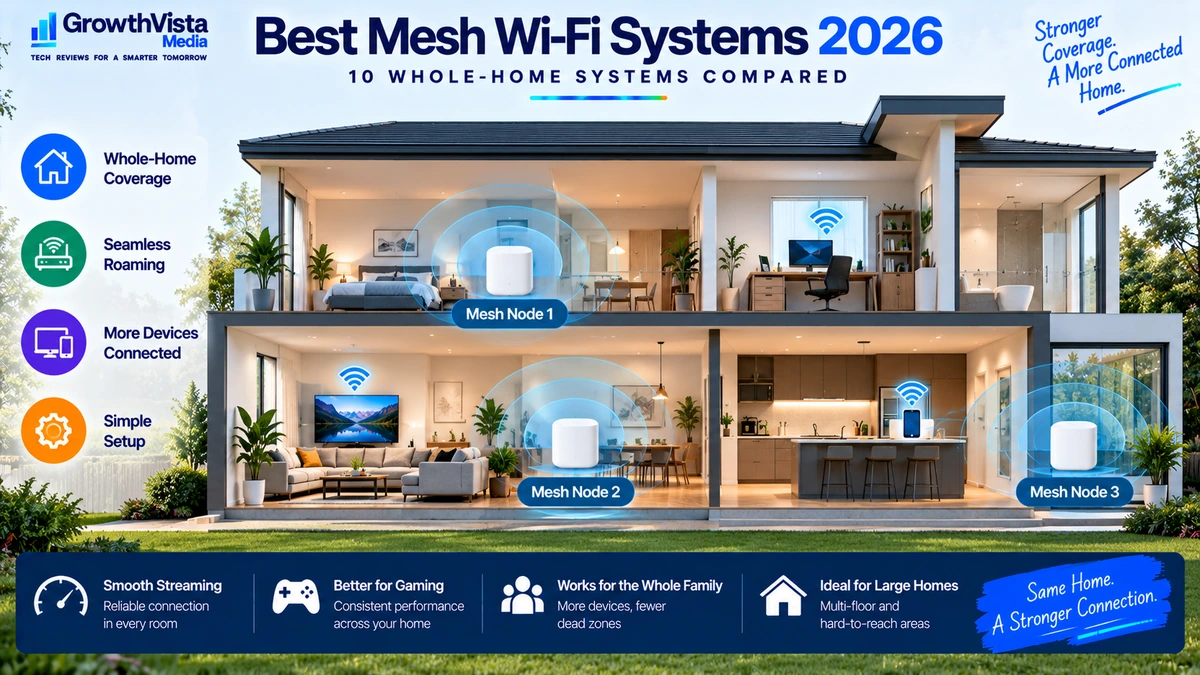
A single router can work extremely well when it sits near the center of a modest home. The challenge starts when the property is larger, spread across several floors, built with signal-blocking materials or filled with rooms far away from the router.
The best mesh Wi-Fi systems address that problem by using multiple coordinated nodes to distribute wireless coverage around the home. Instead of relying on one router to reach every room, a mesh system creates several carefully placed connection points that operate as one network.
Mesh Wi-Fi does not automatically make your internet plan faster, and adding too many poorly positioned nodes can create its own problems. The goal is consistent coverage and a strong path between each node and the rest of the network.
This guide compares 10 mesh Wi-Fi systems worth considering in 2026, including Wi-Fi 7, Wi-Fi 6E and value-oriented options, and explains how to choose the right system for your home.
Quick Comparison: Best Mesh Wi-Fi Systems
| Mesh System | Wi-Fi Generation | Best For | Backhaul Options | Key Advantage | CTA |
|---|---|---|---|---|---|
| TP-Link Deco BE85 | Wi-Fi 7 | Premium large homes | Wireless / Ethernet | High-end multi-gig platform | Check Price → |
| NETGEAR Orbi 970 Series | Wi-Fi 7 | Luxury / very demanding homes | Dedicated wireless + Ethernet options | Premium whole-home performance | Check Price → |
| Amazon eero Max 7 | Wi-Fi 7 | Simple premium setup | Wireless / Ethernet | Easy management | Check Price → |
| ASUS ZenWiFi BQ16 Pro | Wi-Fi 7 | Advanced users | Wireless / Ethernet | Feature-rich Wi-Fi 7 mesh | Check Price → |
| TP-Link Deco BE63 | Wi-Fi 7 | Balanced Wi-Fi 7 value | Wireless / Ethernet | Modern features at lower tier | Check Price → |
| Google Nest Wifi Pro | Wi-Fi 6E | Simple smart-home use | Wireless | Straightforward ecosystem | Check Price → |
| Amazon eero Pro 6E | Wi-Fi 6E | Easy multi-room networking | Wireless / Ethernet | Mature easy-to-use platform | Check Price → |
| TP-Link Deco XE75 Pro | Wi-Fi 6E | Value large-home coverage | Wireless / Ethernet | Strong price-to-coverage balance | Check Price → |
| ASUS ZenWiFi XT9 | Wi-Fi 6 | Flexible advanced setup | Wireless / Ethernet | Strong controls and backhaul options | Check Price → |
| TP-Link Deco X55 | Wi-Fi 6 | Budget mesh | Wireless / Ethernet | Affordable whole-home coverage | Check Price → |
Note: Exact node counts, radio bands, Ethernet speeds, backhaul behavior, subscription features and regional availability vary by package and revision. Verify current manufacturer specifications before publication.
TP-Link Deco BE85 — Best Overall Premium Mesh Wi-Fi System
The Deco BE85 is designed for users building a high-performance whole-home network around Wi-Fi 7 and multi-gig wired connectivity.
It is most relevant when a large home contains newer wireless devices, fast broadband, local storage or wired equipment that can benefit from higher-capacity networking.
Premium mesh hardware can be excessive for a small apartment or a household with a modest internet plan. Its value is strongest when both coverage and network capacity are genuine requirements.
Best for: Large modern homes with demanding devices and multi-gig networking.
NETGEAR Orbi 970 Series — Best Luxury Mesh System
The Orbi 970 Series sits at the premium end of consumer mesh networking and is aimed at buyers who prioritize whole-home performance over budget.
High-end Orbi systems are designed around multiple radios and strong inter-node connectivity, which can be valuable when satellite nodes cannot all be connected with Ethernet.
The cost is substantial, so users should first determine whether a less expensive mesh system with good node placement or wired backhaul would solve the same coverage problem.
Best for: Very large or demanding homes where premium networking cost is secondary.
Amazon eero Max 7 — Best for Simple Premium Wi-Fi 7 Mesh
The eero Max 7 combines newer Wi-Fi 7 hardware with an ecosystem built around relatively simple setup and management.
This can be attractive to users who want strong whole-home networking without spending time manually tuning advanced wireless parameters.
Before buying into any managed networking ecosystem, check which security, filtering or advanced features are included and which may require an ongoing subscription.
Best for: Users who want a streamlined premium mesh experience.
ASUS ZenWiFi BQ16 Pro — Best for Advanced Wi-Fi 7 Users
The ASUS ZenWiFi BQ16 Pro is aimed at users who want mesh coverage without giving up the deeper controls associated with enthusiast networking hardware.
That can make it useful for a technically confident household that wants Wi-Fi 7, multi-gig networking and more configuration flexibility than simplified mesh platforms typically provide.
Advanced settings are valuable only if you intend to use them. For users who prefer an appliance-like network, a simpler ecosystem may be easier to maintain.
Best for: Advanced users building a powerful multi-node home network.
TP-Link Deco BE63 — Best Balanced Wi-Fi 7 Mesh
The Deco BE63 brings Wi-Fi 7 mesh networking into a more attainable tier than flagship systems.
For many households, this type of balanced system can make more sense than buying the highest specification available. It can provide modern wireless features and multi-room coverage while keeping the overall system cost more manageable.
Compare the exact port speeds, bands and node package against your internet service and wired devices before deciding whether you need a more expensive model.
Best for: Large homes seeking Wi-Fi 7 without flagship pricing.
Google Nest Wifi Pro — Best for Simple Smart-Home Networking
Nest Wifi Pro focuses on an approachable mesh experience rather than an enthusiast-style control panel.
It can suit households that value straightforward management and already use compatible smart-home services.
Wi-Fi 6E provides access to the 6 GHz band on compatible devices, but 6 GHz signals generally have more difficulty passing through obstacles than lower-frequency bands. Node placement remains important.
Best for: Users who want simple mesh networking within a smart-home-oriented ecosystem.
Amazon eero Pro 6E — Best Mature Wi-Fi 6E Mesh Platform
Wi-Fi 7 may be newer, but a mature Wi-Fi 6E system can still be a sensible purchase when it is priced appropriately and meets the household’s needs.
The eero Pro 6E offers a straightforward path to multi-room networking and 6 GHz support without requiring the latest Wi-Fi generation.
Buy based on the devices and internet connection you have rather than assuming the newest standard is mandatory.
Best for: Homes wanting an established easy-to-manage Wi-Fi 6E mesh.
TP-Link Deco XE75 Pro — Best Value Wi-Fi 6E Mesh for Large Homes
The Deco XE75 Pro is a practical option for users who want broad mesh coverage and Wi-Fi 6E features without paying Wi-Fi 7 flagship prices.
A 6 GHz radio can also be useful within a mesh architecture, although actual backhaul behavior depends on configuration and system design.
For many homes with sub-multi-gig internet and a mixture of Wi-Fi 5, Wi-Fi 6 and Wi-Fi 6E devices, this class of system can remain highly capable.
Best for: Value-focused large homes where reliable coverage matters more than owning the newest standard.
ASUS ZenWiFi XT9 — Best Flexible Wi-Fi 6 Mesh for Advanced Setups
The ZenWiFi XT9 remains relevant for users who prioritize flexible configuration, strong coverage and backhaul options over having Wi-Fi 7.
A mature Wi-Fi 6 mesh can be a good fit when most client devices are still Wi-Fi 5 or Wi-Fi 6 and the home does not require the newer 6 GHz ecosystem.
Ethernet backhaul can further improve consistency when the property already has suitable cabling.
Best for: Users who want flexible controls and do not need Wi-Fi 7.
TP-Link Deco X55 — Best Budget Mesh Wi-Fi System
The Deco X55 represents the straightforward reason mesh networking became popular: improving coverage around a home without buying premium enterprise-style hardware.
For ordinary streaming, browsing, video calls and smart-home devices, a well-positioned Wi-Fi 6 mesh can still provide a very good experience.
The key is not to overbuy. If your internet connection and client devices do not require Wi-Fi 6E or Wi-Fi 7, a value system may solve the actual coverage problem for much less money.
Best for: Budget-conscious households that need better multi-room coverage.
How Mesh Wi-Fi Works
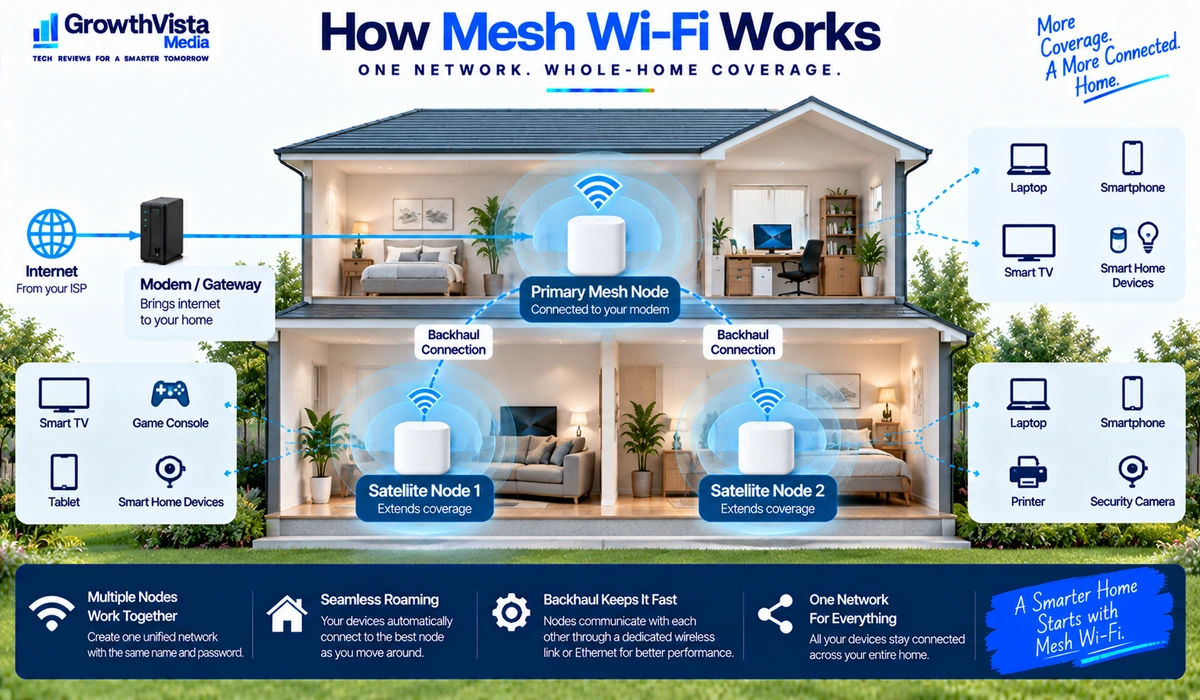
A mesh system typically consists of a primary unit connected to the modem or internet gateway and one or more additional nodes placed elsewhere in the home. The nodes coordinate to provide a common network name and help devices connect through the system.
The connection between mesh nodes is called backhaul. It can be wireless, wired Ethernet or a combination of both. Backhaul quality is one of the most important factors affecting performance at remote nodes.
What to Look for When Buying a Mesh Wi-Fi System
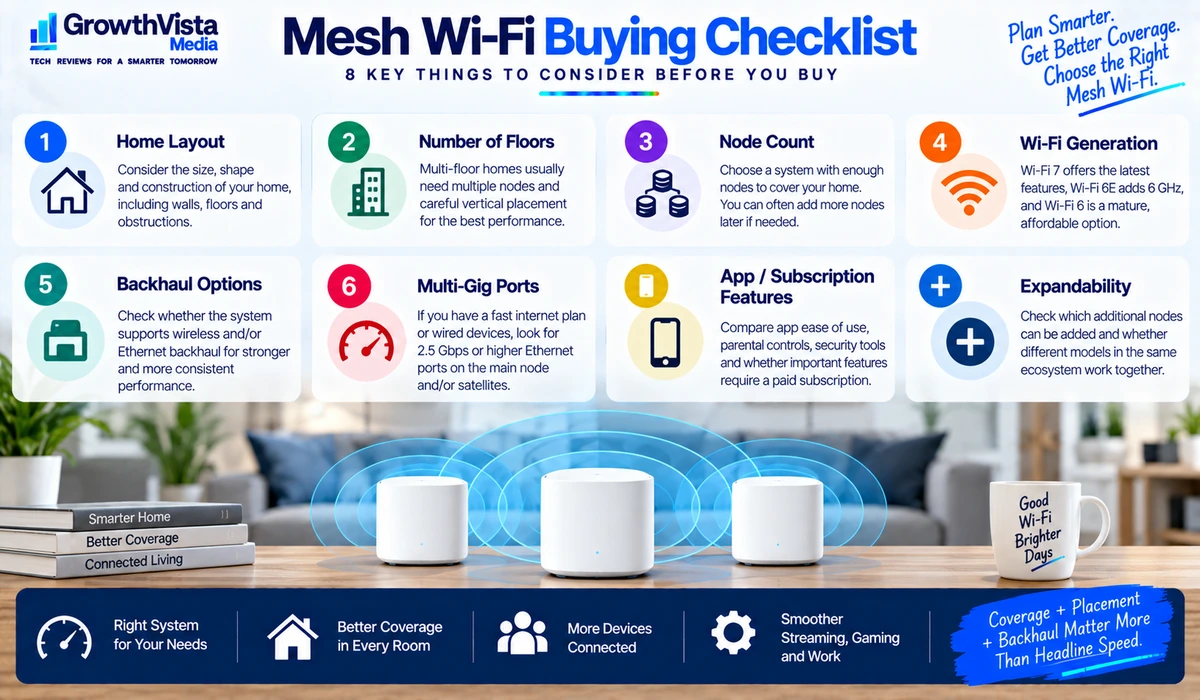
1. Home Size and Layout
Square-footage estimates can be useful as rough guidance, but walls, floors, construction materials and router placement often matter more. A long narrow home may need different node placement from an open-plan property of the same size.
2. Number of Nodes
More nodes are not automatically better. Nodes placed too close together can add unnecessary complexity, while nodes placed too far apart may have a weak backhaul connection. Start with the number appropriate to the layout and expand only when needed.
3. Wireless vs Ethernet Backhaul
Wireless backhaul is convenient because it requires no new cabling. Ethernet backhaul can provide a more consistent connection between nodes when the home has suitable network wiring.
4. Wi-Fi 7 vs Wi-Fi 6E vs Wi-Fi 6
Wi-Fi 7 offers the newest capabilities, but older-generation mesh systems can remain excellent for homes whose devices and internet service do not need the extra capacity. Coverage requirements should come before generation labels.
5. 6 GHz Band
Wi-Fi 6E and many Wi-Fi 7 systems can use 6 GHz. It can provide clean spectrum for compatible devices or system backhaul, but its propagation through walls can be less favorable than lower-frequency bands.
6. Multi-Gig Ethernet
Multi-gig ports matter when your broadband connection exceeds 1Gbps, you use fast local storage or you plan Ethernet backhaul at higher speeds. Check both the primary unit and satellite nodes.
7. App and Management Features
Mesh systems often rely heavily on mobile apps. Compare guest networking, device management, parental controls, security tools and whether any desired features require a subscription.
8. Expandability
If you may extend coverage later, check which nodes can be added and whether different models within the same ecosystem can operate together.
Wi-Fi 7 Mesh vs Wi-Fi 6E Mesh vs Wi-Fi 6 Mesh
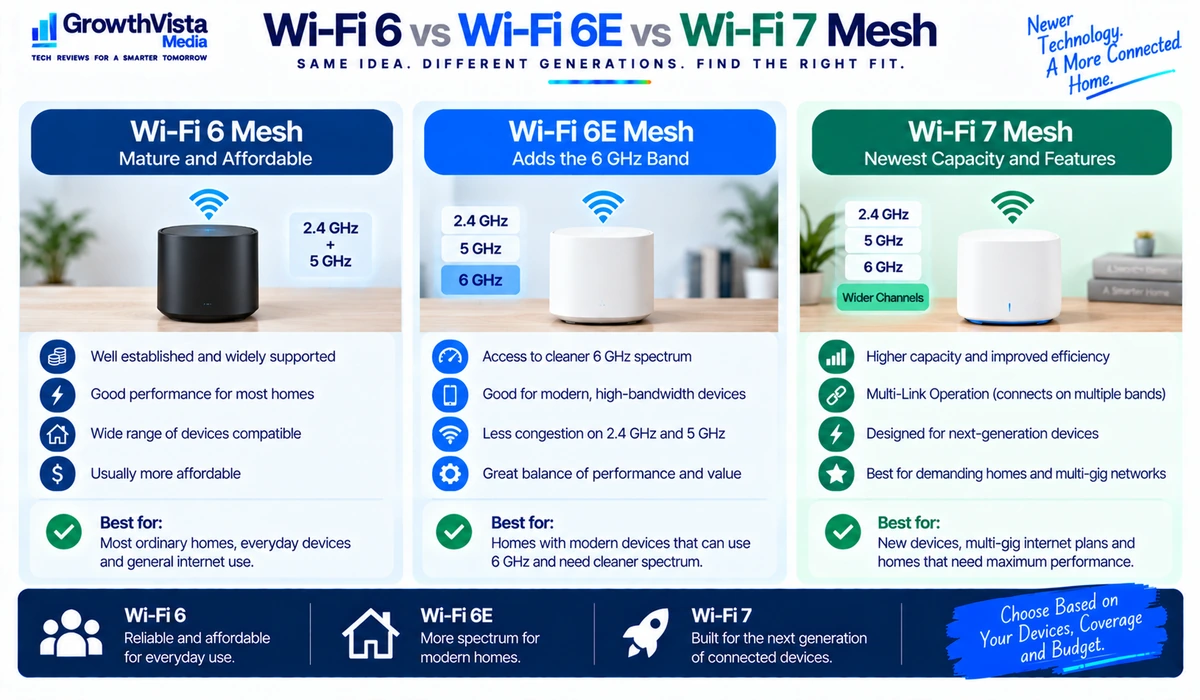
| Mesh Generation | Main Benefit | Best Fit | Consideration |
|---|---|---|---|
| Wi-Fi 6 | Mature and affordable | Most ordinary homes | No 6 GHz |
| Wi-Fi 6E | Adds compatible 6 GHz spectrum | Modern devices / cleaner spectrum | 6 GHz range through obstacles can be limited |
| Wi-Fi 7 | Newest capacity and link features | New devices / multi-gig networks | Higher cost; clients must support features |
Mesh Wi-Fi vs Wi-Fi Extender
| Factor | Mesh Wi-Fi | Wi-Fi Extender |
|---|---|---|
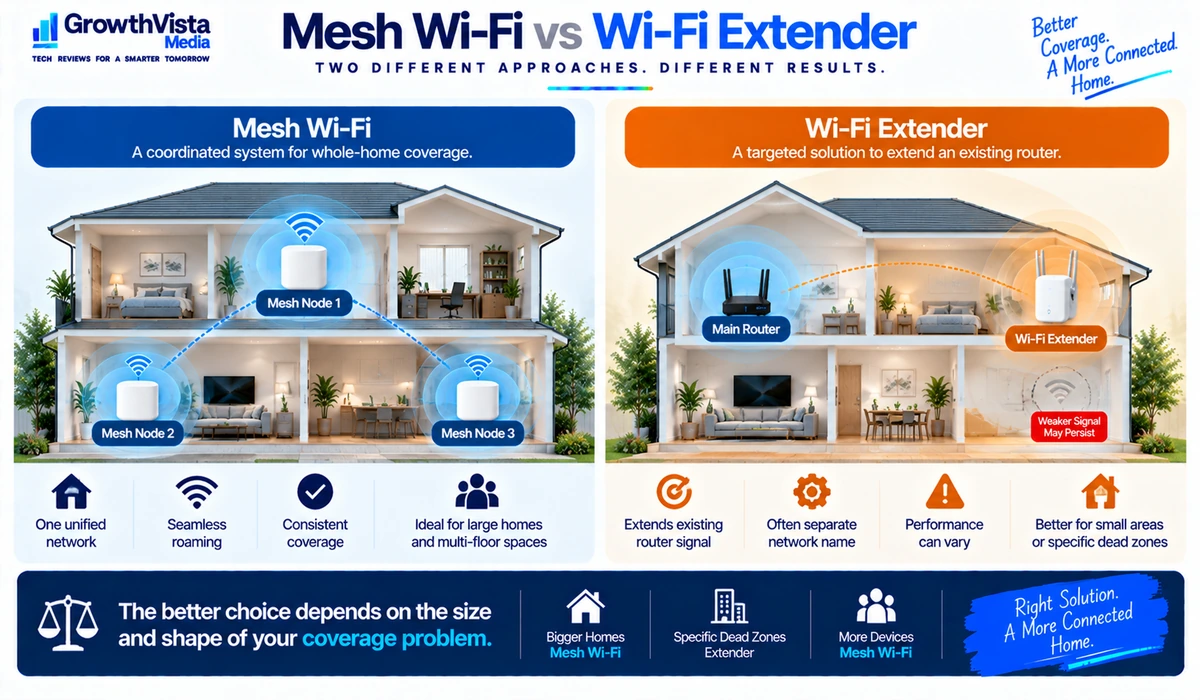
| Network design | Coordinated multi-node system | Extends an existing router |
| Management | Usually unified | Often separate or more limited |
| Roaming | Designed for coordinated coverage | Experience varies |
| Cost | Usually higher | Usually lower |
| Best use | Whole-home coverage | Targeted coverage improvement |
| Expansion | Designed to add compatible nodes | Varies by extender |
Article 33 will compare Wi-Fi extenders and mesh Wi-Fi in more detail. As a general rule, mesh is designed as a coordinated whole-home system, while an extender is usually a more targeted addition to an existing router.
Where Should You Place Mesh Wi-Fi Nodes?
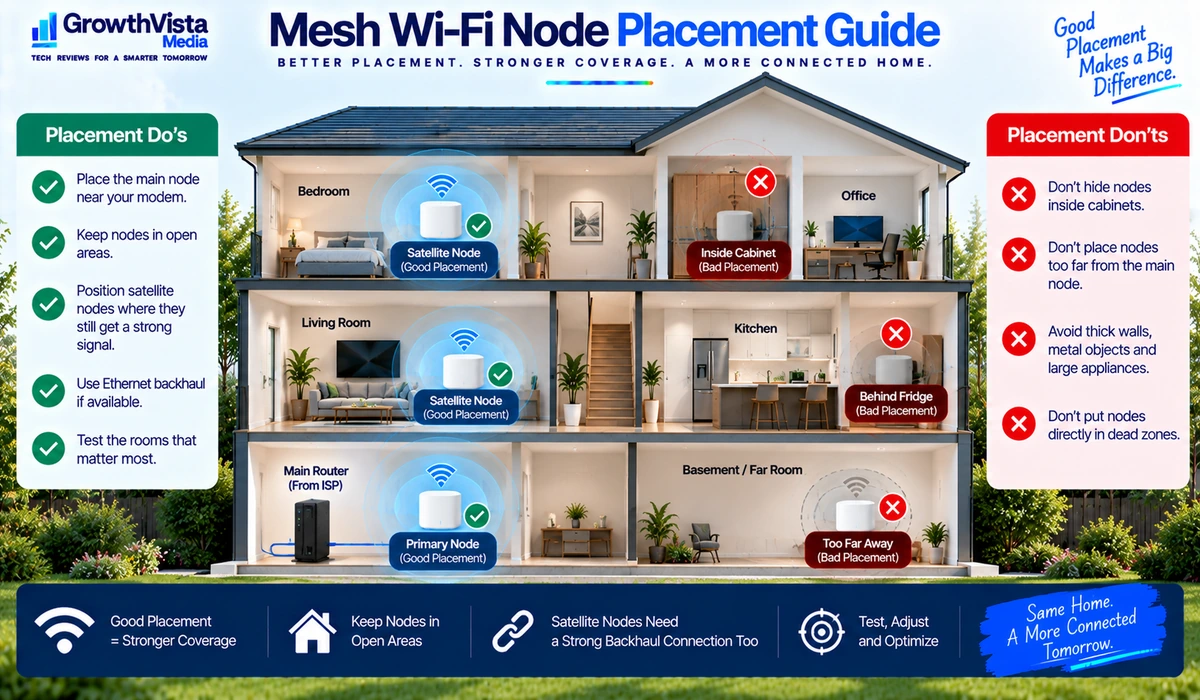
- Place the primary node in an open area close to the modem or gateway, not hidden inside a cabinet.
- Position satellite nodes where they can still receive a strong connection from the primary node or another mesh node; do not place them directly inside the dead zone.
- Avoid unnecessary obstruction from thick walls, metal objects and large appliances where possible.
- For multi-floor homes, consider the vertical relationship between nodes as well as horizontal distance.
- If Ethernet backhaul is available, use it where practical to reduce dependence on wireless inter-node links.
- After installation, test the rooms that matter most rather than judging the system only beside the primary router.
How Many Mesh Nodes Do You Need?
There is no reliable universal rule based only on floor area. A two-node system can outperform a three-node system when the nodes are positioned well and the building is easy to cover.
Start with the manufacturer’s guidance as an estimate, then consider the number of floors, wall materials and where internet-heavy activities take place. Add another node only when testing shows a genuine coverage or backhaul problem.
Frequently Asked Questions
Is mesh Wi-Fi better than a normal router?
It is often better for large or difficult layouts because coverage comes from multiple coordinated nodes. A strong standalone router can still be the simpler and less expensive choice for a smaller home.
Does mesh Wi-Fi make the internet faster?
It can improve the wireless connection in rooms that were previously poorly served, but it cannot make the ISP connection itself faster than the subscribed service.
Do mesh nodes need Ethernet cables?
No. Most consumer mesh systems support wireless backhaul. Ethernet backhaul is optional on compatible models and can improve consistency when suitable cabling is available.
How many mesh Wi-Fi nodes do I need?
It depends on layout, construction and placement. More nodes are not automatically better. Start with an appropriate two- or three-node kit and expand only if testing shows a need.
Is Wi-Fi 7 mesh worth it?
It can be for new high-end networks with compatible devices and multi-gig requirements. Wi-Fi 6E and Wi-Fi 6 mesh systems can remain excellent choices when they meet your coverage and speed needs.
Can I mix mesh units from different brands?
Generally, consumer mesh ecosystems are designed around compatible products from the same platform. Do not assume nodes from unrelated brands will form one coordinated mesh.
Where should I put a mesh satellite?
Place it between the primary router and the weak-coverage area where it can still maintain a strong backhaul connection. Putting the node deep inside the dead zone often produces poor results.
Final Thoughts
The best mesh Wi-Fi systems solve a coverage problem first and a speed problem second.
For a large home with newer devices and multi-gig networking, a Wi-Fi 7 mesh can provide a strong foundation. Wi-Fi 6E systems can offer excellent value for modern households, while a well-designed Wi-Fi 6 mesh remains entirely adequate for many ordinary broadband connections.
Node placement and backhaul quality are just as important as the product specification. An expensive three-pack placed badly can perform worse than a simpler system installed intelligently.
Before buying, map the areas where coverage is weak, check your internet speed and client devices, decide whether Ethernet backhaul is possible, and choose the mesh generation that matches those requirements.