Best USB-C Hubs for Laptops in 2026: 10 Options for Work and Travel
Amazon Disclosure: As an Amazon Associate I earn from qualifying purchases. GrowthVista Media may receive a commission from qualifying purchases made through our links, at no additional cost to you.
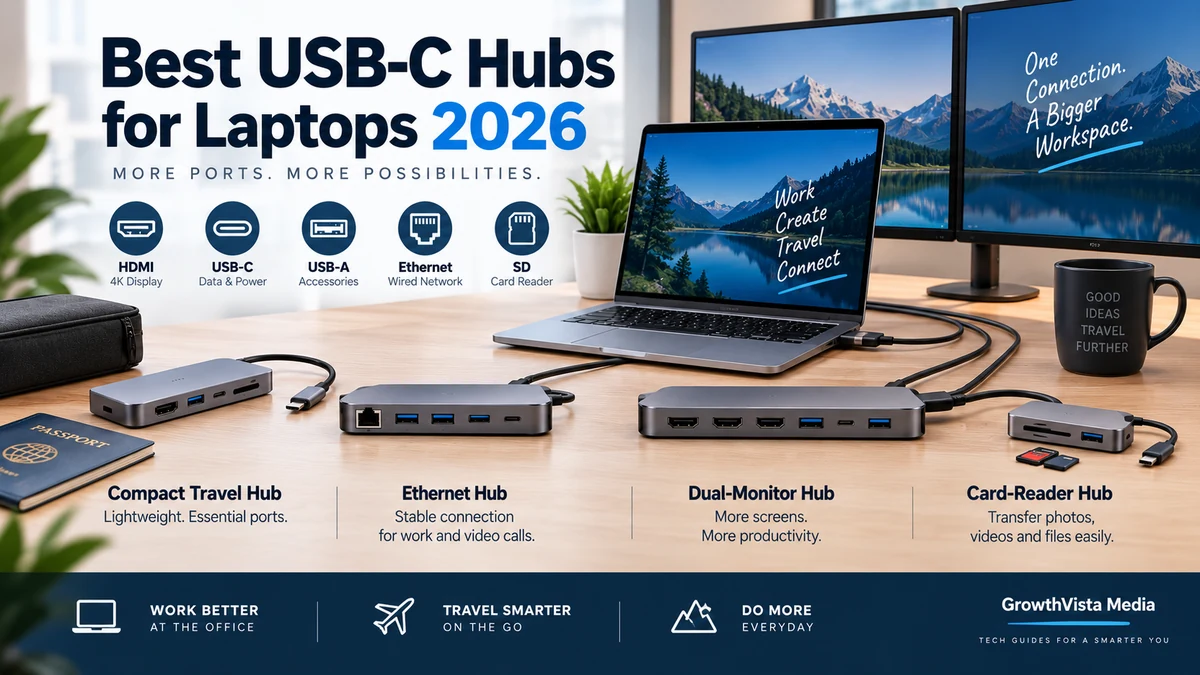
The best USB-C hubs for laptops in 2026 balance the ports you actually need with reliable display support, data speed, charging passthrough and portability.
Explore more in our Electronics guides. For primary product information, see the official Anker and UGREEN websites.
How We Compared the Best USB-C Hubs for Laptops
Amazon Disclosure: As an Amazon Associate I earn from qualifying purchases. GrowthVista Media may receive a commission from qualifying purchases made through our links, at no additional cost to you.
Modern laptops are thinner than ever, but that often means fewer ports. A USB-C hub can restore HDMI, USB-A, Ethernet, SD cards and charging through a single laptop connection.
The challenge is that two hubs with the same number of ports can behave very differently. One may support a 4K display at 60Hz, another only 30Hz. One may advertise 100W charging even though some power is reserved for the hub itself. Multi-monitor behavior can also depend on the laptop, operating system and USB-C implementation.
This guide compares 10 current hub families for work, travel, presentations and desk setups. Specifications should be verified against the exact SKU before purchase because manufacturers often sell several closely related variants under similar names.
What We Looked For
- Useful port selection rather than maximum port count
- Display resolution and refresh-rate support
- USB data speed
- USB-C Power Delivery passthrough
- Ethernet and card-reader availability
- Portability and cable design
- Multi-monitor limitations
- Compatibility documentation
- Value of the port mix for a real laptop workflow
Quick Comparison
| Hub | Typical Strength | Useful For | Check Price |
|---|---|---|---|
| Anker 555 USB-C Hub (8-in-1) | Balanced 8-port setup with 4K60 HDMI | Work/travel users needing Ethernet and SD | Check at Amazon → |
| Anker 565 USB-C Hub (11-in-1) | Large port selection and multi-display connectivity | Desk-heavy laptop setups | Check at Amazon → |
| UGREEN Revodok Pro 210 (10-in-1) | Dual HDMI plus broad connectivity | Windows productivity and multi-display setups | Check at Amazon → |
| UGREEN Revodok Pro 109 (9-in-1) | Compact multi-port mix | General office and travel | Check at Amazon → |
| Belkin Connect USB-C 6-in-1 Multiport Hub | Straightforward mainstream connectivity | Office, presentations and everyday peripherals | Check at Amazon → |
| Satechi USB-C Multiport 8K with Ethernet V3 | Premium display/Ethernet workflow | Higher-resolution display users | Check at Amazon → |
| Satechi 7-in-1 USB-C Slim Multiport Adapter with Ethernet | Slim travel-oriented design | Portable office setups | Check at Amazon → |
| Plugable USBC-7IN1E | 4K60, Ethernet and card readers | Practical business/travel connectivity | Check at Amazon → |
| Plugable USBC-9IN1E | More ports in a compact hub | Users needing broader peripheral support | Check at Amazon → |
| Dell 7-in-1 USB-C Multiport Adapter DA310 | Portable business adapter | Mixed office/meeting-room connectivity | Check at Amazon → |
1. Anker 555 USB-C Hub (8-in-1)
Anker's 555 is a balanced hub for users who need more than a basic HDMI adapter but do not want a full desktop dock.
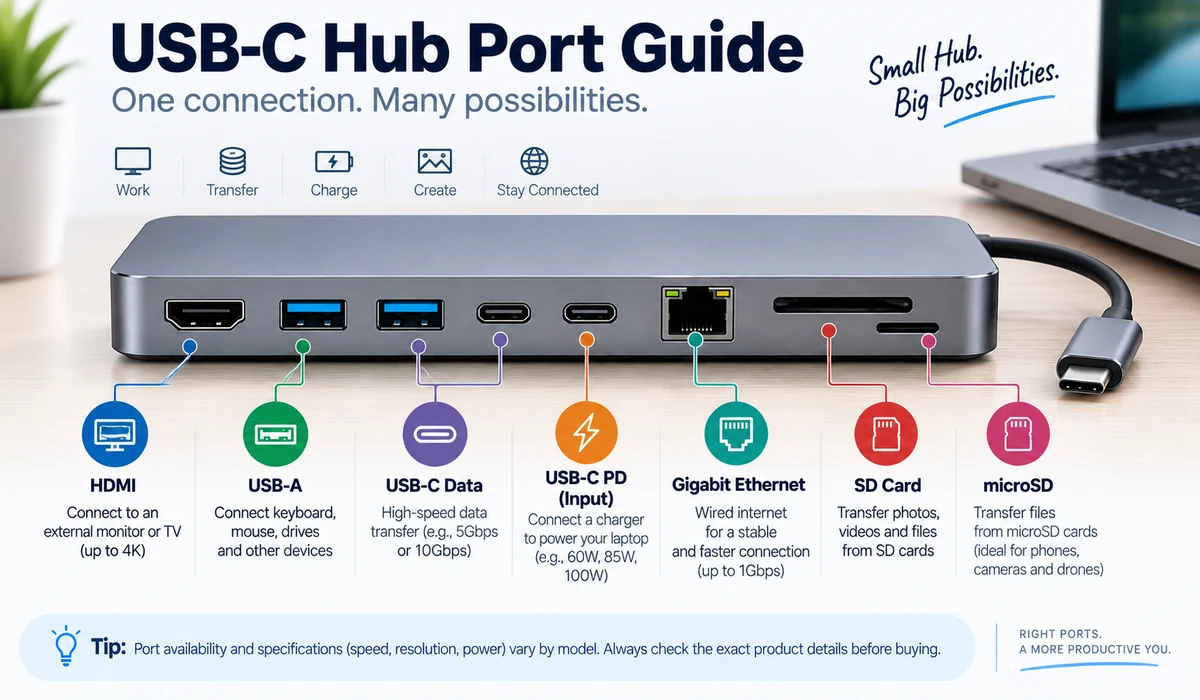
The current product documentation lists an 8-in-1 layout with USB-C Power Delivery input, HDMI, Gigabit Ethernet, two USB-A data ports, one USB-C data port plus SD and microSD card slots. HDMI supports up to 4K at 60Hz, while the data ports are rated up to 10Gbps.
Anker documents up to 85W laptop charging when a 100W Power Delivery charger is connected because the hub reserves power for operation.
This combination is particularly practical for photographers, office users and travelers who need display, wired network, storage cards and charging from one laptop port.
2. Anker 565 USB-C Hub (11-in-1)
The Anker 565 is aimed at users who need a broader desktop-style port selection from a portable hub.
Anker's documentation lists HDMI, DisplayPort, USB-C and USB-A connectivity, Ethernet, card-reader support, audio and Power Delivery. The hub can support multi-monitor workflows on compatible Windows laptops, but display behavior varies by host device.
Mac users should pay special attention to display limitations. Anker notes that macOS may mirror external displays in configurations where Windows can extend them independently.
Choose this type of hub when port variety matters more than minimum size.
3. UGREEN Revodok Pro 210 (10-in-1)
UGREEN's Revodok Pro 210 is a 10-in-1 hub built around a broad port mix and dual-display connectivity.
Current manufacturer listings describe dual HDMI outputs, USB data ports, Gigabit Ethernet, SD/TF card slots and Power Delivery input. This makes it relevant to Windows users who want two external displays without moving to a much larger dock.
As with all multi-display USB-C hubs, confirm the exact host laptop's USB-C video capabilities and operating-system limitations before buying.
4. UGREEN Revodok Pro 109 (9-in-1)
The Revodok Pro 109 offers a slightly leaner alternative for users who want HDMI, networking, card access, USB peripherals and charging in a compact form.
UGREEN sells several Revodok configurations, so the exact 109 SKU should be checked carefully before publication or purchase. Port counts, display refresh rates and data speeds can differ between similarly named models.
It fits the general-purpose buyer who wants one hub for office, home and travel without stepping up to a full docking station.
5. Belkin Connect USB-C 6-in-1 Multiport Hub
Belkin's 6-in-1 class is a straightforward choice for users who want the common office ports without an oversized adapter.
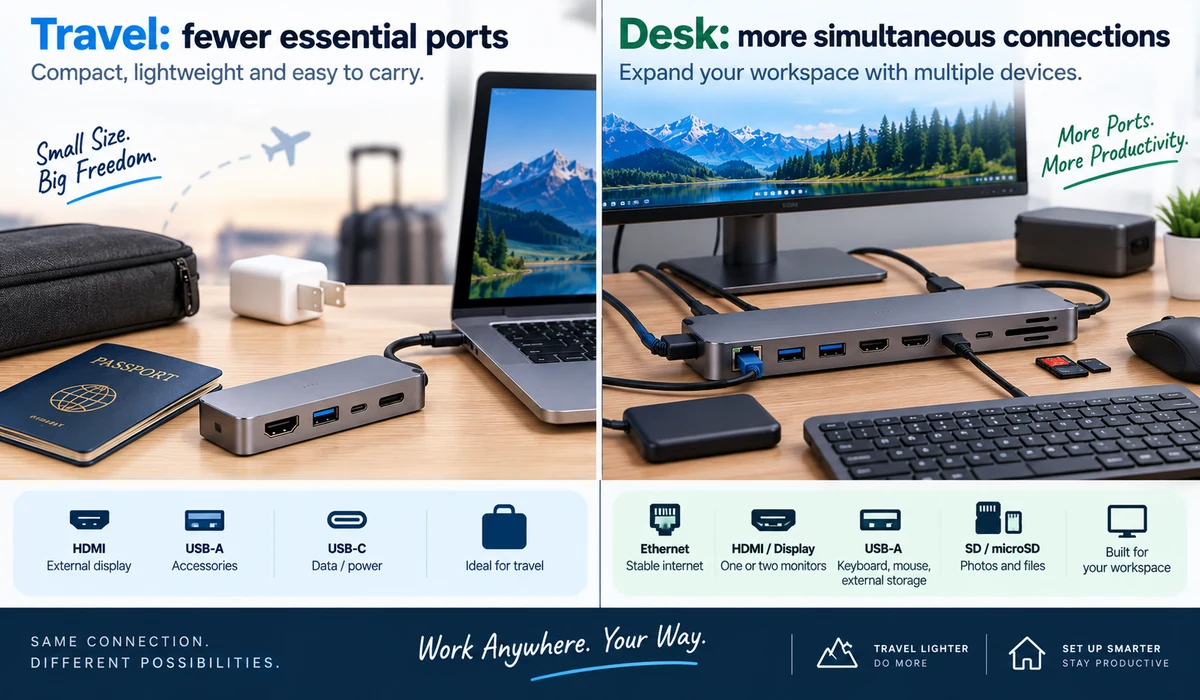
The current Connect USB-C 6-in-1 Multiport Hub family combines HDMI, USB peripherals, card access and USB-C charging in a portable design. Exact port layout and Power Delivery rating should be verified against the regional SKU because Belkin offers multiple similarly named Connect hubs.
It is best considered for everyday productivity, presentations and peripheral connectivity rather than a complex multi-monitor workstation.
6. Satechi USB-C Multiport 8K with Ethernet V3
Satechi's USB-C Multiport 8K with Ethernet V3 targets users who care about higher display capability and premium desk/travel design.
The current V3 product is built around an 8K-capable HDMI connection, Ethernet, USB data, card-reader functionality and Power Delivery passthrough.
An 8K label should not be treated as a guarantee that every laptop will output 8K through the hub. Display resolution and refresh rate depend on the host device, cable, monitor and supported video standard.
For many buyers, 4K at a comfortable refresh rate is more useful than chasing the maximum advertised resolution.
7. Satechi 7-in-1 USB-C Slim Multiport Adapter with Ethernet
Satechi's slim 7-in-1 adapter is more travel-oriented than a desktop docking station.
It combines common connectivity such as HDMI, USB, card reading, Ethernet and Power Delivery in a compact body. This makes it suitable for users who move between home, office, hotel and meeting rooms.
The key buying question is whether its exact port mix covers your daily essentials. A smaller hub is only more portable if it does not force you to carry a second adapter.
8. Plugable USBC-7IN1E
Plugable's USBC-7IN1E is a practical hub for business and travel users who want documented compatibility and a conventional port mix.
Plugable currently lists HDMI up to 4K at 60Hz, Gigabit Ethernet, USB ports, SD/microSD readers and Power Delivery passthrough in this compact model.
This is the type of hub that fits a single-monitor office workflow particularly well: connect a display, network, storage/peripherals and charger with one laptop cable.
9. Plugable USBC-9IN1E
The USBC-9IN1E expands the concept for users who need more simultaneous connections.
It is useful when a 7-port hub leaves too many peripherals competing for the same USB ports. As always, verify whether every USB-C port supports data, charging or video; USB-C connector shape alone does not tell you its function.
Plugable's detailed compatibility documentation is useful when checking a specific laptop before purchase.
10. Dell 7-in-1 USB-C Multiport Adapter DA310
Dell's DA310 is designed as a portable business adapter rather than a large desk dock.
Its circular design combines common meeting-room and office connections in a compact package, including display outputs, Ethernet and USB connectivity.
This type of adapter is particularly useful for employees who encounter different monitors and projectors while traveling or moving between offices.
Check the exact display combinations and host requirements if you plan to connect more than one external monitor.
Which Hub Fits Which User?
| User | What to Prioritize | Models to Investigate |
|---|---|---|
| Frequent traveler | Compact size, HDMI, charging, enough USB | Anker 555, Satechi Slim, Plugable 7-in-1, Dell DA310 |
| Photographer/content creator | Fast card reader, USB data, display | Anker 555, Satechi options, Plugable |
| Windows dual-monitor user | Multiple display outputs + host compatibility | Anker 565, UGREEN Revodok Pro 210 |
| Office hot-desk user | Ethernet, HDMI, PD, USB peripherals | Anker 555, Belkin, Plugable, Dell |
| High-resolution display user | HDMI specification and host capability | Satechi 8K V3, compatible 4K60 hubs |
| Minimal laptop setup | Only essential ports | Belkin 6-in-1 or compact 7-in-1 class |
USB-C Is a Connector, Not a Guarantee
This is the most important point in the entire buying guide. A USB-C port can support very different capabilities depending on the laptop.
Some USB-C ports carry data only. Others support DisplayPort Alt Mode, USB4 or Thunderbolt. Power Delivery capability also varies.
Before buying a hub for an external monitor, check the laptop manufacturer's specification for video output over that exact USB-C/Thunderbolt port.
4K30 vs 4K60: Why the Difference Matters
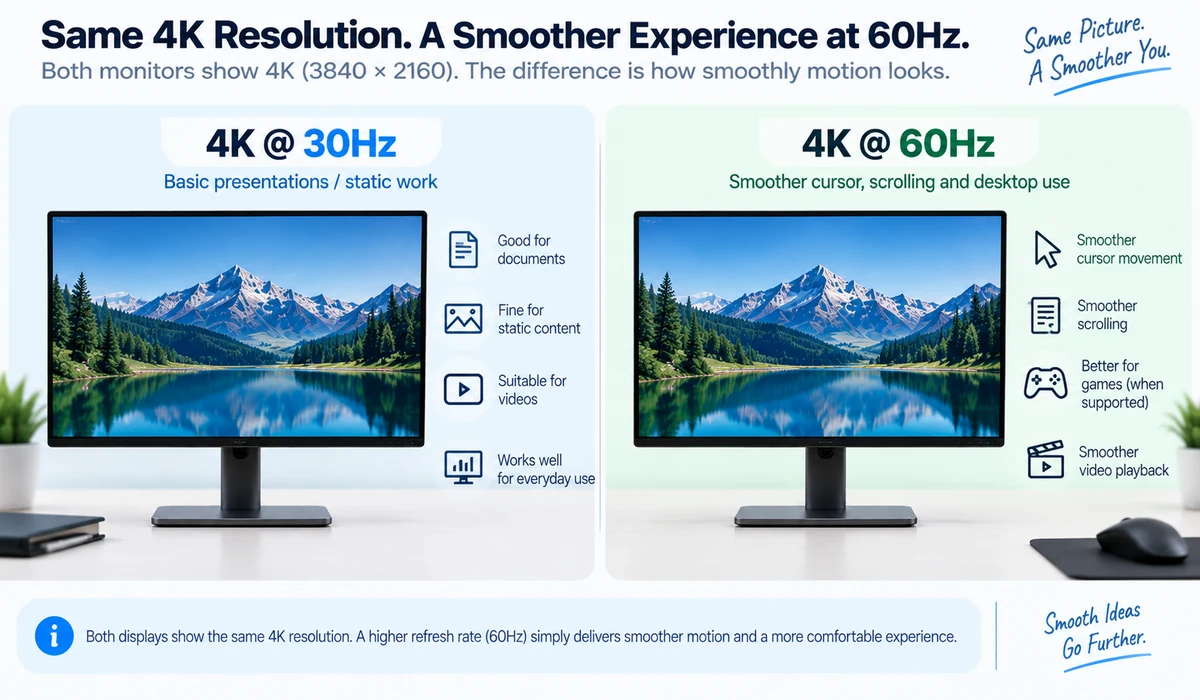
A hub that outputs 4K at 30Hz can be acceptable for slides, dashboards or static office work, but cursor movement and scrolling can feel less fluid than at 60Hz.
For a primary 4K monitor, 4K60 is a useful target. The laptop, hub, HDMI cable and monitor must all support the required mode.
If the manufacturer lists 4K without a refresh rate, verify the detailed specification rather than assuming 60Hz.
Power Delivery: 100W Input Does Not Always Mean 100W to the Laptop
Many hubs advertise a maximum Power Delivery input, but the hub itself needs power.
For example, Anker documents that its 555 hub can accept a 100W PD charger while providing up to 85W to the connected laptop. Other hubs use their own power budget.
Also remember that the charger is often sold separately. Your laptop's own charging limit still applies.
10Gbps USB Ports Are Useful – If Your Storage Can Use Them
Fast USB ports matter when transferring large photo/video files to an SSD. A keyboard, mouse or printer does not need 10Gbps.
If external storage is part of your workflow, identify which specific ports support 10Gbps. On some hubs, only one USB-C or USB-A port operates at the highest data rate.
Multi-Monitor Support Is More Complicated on Macs
A hub with two HDMI connectors does not automatically create two independent extended displays on every Mac.
Display support depends on the Mac model, chip, macOS behavior and the hub technology. Some conventional USB-C MST-based hubs can extend multiple monitors on Windows but mirror them on macOS.
If two or more independent external displays are essential, check the exact Mac model and the hub manufacturer's compatibility documentation before ordering.
Hub vs Dock: When Should You Buy a Dock Instead?
A hub is ideal when portability matters and you need a handful of ports. A docking station is usually better when the laptop lives at a desk with multiple monitors, high-speed storage, many USB devices, audio and wired networking.
Thunderbolt and USB4 docks can also provide higher bandwidth and more sophisticated display configurations, although they cost more and are less portable.
Do not buy a 12-port travel hub just because it has more ports if a stable powered dock would better fit the desk.
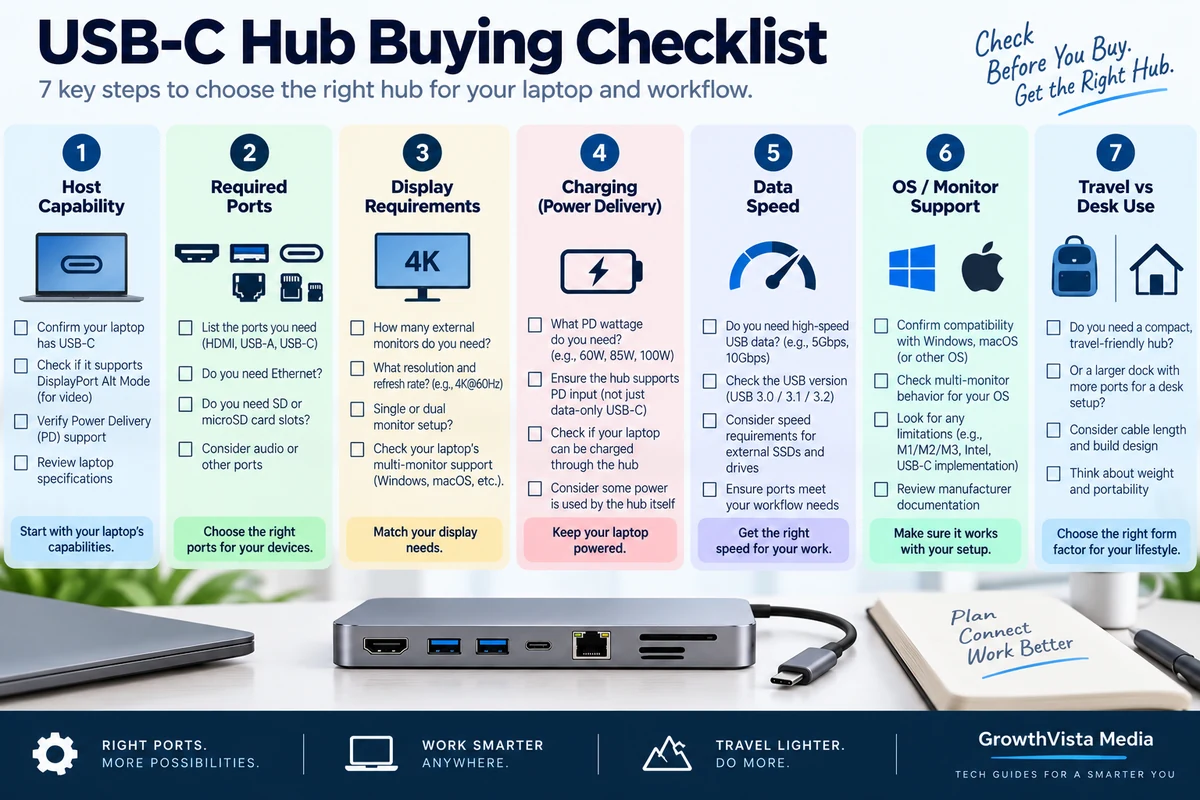
A 7-Step Buying Checklist
- Confirm your laptop's USB-C/Thunderbolt port supports the features you need.
- Write down only the ports you actually use.
- For a primary 4K display, verify 60Hz support end to end.
- Check Power Delivery input and the actual wattage delivered to the laptop.
- Verify USB data speed if you use external SSDs.
- Check macOS/Windows multi-display limitations for the exact host.
- Choose a compact hub for travel or a powered dock for a permanent workstation.
Frequently Asked Questions
What is the best USB-C hub for a laptop?
The right hub depends on the ports and display setup you need. Anker 555 is a balanced 8-in-1 option, while larger hubs such as Anker 565 or UGREEN multi-display models suit broader desk setups.
Do USB-C hubs work with MacBooks?
Many do, but display behavior can differ from Windows. Verify the exact Mac model and hub compatibility, especially for multiple external displays.
Can a USB-C hub charge my laptop?
A hub with USB-C Power Delivery passthrough can pass power from a compatible charger, but the wattage delivered to the laptop may be lower than the charger's rated output.
Do I need 4K60 HDMI?
It is preferable for a primary 4K desktop monitor because motion and scrolling are smoother than 30Hz. For basic presentations, 4K30 may be sufficient.
Can one USB-C hub run two monitors?
Some can on compatible hosts. The laptop, operating system and hub technology determine whether the displays can extend independently.
What is the difference between a USB-C hub and a docking station?
Hubs are generally smaller and bus-powered or pass-through powered. Docks are often designed for permanent desks, with more bandwidth, ports and display capabilities.
Is 100W Power Delivery enough?
It is enough for many laptops, but check the laptop's charger requirement and the hub's actual downstream charging wattage.
Do USB-C hubs slow down external SSDs?
They can if the hub or specific port has a lower data rate than the SSD. Look for 10Gbps or faster ports if storage performance matters.
Should I buy a hub with Ethernet?
Ethernet is useful for offices, hotels and locations where stable wired networking matters. If you always use reliable Wi-Fi, it may be unnecessary.
Are all USB-C ports on a hub the same?
No. One may be charging-only, another data-only, and another may support a different data speed. Read the port-level specification.
Final Thoughts
When comparing the best USB-C hubs for laptops, prioritize the workflow and specifications that match your actual use case rather than choosing on headline features alone.
A good USB-C hub is not the one with the largest port count. It is the one whose ports match your laptop and the way you actually work.
For travel and everyday office use, balanced hubs such as the Anker 555, compact Satechi and Plugable options are worth investigating. Users who need more display and peripheral connections can look at larger Anker and UGREEN models, while Dell's DA310 is built around portable business connectivity.
Before ordering, verify the exact SKU, your laptop's USB-C video capability, required charging wattage and monitor setup. Those checks matter more than the marketing number printed beside the product name.
Prices and availability change frequently, so use the Amazon CTA to check the current listing rather than hard-coding a price into the article.
Amazon Affiliate Implementation
Required disclosure: As an Amazon Associate I earn from qualifying purchases. GrowthVista Media may receive a commission from qualifying purchases made through our links, at no additional cost to you.
Use verified Amazon product pages where available. If an exact ASIN has not been verified, use an Amazon search link with the GrowthVista tag instead of inventing a product URL.
Safe link format: Amazon.com search for the exact product name with affiliate tag growthvistame-20. All affiliate links should use rel="sponsored nofollow". CTA text: “Check Price on Amazon.”
Do not hard-code current prices or availability unless checked immediately before publication.
Image Production Summary
Create original editorial graphics. For actual product images, use only manufacturer assets you have permission to use or Amazon assets delivered through permitted Amazon affiliate tools/API. Do not redraw a commercial product and present it as an exact product photograph.
Source Verification Notes
- Verify the exact Anker 555 and 565 specifications against current Anker support/product documentation before publication.
- Verify UGREEN Revodok Pro 210 and 109 against the exact regional UGREEN product pages; similarly named variants can differ.
- Verify the exact Belkin Connect 6-in-1 SKU because Belkin sells multiple closely named hub configurations.
- Verify Satechi USB-C Multiport 8K with Ethernet V3 and Slim 7-in-1 against current Satechi product documentation.
- Verify Plugable USBC-7IN1E and USBC-9IN1E against current Plugable specification and compatibility pages.
- Verify Dell DA310 against Dell's current product/support documentation.
- Recheck Amazon listing names, availability and exact model identity immediately before adding product links.