Best USB Microphones for Podcasts, YouTube & Meetings in 2026
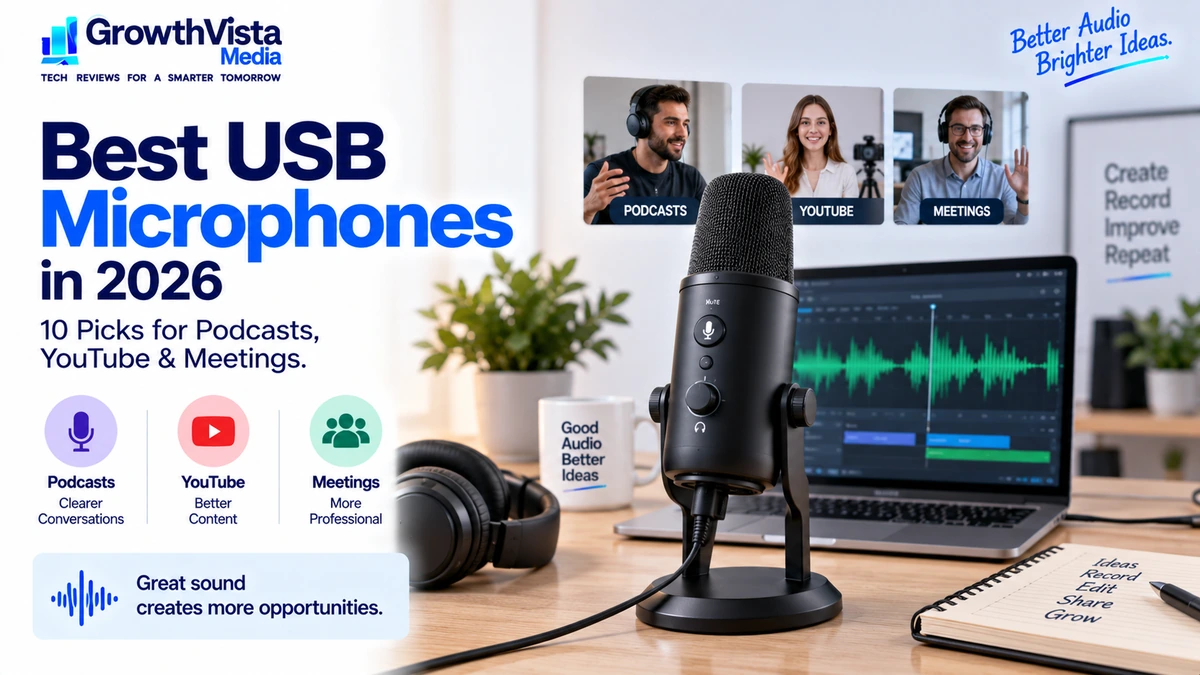
A USB microphone is one of the simplest ways to improve spoken audio without building a complicated recording setup. It connects directly to a computer, usually requires little configuration and can work for podcasts, YouTube videos, livestreams, voiceovers and work meetings.
The best USB microphones are not necessarily the models with the highest sample-rate number or the longest feature list. Room acoustics, microphone placement, pickup pattern and how close you speak to the microphone often have a larger effect on the finished sound.
Creators recording in untreated rooms may prefer a microphone that is comfortable to use close to the mouth, while a business user may value a compact desk setup and easy mute control. Podcasters may want monitoring and flexible mounting, while streamers may prioritize software and onboard controls.
This guide compares 10 USB microphones worth considering in 2026 and explains what to check before buying.
Quick Comparison: Best USB Microphones
| USB Microphone | Best For | Type | Connection | Key Advantage | Check price |
|---|---|---|---|---|---|
| Shure MV7+ | Overall podcasting | Dynamic | USB-C / XLR | Flexible creator workflow | Check Price → |
| RØDE NT-USB+ | Voiceovers / creators | Condenser | USB-C | Detailed studio-style capture | Check Price → |
| Elgato Wave:3 | Streaming | Condenser | USB | Creator software ecosystem | Check Price → |
| Blue Yeti | Versatility | Condenser | USB | Multiple pickup patterns | Check Price → |
| Audio-Technica AT2020USB-X | Voice / recording | Condenser | USB-C | Straightforward studio-style design | Check Price → |
| HyperX QuadCast 2 | Gaming / streaming | Condenser | USB | Convenient desk controls | Check Price → |
| RØDE PodMic USB | Podcasting / hybrid setups | Dynamic | USB-C / XLR | USB + XLR flexibility | Check Price → |
| Shure MV6 | Simple streaming / voice | Dynamic | USB-C | Creator-focused simplicity | Check Price → |
| Sennheiser Profile USB Microphone | Meetings / content | Condenser | USB-C | Clean desktop workflow | Check Price → |
| FIFINE K688 | Budget podcasting | Dynamic | USB / XLR | Affordable hybrid connectivity | Check Price → |
Note: Pickup patterns, bit depth, sample rate, headphone monitoring, software features and included accessories vary by exact model.Verify current manufacturer specifications before you buy.
Shure MV7+ — Best Overall USB Microphone for Podcasting
The Shure MV7+ is a dynamic USB-C and XLR microphone, and it’s our pick for overall podcasting in this guide.
The Shure MV7+ is designed for creators who want the convenience of USB while retaining the option to use a more traditional audio setup through XLR.
A dynamic microphone can be practical for spoken-word recording because it is commonly used close to the speaker. In an ordinary home office or bedroom, close placement can help keep the voice prominent relative to room reflections and distant background sound.
The MV7+ is particularly relevant to podcasters and creators who may start with USB but want room to expand their setup later.
Best for: Podcasting, streaming and creators who value USB/XLR flexibility.
RØDE NT-USB+ — Best for Voiceovers and Detailed Creator Audio
The RØDE NT-USB+ is a USB-C condenser microphone that suits voiceovers and creator work in a quiet room.
The RØDE NT-USB+ takes a condenser-microphone approach, making it attractive to users who want detailed voice capture for narration, voiceovers and creator work.
Condenser microphones can capture subtle detail, but that sensitivity also means room sound and keyboard noise may become more noticeable when the recording environment is untreated.
A quieter room and careful placement can therefore matter as much as the microphone itself.
Best for: Voiceovers, YouTube narration and creators recording in a controlled room.
Elgato Wave:3 — Best USB Microphone for Streaming
The Elgato Wave:3 is a USB condenser microphone that suits streaming, mainly because of Elgato’s creator software.
The Elgato Wave:3 is especially relevant to streamers because the microphone is part of a broader creator-oriented software workflow.
For livestreaming, managing game audio, voice, music and chat can be just as important as the microphone capsule. A strong software ecosystem can therefore add practical value beyond raw recording specifications.
Users who only need a microphone for occasional meetings may not benefit from the extra creator tools.
Best for: Streamers and creators who want integrated audio-management software.
Blue Yeti — Best for Multiple Pickup Patterns
The Blue Yeti is a USB condenser microphone with multiple pickup patterns, which suits users who want versatility.
That flexibility can be useful when experimenting with solo voice, interviews or room-oriented recording. However, a selectable pattern does not remove the need for good microphone technique.
For most solo spoken-word use, keeping the microphone close and selecting an appropriate directional pattern is usually more useful than placing it far away in the middle of a desk.
Best for: Users who want a versatile desktop microphone with multiple recording patterns.
Audio-Technica AT2020USB-X — Best Straightforward Studio-Style USB Mic
The Audio-Technica AT2020USB-X is a USB-C condenser microphone in a straightforward studio-style design for voice recording and narration.
It is well suited to users who want a conventional condenser recording approach without adding an external audio interface.
As with other sensitive condenser microphones, the room matters. Soft furnishings, sensible microphone distance and avoiding reflective empty spaces can improve the result significantly.
Best for: Voice recording, narration and home-studio users who want simple USB connectivity.
HyperX QuadCast 2 — Best for Gaming and Streaming Desks
The HyperX QuadCast 2 is a USB condenser microphone with convenient desk controls, built for gaming and streaming setups.
Features such as easy mute access and onboard monitoring can make a microphone simpler to manage during live use.
Visual design should still come after voice quality, placement and room behavior. A microphone that looks good on camera is only useful if it also fits the recording workflow.
Best for: Gamers, streamers and desk setups where convenient controls matter.
RØDE PodMic USB — Best Hybrid USB/XLR Podcast Microphone
The RØDE PodMic USB is a dynamic microphone with both USB-C and XLR, aimed at podcasters who may expand later.
This hybrid design can be valuable if you want to record directly into a laptop today but may later add an audio interface, mixer or multi-microphone podcast setup.
Dynamic microphones of this type are generally intended to be used relatively close to the speaker, so a boom arm can be a worthwhile part of the setup.
Best for: Podcasters who want a microphone that can grow from USB into an XLR workflow.
Shure MV6 — Best Simple Dynamic USB Mic for Streaming
The Shure MV6 is a simple dynamic USB-C microphone for streaming and spoken-word recording.
The Shure MV6 targets creators who want a simpler dynamic USB microphone without needing the full flexibility of a hybrid USB/XLR model.
A close-address dynamic microphone can work well for streaming and spoken content in ordinary rooms because the user can keep the voice close to the microphone while reducing the relative level of distant sounds.
Placement remains important: even a good microphone can sound thin or noisy when positioned too far from the speaker.
Best for: Streaming, gaming and straightforward spoken-word recording.
Sennheiser Profile USB Microphone — Best for Meetings and General Content
The Sennheiser Profile USB Microphone is designed around a clean desktop workflow with direct controls that are easy to understand.
It can suit users who divide their time between work calls, presentations and occasional content creation rather than building a dedicated studio.
For meetings, convenience can matter more than advanced recording specifications. Easy mute, gain control and headphone monitoring can make day-to-day use more predictable.
Best for: Remote workers and creators wanting a polished all-purpose desktop microphone.
FIFINE K688 — Best Budget Dynamic USB/XLR Microphone
The FIFINE K688 is a budget-oriented dynamic microphone that offers a useful path into spoken-word recording without requiring a large initial investment.
USB connectivity makes it simple to start, while XLR support provides another option if the setup expands later.
Budget microphones can offer strong value, but buyers should compare included mounts, software, warranty and accessory needs because these can affect the total setup cost.
Best for: Budget podcasting, streaming and first-time creators.
Related guide: Best noise cancelling headphones .
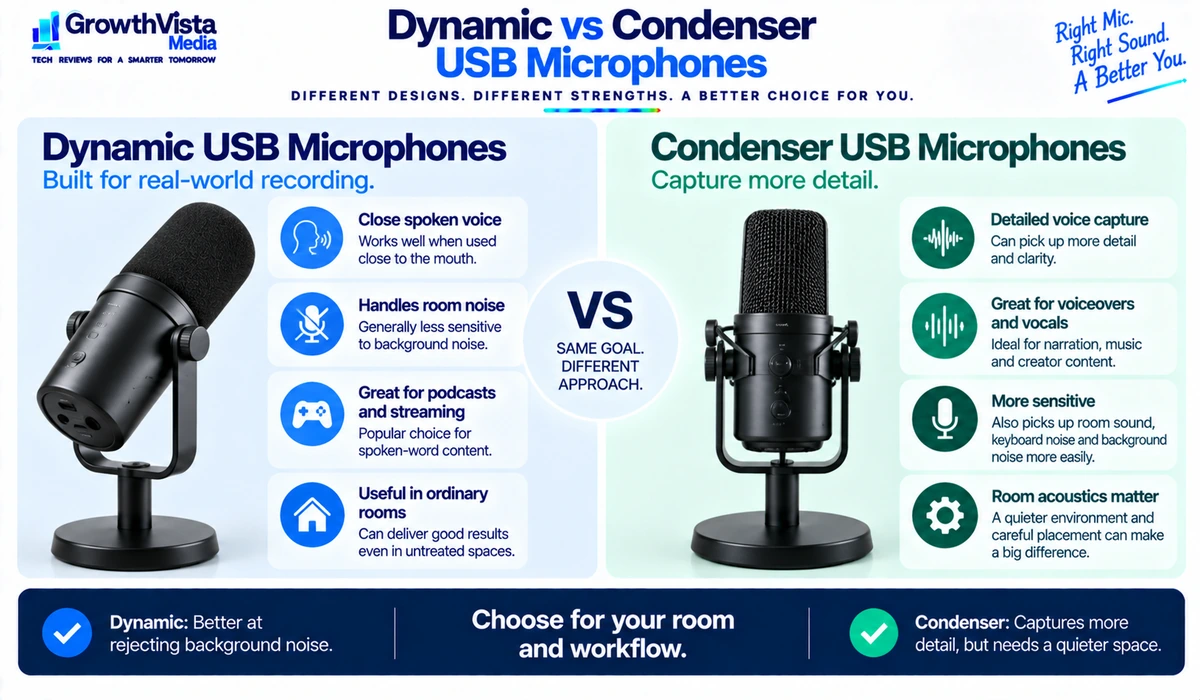
Should you buy a dynamic or condenser USB microphone?
Choose dynamic for an ordinary room and close speaking, and condenser for a quiet room and more detail.
| Factor | Dynamic USB Microphone | Condenser USB Microphone |
|---|---|---|
| Typical use | Close spoken voice, podcasts, streaming | Voiceovers, vocals, detailed recording |
| Sensitivity | Generally lower | Generally higher |
| Room sound | Often easier to manage with close placement | Can capture more room detail |
| Speaking distance | Usually closer | Can offer more flexibility |
| Best environment | Ordinary rooms / creator desks | Quieter or better-controlled rooms |
These are broad tendencies rather than strict rules. Microphone design, pickup pattern, gain, distance and room acoustics all affect the final recording.
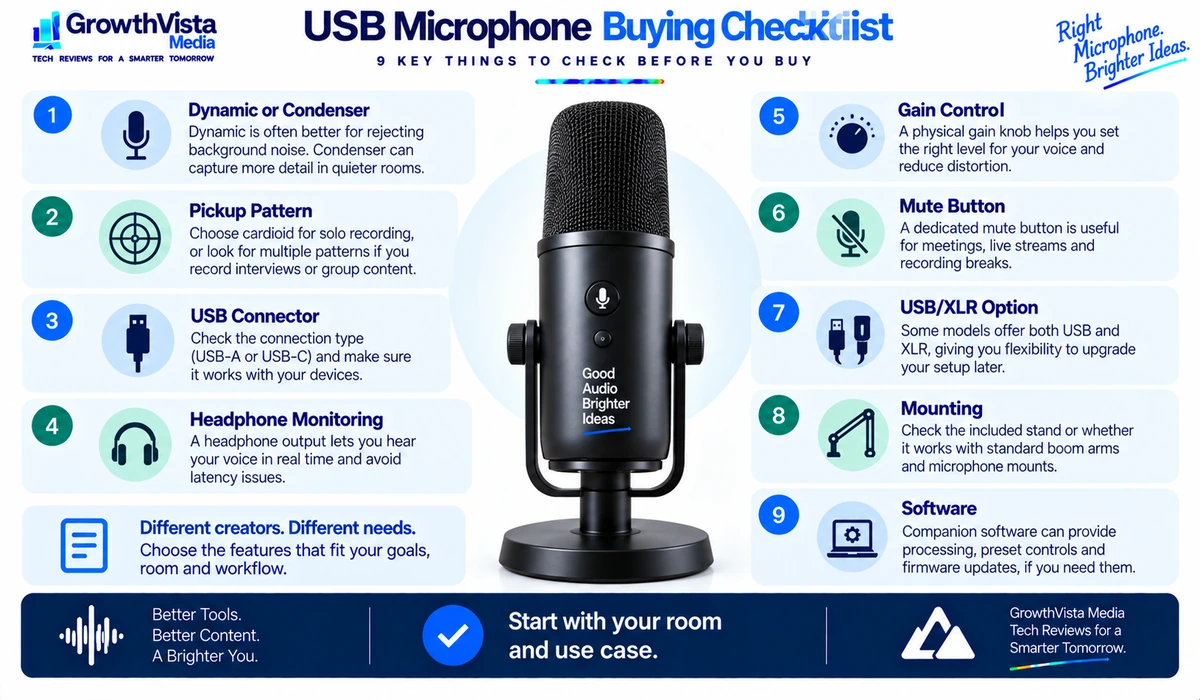
What to Look for When Buying a USB Microphone
1. Microphone Type
Dynamic and condenser microphones behave differently. Choose based on your room and speaking style rather than assuming one technology is universally better.
2. Pickup Pattern
Cardioid is common for solo voice because it emphasizes sound arriving from the front. Multi-pattern microphones can add flexibility for interviews or experimental recording.
3. USB-C vs USB-A
The connector affects convenience, not microphone quality by itself. Check what cable is included and which ports your computer actually has.
4. Headphone Monitoring
A headphone jack on the microphone can let you monitor your voice directly. Low-latency or direct monitoring is useful when recording because it avoids distracting delay.
5. Gain Control
Physical gain control makes it easier to adjust the microphone input level without opening software. Proper gain helps keep the voice clear without clipping.
6. Mute Control
A dedicated mute button is particularly useful for livestreams and work meetings. Look for a clear visual indication when the microphone is muted.
7. USB and XLR Connectivity
Hybrid microphones can work directly over USB and later connect to an audio interface through XLR. This is useful for creators who expect their setup to expand.
8. Mounting
A good boom arm or stand helps place the microphone close to the mouth without occupying valuable desk space. Check thread compatibility and microphone weight.
9. Software
Companion software may provide processing, routing, firmware updates and preset controls. Decide whether you want software-dependent features or a simpler hardware-only workflow.
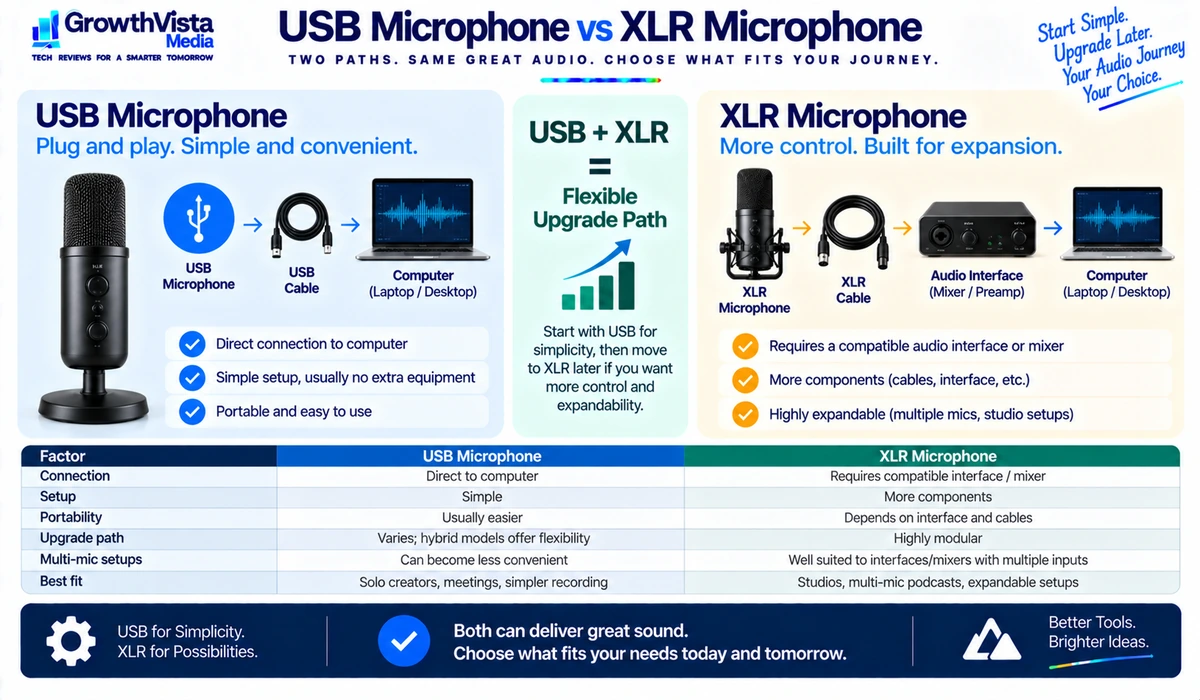
Should you buy a USB or XLR microphone?
Choose USB for simple solo setups and meetings, and XLR for multi-microphone or expandable studios.
| Factor | USB Microphone | XLR Microphone |
|---|---|---|
| Connection | Direct to computer | Requires compatible interface / mixer |
| Setup | Simple | More components |
| Portability | Usually easier | Depends on interface and cables |
| Upgrade path | Varies; hybrid models offer flexibility | Highly modular |
| Multi-mic setups | Can become less convenient | Well suited to interfaces/mixers with multiple inputs |
| Best fit | Solo creators, meetings, simple recording | Studios, multi-mic podcasts, expandable setups |
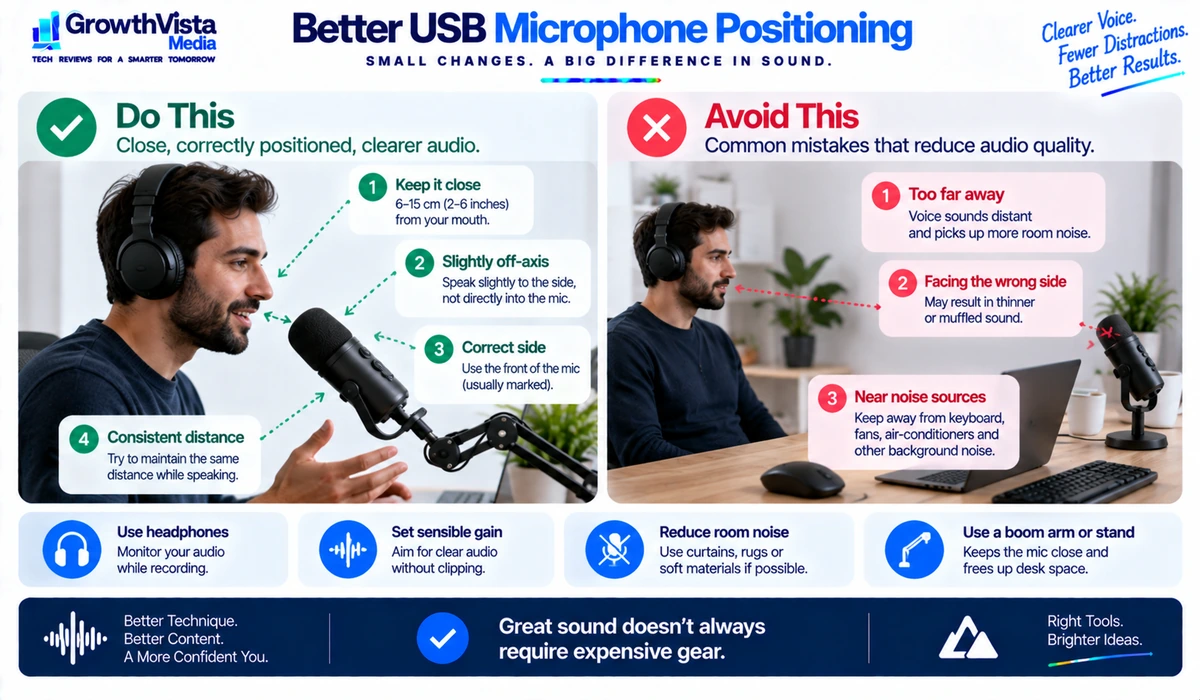
How to Make a USB Microphone Sound Better
- Move the microphone closer to your mouth instead of increasing gain from across the desk.
- Speak toward the correct side or end of the microphone according to its design.
- Keep the microphone away from loud computer fans, air-conditioning vents and mechanical keyboard noise where possible.
- Use a boom arm or stable stand to maintain a consistent speaking distance.
- Reduce hard room reflections with curtains, rugs, furniture or other soft materials when practical.
- Set gain so normal speech is strong but does not clip during louder words.
- Use headphones while recording when speaker audio could feed back into the microphone.
- Apply noise reduction and processing carefully; aggressive processing can make speech sound unnatural.
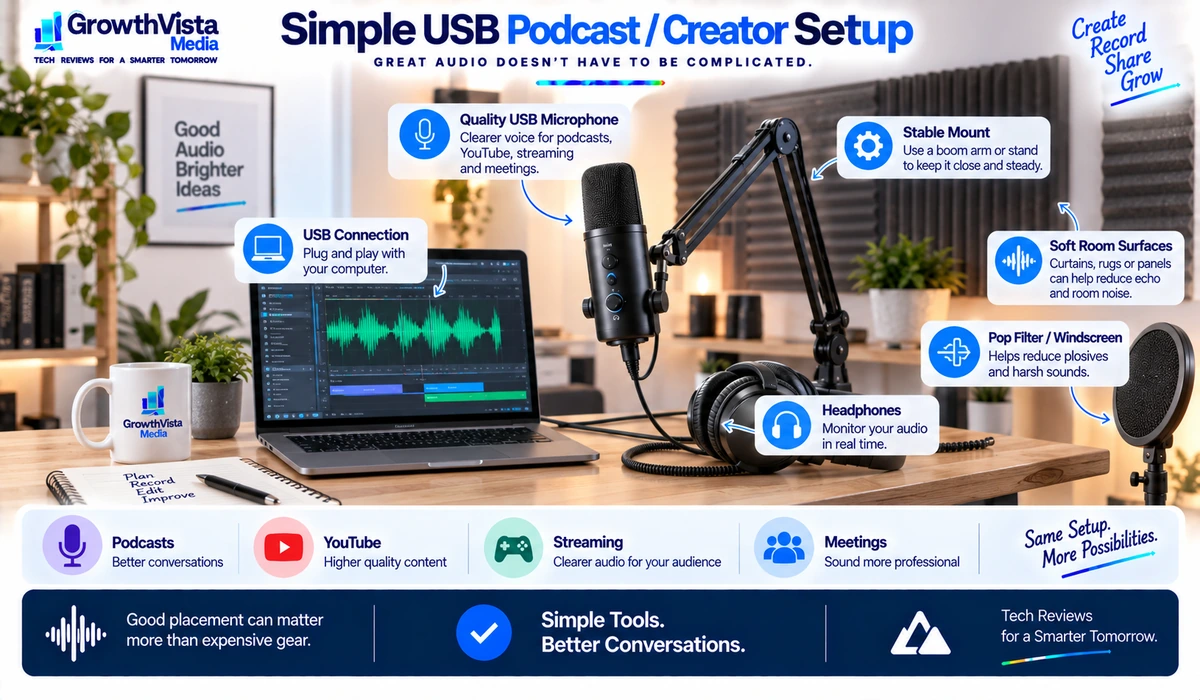
Which microphone type is best for your use case?
Podcasting and streaming usually suit dynamic mics, and voiceovers usually suit condensers in a controlled room.
| Use Case | Good Starting Point | Why |
|---|---|---|
| Podcasting | Dynamic USB or USB/XLR | Close voice capture and future flexibility |
| YouTube narration | Condenser or dynamic depending on room | Choose detail vs room control |
| Streaming | Dynamic or creator-focused condenser | Close placement and easy controls |
| Meetings | Simple USB condenser/dynamic | Convenience and mute controls matter |
| Voiceovers | Condenser in a controlled room | Detailed voice capture |
| Travel recording | Compact USB mic | Portable and direct computer connection |
Frequently Asked Questions
Are USB microphones good enough for podcasts?
Yes. A good USB microphone can produce high-quality spoken-word audio when it is positioned correctly and used in a suitable room. XLR becomes more useful as setups grow more complex.
What is the best USB microphone for podcasting?
In this guide, the Shure MV7+ is our pick for overall podcasting, and the RØDE PodMic USB is a strong alternative if you want USB and XLR.
What is the best USB microphone for streaming?
The Elgato Wave:3 is our streaming pick because of its creator software; the Shure MV6 is a simpler dynamic option.
Is a dynamic or condenser microphone better for podcasting?
A dynamic microphone can be easier to manage in an untreated room when used close to the speaker. A condenser can capture more detail but may also reveal more room sound. Neither is universally better.
Do I need an audio interface for a USB microphone?
No. The main advantage of USB microphones is direct connection to a computer. Hybrid USB/XLR models can also connect to an interface when using their XLR output.
How close should I speak to a USB microphone?
It depends on the microphone, but spoken-word microphones generally perform better when placed reasonably close rather than across the desk. Follow the manufacturer’s guidance and adjust for plosives and proximity effect.
Can I use a USB microphone for Zoom or Teams?
Yes. Most USB microphones can be selected as an audio input in conferencing applications, subject to operating-system and application compatibility.
Why does my microphone pick up my keyboard?
The microphone may be too far from your mouth, the gain may be too high, or the keyboard may sit directly in a sensitive pickup area. Closer microphone placement and better positioning can help.
Should I buy a USB/XLR hybrid microphone?
It is useful if you want USB simplicity now and expect to move to an audio interface or mixer later. If you only need a simple desktop microphone, XLR may be unnecessary.
Final Thoughts
The best USB microphones make it easy to capture a clear voice without turning a desk into a complicated studio.
For podcasting and streaming in ordinary rooms, a close-address dynamic microphone is often a practical starting point. Condenser models can be excellent for detailed narration and voiceovers when the recording space is reasonably controlled.
Hybrid USB/XLR microphones are particularly attractive for creators who want a simple setup today with a clearer upgrade path later.
Before buying, consider your room, speaking distance, mounting needs, headphone monitoring and whether you plan to record more than one person. Good placement and technique will usually improve your audio more than chasing specifications alone.