Family Password Managers: Sharing and Recovery Checks

Family password managers should provide clear shared access while keeping individual accounts and administration understandable. Compare member limits, devices, sharing boundaries, organizer powers, recovery routes, and departure procedures. One household subscription does not mean every person should use the same manager login or put all private accounts in a common vault.
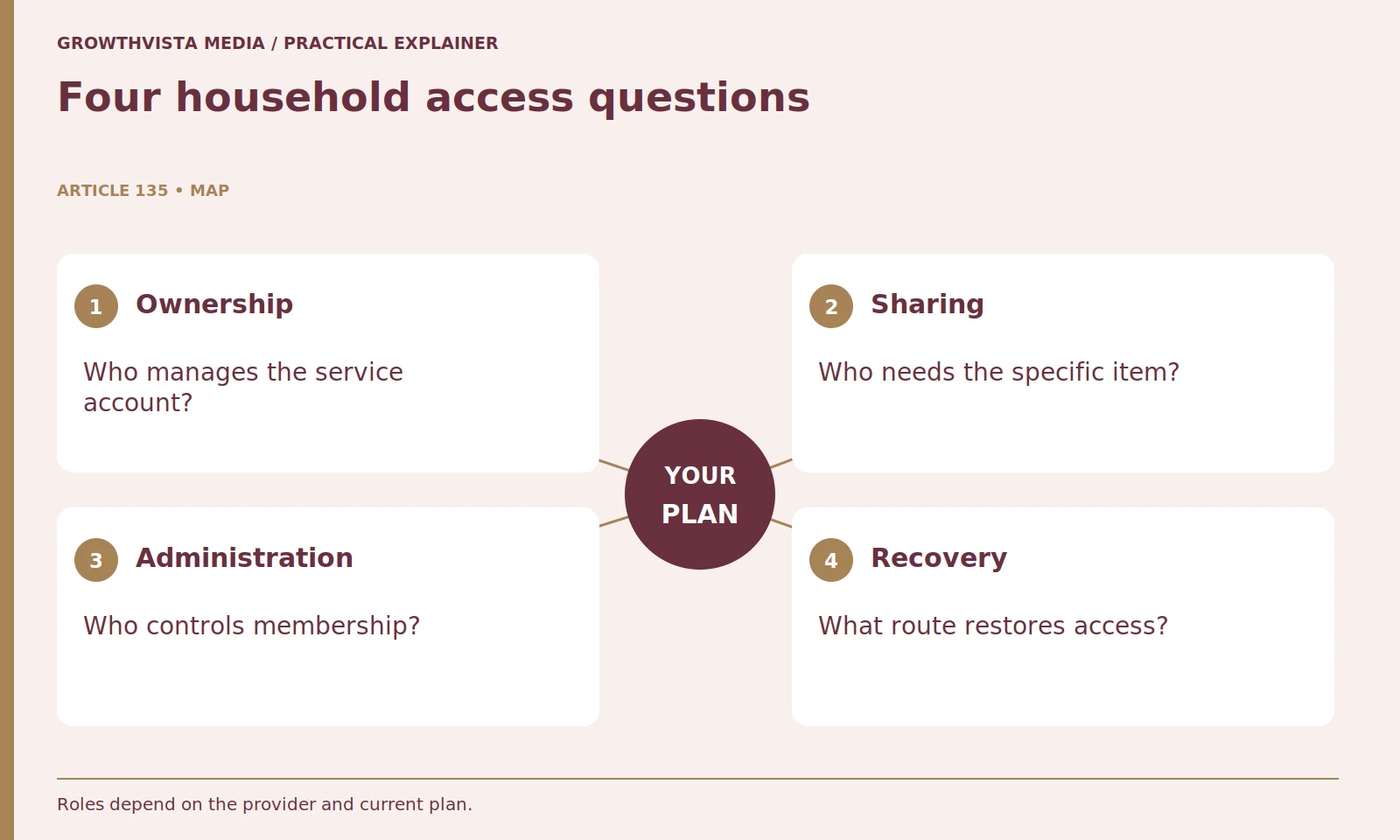
Start with the accounts the household is permitted to share and give each one an owner. Features and roles differ by product and plan, so the checklist below should be verified against current documentation. It is not a universal provider ranking, and removing a member should not be assumed to erase information they previously accessed.
Your decision checklist
- Define account owners and sharing boundaries.
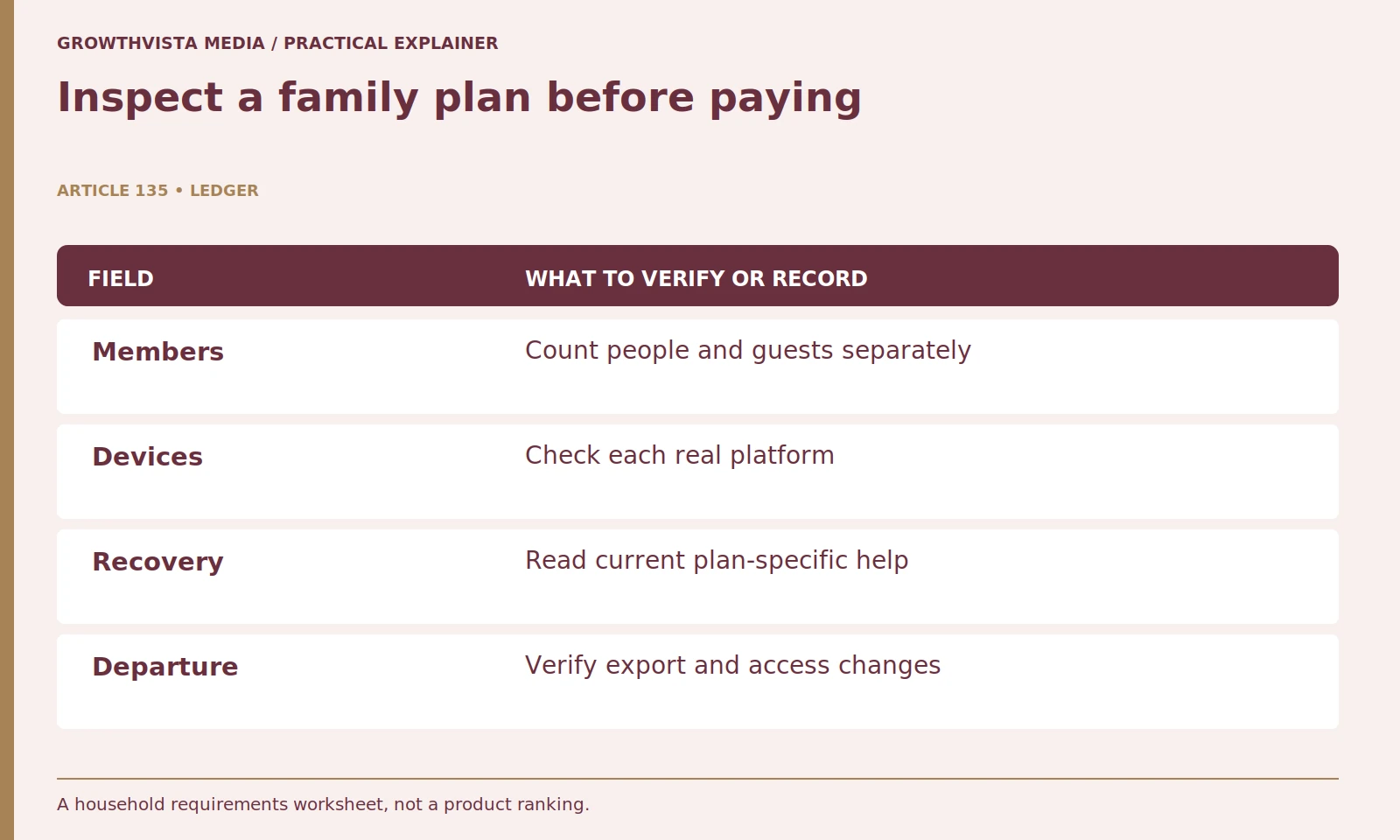
- Verify the actual members, devices, and roles.
- Read current recovery and any separate emergency-access terms.
- Plan membership departures and underlying access changes.
How should family password managers separate shared and private accounts?
List the permitted shared accounts and their owners, then define the members who need each item. Keep individual and organization-controlled credentials in appropriate storage. A manager can distribute information, but it does not create permission to share an underlying service account.
Keep personal email, private work accounts, and other individual credentials in appropriate personal storage. Use the manager’s actual sharing model to define groups or vaults. A shared item should have a reason to be shared and an owner responsible for updates. Avoid placing every login in a common folder simply because that is the fastest initial setup. A smaller, well-defined shared collection is easier to review later.

What should a family-plan device check include?
Confirm actual people, guest limits where relevant, supported platforms, and the least comfortable user’s workflow. Read the exact tier’s terms and install through supported routes. A large member count is less useful if a person cannot reliably find or use the intended item.
Test the experience on the least comfortable user’s device as well as your own. A household setup can fail when one person cannot recognize the correct entry or handle an unlock prompt. Check supported operating systems, browser extensions, and accessibility needs. Record the installation route and ordinary lock behavior. A family subscription should fit the household’s actual use, not merely offer the largest advertised member count.
| Account type | Suggested question | Review trigger |
|---|---|---|
| Shared subscription | Who owns and updates it? | Credential or billing change |
| Personal account | Does it belong outside sharing? | New member invitation |
| Organizer role | Who can administer membership? | Organizer becomes unavailable |
| Recovery material | Can it be reached if locked out? | New device or email |
| Departing member | What access must change? | Household membership change |
Does organizer status mean access to every private password?
Do not infer that. Read the provider’s exact role permissions and separate membership administration from private-vault access. 1Password’s organizer documentation is a concrete example of defined family roles, not a universal specification for every product. 1Password: family organizer roles
Where supported and appropriate, consider more than one trusted organizer so one unavailable person does not become the only administrative route. Review that choice with the people involved. Keep billing ownership and account-recovery responsibility explicit. A private record of roles helps the household avoid confusion when a payment card changes or a member needs assistance. It should not contain the household’s passwords or recovery secrets.
How should family recovery be evaluated?
Check the current supported method, required information, and who can assist. 1Password documents member recovery and recovery codes separately. Keep a private route reachable if access is lost, without assuming another provider or older plan has identical behavior. 1Password: account recovery 1Password: recovery codes
Make sure each person understands their own route. Avoid leaving every recovery resource inside the vault it is meant to recover. Provider-supported codes or recovery materials should be stored privately according to the documented requirements. Do not rehearse recovery by deliberately destroying access. Instead, review the instructions together and use any supported verification or setup check. Revisit the plan after changing devices or account email addresses.
How do you test a small shared collection?
Start with an approved lower-risk account, a clear item name, the legitimate website association, and the intended member group. Verify actual use and permissions. Restricting an interface is not proof that a recipient cannot retain a credential they are allowed to use.
Ask each person to find the item and use it through the legitimate service address. Check whether they can edit the item, only use it, or copy its information, according to the actual product controls. Do not assume restricted interface access prevents a recipient from retaining a credential they can use. If access later needs to end, changing the underlying service credential may be necessary as well as removing shared-vault membership.
Are family recovery and emergency access the same feature?
Do not treat them as interchangeable. Review any available emergency-access workflow separately, including permissions, eligibility, and waiting conditions. Assign shared-account update responsibility as well, so normal credential changes do not surprise other users.
Emergency access, where available, needs a separate review of eligibility, waiting periods, permissions, and cancellation controls. Do not confuse it with ordinary family recovery. Choose arrangements that reflect the people and accounts involved. If sensitive financial or legal matters are included, seek the appropriate professional guidance for those arrangements. The manager is an access tool, not a substitute for the service’s authorization rules or legal planning.
What should happen when a household member leaves?
Review supported personal-item migration, shared membership, account ownership, and underlying service access. Change credentials where access must end as appropriate to the service. Removing vault membership alone does not erase knowledge or copies previously available to the person.
Review shared account ownership and rotate credentials where access must end, using the service’s own controls. Remove memberships through the documented process and verify the remaining users still have the access they need. Keep billing cancellation separate from data export or account deletion. A clear departure plan protects both the person leaving and the household that remains, without assuming a removed member forgets information previously available to them.

How should the family plan be reviewed over time?
Recheck members, organizers, shared accounts, devices, billing, and recovery after relevant changes. Keep unresolved requirements explicit. Choose an understandable arrangement that people can use and maintain rather than assuming an undocumented feature will be supplied later.
Finish the buying decision with a requirements list rather than a universal winner. A suitable plan has understandable sharing boundaries, workable administration, current recovery documentation, and a usable experience for everyone involved. If a provider cannot explain a critical feature clearly, record it as unresolved. Do not purchase on the assumption that support will supply an undocumented capability later.
Define account owners and sharing boundaries. Verify the actual members, devices, and roles. Read current recovery and any separate emergency-access terms. Plan membership departures and underlying access changes. Keep verified findings, illustrative examples, and unresolved requirements separate in the final decision.
Frequently asked questions
Can an organizer automatically read all private items?
Do not assume that. Read the provider’s exact role permissions and keep administration separate from private-vault access.
Does removing a member revoke information they already copied?
No such erasure should be assumed. Review underlying service credentials and authorization where access must end.
Should a household share one manager account?
Use the product’s supported member model and clear sharing boundaries rather than sharing one manager login as a shortcut.
Are recovery and emergency access identical?
No. Review their separate permissions, eligibility, and workflow under the actual provider and plan.
Does a manager allow any service account to be shared?
No. The underlying service’s sharing and authorization rules still apply.
What should be reviewed before a member leaves?
Check personal-item migration, shared collections, service ownership, credential changes where needed, membership, and billing as separate tasks.
Sources and further reading
Official documentation supports the technical guidance. Examples and worksheets are editorial methods, not hands-on product benchmarks. Reviewed October 2026.