Passkeys vs Password Managers: How They Work Together
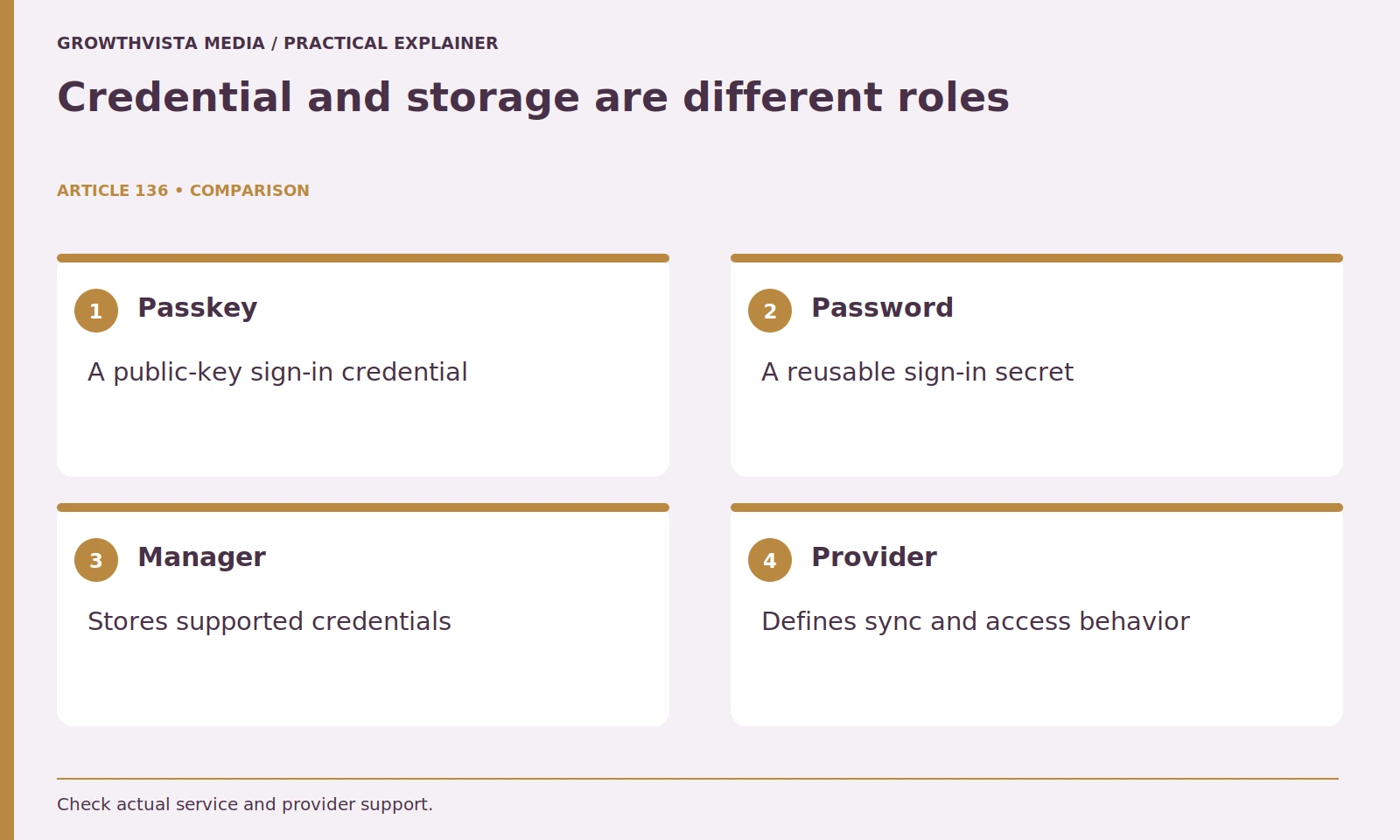
Passkeys vs password managers is not a simple replacement choice: a passkey is a sign-in credential, while a manager is a tool that stores and manages supported credentials. Some managers can hold passkeys as well as passwords. The practical decision concerns the account, credential provider, devices, and supported recovery path working together.
Keep password-only accounts in the plan and adopt new methods in stages. This guide separates synced and device-bound arrangements and explains what to verify before changing devices or removing fallbacks. It does not assume every provider can export, sync, or recover every credential in the same way.
Your decision checklist
- Separate credential, provider, and storage-tool roles.
- Identify synced or device-bound arrangements.
- Verify account fallbacks and intended devices.
- Keep an account-level migration and recovery record without secrets.
Passkeys vs password managers: what roles do they serve?
A passkey is an authentication credential; a manager is a storage and management tool. FIDO describes passkeys and their provider ecosystem, including supported manager arrangements. Separate the website account from the place that holds its credential rather than declaring either concept the universal replacement for the other. FIDO Alliance: passkeys
Do not interpret a passkey announcement as permission to delete all existing credentials. Start by identifying which accounts support the feature and which provider will hold the credential. Record the account name, provider, and devices involved without storing sensitive authentication material in the worksheet. This role-based inventory is more useful than trying to decide which technology wins overall.

Does passkey sign-in give a website your fingerprint?
Device unlock and account authentication are different steps. A supported PIN or biometric interaction authorizes the credential workflow; the website verifies an authentication response. Review the actual device and provider prompts and keep local device locking in the security plan.
Keep local device security in the plan. A convenient sign-in method still needs appropriate screen locking and protection of the provider account. Review what happens when another person uses the device or when it is lost. Avoid recording a PIN in an account worksheet. If a prompt looks unfamiliar, stop and confirm that you are using the legitimate service and the intended account before approving it.
| Account | Credential arrangement | What to verify |
|---|---|---|
| Passkey-enabled service | Supported provider | Devices and recovery |
| Password-only service | Manager entry | Unique password and MFA |
| Work account | Organization-approved method | Policy and support route |
| Device-bound credential | Specific device or key | Supported backup enrollment |
Are all passkeys synchronized across devices?
No. Identify whether the actual arrangement is synced through a provider or bound to a device or key. FIDO’s deployment guidance distinguishes supported consumer arrangements and their implications. A successful cross-device sign-in does not by itself prove the credential is stored on the second machine. FIDO Alliance: synced passkey deployment
Check the provider’s device and account requirements. Test a second supported device before treating it as a fallback. Cross-device sign-in and synchronization are related usability options but are not interchangeable promises. The fact that you can sign in once from another computer does not prove the passkey is stored there. Keep the exact supported route in your notes so you understand what will still work if the original device is unavailable.
Should old sign-in and recovery methods be deleted immediately?
First review the account’s current alternatives and their consequences. A passkey can coexist with passwords or other recovery methods. Verify supported access and policy before removing a fallback; a stronger primary method does not automatically resolve every weaker route.
A stronger primary sign-in does not automatically eliminate every weaker fallback. Avoid removing recovery routes without understanding the consequences and the service’s requirements. Where the service permits multiple passkeys, consider a supported backup appropriate to your circumstances. Do not make changes to a work account outside organizational policy. Write down what was changed and why, without storing the secret or recovery code in a general-purpose record.
How should passkey adoption begin?
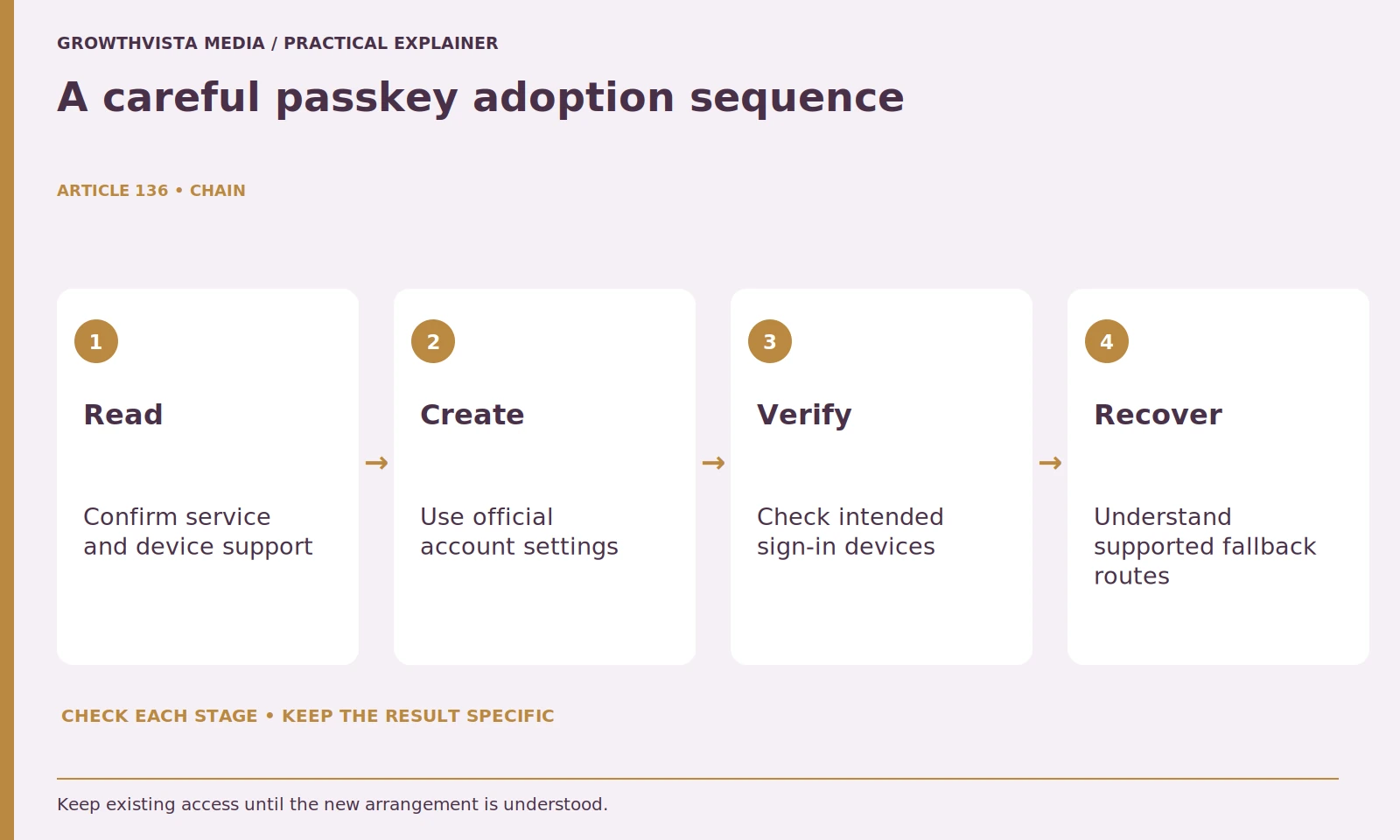
Choose one suitable account with clear documentation and understood recovery. Use official security settings, create the credential through the supported provider, and verify intended devices before removing existing access. A staged check reduces the chance of repeating an unclear setup across important accounts.
Check what the account calls the new credential and whether you can identify its provider later. Test the devices you intend to use and review any account notifications. If something is confusing, resolve it while your existing access remains available. A staged setup gives you practical information about the prompts and recovery requirements before you make similar changes to more important or less frequently used accounts.
Can a password manager remain useful after passkey adoption?
Yes, if it supports the credentials and remaining tasks you need. Password-only accounts may still require management, and passkey support varies. Keep entry names and active sign-in routes clear instead of assuming the announcement of a new feature migrates every account.
Use distinct, meaningful entry names and remove stale duplicates only after verification. Keep notes about which sign-in route is active, especially when a service allows several methods. Do not store device unlock information casually alongside account credentials. Review sharing requirements separately: passkey portability and household sharing depend on the provider and service, and a password-based sharing workflow may not transfer directly to the new credential type.
Will a vault export transfer all passkeys to a new device?
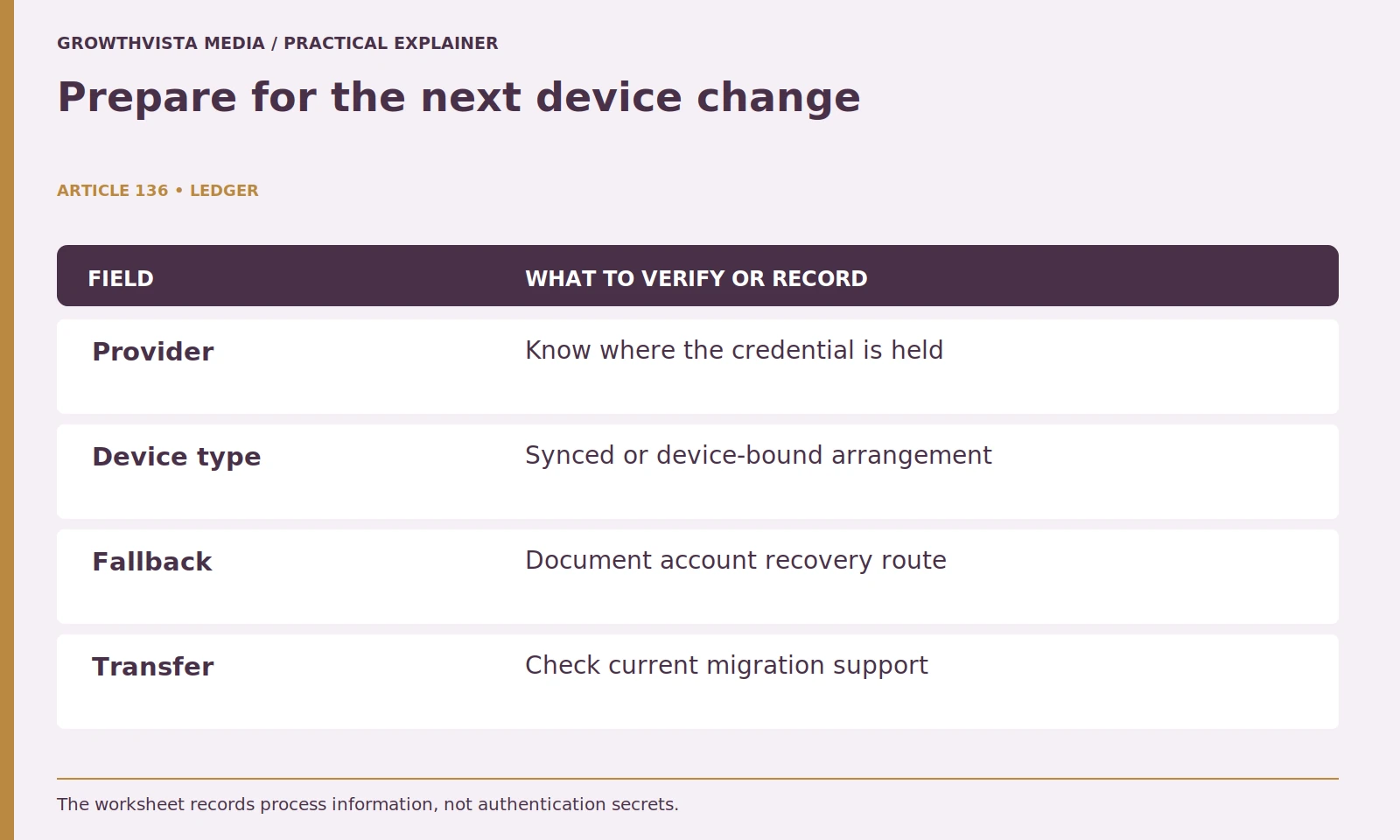
Do not assume it will. Check current credential-provider migration and export support and the service’s recovery route. Verify important accounts on the replacement device before retiring the old one. A generic backup file is not proof of a working passkey transfer.
Do not assume a vault export includes passkeys simply because it includes passwords. Export and transfer support vary and may change over time. If using a hardware security key, understand how it fits into your backup plan and account enrollment. The useful test is whether you have a documented, supported way to sign in after a device change, not whether a generic backup file exists.
What should a passkey adoption record contain?
Record the service, credential provider, devices checked, and documented recovery route, without passwords, private keys, codes, or device PINs. Review it after device or account changes. A dependable mixed setup is more useful than a hurried migration with unknown fallbacks.
Adopt new sign-in options when they solve a real account need and you understand the surrounding workflow. You do not need to migrate every account on the same day. A well-managed mixed setup can be more dependable than a hurried conversion with unclear fallbacks. The final goal is secure, understandable access that survives ordinary device and account changes.
Separate credential, provider, and storage-tool roles. Identify synced or device-bound arrangements. Verify account fallbacks and intended devices. Keep an account-level migration and recovery record without secrets. Keep verified findings, illustrative examples, and unresolved requirements separate in the final decision.
Frequently asked questions
Does a passkey replace the manager itself?
It is a credential, while a manager is a storage and management tool. Some managers support passkeys alongside remaining passwords.
Are all passkeys synced?
No. Identify the actual synced or device-bound arrangement and its supported recovery implications.
Will a normal password export include passkeys?
Do not assume it. Read current export and transfer support for the actual source and destination.
Should the old sign-in method be removed at once?
First verify intended devices and account recovery, then follow the service’s requirements before removing a fallback.
Does a biometric passkey prompt send my fingerprint to the website?
Local device unlock and the website’s authentication response are different steps. Follow the documented provider workflow.
What should a passkey inventory avoid recording?
Do not add passwords, private keys, recovery codes, or device PINs. Record providers, checked devices, and documented process information instead.
Sources and further reading
Official documentation supports the technical guidance. Examples and worksheets are editorial methods, not hands-on product benchmarks. Reviewed October 2026.