VPN Privacy Limits: What a VPN Does and Does Not Hide
VPN privacy concerns the traffic included in the VPN route and the observers you want to limit. A VPN can change the network address a destination sees and create a tunnel to its server. It does not make signed-in accounts anonymous, remove every tracking signal, or replace device and account protection.
Define the observer, information, and app scope before buying. This guide explains the tunnel, destination connection, provider trust, and separate security tasks without promising complete anonymity or access to every service. The actual protection depends on the application, configuration, and traffic routed through it.
Your decision checklist
- Name the observer and information of concern.
- Verify which application traffic enters the tunnel.
- Separate HTTPS, account identity, and provider trust.
- Maintain device and account controls alongside routing.
How should a VPN privacy need be defined?
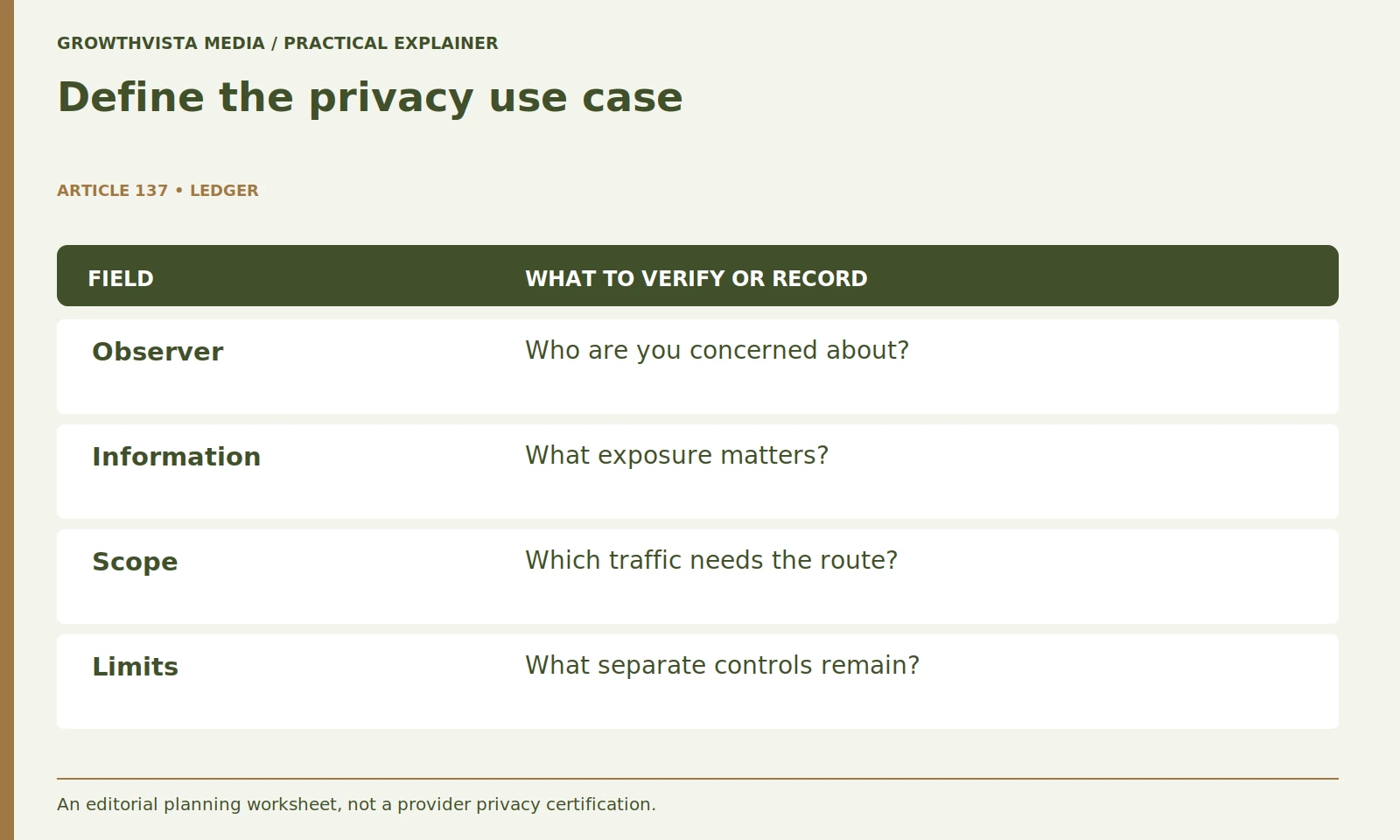
Name the observer, information of concern, situation, and applications involved. Decide whether changing the network route addresses that particular exposure. A precise use case prevents unrelated account, malware, and tracking problems from becoming a vague promise of complete protection.
Avoid combining unrelated goals into “complete protection.” Account theft, malicious downloads, browser tracking, and network observation require different controls. A subscription can be useful for a defined purpose while leaving other risks unchanged. Keep the objective in a short worksheet so later buying decisions are tied to the original need rather than the number of features on a sales page.

Does a VPN tunnel replace the website’s HTTPS connection?
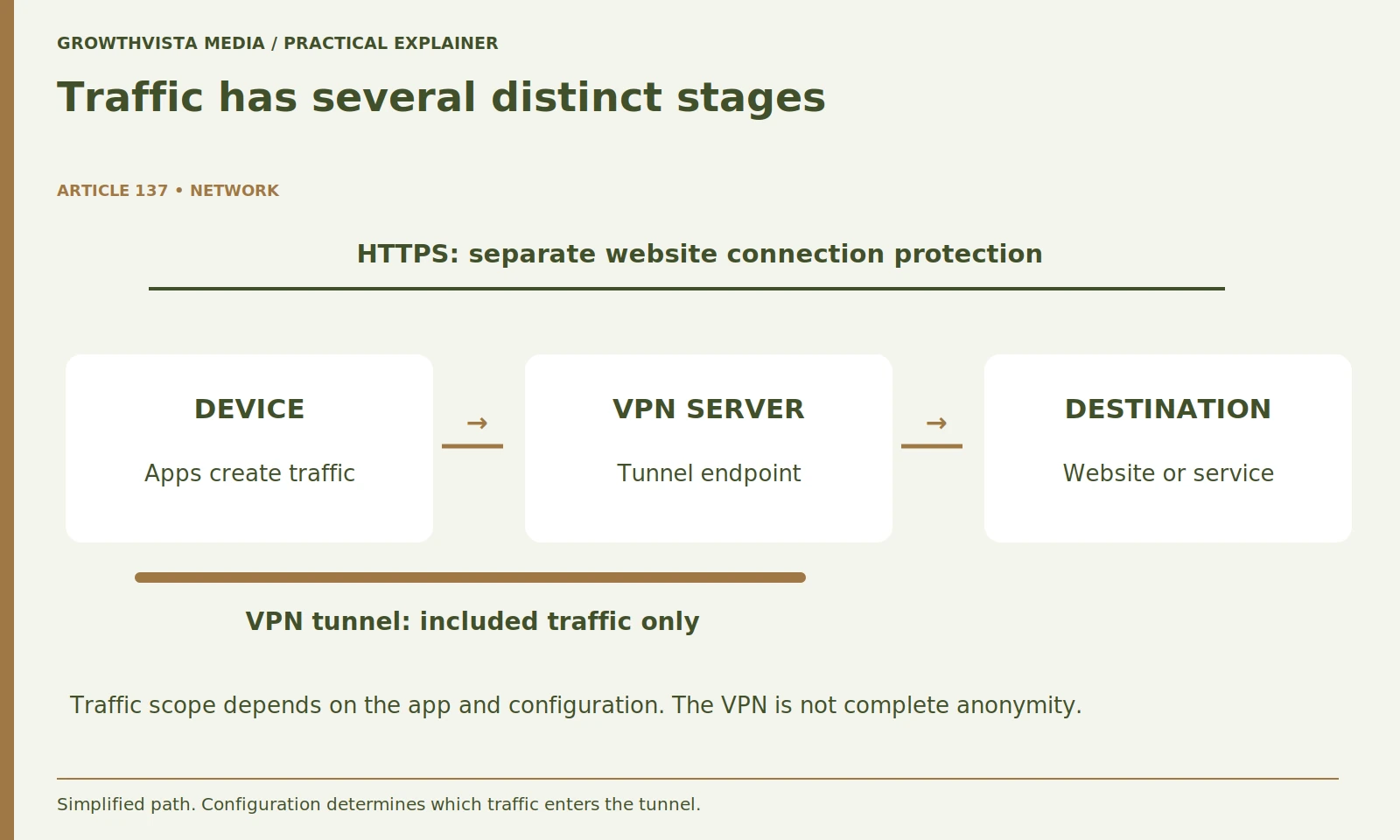
No. The tunnel to the VPN server and the protected website connection are separate layers. EFF explains the routing scope and its limits. Do not infer either complete provider invisibility or automatic reading of properly protected HTTPS contents from the tunnel alone. EFF: choosing a VPN
Do not describe the VPN provider as unable to observe anything. What it can see or retain depends on the connection and its systems. Equally, avoid claiming it automatically reads the contents of properly protected HTTPS sessions. A useful mental model separates device, tunnel provider, and destination rather than assigning all privacy protection to one app.
| Concern | Relevant task | What a VPN does not establish |
|---|---|---|
| Network route | Verify tunnel scope | Complete account anonymity |
| Account compromise | Protect credentials and access | A safe reused password |
| Malicious software | Maintain device protection | Every download is safe |
| Provider practices | Review policy and evidence | A universal trust guarantee |
Can a VPN hide your identity from an account you sign into?
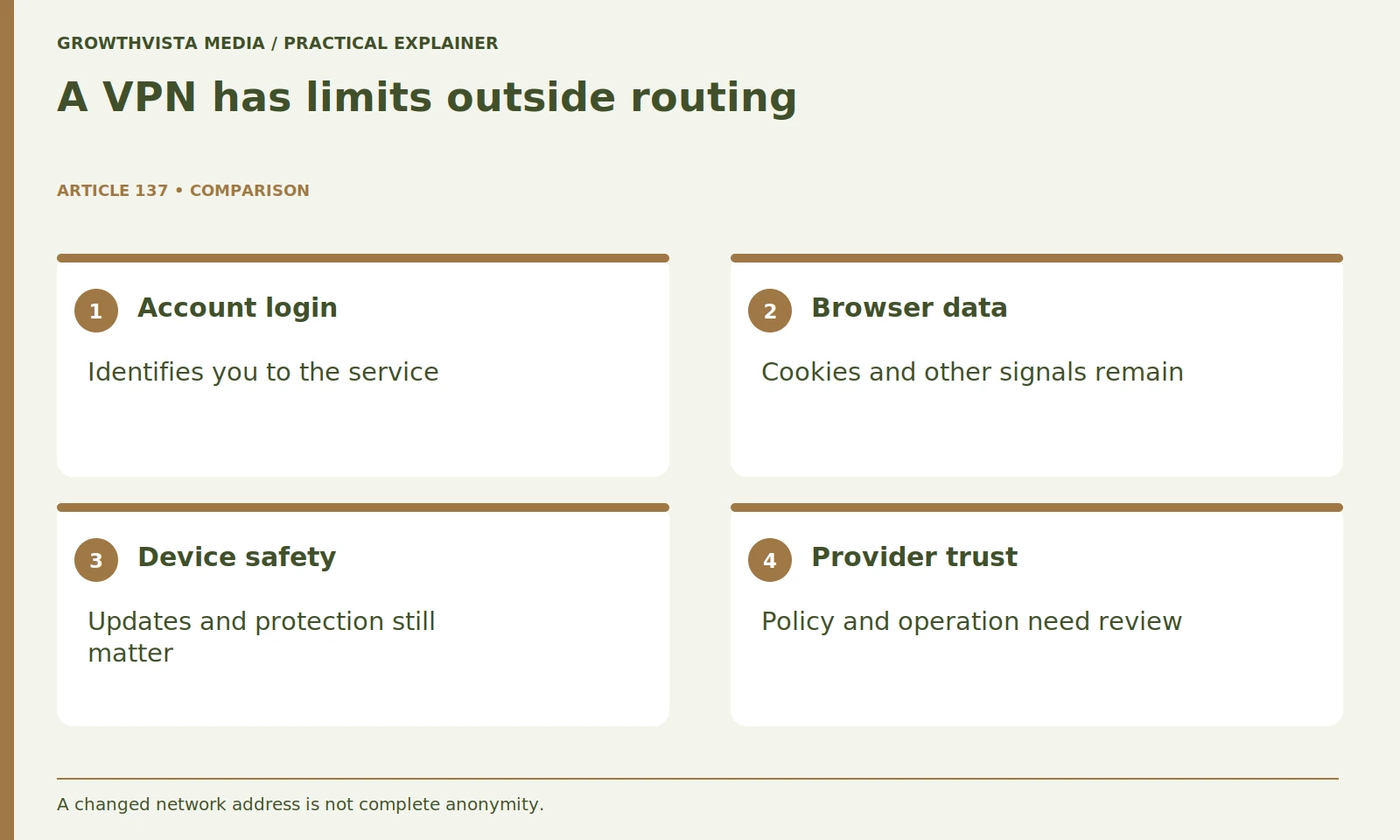
Not in the sense of making that account unrecognizable to its service. Sign-in remains intentional identity information, while cookies and other signals can persist. Manage account and browser privacy separately from the network address change.
Review account privacy settings and the browser or app’s tracking controls separately. Use supported controls you understand and test that the service remains usable. Do not assume private browsing creates complete anonymity either. The practical distinction is between reducing some network exposure and managing the information you deliberately or automatically provide to the destination. Both can matter, but they are different tasks.
Does every VPN app cover every application on the device?
Do not assume universal scope. Read the exact operating-system app or extension documentation and any exclusions or split-tunneling settings. A status icon or one webpage address check is not evidence that all application traffic follows the route you intend.
Create an application list and mark which items should use the tunnel. Verify the supported settings and avoid sending work traffic through a personal service against organizational policy. If you cannot establish the scope, ask the provider or your organization’s support team. Document the exact app, version, and relevant settings so later behavior changes can be investigated without guessing.
How should provider privacy claims be checked?
Review current identity, policy, retention descriptions, diagnostics, and the scope of cited evidence. The FTC recommends researching VPN apps and their information practices. Keep documented facts separate from marketing statements and unresolved requirements. FTC: considering VPN apps
An independent audit can contribute evidence, but its date and scope matter. A report about one app version or process does not establish every future practice. Keep confirmed details separate from unanswered questions. If a critical privacy requirement cannot be explained clearly, treat that uncertainty as part of the purchase decision. Avoid turning a marketing claim into a guarantee merely because several comparison sites repeat it.
Does a VPN replace passwords, updates, or device protection?
No. Keep account access, software maintenance, locking, and recovery as separate tasks. A routing service may serve a defined need while leaving other risks unchanged. Spend effort on the actual gap rather than treating the subscription as a general symbol of safety.
Separate the tasks in your checklist. One line can cover the network route, another account access, another software maintenance, and another recovery. This makes spending decisions more rational. If the immediate problem is a reused email password, solving it directly may be more valuable than adding a subscription whose main function is unrelated. Review the plan after a device or account change.
What does a normal connection check prove?
It provides evidence about the observed connection and test conditions at that time. Follow supported diagnostics and record the settings. A single public-address result is not a full privacy or leak-resistance audit, especially for traffic whose scope was not established.
A single address check is evidence about that test at that moment, not a full audit of privacy or leak resistance. Avoid claiming all traffic is protected from one webpage result. If you need stronger assurance for sensitive work, obtain appropriate organizational or technical guidance. Keep a record of the settings and test conditions so troubleshooting can focus on a reproducible situation.
How do you decide whether the VPN meets your need?
Return to the original routing objective and check the documented scope, usable apps, policy requirements, cost, and acceptable limits. Record what it is intended to do and which controls remain separate. Revisit the decision when the actual use case changes.
Write down what the VPN is intended to do and which protections remain separate. This keeps the subscription from becoming a vague symbol of safety. Revisit the decision when your use case changes. Clear expectations help you judge the provider, identify problems, and avoid promises that a network tool cannot reasonably fulfill.
Name the observer and information of concern. Verify which application traffic enters the tunnel. Separate HTTPS, account identity, and provider trust. Maintain device and account controls alongside routing. Keep verified findings, illustrative examples, and unresolved requirements separate in the final decision.
Frequently asked questions
Can a VPN anonymize a signed-in shopping account?
No. The service still knows the account you intentionally use, and other recognition signals may remain.
Does a VPN replace HTTPS?
No. The VPN tunnel and the protected website connection are separate layers.
Does a browser VPN extension cover the whole device?
Do not assume it does. Read the documented scope for the exact extension, app, and platform.
Is a no-logs slogan a privacy guarantee?
Treat it as a claim to assess against current policies and evidence, not a universal promise.
Does one public-address check verify every app?
No. It observes that test at that time and does not establish the scope of unrelated traffic.
Does buying a VPN replace account-security work?
No. Keep unique credentials, appropriate authentication, updates, device protection, and recovery in their own plan.
Sources and further reading
Official documentation supports the technical guidance. Examples and worksheets are editorial methods, not hands-on product benchmarks. Reviewed October 2026.