Laptop Battery Life: Compare Claims With Real Use

Laptop battery life claims should be compared with their workload, display, power mode, and configuration attached. Battery capacity is not runtime: the energy available and the power consumed both matter. For a buying decision, check whether the actual mobile session finishes with a practical margin and an approved charging plan.
This guide separates vendor claims, hypothetical arithmetic, and personal observations. It does not forecast a named laptop’s runtime from a battery label or recommend disabling protection to improve a test. Use a supported routine with your required applications, then keep its conditions visible when comparing results.
Your decision checklist
- Keep claim conditions beside each runtime figure.
- Separate battery energy from observed duration.
- Test the actual mobile task and attached equipment.
- Verify an approved, manageable charging arrangement.
How should laptop battery life claims be compared?
Record the workload, mode, brightness, configuration, and other stated conditions behind each claim. Compare your intended session against them. Two hour figures with different test conditions should not be treated as a direct ranking of equivalent work.
Compare the claim with your intended session. Reading a local document, streaming video, and participating in a meeting are different tasks. Do not rank machines by headline hours when the workloads and settings differ.
If the conditions are missing, mark the figure as incomplete evidence. It can help locate a candidate, but it should not establish your travel plan. Look for a relevant repeatable test or use an appropriate evaluation period for your own work.

Can battery capacity alone predict runtime?
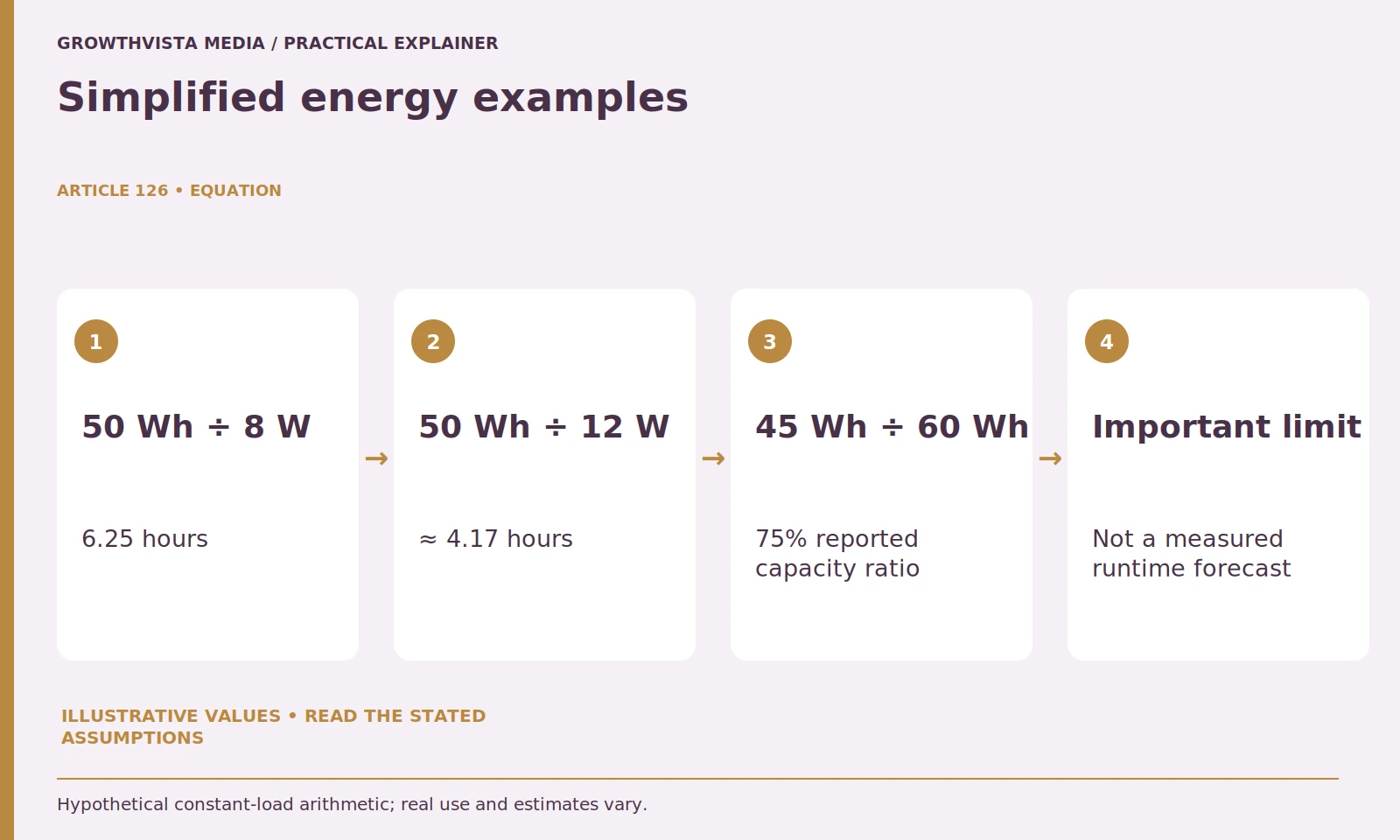
No. Capacity is energy, while runtime also depends on consumption and operating behavior. Dividing hypothetical watt-hours by assumed average watts explains the relationship, but it is not a reliable named-product forecast. Keep the assumptions and limitations beside the example.
Watt-hours describe stored energy, while watts describe a rate of electrical use. A larger capacity can provide more energy, but the workload, screen, device behavior, and available battery condition affect runtime. Capacity alone is not a complete answer.
For a hypothetical calculation, 50 Wh divided by a constant assumed 8 W gives 6.25 hours. At an assumed 12 W, it gives about 4.17 hours. These are simplified arithmetic examples, not measured laptop results or guarantees about usable energy.
Real power draw varies and the full nominal capacity may not be available in the way this simplified calculation assumes. Use the example to understand why changing a workload matters. Do not convert it into a purchase promise.
| Inputs | Calculation | Interpretation |
|---|---|---|
| 50 Wh and 8 W | 50 ÷ 8 = 6.25 h | Constant-load illustration |
| 50 Wh and 12 W | 50 ÷ 12 ≈ 4.17 h | Different assumed load |
| 45 Wh and 60 Wh | 45 ÷ 60 = 75% | Reported capacity ratio |
What makes a useful mobile-work battery trial?
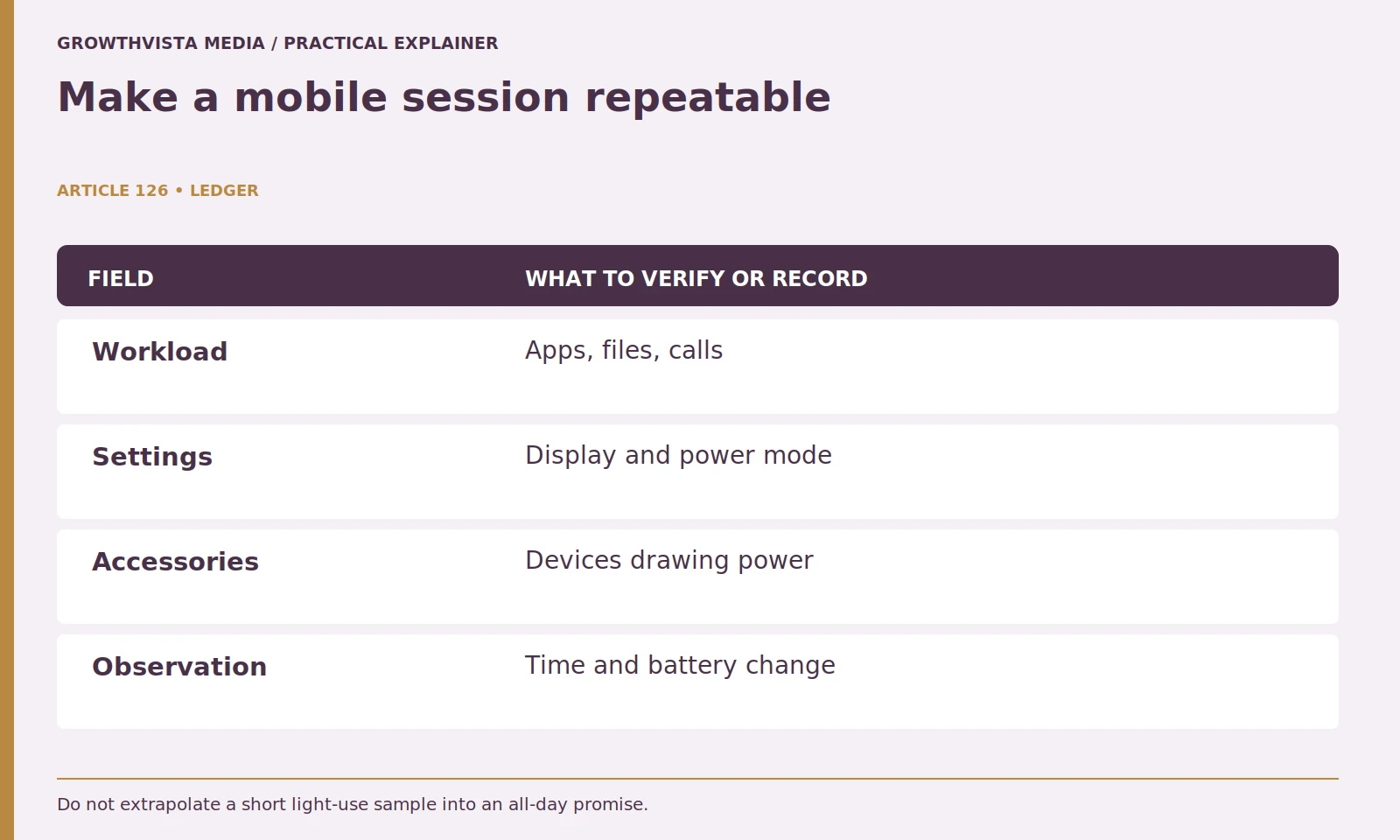
Use a representative session with normal applications and supported settings. Record the starting conditions, task completion, elapsed time, and remaining capacity information. Keep the result specific to that machine and session rather than presenting it as a controlled universal benchmark.
For an illustrative remote worker, the session may include document editing, browser research, and a scheduled call. Record battery percentage at the beginning and end, elapsed time, and any meaningful changes in use. Keep the observation separate from a full-discharge benchmark.
Avoid extrapolating a short light-use interval into a confident all-day claim. A later call or intensive task can change consumption. The useful finding is whether the representative session completes with a margin appropriate to your routine.
Why do screens and accessories belong in the test record?
They are part of the workload and can change the operating conditions. Record brightness, attached devices, background activity, and the power mode. Do not attribute an unexplained difference to the battery alone or disable important controls merely to produce a longer result.
Use the laptop's supported power controls and observe the trade-off in your actual apps. A lower-consumption setting may be appropriate for reading but unsuitable for another task. Do not disable important protection or services just to create an impressive number.
Keep comparisons fair. If one machine uses a brighter display or powers additional equipment, note it. A complete work-session record is more informative than arguing over a small difference in an unexplained hour figure.
What does battery-health information establish?
Treat it as documented device information with its own meaning and limits, not an exact promise of usable hours. Microsoft discusses battery capacity and care in Windows. Compare health information with the actual work task and supported manufacturer guidance. Microsoft: caring for your battery in Windows
For an illustrative capacity comparison, a reported full-charge capacity of 45 Wh against a 60 Wh design capacity is 75%. That ratio describes the reported values, not a prediction that every runtime will be exactly 25% shorter. Estimates, workload, and operating conditions still matter.
For a used laptop, review the seller's battery description and return terms. Do not assume that a battery percentage on the taskbar describes long-term condition. If the device shows physical damage or concerning behavior, stop using it and follow manufacturer support guidance rather than experimenting with the battery.
How do you verify a travel charging setup?
Confirm the charging port, supported host delivery, approved supply, and cable capabilities. Microsoft’s USB-C guidance identifies compatibility and power issues separately from connector fit. Test the intended arrangement instead of inferring full operation from a charging symbol. Microsoft: USB-C capabilities and troubleshooting
If a dock, travel charger, or power bank is part of the plan, check compatibility and host-delivery requirements separately. Test normal operation with the approved arrangement. A charging symbol should not be interpreted as support for every performance mode.
Plan around the places you actually work. A laptop that completes your usual session and recharges through a manageable kit may be a better fit than a longer headline runtime paired with inconvenient accessories.
Which battery-care controls should you use?
Follow the exact device’s supported charging and care guidance. Microsoft describes battery-care practices, but available controls differ across devices. Understand a feature’s purpose before copying another laptop’s charging settings or treating it as a runtime improvement. Microsoft: caring for your battery in Windows
Keep the laptop in suitable operating and storage conditions, and obtain updates and diagnostics through official channels. Do not force repeated deep discharges, modify a battery, or use an unapproved replacement as a generic optimization technique.
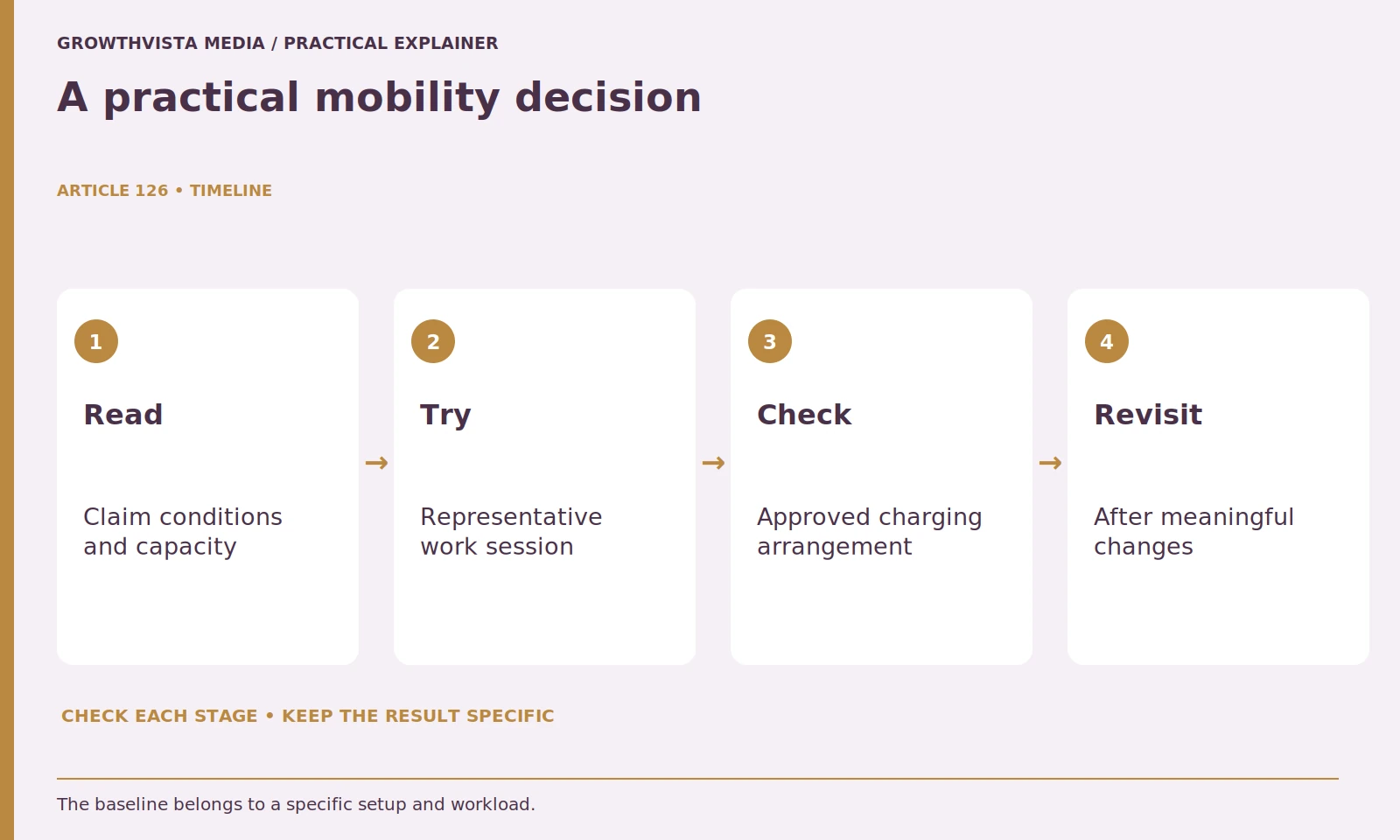
Reassess the mobile session after a significant software, battery, or workload change. The useful baseline belongs to a configuration and period, not the product forever. Keep the earlier observation so a change can be investigated concretely.
What is the final battery-life buying decision?
Decide whether the required mobile work can be completed with usable margin, manageable charging equipment, and the needed software. Keep claim conditions and actual observations distinct. The best fit is a workable mobility plan, not necessarily the largest unexplained hour figure.
Choose the laptop that meets the real mobile task alongside software and desk requirements. Do not sacrifice a required application merely to maximize a runtime figure, and do not assume a higher-performance configuration has the same battery behavior as a reviewed lighter version.
Keep claim conditions beside each runtime figure. Separate battery energy from observed duration. Test the actual mobile task and attached equipment. Verify an approved, manageable charging arrangement. Keep verified facts, examples, and unanswered questions distinct when making the final decision.
Frequently asked questions
Does a larger battery always last longer?
Not across different workloads and configurations. Runtime depends on usable energy and the operating demand, not capacity alone.
Is watt-hours divided by watts a runtime guarantee?
No. It is simplified explanatory arithmetic with assumed consumption, not a named-product prediction.
Should I disable protection to lengthen a test?
No. Use normal supported controls and representative work rather than creating an artificial result by disabling important safeguards.
Does a charging symbol prove the full travel setup is suitable?
No. Verify the approved supply, cable, port, and supported operating requirements.
What belongs in a battery-trial record?
Document workload, configuration, power mode, screen settings, attached equipment, completion, elapsed time, and relevant remaining-capacity information.
Can one reviewed laptop variant describe every battery result?
No. Keep the exact configuration and conditions visible when comparing another variant.
Sources and further reading
Official documentation supports the technical guidance. Examples and worksheets are editorial methods, not hands-on product benchmarks. Reviewed October 2026.