Local vs Cloud Camera Storage: Costs and Trade-offs
Local vs cloud camera storage should be decided by where footage is saved, how it can be retrieved, and what happens when a required device or connection fails. Local storage places recordings on premises; cloud storage uses an online service. Neither label alone tells you the subscription cost, retention period, export options, or outage behavior.
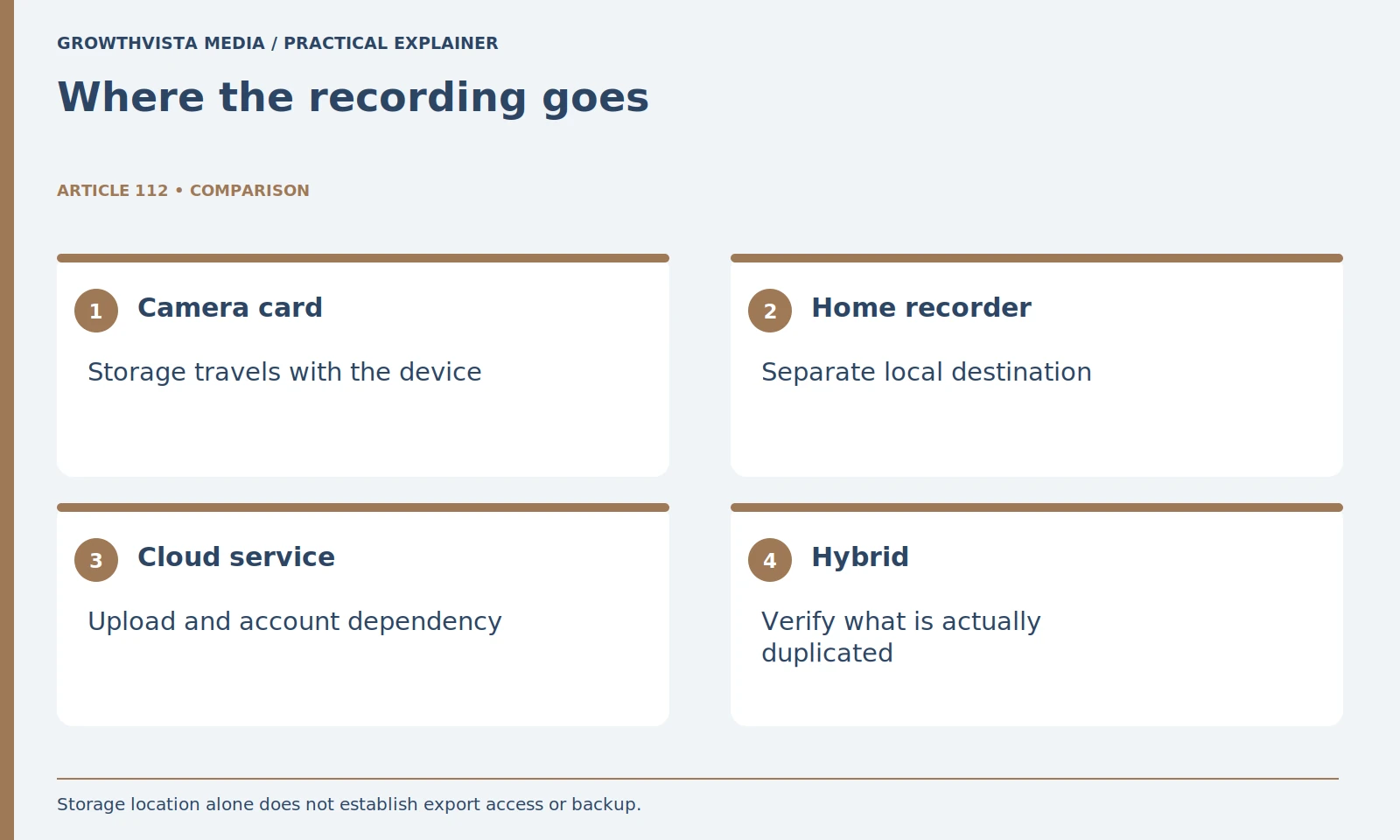
Map the recording path first. A card in the camera, a separate recorder, and a cloud archive have different dependencies. This guide compares those paths and provides a transparent storage calculation. It does not claim one design is universally safer, supply live provider prices, or treat local hardware as an automatic backup.
Your decision checklist
- Draw the complete path from camera to saved file.
- Confirm mode, retention, overwrite, and export.
- Keep outage conditions separate.
- Compare verified costs for the same camera count.
How do you compare local vs cloud camera storage?
Trace one recording from capture to a file you can later open. Identify the camera, storage device, app, account, and any service required. Compare that complete path, not only the label on the product page. Ring Edge is one documented example of local storage requiring compatible equipment and a subscription. Ring: local video storage requirements
This simple map reveals dependencies that a feature list can hide. A local recorder can still need an app account for viewing. A camera with a card slot may reserve certain detection or export features for a paid plan. Ring's local-storage documentation is one concrete example of local recording having compatibility and subscription requirements.
Write your requirement as an action: “Save an event and retrieve it after returning home.” Then check whether the proposed arrangement supports that action under your expected conditions. Do not judge the system only by the words local, cloud, or free.
What is the difference between live view and saved footage?
Live view shows a current feed; it does not establish that an archive exists. Event clips and continuous recording are separate modes with different histories and resource demands. Confirm which mode the exact product and plan support, then inspect a saved test event for its beginning, end, and gaps.
For an illustrative delivery scenario, an event clip may show a visitor arriving but not the period before detection. If the earlier context matters, investigate how that system records it. Do not assume every camera includes a pre-event buffer or that it is available in every mode.
Use a test event to inspect the saved beginning, end, and gaps. Check whether the timeline distinguishes recordings from missed connectivity. A tidy app interface can conceal the fact that no file was saved during an important interval.
| Check | Local arrangement | Cloud arrangement |
|---|---|---|
| Destination | Card or local recorder | Provider storage |
| Main dependency | Working device and storage path | Working upload path and service |
| Access | Verify app or file requirements | Verify account and permissions |
| Retention | Capacity and overwrite settings | Plan-specific retention rules |
Is local camera storage automatically a backup?
No. A local card or recorder is a recording destination, and it can share failure risks with the camera or premises. Decide how important clips will be exported and preserved separately. Physical ownership does not by itself prove convenient retrieval or independent protection.
A card inside an exposed camera and a recorder kept elsewhere have different physical risks. Neither is automatically a backup. If a recording matters, use the system's approved export procedure and keep a separate copy in an appropriate location.
Inspect maintenance requirements before buying. Cards, drives, firmware, and recorder power all need attention. Set a small recurring check to confirm that recent events can still be played and exported. A storage device reporting healthy is useful information, but the final test is a file you can retrieve.
What should you verify in a cloud recording plan?
Check retention, camera limits, export rights, account access, and what happens after cancellation or a failed renewal. Remote playback depends on the upload and service path. Save the current terms for the actual plan rather than assuming a screenshot or old review describes your purchase.
Check camera-count rules and feature-specific limits. A plan that fits one device may have different terms for a larger installation. Record the provider's current plan page and the date you checked it. Keep assumed prices out of your decision until confirmed.
Before relying on the service, download a test recording through the normal interface and open it independently. This checks the export workflow rather than only playback within the app. Treat account recovery and household access as part of the storage decision.
How much storage does continuous camera recording need?
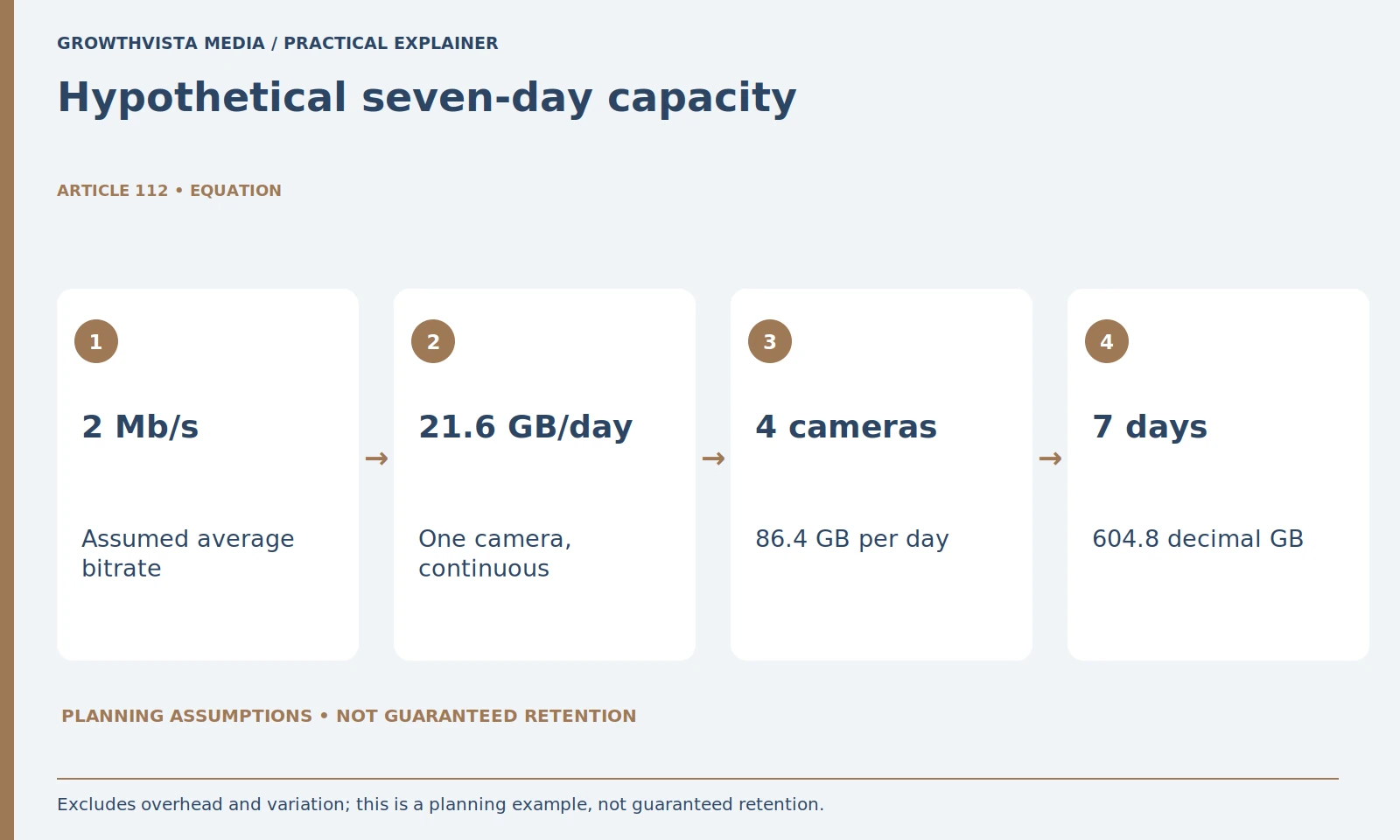
At an assumed constant average bitrate, decimal daily storage is approximately 10.8 times the bitrate in Mb/s, in GB per camera. This is planning arithmetic, not a retention guarantee. The example below states its bitrate, camera count, recording time, and limitations so the result can be checked.
For a rough decimal estimate, daily storage in gigabytes is bitrate in megabits per second multiplied by 86,400 seconds, divided by eight bits per byte and then by 1,000 megabytes per gigabyte. That simplifies to bitrate multiplied by 10.8 GB per day for one continuously recording camera.
Here is a hypothetical example, not a measured camera result. At an assumed average 2 Mb/s, one camera uses about 21.6 GB per day. Four cameras for seven days use about 604.8 GB. A nominal 1 TB drive has 1,000 decimal GB before formatting, overhead, reserved capacity, and other constraints, so the calculation does not establish guaranteed retention.
Actual use varies with bitrate behavior, codec, audio, scene complexity, recording schedule, and the system's storage management. Event-only recording requires a different time assumption. Use this arithmetic to ask better capacity questions, then confirm with the manufacturer's calculator or observed recordings.
Will local recording continue if internet access fails?
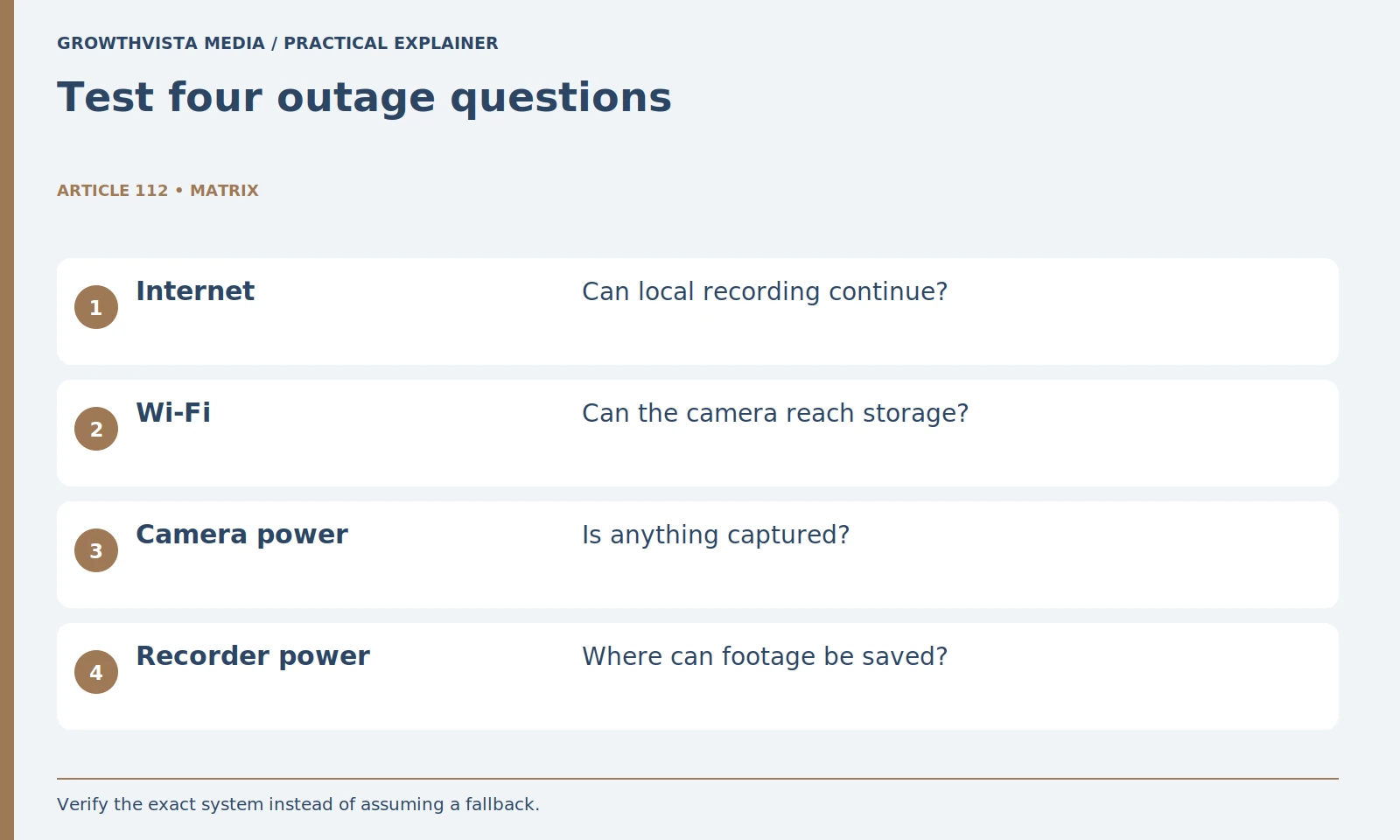
Possibly, if the product supports it and all required local components still operate. Internet loss, local-network failure, camera-power loss, and recorder-power loss are different conditions. Check each dependency through the manufacturer’s supported procedure instead of generalizing from a single offline test.
Use the manufacturer's test procedure and a controlled household test. Preserve existing important recordings first. Do not factory-reset devices just to simulate an outage. Document whether recording continues, notifications arrive, and footage appears after service returns.
Keep uncertainty visible. “Local recording expected” and “local recording verified during the test” are different findings. If you cannot test a condition safely, leave it as a question for the provider rather than converting it into a promise.
Which storage option costs less over time?
Use confirmed hardware and recurring charges for your intended camera count and planning period. Keep replacement costs and unknown terms separate. The cheaper arrangement is meaningful only if it also satisfies your recording and retrieval needs; do not assume all local systems avoid fees.
Do not attach a monetary value to privacy as if it were a measured feature score. Review the data terms and access controls alongside cost. A cheap arrangement can be inconvenient to export from; a paid arrangement can still require substantial review and housekeeping.
Choose the design that satisfies your recording requirement with understandable dependencies. A hybrid setup may be sensible when it provides genuinely independent paths, but confirm what is duplicated and what still relies on the same camera or power source.
How do you make footage easier to retrieve later?
Create a small routine for playback, timestamps, export, and authorized access. Give preserved clips recognizable names and keep important originals. A working storage system is one you can retrieve from repeatedly, not one whose dashboard simply reports that storage exists.
Periodically inspect a recent recording, confirm the date and time, and test export again. Review shared accounts and retention settings when the household or subscription changes. Remove access that is no longer needed.
Draw the complete path from camera to saved file. Confirm mode, retention, overwrite, and export. Keep outage conditions separate. Compare verified costs for the same camera count. Keep verified findings separate from expectations, and revisit the decision after a material change.
Frequently asked questions
Is local storage always cheaper than cloud storage?
No. Compare confirmed hardware, required plans, replacement media, and the same number of cameras over the same period. Local systems can still have subscription requirements.
Is live view the same as recorded history?
No. Live view does not prove an archive exists. Check event or continuous recording support and retrieve a saved test file.
How much storage do four cameras need for seven days?
With the hypothetical continuous average of 2 Mb/s per camera, the decimal estimate is 604.8 GB. Actual retention depends on recording behavior and usable system capacity.
Will an SD card keep recording without internet?
Only if the product supports that local path and its required power and local components continue working. Verify the particular failure condition.
What happens to cloud clips after cancellation?
Read the actual service terms for retention and access after ending the plan. Export important footage through the supported route before relying on an assumption.
Is a local recorder an independent backup?
Not automatically. It may share power, premises, or camera risks. Define and verify a separate preservation route for important recordings.
Sources and further reading
Official documentation supports the technical guidance. Examples and worksheets are editorial methods, not hands-on product benchmarks. Reviewed October 2026.