Antivirus vs Built-In Security: Choose a Practical Setup

Antivirus vs built-in security should be evaluated by the protection currently active on a supported Windows device and the additional functions you actually need. Windows Security presents several security areas, while Microsoft Defender Antivirus is a specific malware-protection component. A subscription price or bundle size is not evidence of superior detection by itself.
Inspect the current setup before changing products, read compatibility instructions, and verify the resulting provider and updates. Keep account authentication and recoverable backups separate in the plan. This guide is a researched buying and maintenance framework, not original malware testing or a promise that any product stops every threat.
Your decision checklist
- Inspect the active Windows protection provider.
- Compare required functions and compatibility.
- Keep account security and backups explicit.
- Verify updates, supported operation, and renewal needs.
Where should antivirus vs built-in security comparison begin?
Check the actual Windows Security status and active protection provider, including the supported operating-system version. Microsoft documents how the security interface presents protection information. A receipt or old shortcut does not prove a product is active or updated. Microsoft: Windows Security overview
Read any warning before installing something new. Record the operating-system version and whether it remains supported. Avoid dismissing alerts solely because you intend to buy a security suite later. If the device is managed by an employer or school, follow its policy and support route. A personal product choice should not override an organizational configuration you do not control.

Is Windows Security the same thing as one antivirus scanner?
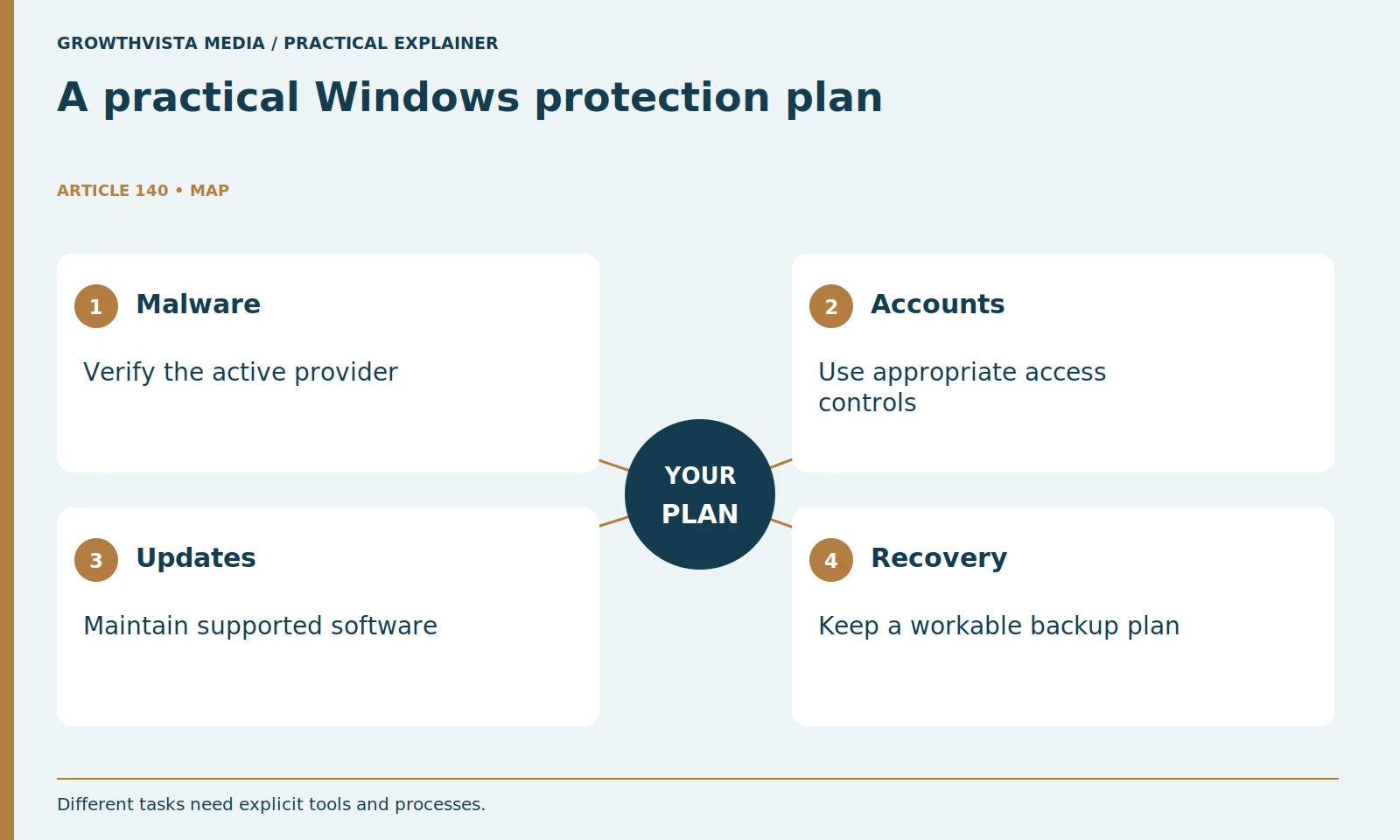
No. Microsoft describes several security areas within the broader interface. Separate malware protection from firewall, account, update, and recovery tasks when evaluating the setup. A bundle may offer several functions, but their actual role and enabled state still need checking.
List the tasks you want to cover: malware protection, account access, software maintenance, backups, and recovery. Some belong to different tools or processes. This prevents a paid suite’s large feature list from obscuring a missing basic task. A product may bundle several functions, but you still need to understand which are enabled, what they require, and whether another part of your setup already handles them.
| Task | What to verify | What not to assume |
|---|---|---|
| Malware protection | Active provider and update status | An old installation is active |
| Extra suite features | Exact plan and platform support | Every device gets every feature |
| Account security | Unique credentials and MFA | Antivirus prevents all account theft |
| Recovery | Supported backup and restore path | A scan repairs lost files |
| Cost | Coverage, charge, and renewal | The discount lasts forever |
Does paying for a suite establish better malware detection?
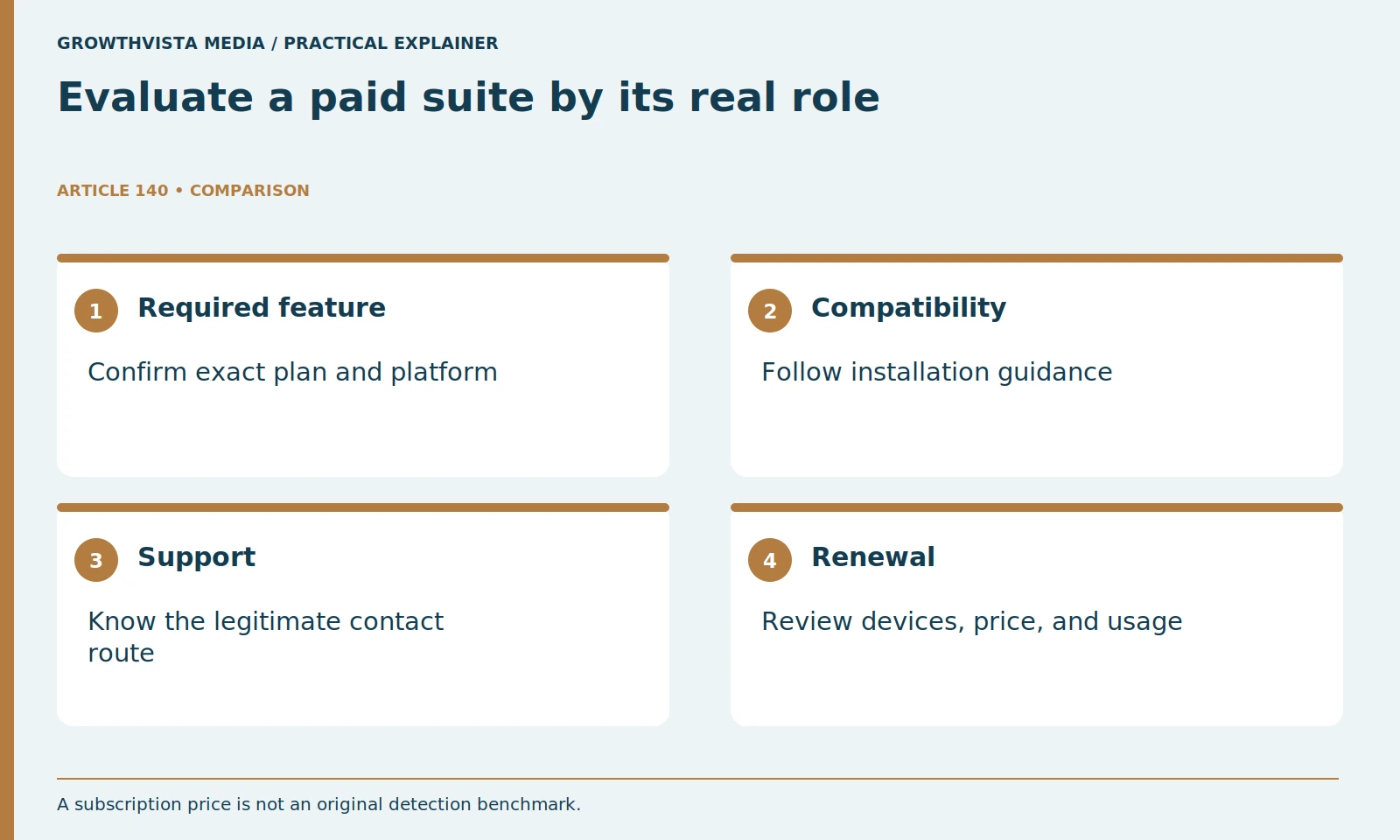
Not by itself. Compare the exact required functions and any relevant evidence with its version, date, and method attached. This guide supplies no original detection score. Price and feature count should not substitute for verified task suitability.
Do not infer better malware detection from the subscription price or number of extras. If using independent test evidence, read the date, tested version, methodology, and scope. This guide provides no original detection benchmark. Keep the purchase decision tied to required functions, usability, support, and cost. An unused bundle is not automatically better value than a simpler setup you maintain properly.
Should two real-time antivirus products be installed together?
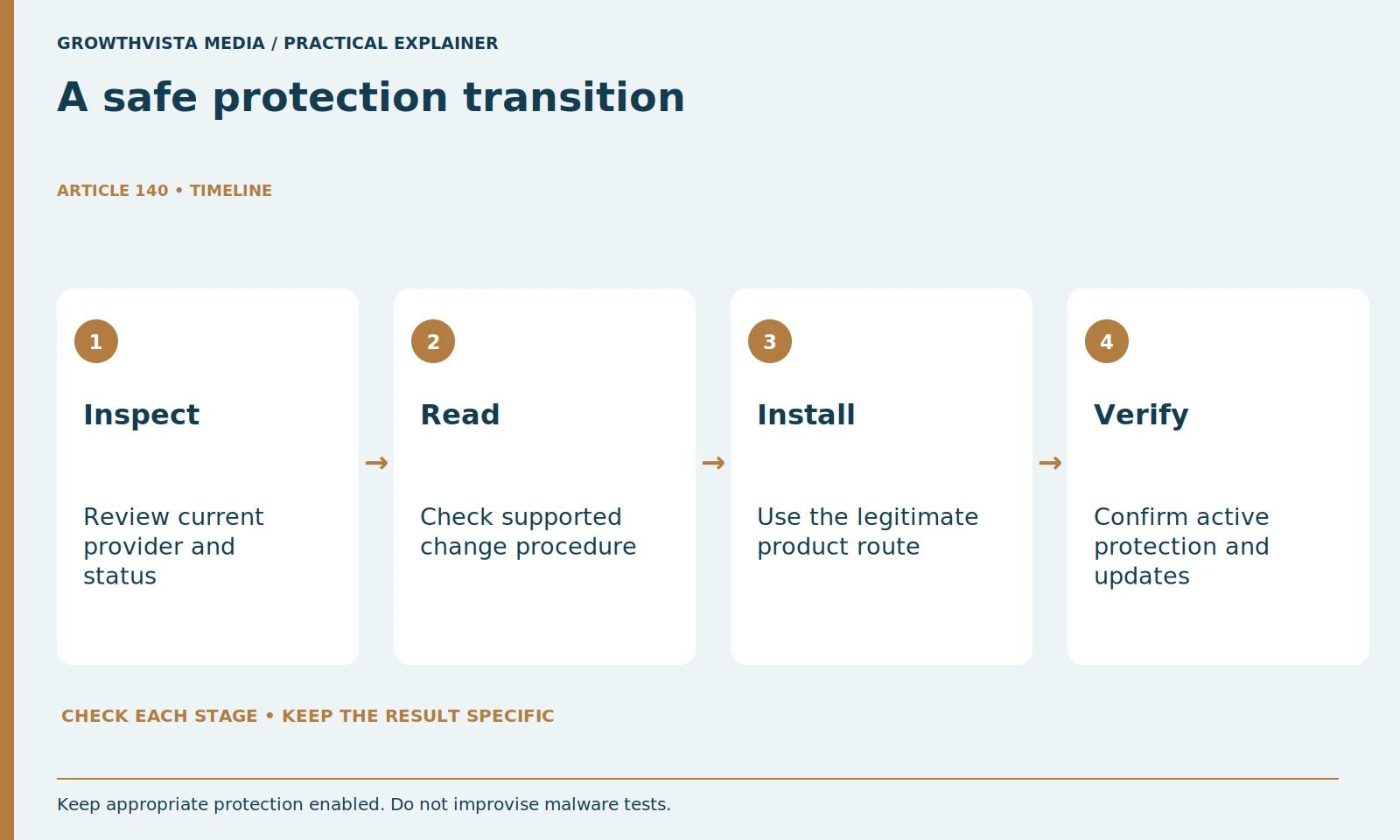
Do not improvise overlapping protection as a way to double security. Follow the products’ compatibility guidance and verify the active provider after a supported change. Microsoft documents how Defender’s active state can change when another recognized antivirus is installed. Microsoft: Windows Security overview
Follow the chosen product’s installation and compatibility instructions. Do not install multiple real-time scanners as an improvised way to double protection. If changing products, use supported removal procedures and verify the resulting active protection. Keep ordinary firewall and other appropriate safeguards enabled. A clean transition with an understood provider is more useful than overlapping software whose interactions you have not checked.
Can warnings be solved by broad antivirus exclusions?
Do not silence them without a justified supported investigation. Microsoft explains that exclusions affect the relevant protection scope. Use official checks and legitimate support rather than suspicious downloads or broad exclusions to make a setup appear quiet. Microsoft: virus and threat protection
Do not add broad exclusions to silence a warning or speed up a benchmark. Microsoft explains that exclusions can leave the excluded content outside relevant protection. If an application has a conflict, investigate through legitimate support and a narrowly justified procedure. Record the issue and the resolution. A setup that appears quiet because important protection was turned off is not evidence that the problem was safely solved.
Does antivirus replace MFA or a backup plan?
No. Account access and recoverable data are separate tasks. Keep appropriate credentials, additional authentication, updates, and restoration procedures visible. A bundle feature should be understood and verified before it is treated as satisfying one of those requirements.
Backups and recovery need their own plan. Identify the files you cannot replace and a supported backup method appropriate to your circumstances. Verify that you know how restoration works; a folder named backup is not proof of a usable recovery route. Keep these tasks visible even when a security subscription advertises related extras. Understand what the feature actually provides before relying on it.
How should a paid security subscription be costed?
Check actual devices, platform-specific functions, coverage period, initial charge, renewal, cancellation, and support. Do not divide the price across devices you do not need to make it look cheaper. Review used functions before the next commitment.
Check the cancellation route and the support process. If replacing an existing subscription, avoid unwanted overlapping renewals. Save the terms and order confirmation for the chosen plan. A paid product may be worthwhile when its documented functions meet a real need, but the decision should remain reviewable. Set a reminder before renewal to confirm that those functions are still being used.
What is a practical ongoing security routine?
Verify active protection and updates after relevant changes, and maintain the separate account and recovery tasks. CISA’s Secure Our World guidance supports basic security habits. Choose a configuration you can understand and maintain rather than repeatedly switching products based on promotional comparisons. CISA: Secure Our World
Revisit the decision when your devices, family needs, or work requirements change. Do not continuously switch products because of a new promotional comparison. A dependable configuration combines active protection with account hygiene, updates, and recoverable data. The final decision should state which tools handle which tasks and why the paid or built-in arrangement meets your needs without relying on unsupported guarantees.
Inspect the active Windows protection provider. Compare required functions and compatibility. Keep account security and backups explicit. Verify updates, supported operation, and renewal needs. Keep verified findings, illustrative examples, and unresolved requirements separate in the final decision.
Frequently asked questions
Is Windows Security only an antivirus scanner?
No. Microsoft describes several security areas within the interface; Defender Antivirus is a particular protection component.
Should two real-time antivirus products be stacked?
Follow current compatibility and change instructions, then verify the active provider. Do not assume overlap doubles protection.
Does a paid suite replace MFA and backups?
Not automatically. Malware protection, account authentication, and recoverable data are separate tasks whose actual functions need verification.
Should real malware be downloaded to test the setup?
No. Use official functional checks and legitimate support rather than a consumer live-malware experiment.
Does price establish superior detection?
No. Assess the exact required functions and appropriately scoped evidence instead of price or bundle size alone.
What should be checked after changing products?
Verify the supported installation or removal result, active provider, update status, ordinary operation, and the separate account and recovery plan.
Sources and further reading
Official documentation supports the technical guidance. Examples and worksheets are editorial methods, not hands-on product benchmarks. Reviewed October 2026.