Best Indoor Security Cameras for Home in 2026
What are the best indoor security cameras?
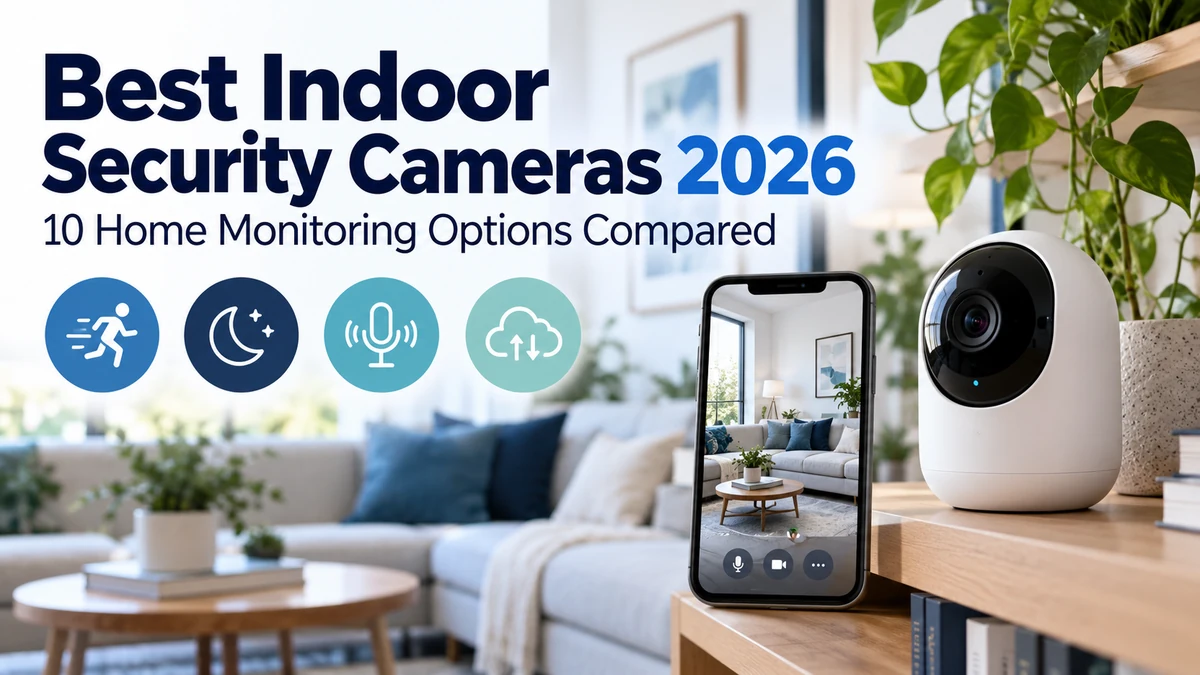
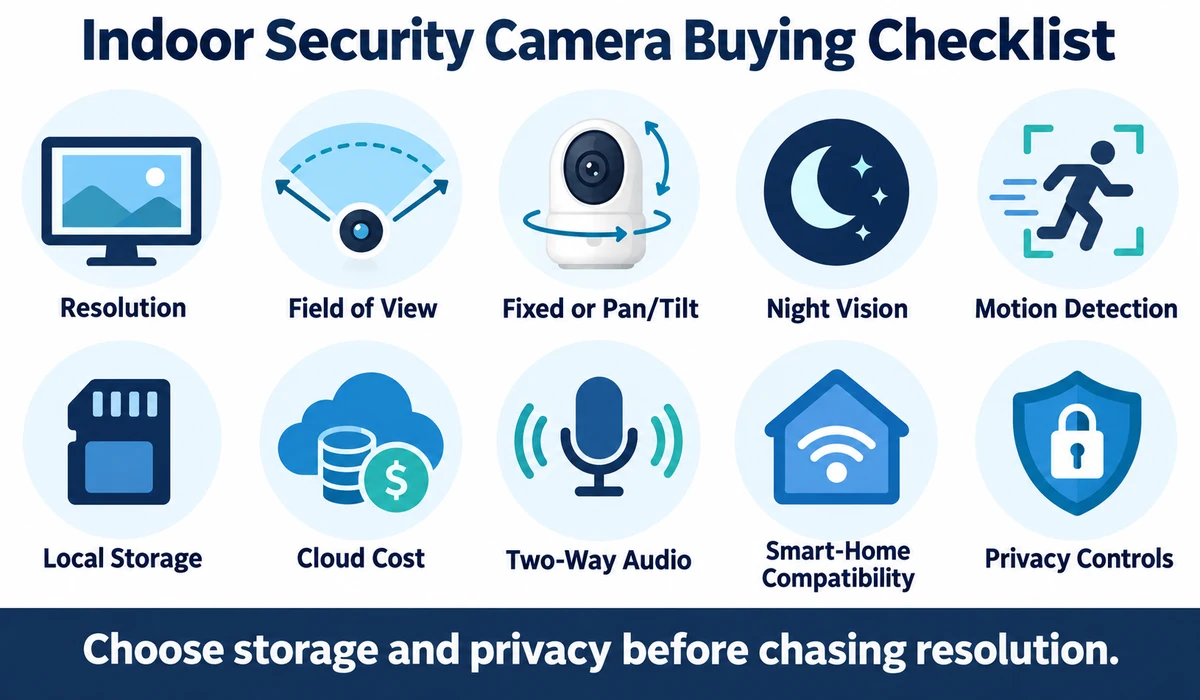
The best indoor security camera depends on your priorities, including image quality, room coverage, storage, privacy and subscription costs. Models such as the TP-Link Tapo C225, Eufy Indoor Cam S350, Google Nest Cam Indoor and Ring Indoor Cam suit different needs. Before buying, compare resolution, field of view, night vision, motion detection, local versus cloud storage, smart-home compatibility and privacy controls.
The best indoor security cameras are not simply the models with the highest resolution. Useful alerts, a sensible field of view, dependable night vision, privacy controls and a storage model you are comfortable with matter just as much.
Cloud recording can be convenient, but it often adds an ongoing subscription. Local recording can reduce that dependence, although it may require a memory card, hub or network recorder. Some cameras support both approaches.
This guide compares 10 indoor cameras worth considering in 2026 and explains resolution, pan-and-tilt coverage, local versus cloud storage, subscriptions, smart-home compatibility and privacy.
Quick Comparison: Best Indoor Security Cameras
| Indoor Camera | Best For | Design | Storage Approach | Key Advantage | CTA |
|---|---|---|---|---|---|
| TP-Link Tapo C225 | Overall value | Pan / tilt | Local + optional cloud | Strong feature-to-price balance | Check Price on Amazon |
| Eufy Indoor Cam S350 | High-detail room coverage | Dual-camera pan / tilt | Local ecosystem + cloud options | Wide room coverage | Check Price on Amazon |
| Google Nest Cam Indoor | Google Home | Fixed | Cloud-focused | Google ecosystem integration | Check Price on Amazon |
| Ring Indoor Cam | Alexa / Ring homes | Fixed | Cloud-focused | Ring ecosystem simplicity | Check Price on Amazon |
| Aqara Camera Hub G3 | Apple / Aqara automation | Pan / tilt hub | Local + ecosystem options | Camera + automation hub role | Check Price on Amazon |
| Reolink E1 Zoom | Local recording | Pan / tilt / zoom | microSD / NVR options | Local storage flexibility | Check Price on Amazon |
| Wyze Cam v4 | Budget monitoring | Fixed | Local + optional cloud | Affordable feature set | Check Price on Amazon |
| Blink Mini 2 | Budget Alexa | Compact fixed | Cloud / Sync ecosystem | Simple low-cost monitoring | Check Price on Amazon |
| Arlo Essential Indoor Camera | Privacy-conscious cloud users | Fixed | Cloud-focused | Physical privacy shutter | Check Price on Amazon |
| TP-Link Tapo C120 | Compact fixed camera | Fixed | Local + optional cloud | Compact value option | Check Price on Amazon |
Note: Exact resolution, storage limits, detection features, privacy functions and subscription requirements vary by model, firmware and region. Verify current manufacturer information before publication.
1. TP-Link Tapo C225 — Best Overall Value Indoor Security Camera
The Tapo C225 is a practical choice for users who want broad room coverage without moving into premium pricing.
A pan-and-tilt design can reduce blind spots in a room, while local storage support can be attractive to buyers who do not want every recording tied to a cloud subscription.
The exact smart-detection and cloud features available can vary, so compare the current Tapo Care offering with what works locally.
Best for: General indoor monitoring, pets and value-focused smart homes.
2. Eufy Indoor Cam S350 — Best for Detailed Pan-and-Tilt Coverage
The Eufy Indoor Cam S350 is aimed at users who want a more detailed view across a room and the flexibility of motorized coverage.
Its multi-camera approach is particularly relevant when you want both a broad view and closer detail without installing several fixed cameras.
Eufy’s local-storage ecosystem can also appeal to users trying to reduce reliance on cloud recording, although the exact setup and hub requirements should be verified.
Best for: Larger rooms, pet monitoring and users interested in detailed local-capable coverage.
3. Google Nest Cam Indoor — Best for Google Home Users
The Nest Cam is the natural option for households already using Google Home displays, speakers and automations.
Its strongest advantage is ecosystem integration rather than a purely hardware-based specification race. Notifications and live views can fit into an existing Google-centered smart home.
Buyers should review which recorded-history and intelligent-alert features require the current Nest Aware subscription.
Best for: Google Home households that want a familiar unified app experience.
4. Ring Indoor Cam — Best for Ring and Alexa Homes
The Ring Indoor Cam makes sense when a household already uses a Ring doorbell, outdoor cameras or Alexa devices.
Keeping indoor and entryway cameras in one ecosystem can simplify alerts, live views and account management.
The main consideration is Ring’s cloud-oriented recording model. Check the current subscription requirements if recorded event history is important.
Best for: Existing Ring and Alexa users who want simple indoor expansion.
5. Aqara Camera Hub G3 — Best for Apple and Aqara Automation
The Aqara Camera Hub G3 combines camera functions with a role inside the Aqara smart-home ecosystem.
This can make it more valuable than a standalone camera for users who already have compatible sensors and automation devices.
Apple-oriented integration is another reason buyers may consider it, but exact Home features, recording behavior and hub compatibility should be checked against current firmware and platform support.
Best for: Aqara and Apple smart-home users who want monitoring plus automation integration.
6. Reolink E1 Zoom — Best for Local Recording Flexibility
The Reolink E1 Zoom is relevant to users who prefer local storage and want a pan-and-tilt indoor camera that can fit into a broader Reolink setup.
Local microSD or compatible network recording options can reduce dependence on a cloud-only model.
Users should verify exact NVR compatibility, storage limits and remote-access behavior for the current hardware revision.
Best for: Local-recording users and homes already using Reolink security products.
7. Wyze Cam v4 — Best Budget Feature-Rich Camera
The Wyze Cam v4 targets buyers who want a low-cost camera with a broad set of everyday monitoring features.
It can be used for indoor monitoring even though the product family may support broader placement scenarios. For indoor use, its value comes from simple alerts, live viewing and accessible pricing.
Compare which detection and recording features work locally and which depend on Wyze’s current subscription service.
Best for: Budget-conscious users who want a flexible general-purpose camera.
8. Blink Mini 2 — Best Budget Alexa-Friendly Indoor Camera
The Blink Mini 2 is a compact option for straightforward room monitoring and fits naturally into an Alexa-oriented household.
It can work well for checking a pet area, entry room or home office without taking up much space.
The total cost depends on whether you want cloud recording, local storage through compatible Blink hardware or only basic live-view functionality.
Best for: Simple budget monitoring in an Alexa household.
9. Arlo Essential Indoor Camera — Best for a Visible Privacy Shutter
The Arlo Essential Indoor Camera stands out for a physical privacy-shutter approach that makes the camera’s disabled state easier to understand at a glance.
That can be valuable in living spaces where household members want a clear visual indication that recording is blocked.
Arlo’s cloud services remain an important part of the feature set, so compare current subscription tiers before purchasing.
Best for: Users who value a clear physical privacy control in a cloud-oriented system.
10. TP-Link Tapo C120 — Best Compact Fixed Indoor Camera
The Tapo C120 is a compact fixed-camera alternative for rooms where pan-and-tilt movement is unnecessary.
A fixed camera can be simpler to position when the area of interest is predictable, such as a doorway, pet bed or home-office entrance.
Local storage support and optional cloud services provide flexibility, but exact capacity and feature availability should be checked for the current model.
Best for: Small rooms and users who want a compact fixed camera with flexible storage options.
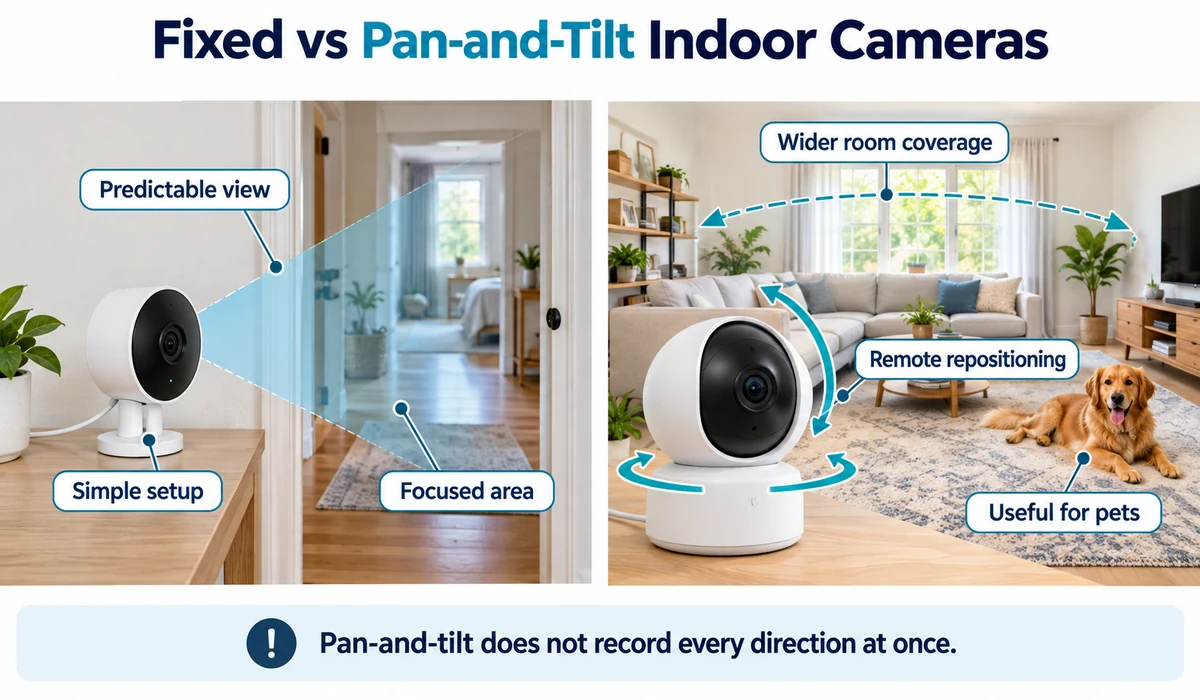
Fixed vs Pan-and-Tilt Indoor Cameras
| Factor | Fixed Camera | Pan-and-Tilt Camera |
|---|---|---|
| View | One chosen direction | Motorized wider room coverage |
| Setup | Simple to aim once | Requires position / tracking settings |
| Moving parts | None for aiming | Motorized mechanism |
| Best use | Doorway, crib area, pet bed, focused zone | Large room, pets, changing activity |
| Privacy consideration | View is predictable | Can view more of the room |
| Cost | Often lower | Often higher for comparable features |
What to Look for When Buying an Indoor Security Camera
1. Resolution
Higher resolution can preserve more detail, but lens quality, compression, lighting and app streaming quality also affect what you see.
2. Field of View
A wide fixed lens can cover much of a room. Pan-and-tilt cameras can reposition the view, but motorized coverage is not the same as recording every direction simultaneously.
3. Night Vision
Indoor cameras commonly use infrared night vision. Some models also offer color low-light modes, but performance depends heavily on available light.
4. Motion and Person Detection
Configurable alerts can reduce unnecessary notifications. Person, pet, crying or other classifications may be processed locally or require a subscription depending on the camera.
5. Local Storage
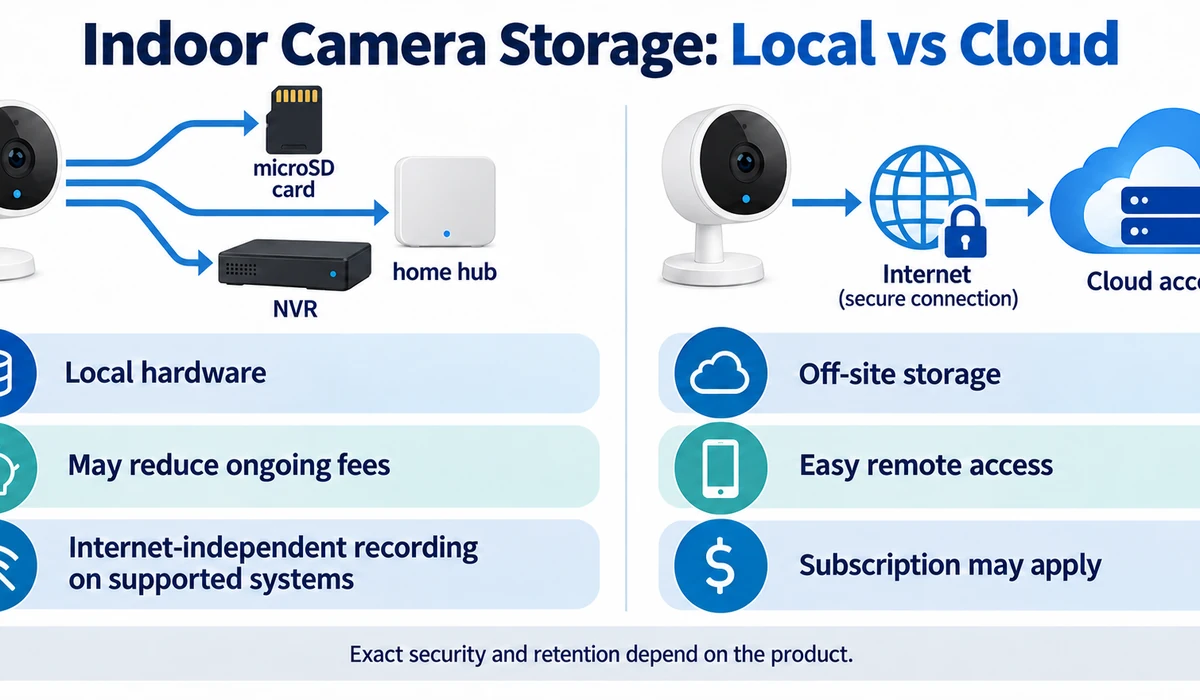
microSD cards, hubs and NVRs can keep recordings on local hardware. Check capacity, overwrite behavior and what happens if the camera itself is unplugged or removed.
6. Cloud Storage
Cloud recording can provide convenient off-site access, but it usually introduces an ongoing fee and places recordings with a service provider.
7. Two-Way Audio
A built-in microphone and speaker can help when checking on pets or speaking to someone in the room. Audio quality varies by camera and network conditions.
8. Smart-Home Compatibility
Choose based on the platform you already use. Alexa, Google Home, Apple Home and manufacturer ecosystems offer different levels of camera integration.
9. Privacy Controls
Look for camera-disable modes, privacy shutters, status lights, activity zones and account-security features that match how the camera will be used.
10. Subscription Requirements
Understand what remains available without a paid plan. Detection types, event history and cloud recording are common subscription differentiators.
Local Storage vs Cloud Storage for Indoor Cameras
| Factor | Local Storage | Cloud Storage |
|---|---|---|
| Ongoing cost | Often lower | Usually subscription-based |
| Recording location | Camera / hub / NVR | Provider infrastructure |
| Off-site copy | Not always | Usually yes |
| Internet outage | May continue locally depending on setup | Cloud upload may stop |
| Remote viewing | Depends on system | Usually convenient |
| Hardware needed | Card, hub or recorder may be required | Typically no local recorder |
Indoor Camera Privacy: Where You Should and Shouldn’t Place One
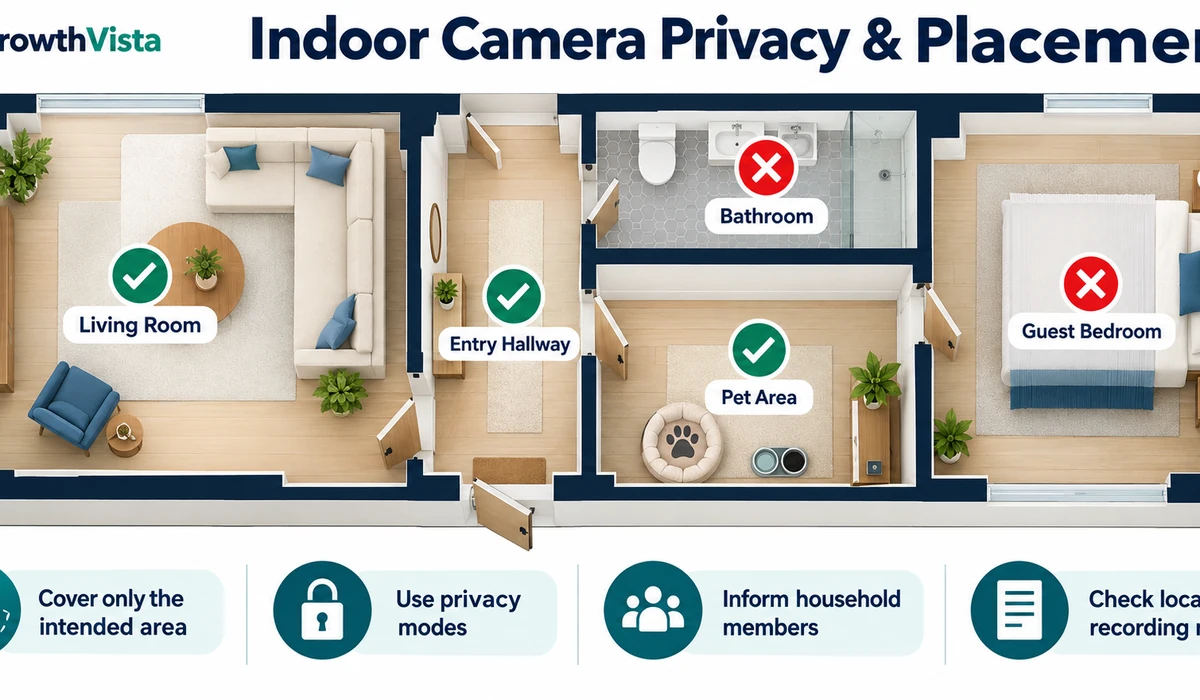
- Use cameras in shared areas only when household members and visitors are appropriately informed.
- Avoid placing cameras in bathrooms, bedrooms used by guests or other spaces where people reasonably expect high privacy.
- Position the camera to cover the intended area rather than unnecessarily capturing neighboring property through windows.
- Use privacy zones, shutters or camera-off modes when available.
- Protect the camera account with a strong unique password and multi-factor authentication where supported.
- Keep camera, hub and app software updated.
Recording and consent laws vary by jurisdiction, particularly for audio. Review applicable local requirements before recording people in or around the home.
“Indoor Security Camera vs. Video Doorbell: What’s the Difference?”
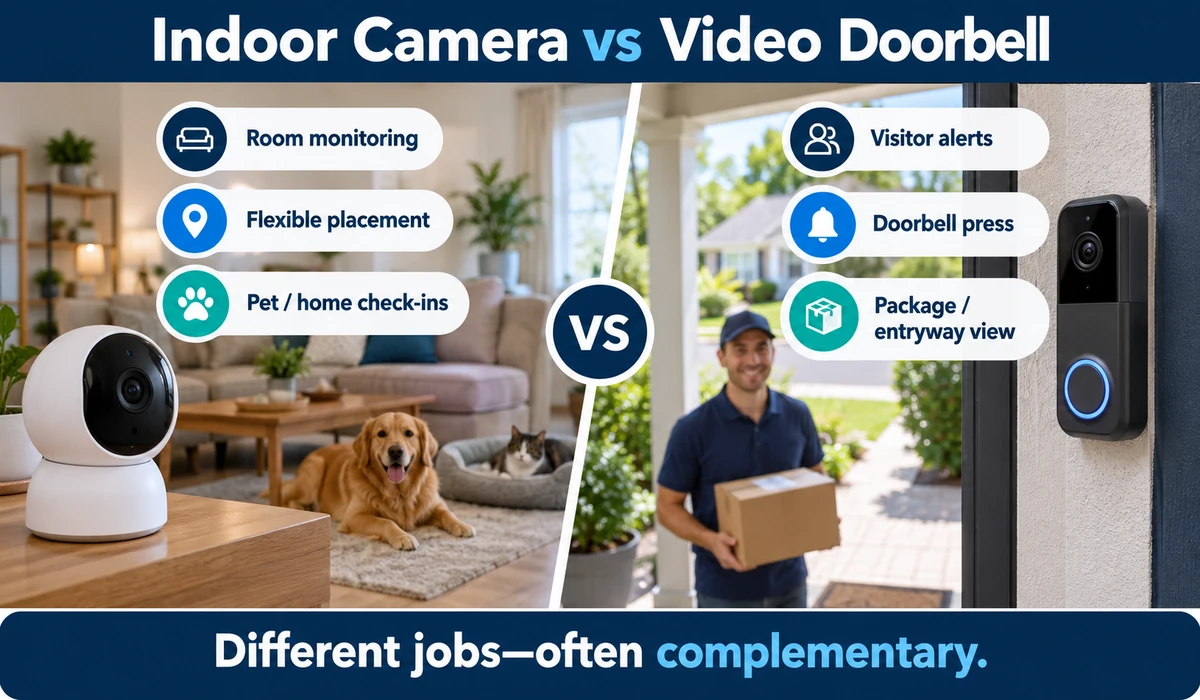
| Factor | Indoor Security Camera | Video Doorbell |
|---|---|---|
| Primary area | Rooms inside the home | Front door / entrance |
| Visitor button | No | Yes |
| Pet monitoring | Often useful | Limited |
| Package monitoring | Not typical | Often a core use |
| Placement | Flexible indoor position | Mounted at entrance |
| Best role | Room monitoring | Visitor and entryway monitoring |
Best Indoor Camera Type by Use Case
- Pets moving around a large room: consider pan-and-tilt coverage with configurable motion alerts.
- Home office or doorway: a fixed camera can be simpler and more predictable.
- Subscription-conscious monitoring: prioritize useful local-storage support.
- Existing Ring, Google, Aqara or other smart home: ecosystem integration may outweigh small hardware differences.
- Privacy-sensitive living area: consider a camera with a physical shutter or clear camera-disable control.
- Multiple-camera security setup: consider whether the cameras can share one hub, NVR, app or storage plan.
Frequently Asked Questions
Do indoor security cameras need a subscription?
Not always. Some support local recording or basic live view without a plan. Cloud history and advanced detection may require a subscription.
Can an indoor camera record without internet?
Some cameras can continue recording to local storage during an internet outage, but remote viewing and cloud upload may stop. Behavior varies by model.
Is 2K or 4K better than 1080p for an indoor camera?
Higher resolution can preserve more detail, but image quality also depends on lighting, lens quality, compression and viewing distance. Higher resolution is not automatically better in every room.
Are pan-and-tilt cameras better than fixed cameras?
They provide flexible coverage, but a fixed camera is often simpler when the area of interest does not change. Privacy preferences can also influence the choice.
Can I use an indoor camera to watch pets?
Yes. Two-way audio, pan-and-tilt movement and pet-specific alerts can be useful, but detection features vary by model.
Where should I put an indoor security camera?
Place it where it can clearly view the intended shared area without unnecessarily capturing private spaces. Avoid locations where occupants or guests reasonably expect privacy.
Can indoor cameras work with Alexa, Google Home or Apple Home?
Many can, but integration depth varies. Verify whether your platform supports live viewing, notifications, automations and recording features for the exact camera.
What is the best indoor security camera without a subscription?
The best option depends on which features you need without a subscription. Cameras with microSD, hub or NVR support can reduce reliance on cloud recording, although advanced detection or other features may still require a paid plan. Check the current manufacturer’s feature and subscription information before buying.
What is the best indoor security camera for pets?
A good indoor camera for pets should offer a suitable field of view, reliable motion detection, two-way audio and, when useful, pan-and-tilt coverage. Pet-specific detection can also reduce unnecessary alerts, but availability varies by model and subscription plan.
Are indoor security cameras safe for privacy?
Indoor security cameras can be used more safely by positioning them away from private spaces, enabling available privacy controls, using a strong unique password and multi-factor authentication, and keeping the camera and app updated. Local laws regarding recording and consent should also be considered.
Final Thoughts
The best indoor security cameras combine useful monitoring with privacy controls that fit the household.
For general value, cameras with local storage and optional cloud services can offer flexibility. Pan-and-tilt models make sense for large rooms and pets, while a fixed camera can be better for a predictable doorway or focused area.
Existing smart-home ecosystems also matter. A camera that integrates cleanly with the devices you already own may be more useful than a slightly higher-specification model in a separate app.
Before buying, decide where the camera will be placed, who will be recorded, whether you want local or cloud storage and which alerts you actually need. Those decisions narrow the options quickly.