Best Video Doorbells in 2026: 8 Models Compared
What are the best video doorbells?
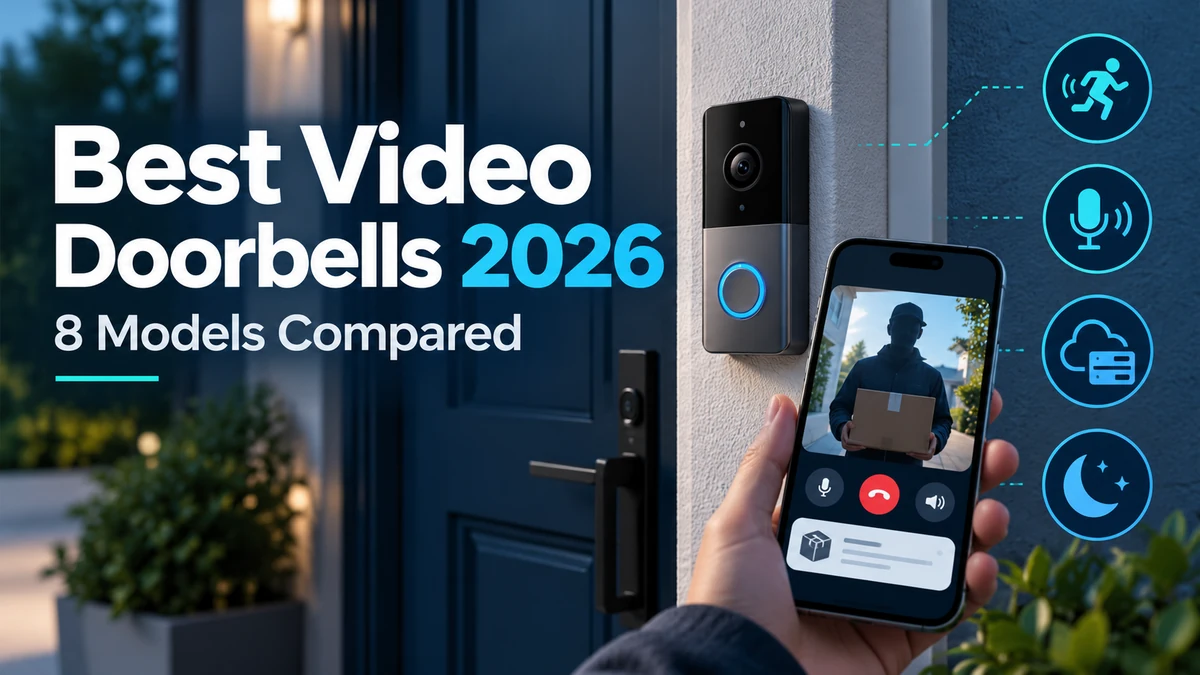
The best video doorbell depends on your installation, smart-home ecosystem, storage preferences and budget. Ring Battery Doorbell Pro, Google Nest Doorbell, Arlo Video Doorbell 2K, Eufy Video Doorbell E340, Reolink Video Doorbell and TP-Link Tapo D225 are options worth considering for different needs. Before buying, compare field of view, resolution, night performance, motion detection, local versus cloud storage, subscription costs and wired or battery power.
The best video doorbells balance image quality, useful field of view, dependable alerts, night performance and an installation method that fits the property. Some models run on batteries, while others use existing doorbell wiring. Storage can be cloud-based, local, or a combination of both depending on the product.
The subscription model matters almost as much as the hardware. A doorbell may provide live viewing without a plan but reserve recorded history, advanced detection or other features for a paid service. Buyers should understand that distinction before choosing an ecosystem.
This guide compares eight video doorbells worth considering in 2026 and explains wired versus battery installation, package views, local versus cloud storage and the smart-home features that matter.
Quick Comparison: Best Video Doorbells
| Video Doorbell | Best For | Power | Storage Approach | Key Advantage | CTA |
|---|---|---|---|---|---|
| Ring Battery Doorbell Pro | Alexa / battery users | Battery / compatible wiring | Cloud-focused | Flexible Ring ecosystem | Check Price on Amazon |
| Google Nest Doorbell | Google Home users | Battery or wired variants | Cloud-focused | Google Home integration | Check Price on Amazon |
| Arlo Video Doorbell 2K | High-resolution monitoring | Battery / wired options | Cloud-focused | Detailed entryway view | Check Price on Amazon |
| Eufy Video Doorbell E340 | Local-storage seekers | Battery / wired support | Local ecosystem options | Dual-camera package view | Check Price on Amazon |
| Reolink Video Doorbell | Local/NVR users | Wired / PoE variants | Local / NVR options | Local recording flexibility | Check Price on Amazon |
| Aqara Doorbell Camera Hub G4 | Apple / Aqara homes | Battery / wired power | Local + ecosystem options | HomeKit-oriented integration | Check Price on Amazon |
| TP-Link Tapo D225 | Value + local storage | Battery / wired support | Local / optional cloud | Flexible storage approach | Check Price on Amazon |
| Blink Video Doorbell | Budget Alexa setup | Battery / wired chime support | Cloud / Sync ecosystem | Affordable entry point | Check Price on Amazon |
Note: Exact resolution, field of view, recording features, battery behavior, wiring requirements and subscription benefits vary by model and region. Verify current manufacturer information before publication.
1. Ring Battery Doorbell Pro — Best for Alexa and the Ring Ecosystem
Ring remains one of the most recognizable video-doorbell ecosystems, and the Battery Doorbell Pro is aimed at users who want advanced Ring features without requiring a fully wired installation.
It is particularly relevant to homes already using Alexa or other Ring cameras because alerts, live views and automations can stay within one ecosystem.
Ring’s cloud-service model is an important part of the purchase decision. Check which recording and detection features require the current Ring subscription plan rather than assuming every advertised capability is included indefinitely.
Best for: Alexa households and users who want a flexible battery-powered Ring setup.
2. Google Nest Doorbell — Best for Google Home Users
The Nest Doorbell is the natural starting point for households already using Google Home displays, speakers and automations.
Google offers doorbell options with different power approaches, so buyers should compare the exact battery or wired version rather than treating them as identical hardware.
The ecosystem can make visitor notifications and smart-display viewing convenient, but recorded history and advanced features may depend on the current Nest Aware offering.
Best for: Google Home households that want doorbell alerts inside the same smart-home app.
3. Arlo Video Doorbell 2K — Best for Detailed Entryway Monitoring
Arlo’s higher-resolution doorbell models target users who want a detailed view of visitors and activity around the entrance.
Resolution is only one part of useful video. Field of view, compression, night performance, motion detection and where the camera is mounted can have an equally large effect on what is actually visible.
Arlo users should review the current cloud subscription structure and determine which detection and recording functions are available without a paid plan.
Best for: Users prioritizing detailed entryway video within the Arlo ecosystem.
4. Eufy Video Doorbell E340 — Best for Package Monitoring and Local Storage
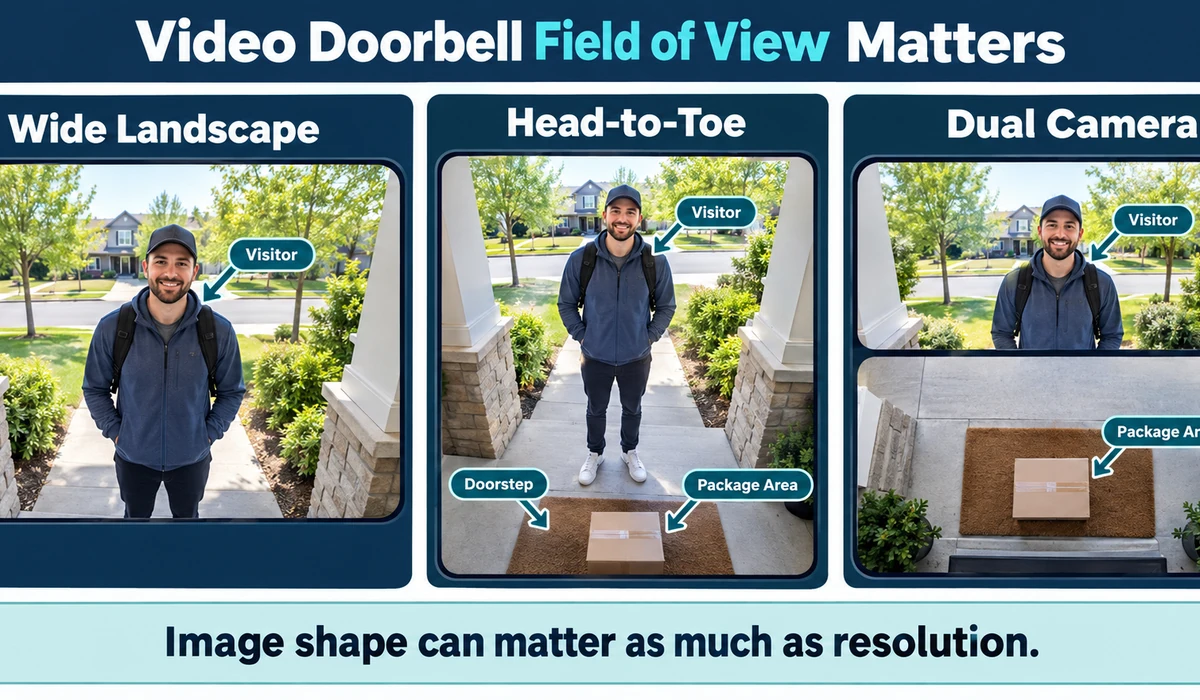
The Eufy Video Doorbell E340 uses a dual-camera approach intended to provide both a visitor view and a lower angle toward the doorstep.
That can be useful for package monitoring, especially when a conventional horizontal camera does not show the ground directly below the doorbell.
Eufy’s local-storage approach is also attractive to buyers who prefer to reduce reliance on cloud recording, although exact storage hardware and features depend on the setup.
Best for: Package-heavy households and users interested in local storage options.
5. Reolink Video Doorbell — Best for Local Recording and NVR Setups
Reolink’s video-doorbell family is particularly relevant to users who already operate local security cameras, network video recorders or wired networking.
Variants can support different installation methods, including models designed around Ethernet or traditional wired connectivity. This makes the product family more appealing to technically confident homeowners who want local control.
Buyers should verify the exact variant because power, networking and compatibility differ significantly between models.
Best for: Local-recording enthusiasts and homes with compatible Reolink or NVR infrastructure.
6. Aqara Doorbell Camera Hub G4 — Best for Apple and Aqara Smart Homes
The Aqara G4 is notable for its role inside the Aqara ecosystem and its compatibility with Apple-oriented smart-home workflows.
For an existing Aqara household, the doorbell can fit into automations with other sensors and devices rather than operating as a completely separate camera app.
Platform support and advanced recording features can evolve, so verify the current HomeKit, local-storage and Aqara app capabilities before purchase.
Best for: Apple Home and Aqara users who want a doorbell integrated with a broader automation system.
7. TP-Link Tapo D225 — Best Value Doorbell With Flexible Storage
The Tapo D225 is aimed at users who want a modern video doorbell with more flexibility around storage and installation than some cloud-first competitors.
Local storage can reduce dependence on an ongoing recording subscription, while optional cloud services may still add convenience for users who want them.
Check the exact requirements for local recording, hub support and wired versus battery operation because these details can affect the total setup.
Best for: Value-focused users who want a choice between local and cloud-oriented features.
8. Blink Video Doorbell — Best Budget Alexa-Friendly Doorbell
The Blink Video Doorbell focuses on the basics at a lower entry price and fits naturally into Amazon’s Alexa ecosystem.
It can be suitable for users who want visitor alerts, live viewing and simple doorbell functionality without buying a premium model.
As with other budget smart-home products, compare the cost of any required sync hardware or subscription features with the total price of competing systems.
Best for: Budget-conscious Alexa users and straightforward entryway monitoring.
Wired vs Battery Video Doorbells
| Factor | Battery Doorbell | Wired Doorbell |
|---|---|---|
| Installation | Usually easier | May require compatible existing wiring |
| Maintenance | Battery charging/replacement | Continuous power when correctly installed |
| Recording behavior | May use power-saving behavior | Often better suited to continuous availability |
| Placement | More flexible | Usually tied to wiring location |
| Existing chime | Compatibility varies | May integrate with compatible chime |
| Best fit | Renters / easier installation | Permanent home installation |
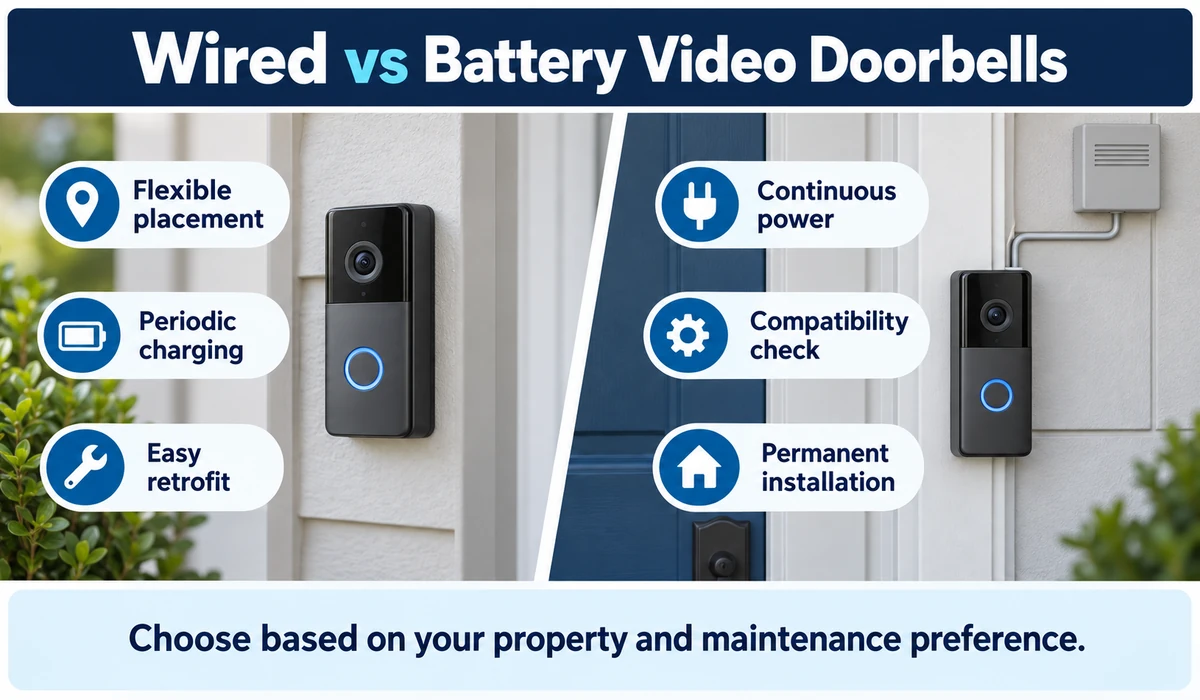
Wired does not mean universally compatible. Doorbell transformers, chimes and voltage requirements vary. Follow the manufacturer’s installation guidance or use a qualified installer when electrical work is required.
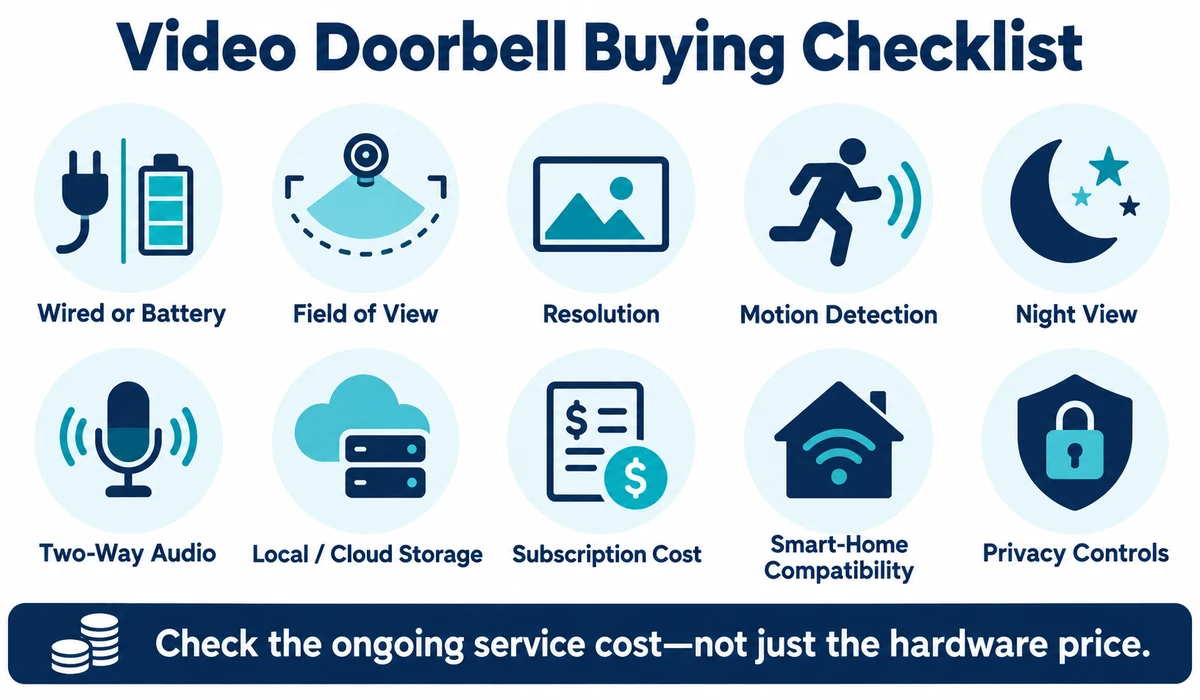
What to Look for When Buying a Video Doorbell
1. Field of View
A tall or head-to-toe view can be more useful for packages than a wide landscape-only view. Compare the shape of the image, not just the diagonal field-of-view number.
2. Resolution
Higher resolution can preserve more detail, but image processing, compression, lighting and lens quality also matter. Do not choose from pixel count alone.
3. Motion Detection
Look for configurable motion zones and useful person, package or vehicle detection where available. Advanced classifications may require a subscription.
4. Night Performance
A doorbell needs to handle porch lights, darkness and strong contrast. Some models use infrared, color night modes or both.
5. Two-Way Audio
Two-way talk lets you communicate with visitors through the app. Microphone and speaker quality can vary, especially in wind or noisy streets.
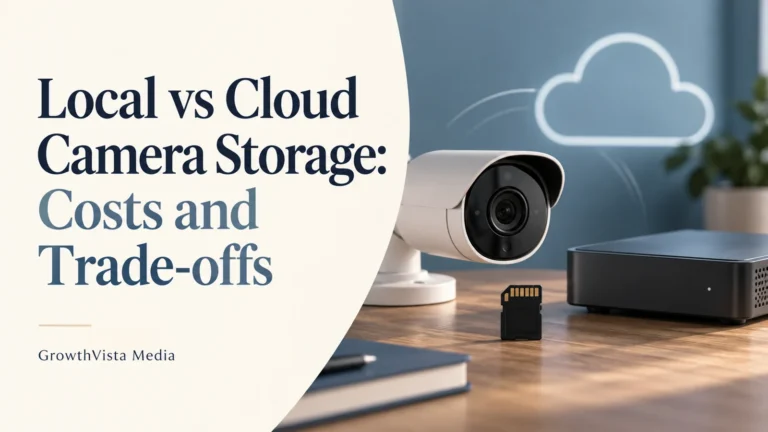
6. Local vs Cloud Storage
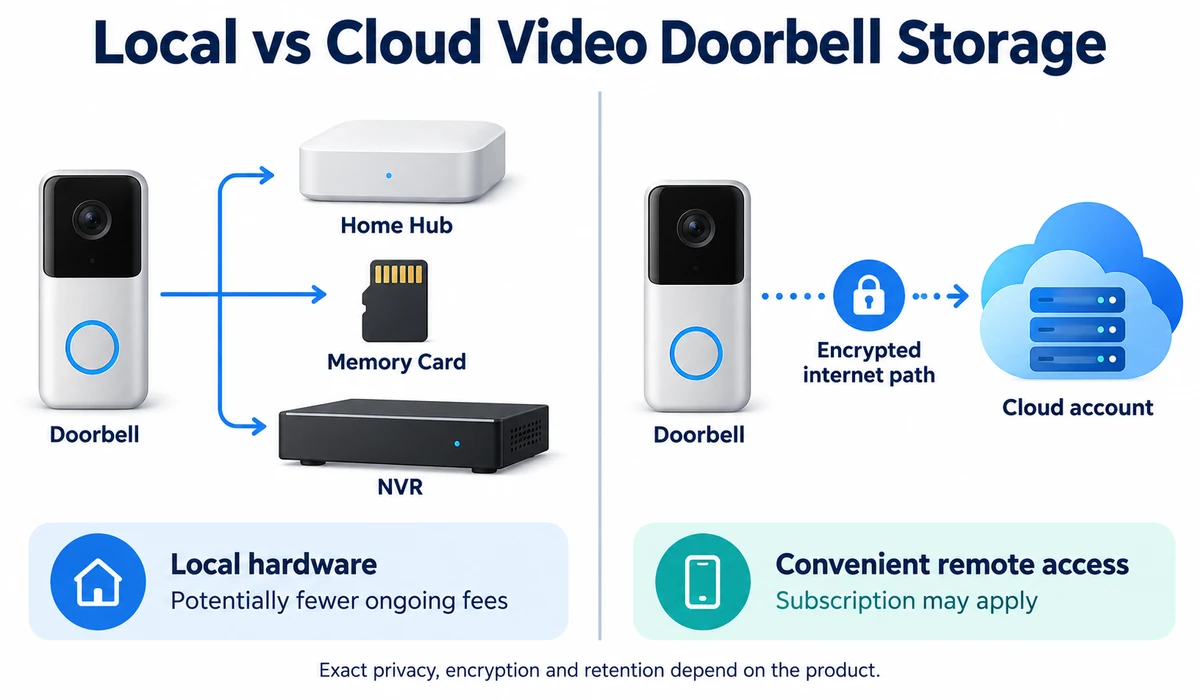
Cloud storage is convenient but may require an ongoing plan. Local storage can reduce subscription dependence but may require a hub, memory card or NVR.
7. Smart-Home Compatibility
Choose based on the ecosystem you actually use: Alexa, Google Home, Apple Home, Aqara or another platform. Integration depth varies by model.
8. Subscription Costs
Check what works without a subscription and what requires one. Recorded history, smart detection and extended storage are common paid features.
9. Weather Resistance
Outdoor hardware should be installed within its rated temperature and environmental limits. Verify the manufacturer’s current rating.
10. Privacy Controls
Review recording zones, audio settings, account security, encryption information and household privacy preferences before enabling continuous monitoring features.
Local Storage vs Cloud Storage
| Factor | Local Storage | Cloud Storage |
|---|---|---|
| Ongoing fee | Often lower / optional | Often subscription-based |
| Internet dependence | Recording may continue locally depending on system | Typically relies on internet connection |
| Remote access | Depends on app / system design | Usually straightforward |
| Hardware | May need hub, card or NVR | Usually no local recorder required |
| Data control | More data can remain on local hardware | Video stored with service provider |
| Best fit | Subscription-conscious / local-security users | Convenience-focused users |
What is the best video doorbell without a subscription?
A video doorbell with local storage can be a good choice if you want to reduce dependence on a monthly cloud subscription. Options such as Eufy, Reolink and Tapo offer models with local-storage capabilities, although exact features vary by model. Buyers should check whether recording, person detection, package detection and remote access work without a paid plan.
Do You Need a Video Doorbell Subscription?
Not always. Many video doorbells provide live view, doorbell notifications and basic two-way communication without a paid plan. The major differences appear when you want recorded history, advanced object detection, longer event storage or cloud-based features.
Before buying, compare the hardware price and the expected subscription cost over several years. A lower-cost doorbell with a required plan can eventually cost more than a higher-priced model with useful local recording.
Video Doorbell Privacy and Placement
- Position the camera to focus primarily on your own entrance and property where practical.
- Use privacy zones or motion zones when the product supports them.
- Be mindful of neighboring doors, windows and shared spaces.
- Review local laws and building rules concerning video and audio recording.
- Use a strong unique account password and enable multi-factor authentication where available.
- Keep the doorbell, app and associated hub firmware updated.
Privacy and recording laws vary by jurisdiction. This article provides general product guidance, not legal advice.
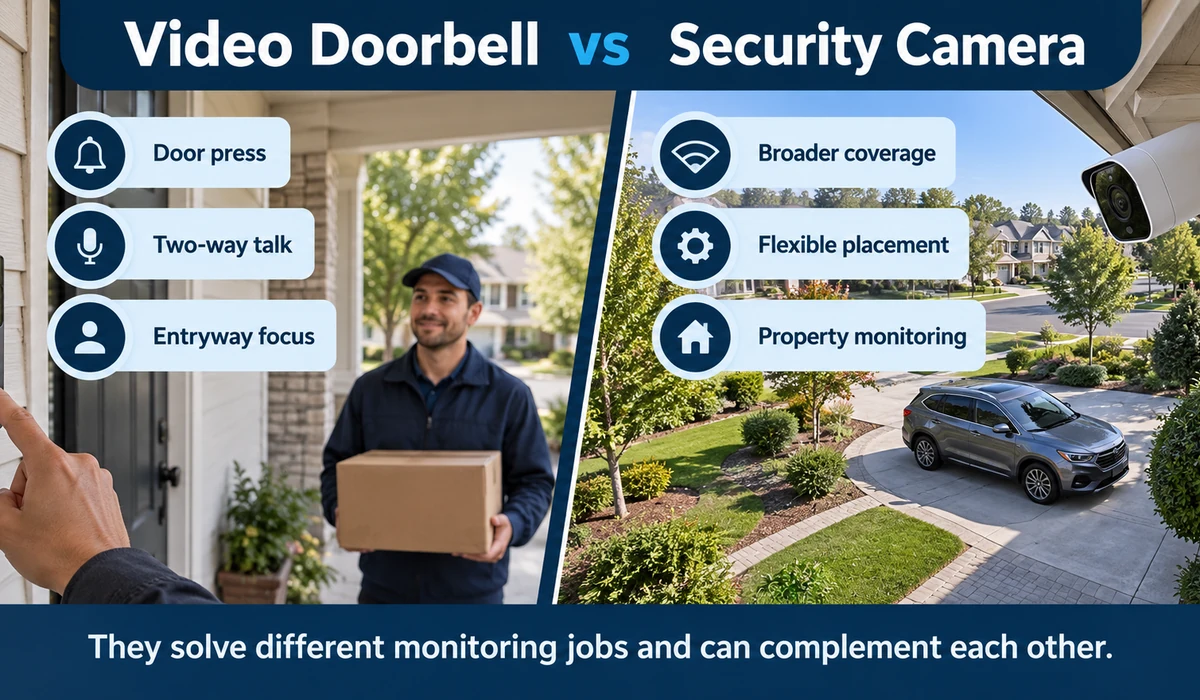
Video Doorbell vs Security Camera : What’s the difference?
| Factor | Video Doorbell | Security Camera |
|---|---|---|
| Primary position | At the entrance | Flexible indoor/outdoor locations |
| Visitor interaction | Doorbell press + two-way talk | Usually app-based monitoring |
| Package view | Often optimized for doorstep | Depends on mounting angle |
| Coverage | Focused on entryway | Can cover driveway, yard or rooms |
| Best use | Visitors and front-door activity | Broader property monitoring |
Frequently Asked Questions
Do video doorbells work without a subscription?
Many do for live view, notifications and basic communication, but recorded history and advanced detection may require a paid plan. Check the exact model.
Is a wired video doorbell better than battery?
Not universally. Wired models avoid routine charging and can suit permanent installations, while battery models are easier to place and install. Compatibility and use case matter more.
Can a video doorbell record packages?
Many models can show the doorstep, and some offer package detection. A head-to-toe or secondary downward-facing camera can improve package visibility.
Do video doorbells record all the time?
Many consumer doorbells are event-based rather than continuous recorders. Continuous or pre-roll recording depends on the model, power source, storage and subscription.
Can I install a video doorbell myself?
Battery models are often straightforward. Wired installations require compatible electrical wiring and should follow manufacturer instructions; use a qualified installer when appropriate.
Can video doorbells work with Alexa, Google Home or Apple Home?
Compatibility varies. Choose the model based on the ecosystem you already use and verify exactly which live-view, notification and automation features are supported.
Is local storage better than cloud storage?
It depends on priorities. Local storage can reduce subscription dependence and keep recordings on your hardware, while cloud storage is often simpler for remote access and off-site retention.
What is the best video doorbell for packages?
A video doorbell with a head-to-toe view or a secondary camera aimed toward the doorstep can be useful for package monitoring. Look for a wide vertical field of view and package detection if that feature is important to you.
Which video doorbell has the best local storage?
The answer depends on the specific model and storage setup. Eufy, Reolink and Tapo offer video doorbell options with local-storage capabilities, but storage capacity, hub requirements and available features vary. Check the current manufacturer’s specifications before buying.
Is a video doorbell better than a security camera?
A video doorbell is generally better for monitoring visitors and the front entrance because it combines a camera, doorbell button and two-way communication. A security camera can be more suitable when you need flexible placement or broader coverage of a yard, driveway or other area.
Final Thoughts
The best video doorbells are not defined by resolution alone. A useful doorbell needs the right field of view, dependable notifications, an installation method that fits the property and a storage model you are comfortable using.
Ring and Google are natural choices for households already committed to their respective ecosystems. Eufy, Reolink and Tapo can be attractive when local storage matters, while Aqara is particularly relevant to compatible Apple and Aqara smart homes.
Battery models are convenient, but wired power can reduce maintenance. Cloud subscriptions simplify recording, but local storage can lower ongoing costs.
Before buying, decide which smart-home platform you use, whether you want local recording, how much of the doorstep must be visible and whether your existing doorbell wiring is compatible. Those choices will narrow the field quickly.