Smart Security During an Outage: Test Your Backup Plan
Smart security during an outage depends on which part of the system fails and which outcome you need to preserve. Power, local communication, recording, and external alerts have separate dependencies. A battery in the alarm hub or a UPS on the router does not establish that every camera, recorder, or remote notification will keep working.
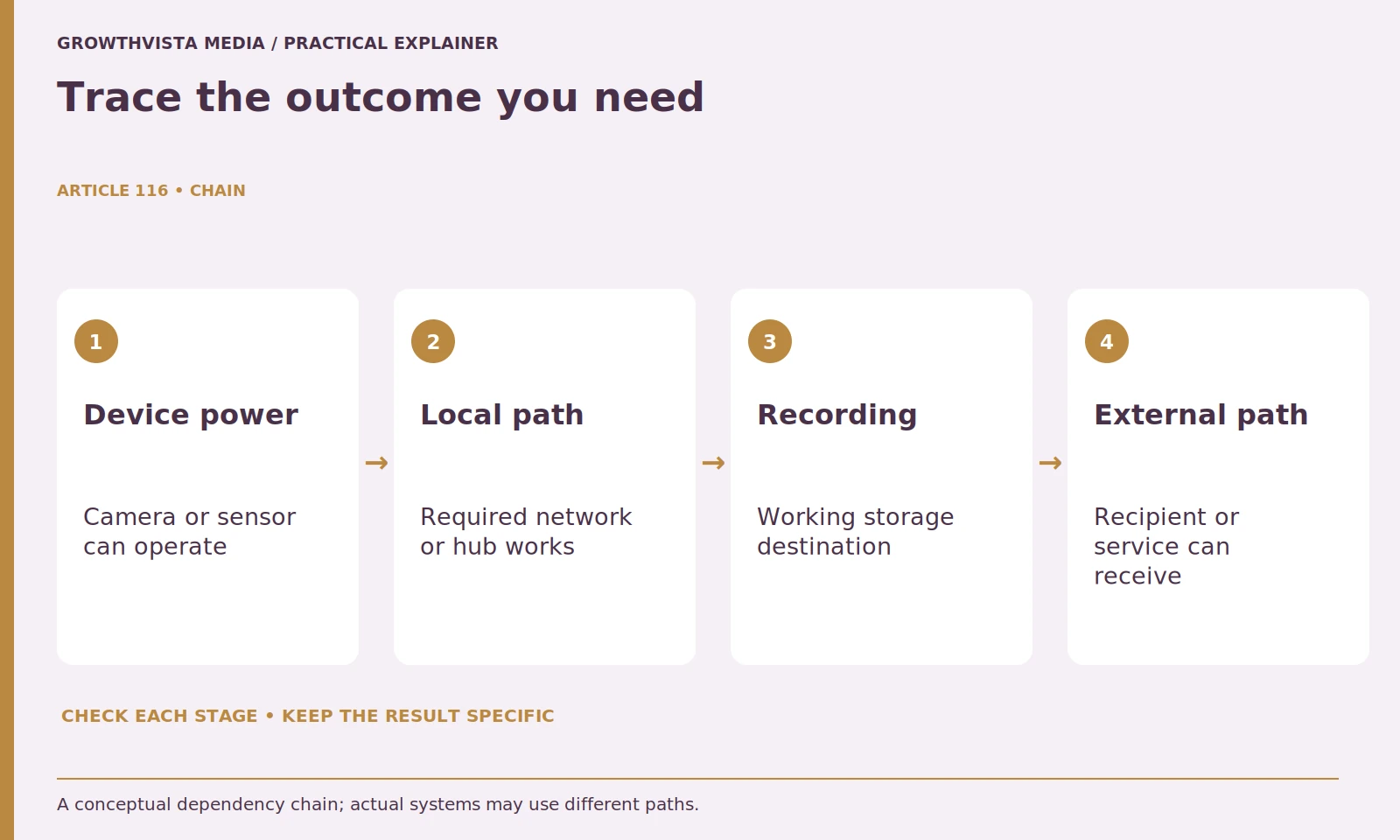
Start by tracing one outcome, such as a saved clip or a monitoring signal, through its required components. Then check the exact hardware and plan documentation. This guide provides a bounded test and inventory method; it does not promise backup duration from a headline battery capacity or recommend disrupting essential equipment.
Your decision checklist
- Choose a specific outcome to preserve.
- Trace all required power and communication components.
- Test one supported condition at a time.
- Verify recovery and keep gaps visible.
How do you plan smart security during an outage?
Map power, local communication, recording, and external delivery separately. Choose the outcome you need to preserve and trace its actual equipment chain. Mark each unsupported component as a gap rather than labeling the whole system backed up because one device has a battery.
For an illustrative setup, include the camera, hub, router, optical network terminal or modem, storage device, internet provider, and receiving phone. Mark which has a battery or supported backup and which does not. Do not mark a component protected merely because it sits beside a UPS.
Write the outcome you care about: a local siren, a saved clip, a push notification, or a monitored signal. Those outcomes can have different dependencies. The plan becomes useful when you can trace each one through the devices it actually requires.
Is an internet outage the same as a power outage?
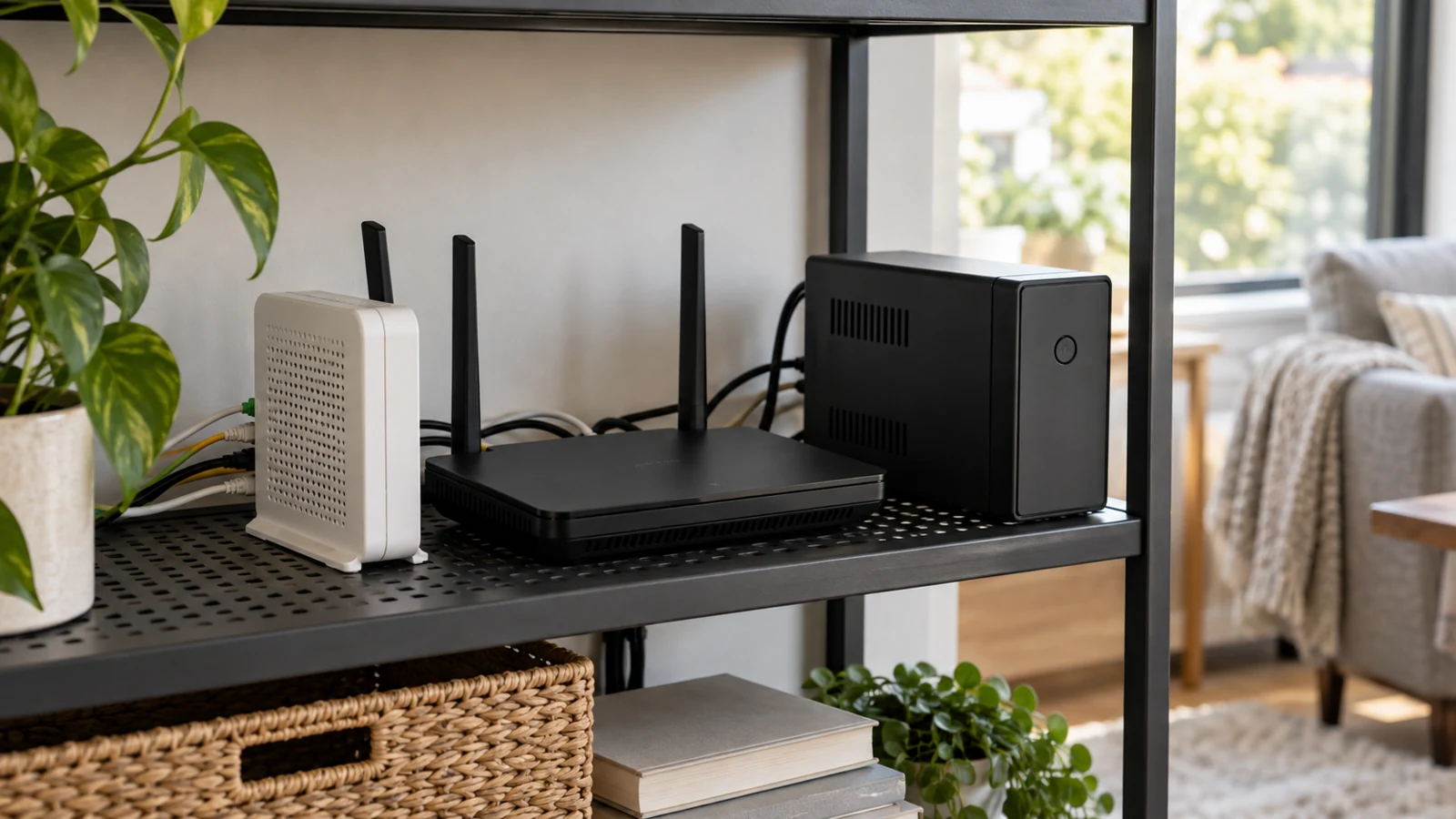
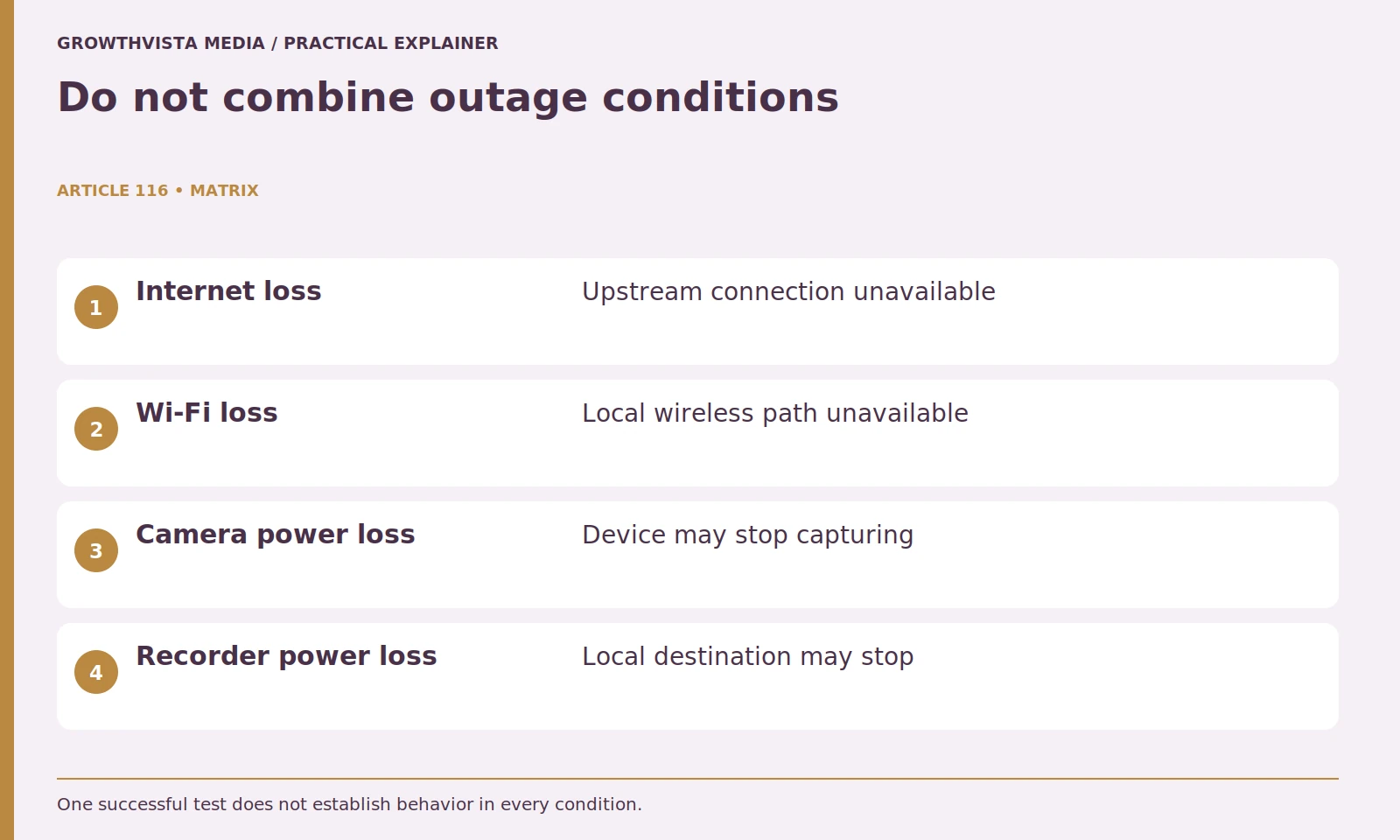
No. Devices may still have electricity during internet loss, while power loss can stop unprotected cameras, recorders, and network equipment. A local Wi-Fi failure is another condition. Name the failed dependency in both the plan and the test result.
Ask the provider which functions continue in each case and what is shown in the app. Avoid treating a generic offline message as a complete explanation. You need to know whether recording, sensing, local alarms, and external communication remain available.
Keep the conditions separate in your worksheet. Otherwise, a successful internet-loss test can be mistaken for evidence that the system also works with the router unplugged. Test findings should name the failed dependency, not simply say backup works.
| Component | Required for | Question to verify |
|---|---|---|
| Camera power | Image capture | Does approved backup exist? |
| Hub | Sensor interpretation | What works on battery? |
| Router and upstream equipment | External connectivity | Which devices need power? |
| Storage | Saved recordings | Can it keep writing? |
| Plan and recipient | External response | Is fallback enabled and reachable? |
Does cellular backup keep every camera online?
Not necessarily. Verify the exact model, plan, region, and function. Ring documents differences between its Alarm Pro power modes and supported external backup arrangements. Alarm signaling and broader backup internet are separate capabilities, so do not infer unrestricted video upload from a cellular-backup label. Ring: power and internet outage behavior
Confirm whether backup communication carries alarm signals, provides internet for other devices, or performs a narrower function. Ask about limitations, coverage, and any separately metered use. The phrase cellular backup does not tell you that every camera can upload continuously through that path.
Record the official answer and any unresolved requirement. If the system needs a compatible plan, confirm activation before relying on it. Hardware capability and enabled service are different things.
Which devices need backup power for your goal?
Include every component required for the selected outcome, not just the router. A local recording path and a remote viewing path can require different equipment. Use supported backup hardware and manufacturer runtime guidance for the actual load rather than promising duration from rough battery arithmetic.
Do not estimate runtime from a battery's headline capacity alone. Load, conversion losses, equipment behavior, battery condition, and the UPS design affect what the system can deliver. Use the manufacturer's runtime information for the relevant load and a supported test rather than promising a duration from rough arithmetic.
Keep equipment ventilated and installed according to its instructions. Do not modify batteries, overload backup units, or improvise exposed connections. Qualified assistance is appropriate when the installation requires electrical work beyond ordinary approved device connections.
How can you test outage behavior safely?
Choose a controlled time, read the supported procedure, define one condition, and plan restoration. Coordinate monitored tests before changing the system. Do not disconnect life-safety or other essential equipment, manipulate mains wiring, or create an improvised whole-house failure to test an app.
Do not disconnect smoke, carbon-monoxide, medical, or other essential equipment to test a security app. Avoid opening electrical panels or manipulating mains wiring. Use the product's supported procedure and contact support when a simulated failure cannot be performed safely.
Plan one condition at a time. Define the expected observation, how you will restore normal operation, and when to stop. A bounded test is more useful than an improvised whole-house blackout that changes several dependencies at once.
What observations should an outage test record?
Record the failed component, expected outcome, local device state, saved file, and intended recipient’s result. Open footage that was expected to survive. Keep a successful test of one dependency separate from assumptions about another dependency that was not interrupted.
For the illustrative internet-loss test, the finding might be: “Local event saved; app notification unavailable during the interruption; recording viewable after reconnection.” That is a clear observation. It is not evidence about a simultaneous loss of camera power.
If a stage fails, diagnose through the manual or support channel. Keep expected behavior separate from observed behavior. Do not rewrite the expectation to match the result without revisiting whether the original requirement is still met.
What should you check when the connection returns?
Verify normal status, current recording, time settings, notifications, and any required return-to-service step. Recovered live view does not prove missing footage was buffered or uploaded later. Inspect the actual recording history and restore any settings changed during the test.
Check whether footage is buffered, uploaded later, or absent, according to the product's actual behavior. Do not assume delayed upload merely because live view returns. Export a relevant test clip if supported and useful.
Restore any settings changed for the test, and tell the household when normal operation is confirmed. For monitored systems, complete the provider's required return-to-service steps. Keep the test record so the next check does not begin from memory.

How do you keep backup planning current?
Maintain an inventory of models, plans, backup equipment, relevant loads, and successful checks. Revisit it after adding devices or changing service. Write down what continues and what does not so the household can understand known limitations without guessing from app icons.
Prepare a plain-language outage note explaining what continues and what does not. A household member should not need to interpret several app icons to understand the known limitations. Include appropriate support contacts without exposing account secrets.
Choose a specific outcome to preserve. Trace all required power and communication components. Test one supported condition at a time. Verify recovery and keep gaps visible. Keep verified findings separate from expectations, and revisit the decision after a material change.
Frequently asked questions
Will a router UPS keep every camera operating?
No. Trace the camera’s power, local network, storage, and upstream connection dependencies for the specific outcome you need.
Does cellular backup include unlimited video upload?
Do not assume that. Check the exact hardware, plan, region, supported function, and applicable limits.
Can I predict guaranteed runtime from battery capacity?
No. Runtime also depends on load, equipment behavior, losses, and battery condition. Use supported manufacturer information and testing.
What is the best outage-test record?
Name the failed dependency, expected outcome, observed recording or notification, and whether normal operation was restored.
Does restored live view prove missed clips were uploaded?
No. Inspect the recording history and documented buffering behavior rather than inferring it from a recovered connection.
Should I turn off the whole house to test the app?
Use a bounded manufacturer-supported procedure instead. Do not manipulate mains wiring or interrupt essential equipment for an improvised test.
Sources and further reading
Official documentation supports the technical guidance. Examples and worksheets are editorial methods, not hands-on product benchmarks. Reviewed October 2026.
- Ring: power and internet outage behavior
- SimpliSafe: testing your system
- FTC: securing your home Wi-Fi network