AI Coding Assistants: 8 Checks Before You Choose

Editorial scope: Researched practical guide. Examples are illustrative, not hands-on product benchmarks. Reviewed October 2026.
How do you choose the best AI coding assistant?
Choose an AI coding assistant by evaluating its compatibility with your development environment, code generation accuracy, repository understanding, testing capabilities, security controls, and total workflow cost. Test completion, chat, and agent features using representative coding tasks. The right assistant should produce maintainable code, respect project conventions, and reduce development time without increasing review or security risks.
AI coding assistants are easier to evaluate when you treat them as part of a development workflow. A convincing code sample is only the beginning. The change must fit your repository, handle the required behavior, and remain understandable to the people maintaining it.
This guide provides eight buying checks and a trial scorecard for individuals and small teams. It is not a benchmark ranking or a report of hands-on product testing. The examples show what to test using your own approved tools and a disposable repository before introducing them into important projects.
AI Coding Assistant Evaluation: 8 Essential Checks
Before choosing an AI coding assistant, evaluate how well it fits your development workflow rather than judging it by code generation speed alone.
| Evaluation factor | What to check |
|---|---|
| Development environment | Editor, language, framework, and operating system compatibility |
| Assistance modes | Code completion, chat, and agent capabilities |
| Repository understanding | Ability to follow existing project structure and conventions |
| Code quality | Maintainability, correctness, and review effort |
| Testing reliability | Accuracy of generated tests and independent validation |
| Security and permissions | File access, command execution, and deployment boundaries |
| Data privacy | Repository data handling and public-code references |
| Cost and adoption | Total development time, usage costs, and measurable benefits |
Key takeaway: The best AI coding assistant is not necessarily the one that generates code fastest. It is the one that consistently produces correct, maintainable changes that fit your development environment and can be independently verified.
1.How Do You Choose an AI Coding Assistant for Your Development Environment?
List your editor, programming languages, framework versions, build tools, and operating environment. Confirm support for the exact combination you use. A tool that works well in a demonstration editor can be awkward if your team needs a different environment, specialized language, or remote development setup.
Start with a small task from your usual work: complete a parser, explain a confusing function, or suggest a focused refactor. Check installation friction, keyboard behavior, and how suggestions can be accepted or dismissed. The assistant should fit the way you navigate and inspect code.
For a team, ask whether the workflow is repeatable across developers. A setup dependent on one person’s private configuration can be difficult to standardize. Record required extensions and settings, but keep credentials out of configuration examples and shared onboarding notes.
2. What Is the Difference Between AI Code Completion, Chat, and Agents?
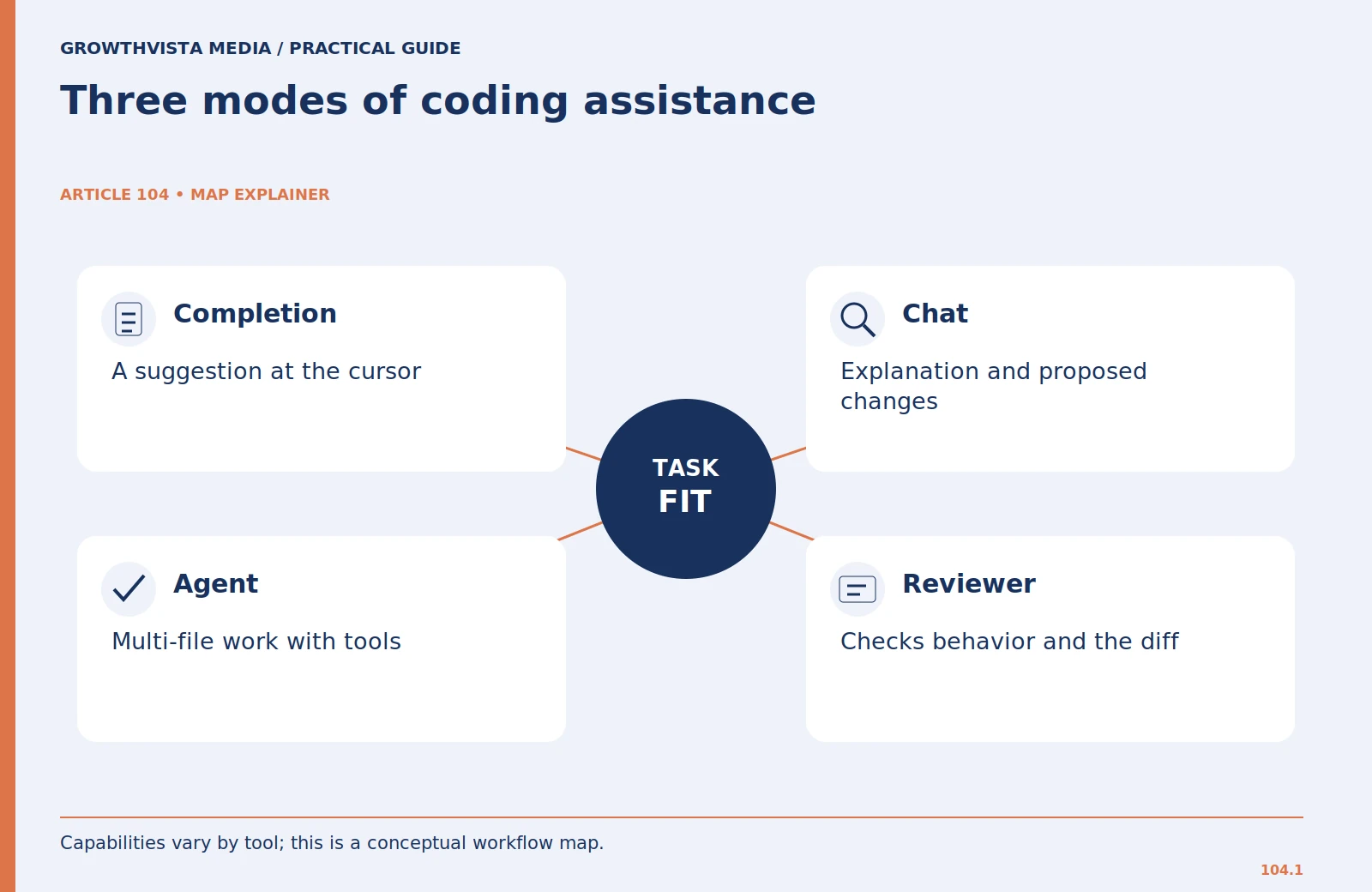
Completion suggests code where you are working. Chat can help explain a function, discuss a design, or propose a change. An agent may inspect multiple files, edit a repository, and run permitted tools. These modes differ in how much work they attempt and how much supervision they require.
Choose the smallest useful mode for the task. A local helper function may need only a suggestion. A change involving routes, validation, tests, and documentation may benefit from a repository-level workflow. More autonomy is not automatically better; it creates more material and actions to review.
During the trial, note exactly which mode produced the result. Otherwise, you may compare a narrow completion with a fully specified agent task and wrongly conclude that one product is universally stronger. Evaluate each mode against the responsibilities it is intended to handle.
3. How Do You Test an AI Coding Assistant’s Repository Understanding?
Use a disposable copy of a representative repository. Choose a task that requires understanding existing conventions but has a clear boundary. For example: add validation for an optional CSV column without changing the output schema. Supply the relevant tests and an explicit instruction to avoid unrelated refactoring.
Inspect whether the assistant finds the correct files, respects existing naming, and understands the difference between a missing value and an invalid value. Review its explanation of the current behavior before accepting the change. A wrong explanation is an early signal that it has not understood the repository.
Add a context trap that is legitimate for your application, such as an older supported framework version or a function with an unusual but intentional return value. This tests whether the assistant follows the repository rather than substituting a fashionable pattern that breaks compatibility.
4. How Do You Evaluate AI-Generated Code Quality?
Record the time needed to brief the task, inspect the diff, correct errors, and complete validation. A tool that generates a large patch quickly may be less useful than one that produces a smaller change you can understand. Count unnecessary edits and dependencies as review costs.
Ask the assistant for a file-by-file explanation and the reason for each change. Then compare that explanation with the actual diff. If it claims to have changed only validation but also modifies deployment settings, investigate the discrepancy before continuing.
Use a simple trial scale: accepted with minor corrections, accepted after substantial rework, or rejected. Pair the label with a concrete reason. This creates more useful evidence than an arbitrary percentage score or a count of generated lines.
5. Can You Trust Tests Generated by AI Coding Assistants?
Write expected behavior before asking for implementation. Include ordinary inputs, empty values, malformed values, boundaries, and the behavior of existing supported inputs. Then compare generated tests with that specification. A test suite can pass because it repeats the implementation’s assumptions rather than challenging them.
Run tests yourself in the intended environment and inspect the commands used. Confirm that the tool did not skip a failing suite, weaken assertions, or change fixtures merely to make the result green. GitHub’s testing guidance also notes that generated tests may miss scenarios and should be reviewed.
For a parser example, ensure a test checks the exact output you expect from a known input. Add a case the assistant was not explicitly prompted to implement if it represents a real requirement. The goal is useful confidence in behavior, not a larger test count.
6. What Security Permissions Should AI Coding Assistants Have?
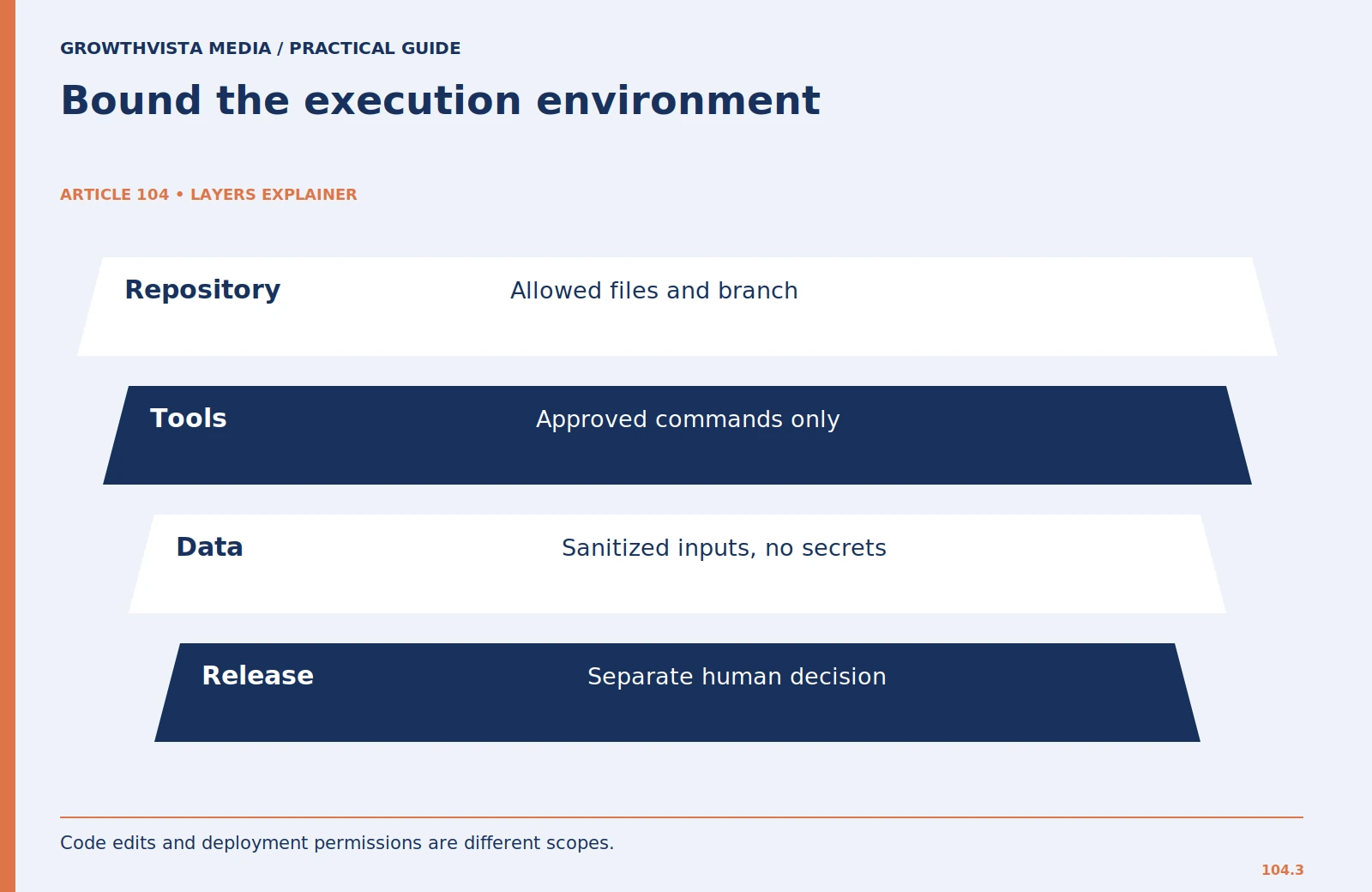
Determine which files the assistant can read, which directories it can modify, and which commands or services it can invoke. In a trial, use a branch or disposable checkout with no production credentials. Confirm that remote services are not silently receiving test data you intended to keep local.
Review proposed dependency installations, migrations, network requests, and deployment actions separately from code edits. An apparently small task can trigger a command with broader effects. Require a clear reason when the assistant asks to expand its scope.
Keep instructions concrete: do not modify deployment files, do not access production data, and explain new dependencies before adding them. These are suggested boundaries for the trial. Your organization may have stricter policies, which should define the actual permitted environment.
7. How Do AI Coding Assistants Handle Private Code and Licensing?
Check the provider’s terms for the specific account and feature. Determine what repository content and prompts are processed, whether administrative controls are available, and whether the workflow is approved for your codebase. Do not assume the data arrangement of one AI service applies to another.
If a tool supplies a public-code reference or license information, inspect it before adopting the suggestion. GitHub documents code-referencing behavior for supported Copilot experiences. A reference is useful review information, not a substitute for your project’s licensing decision.
Use a sanitized or public trial repository when approval is uncertain. Avoid including secret values in prompts, comments, logs, or screenshots. A trial can establish workflow fit without exposing the private parts of the project you ultimately hope to support.

8. How Do You Determine Whether an AI Coding Assistant Is Worth the Cost?
Review the billing unit for the mode you expect to use. A plan may meter different features differently. Estimate the cost of your actual task mix rather than multiplying a headline price by the number of developers and assuming everything is included.
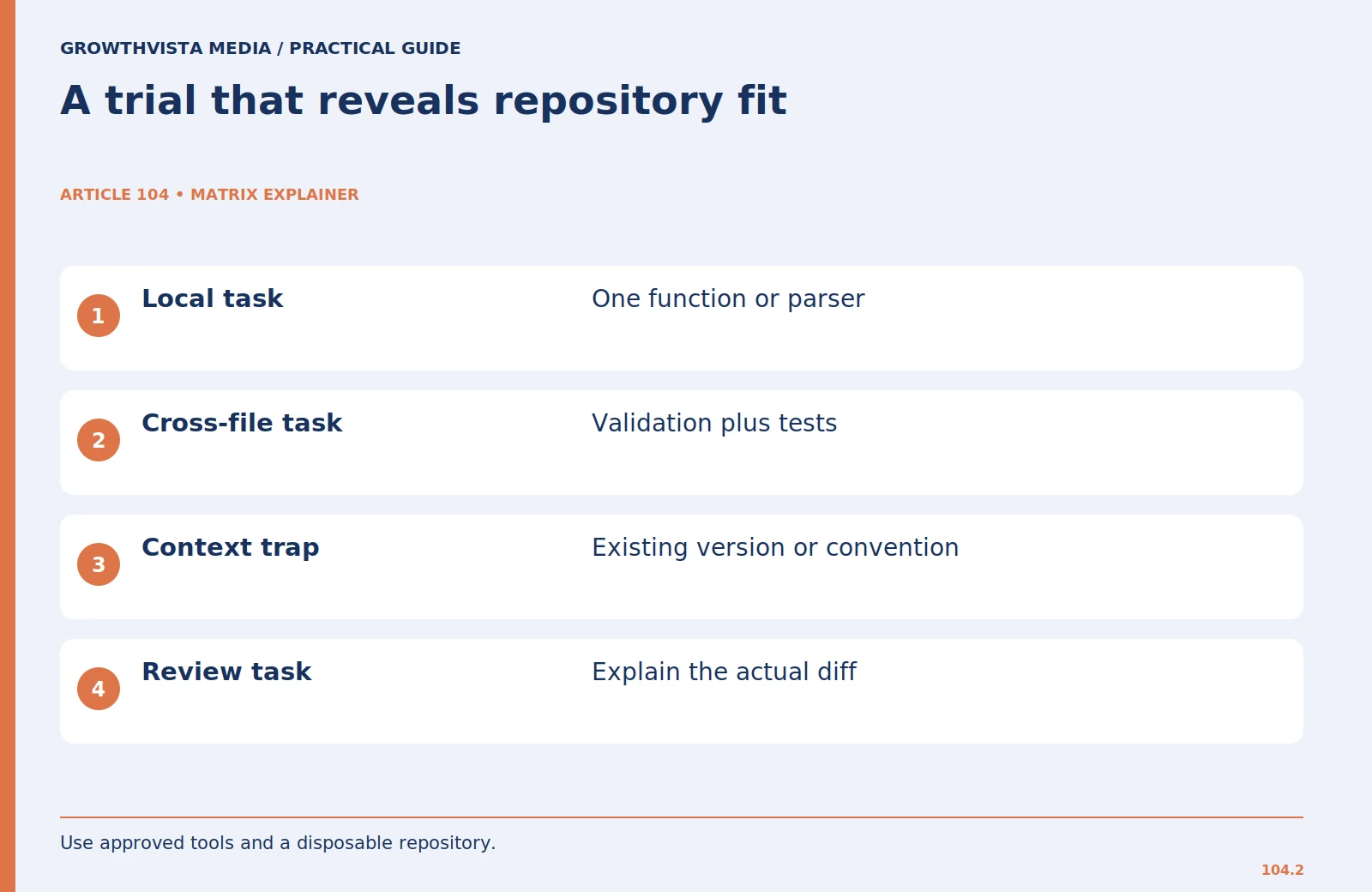
Use three trial tasks: a local implementation, a repository-level change, and an explanation or review task. Compare total working time, correction burden, and successful validation. Do not report hypothetical savings as measured results. Keep an example worksheet separate from real trial observations.
Adopt only for the tasks that demonstrate useful outcomes. A team note might say, “Approved for small refactors and test drafting in reviewed branches; deployment remains a human step.” Reassess after major tool or project changes using the same task packet. This keeps the purchase connected to engineering outcomes instead of novelty.
AI Code Completion vs Chat vs Coding Agents
| Feature | Code Completion | AI Chat | AI Coding Agent |
|---|---|---|---|
| Primary purpose | Suggest code while typing | Explain code and propose solutions | Perform multi-step coding tasks |
| Typical scope | Local code suggestions | Questions, snippets, and discussions | Multiple files and repository workflows |
| Context required | Current code and editor context | Supplied or accessible code context | Broader repository and tool context |
| Tool execution | Usually limited | Depends on product features | May execute permitted commands |
| Human review | Review suggestions | Validate proposed solutions | Review changes and executed actions |
| Example task | Complete a function | Explain an API error | Update validation across files and tests |
Important: These are general workflow categories. Actual capabilities and permissions depend on the specific product, configuration, and account.
AI Coding Assistant Trial Scorecard
Use this scorecard to compare coding assistants on the same representative tasks. Record actual observations rather than estimated performance scores.
| Evaluation criteria | What to record |
|---|---|
| Environment compatibility | Supported editor, languages, and frameworks |
| Repository understanding | Whether existing conventions were followed |
| Implementation accuracy | Whether requirements were correctly implemented |
| Code maintainability | Clarity, structure, and unnecessary changes |
| Test reliability | Independent test results and missing cases |
| Review effort | Time spent inspecting and correcting changes |
| Security compliance | Whether permissions and task boundaries were respected |
| Total task time | Briefing, generation, review, and validation time |
| Cost | Subscription and relevant usage charges |
Trial outcome
- Accepted with minor corrections: The change meets requirements after limited review and adjustment.
- Accepted after substantial rework: The result is usable but requires significant correction.
- Rejected: The change fails essential requirements or introduces unacceptable risks.
Final decision: Adopt the assistant only for tasks where repeated testing demonstrates useful results, manageable review effort, and acceptable security boundaries.
AI Coding Assistant Security Checklist
Before using an AI coding assistant in a real development environment, verify the following:
- Repository Access: Is access limited to approved projects and files?
- Sensitive Data: Are API keys, passwords, tokens, and customer records protected?
- Command Execution: Are terminal commands and tool permissions appropriately restricted?
- Code Review: Are generated changes inspected before merging?
- Dependency Safety: Are new libraries and packages reviewed before installation?
- Testing: Are generated changes validated against independently defined requirements?
- Licensing: Are relevant public-code references and licensing obligations reviewed?
- Data Handling: Are provider privacy terms and repository processing policies understood?
- Deployment: Are production changes subject to appropriate human approval?
- Auditability: Can developers inspect the final code changes and relevant actions?
Key takeaway: AI coding assistants should support development productivity without bypassing code review, security controls, or deployment approval processes.
Frequently asked questions
What is an AI coding assistant?
An AI coding assistant is a software tool that uses artificial intelligence to help developers write, explain, modify, review, or test code. Depending on its capabilities, it may provide inline suggestions, conversational assistance, or multi-step repository changes.
What is the difference between an AI coding assistant and an AI coding agent?
An AI coding assistant is a broad category of tools that support software development. An AI coding agent is a more autonomous workflow that may inspect repository files, modify code, and execute permitted development tools to complete multi-step tasks.
Can AI coding assistants write production-ready code?
AI coding assistants can generate code intended for production environments, but that code still requires appropriate review, testing, security checks, and validation against project requirements before deployment.
What are the biggest risks of using AI coding assistants?
Potential risks include incorrect code, insecure dependencies, exposure of sensitive information, licensing concerns, unnecessary repository modifications, and excessive reliance on generated tests. Appropriate permissions and human review help manage these risks.
How do you compare two AI coding assistants fairly?
Compare assistants using identical development tasks, repository conditions, acceptance criteria, and validation procedures. Measure implementation accuracy, total task time, review effort, security compliance, and cost rather than relying on code generation speed alone.
Are coding assistants only for experienced developers?
Beginners can use them for explanations and small exercises, but they still need to understand and validate the result. Treat generated code as a proposal rather than an authority.
How should I test a new tool?
Use a disposable repository with a clear task, expected behavior, existing conventions, and no production secrets. Measure review and correction as well as generation.
Do passing tests prove the code is secure?
No. Tests establish the behavior they cover. Review authorization, data handling, dependencies, and deployment assumptions separately.
Should every developer use the same mode?
Standardize necessary permissions and review practices, but choose completion, chat, or agent workflows according to the task rather than forcing maximum autonomy.
Sources and further reading
Official documentation supports the provider-specific and publishing guidance above. Workflows, examples, and rubrics are editorial methods, not vendor performance findings.
- GitHub: responsible use of inline suggestions
- GitHub: writing tests with Copilot
- GitHub: code referencing
Related guides
Continue with these related practical guides.