Review AI-Generated Code: A Practical 7-Step Checklist

Editorial scope: Researched practical guide. Examples are illustrative, not hands-on product benchmarks. Reviewed October 2026.
To review AI-generated code, begin with what the change must do and how you will know it works. Compilation and a confident explanation are not enough. The patch can run successfully while breaking an edge case, exposing information, or changing behavior outside the assignment.
This seven-step checklist is for developers reviewing a proposed change before merge or release. It includes a small parser example and a review-note template. It does not replace your project's existing security or release process, and it does not claim that automated checks can find every defect.
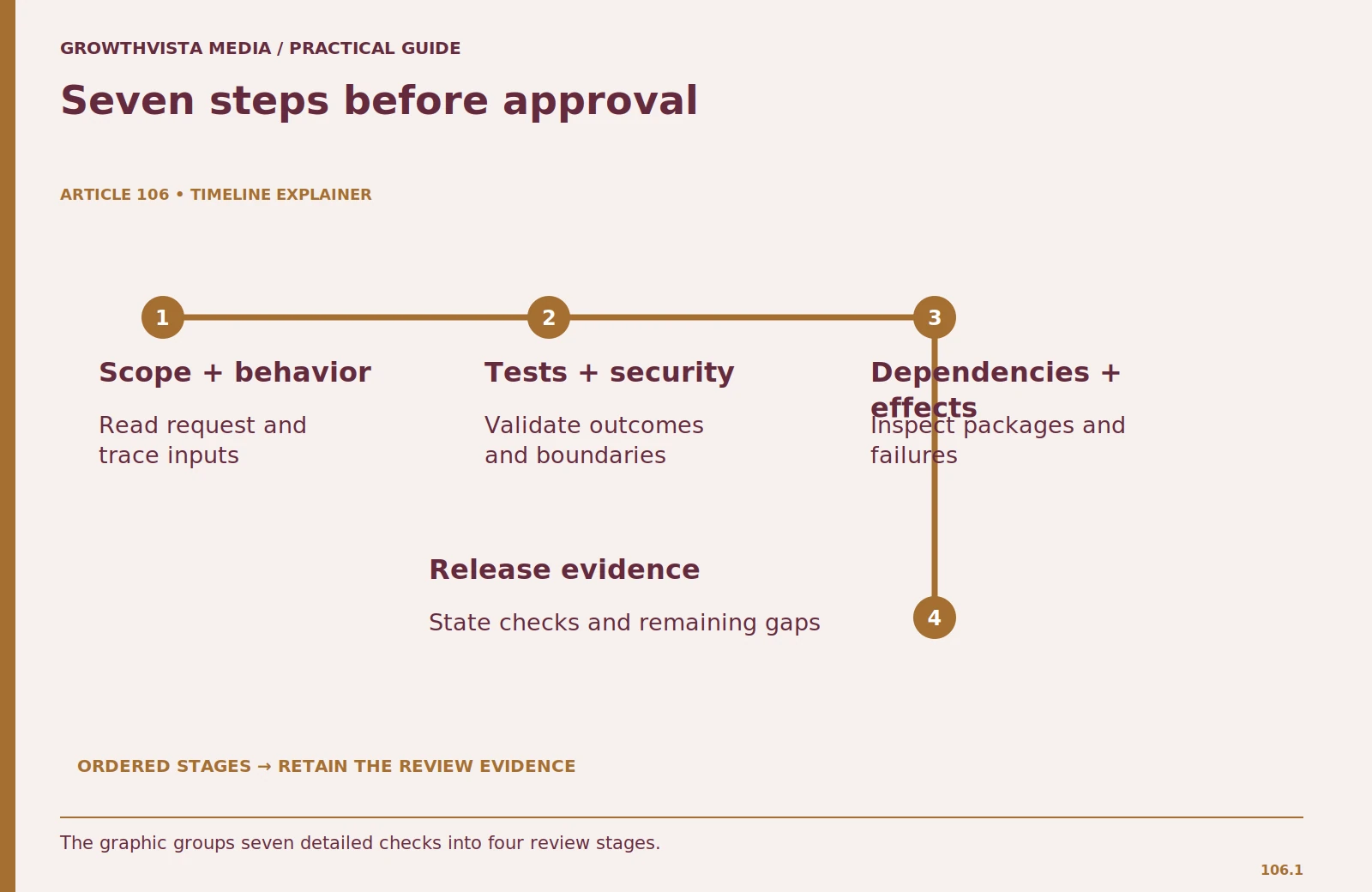
1. Review AI-generated code against the original scope
Read the task before reading the assistant's summary. List the intended behavior, excluded work, and acceptance criteria. Then inspect which files changed. Unexpected edits to deployment settings, dependency locks, authentication, or data schemas deserve an explanation even if the main feature looks correct.
Compare the actual diff with the stated summary. A claim that “only validation changed” should match the files and lines you see. Separate formatting churn from functional edits so it does not hide the important logic. If the patch contains unrelated improvements, split them out for their own review.
Write a short scope finding: what the patch changes, what it leaves untouched, and whether that matches the request. This forces you to form an independent account of the work rather than inheriting the agent's interpretation.
2. Trace one ordinary case and several edge cases
Follow a known input through the changed code. Identify validation, transformation, storage, and output. Check whether errors are handled at the right boundary and whether the code distinguishes absent, empty, invalid, and unauthorized values. These distinctions often disappear in short generated examples.
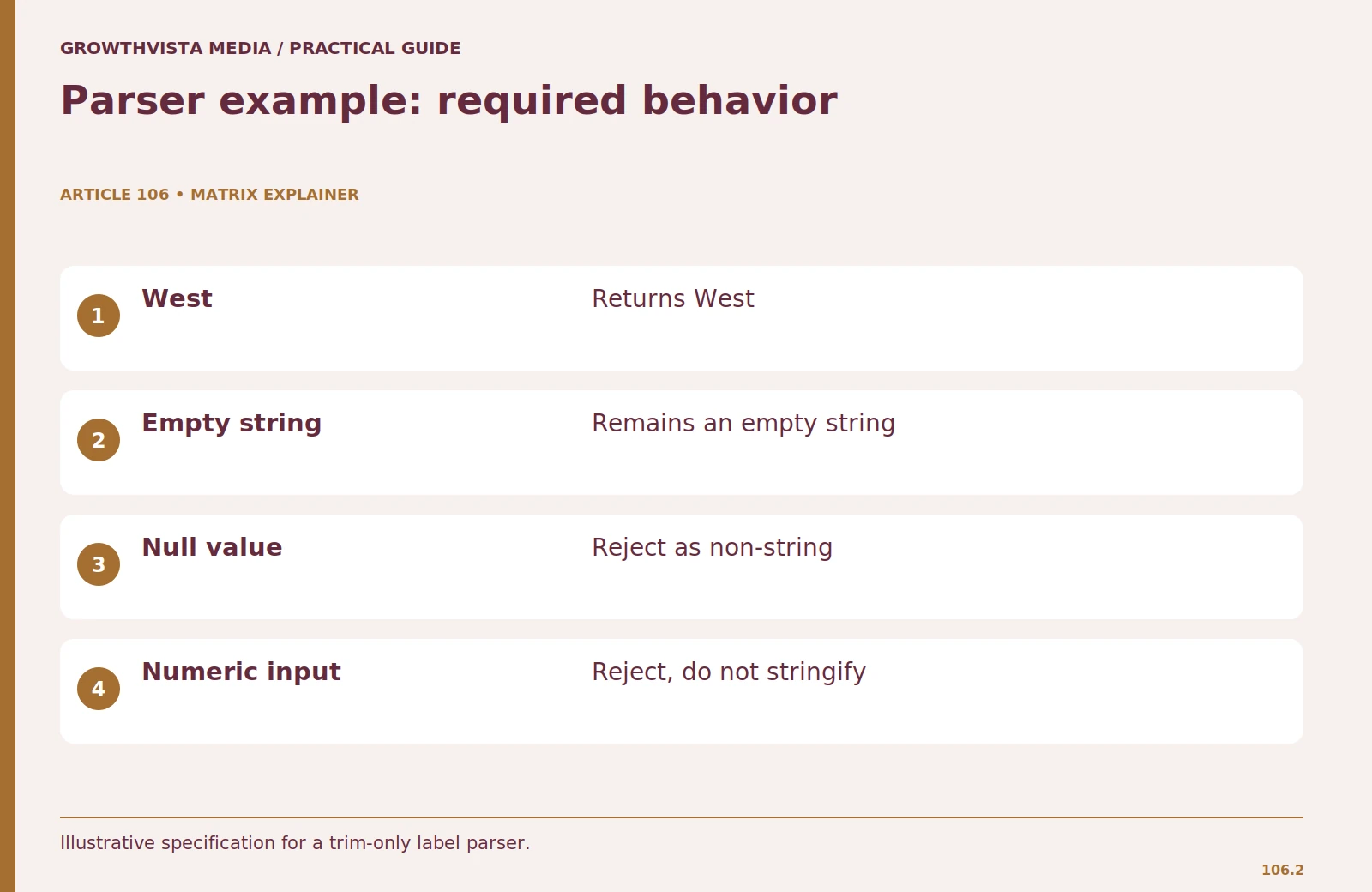
For a hypothetical label parser, define this behavior: strings are trimmed, case is preserved, an empty string is permitted, and non-string inputs are rejected. Walk through “ West ”, an empty string, null, and a number. A suggestion that converts every value to a string would violate the rejection requirement even though it may avoid a runtime error.
Consider the existing application contract too. A cleaner implementation can be incompatible with callers that depend on a documented return type or error format. Trace both the new behavior and the old supported cases before deciding that the change is safe.
| Input | Expected behavior | Reason |
|---|---|---|
| " West " | "West" | Trim surrounding whitespace |
| "" | "" | Empty string is allowed |
| null | Reject | Non-string input |
| 42 | Reject | Do not silently stringify |
3. Run tests and inspect what they actually assert
Run relevant tests in the intended environment and read the result. Confirm which suites ran, which were skipped, and whether the command exited successfully. A statement that “tests pass” is incomplete if only one small file was tested or a missing dependency prevented execution.
Inspect new tests for independent expectations. If a test calculates its expected output with the same helper being tested, it may reproduce the bug. Use known inputs and explicit expected results where appropriate. GitHub's test-writing documentation notes that generated tests may omit scenarios, so review coverage against your specification.
Add a regression case for a realistic failure the patch could introduce. In the parser example, test that a number is rejected rather than silently accepted. Do not weaken an assertion to match the new behavior unless the requirement itself has changed and that change is approved.
4. Check security at the relevant trust boundaries
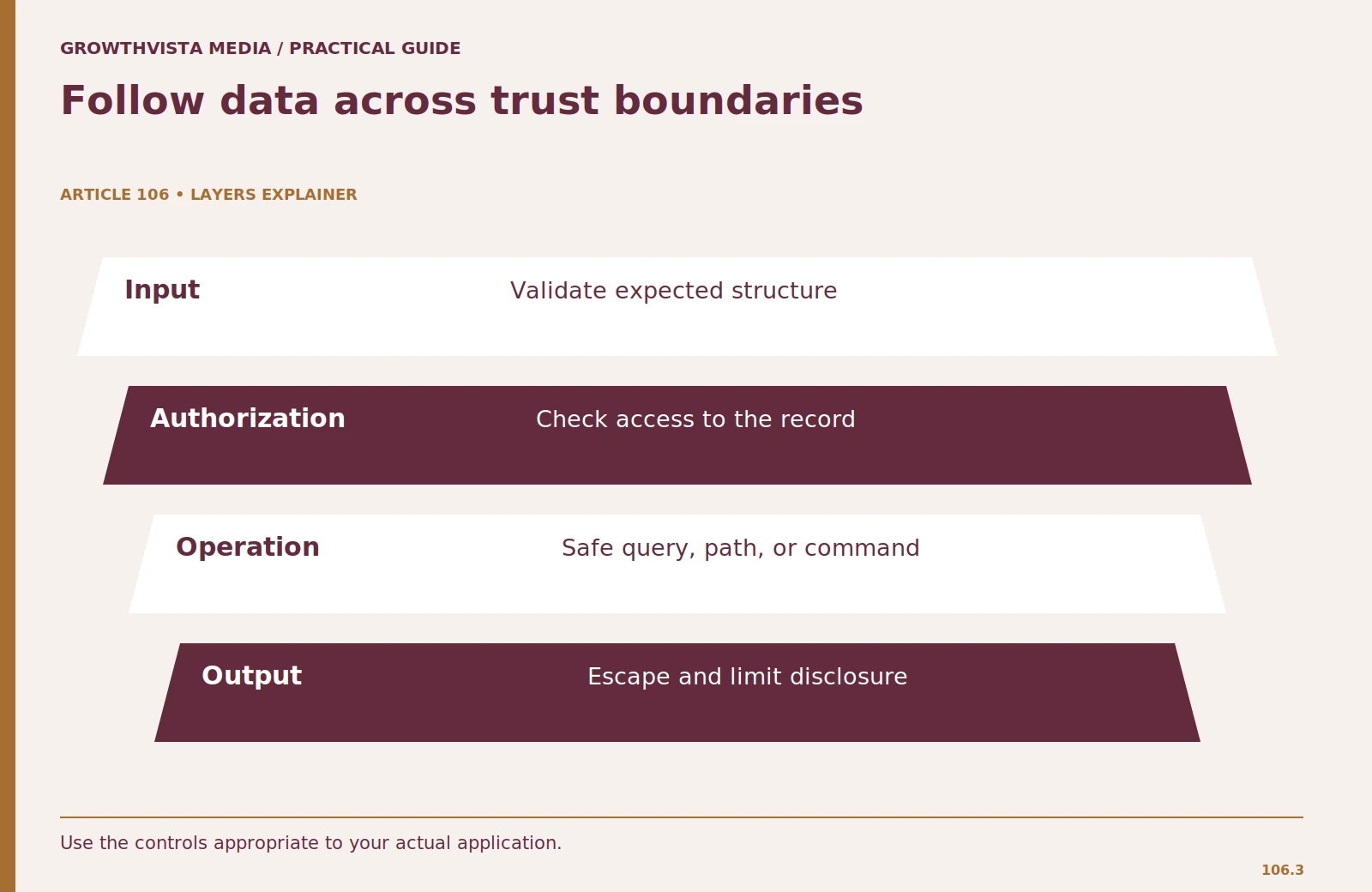
Identify where untrusted input enters the code and what privileges the changed function has. Review authorization separately from authentication: being signed in does not necessarily allow access to a particular record. Check whether input is used in database queries, HTML, file paths, shell commands, or remote requests.
Look for hard-coded secrets, overly broad permissions, and sensitive data in logs. For database access, use the project's parameterized-query patterns. For output, follow its context-appropriate escaping conventions. Avoid replacing established controls with a short generated helper you have not fully examined.
GitHub's agent guidance warns that generated code can be syntactically correct without being secure. Treat security scanning and AI review as additional signals. A human still needs to understand the data flow and permissions of a consequential change.
5. Review dependencies, versions, and provenance
Inspect every new dependency and why it is needed. Confirm that the package exists, that its name is correct, and that its version supports your runtime. Review changes to lockfiles and build steps. A task that needs a few lines of local code may not justify a new package and its maintenance burden.
Use official documentation to confirm unfamiliar APIs. Generated code can resemble examples from another library version. If a tool supplies public-code references, inspect the source and licensing information using your project's normal process. Do not assume a reference means the code can be adopted without conditions.
Record any new operational requirement such as an environment variable, service account, or runtime extension. The feature is incomplete if it works only on the assistant's environment and the deployment team has no instructions for reproducing it.
6. Inspect side effects and failure recovery
Ask what happens when the operation fails halfway through. Does it leave partial records, duplicate requests, orphan files, or misleading success messages? Review transactions, retry behavior, and cleanup where the task requires them. A happy-path test does not answer these questions.
For an import workflow, simulate an invalid row and a temporary write failure using safe fixtures. Determine whether the code reports what succeeded and what did not. If rerunning the import is allowed, check whether it duplicates previous work or resumes appropriately.
Consider logging and user messages together. Developers need enough information to investigate, while users should not receive internal secrets or stack traces. Document the intended failure behavior as part of the review rather than treating it as optional polish.
7. Make the release decision from evidence
Summarize the verified behavior, checks run, known limitations, and remaining blockers. If you could not run a relevant check, say so explicitly. Do not convert “not tested” into “should work.” A clear limitation gives the next reviewer a concrete action.
Use the smallest release scope supported by the evidence. For a reversible application change, your normal staged rollout may be appropriate. For a database migration or permission change, follow the project's more careful review process. The assistant's enthusiasm is not a reason to bypass it.
Keep a rollback path consistent with the change. A source-control revert may restore code but not undo changed data. Record what rollback would and would not reverse. The review is complete when the change can be explained, validated, and operated, not when the generated patch merely looks tidy.
A review note you can reuse
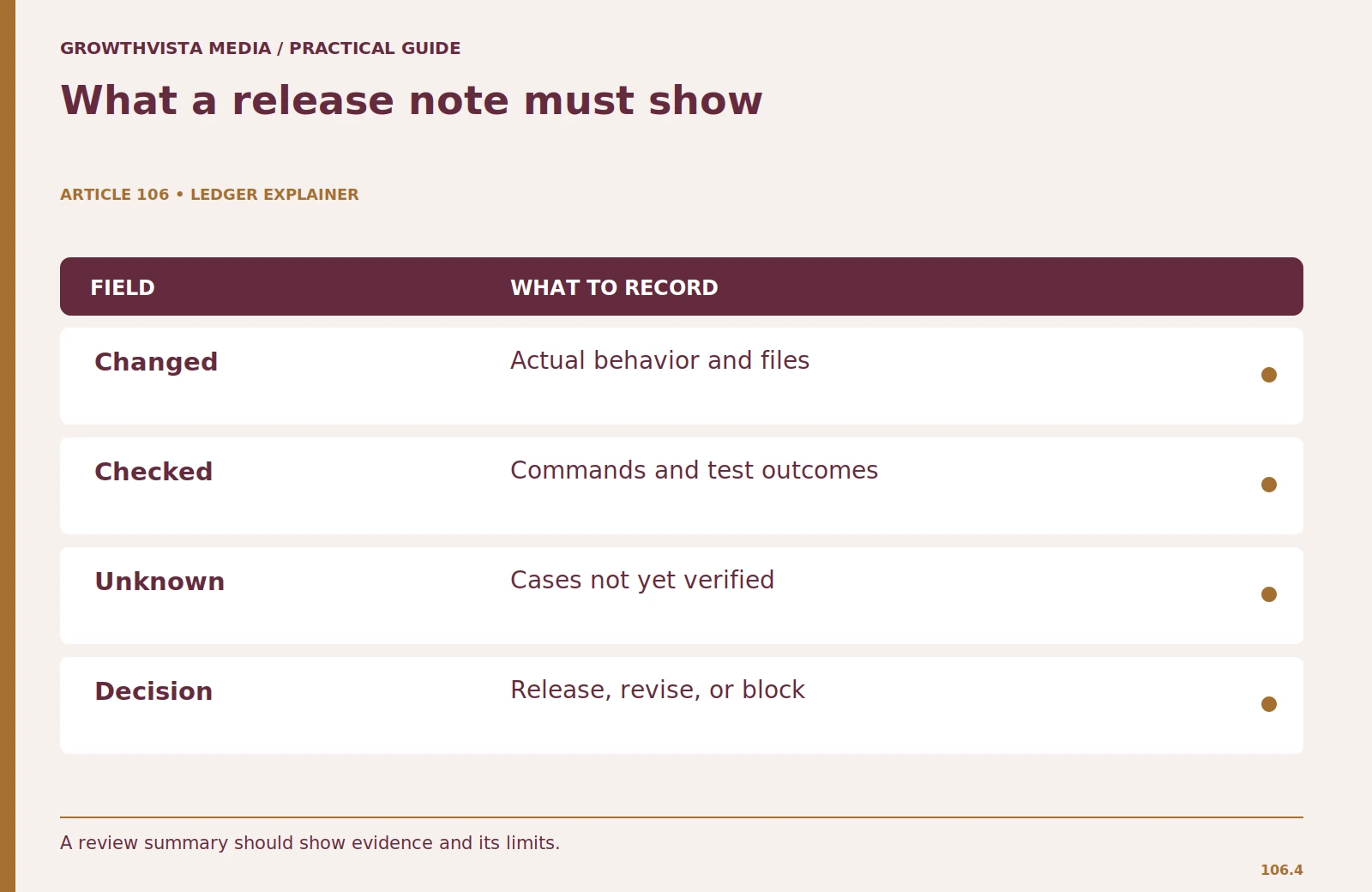
Use this compact structure: requested behavior; actual files and behavior changed; tests and commands run; security and dependency findings; unverified cases; release decision. Keep each item specific enough that a colleague can evaluate the conclusion without reopening the full chat.
For the illustrative parser, the note could say: “Trims string labels and preserves case. Rejects null and numeric inputs. Unit tests cover ordinary, empty, and invalid values. No dependencies added. Import integration test remains pending.” This is stronger than “AI code reviewed and looks good” because it states both the evidence and its boundary.
Frequently asked questions
Can another AI review the generated patch?
It can provide additional observations, but it is not independent proof of correctness. Check the findings yourself and run relevant validation.
What if I do not understand a generated function?
Ask for an explanation, then verify it against the code and examples. Do not approve code you cannot evaluate merely because the explanation sounds clear.
Do I need to test every line?
Test meaningful behavior, boundaries, and realistic regressions. Line coverage alone does not establish that the right requirements were tested.
What should I do if tests cannot run?
Record the exact blocker and leave the relevant behavior unverified. Resolve the environment issue or arrange another appropriate check before release.
Sources and further reading
Official documentation supports the provider-specific and publishing guidance above. Workflows, examples, and rubrics are editorial methods, not vendor performance findings.
Related guides
Continue with these related practical guides.